
Apple Profile: ACME Certificate
What
The ACME Certificate profilepayload islets aFileWave newconfigure Apple Profiledevices componentto introduced in FileWave 15.5.0request and above.renew Thiscertificates featurefrom allows administrators to configure and managean ACME (Automatic Certificate Management Environment) certificatesserver. This can reduce manual certificate handling for services that rely on Appledevice devicescertificates, directlysuch throughas FileWave.Wi-Fi, With this profile, devices can automatically obtainVPN, and renewother digitalcertificate-based certificatesauthentication from an ACME server, streamlining certificate management and enhancing security across your organization’s Apple devices.workflows.
When/Why
Use the ACME Certificate profilepayload when your Apple devices need certificates from an ACME server and you want that certificate request managed through an Apple configuration profile. The payload is especially useful when another payload, such as Network, needs to automatereference the deploymentACME-issued andidentity renewal of digital certificates on managed Apple devices using FileWave 15.5.0 or later. This is particularly usefulcertificate for securing communications for services like HTTPS, Wi-Fi authentication, VPN connections, and email encryption. By leveraging ACME certificates through FileWave, you reduce administrative overhead, minimize the risk of service disruptions due to expired certificates, and ensure consistent security practices across all devices.authentication.
How
To configure thean ACME Certificate profile in FileWave 15.5.0 and above:payload:
AccessOpen the Profile Editor:- Open
theorProfilecreateEditoranwithinAppletheprofile in FileWave Central orAnywhereFileWaveinterface.Anywhere.
- Open
CreateAddatheNew Profilepayload:Select the option to add a new profile.
ChooseAdd the ACME Certificate payload from thelist of availableAppleProfileprofilecomponents.payload list.- Configure ACME
Settingssettings:- Directory
URLURL::Enter the URLoffor your ACMEserver (e.g., Let’s Encrypt).server. - Client Identifier:
A unique string identifying a specific device (e.g., %udid%).
- Directory
Subject: SpecifyEnter thedesiredidentifiersubjectthenameACME server should use for thecertificate.device,(e.g.,such as%udid%or another supported FileWave placeholder.
O=Company Name/CN=Foo)Device Name.
Additional 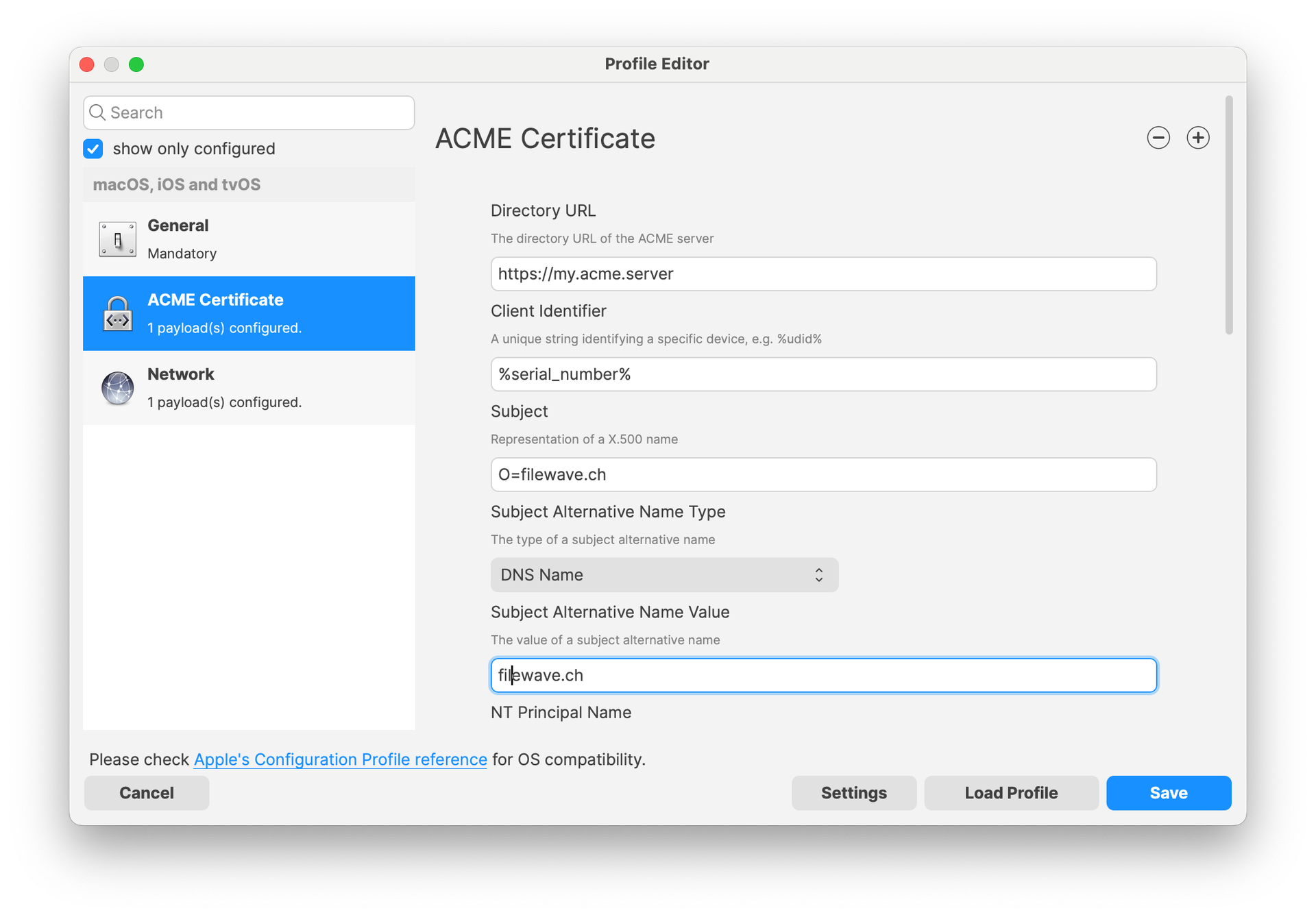
Reference the ACME
- Other payloads, such as
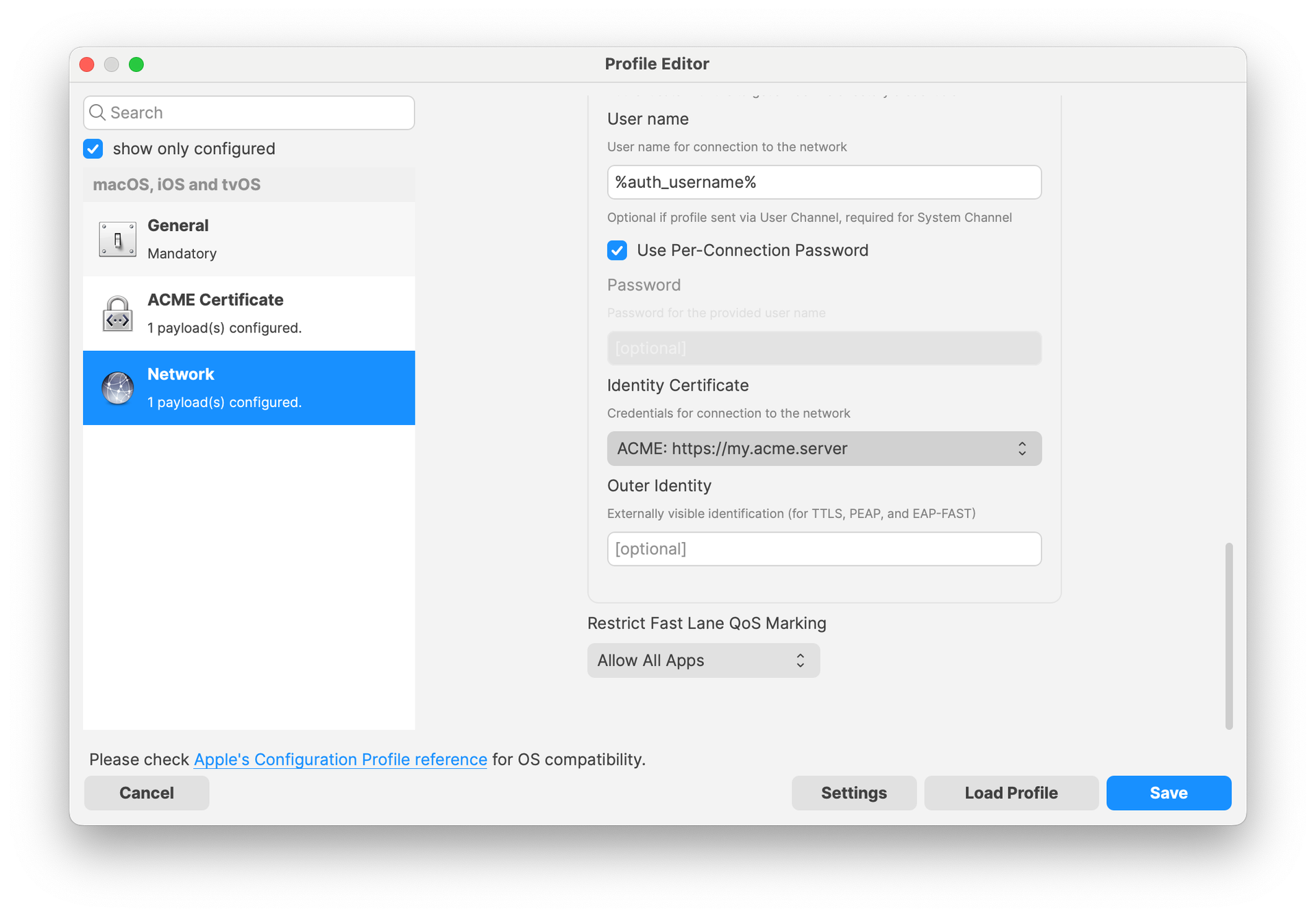
theNetworkpayload,, can reference the ACME Certificatepayload,payload in a similar way tohow they would referenceSCEP payloads. ThisForallowsexample,services likea Wi-Ficonfigurationsconfigurationwithincanthe Network payload to utilizeuse the ACME-issuedcertificatesidentityseamlesslycertificate for authentication.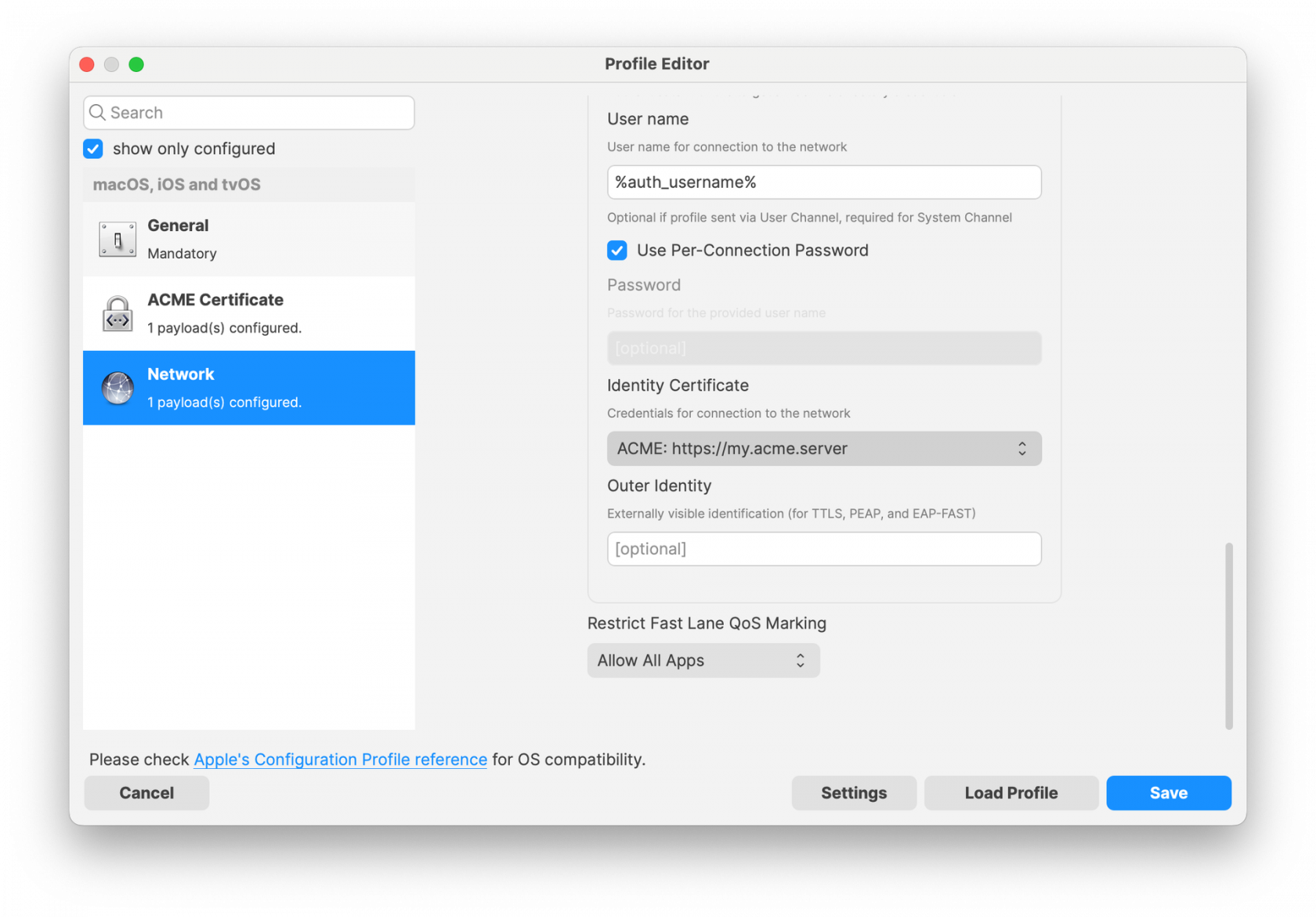
EnsureConfirmallthat the required fieldsarematchcompletedyourcorrectly.ACME server's expectations.- Save the profile and deploy it to the target Apple
devices managed byFileWave 15.5.0or later.devices.
NoteNote:: TheApple's ACME Certificate profilepayload is supported on devices running macOS 10.15 and later, iOS 14 and later, and iPadOS 14 and later. AllProfiles profilesdeployed through FileWave are signed according to thehelp latestpreserve Appleprofile requirements to ensure integrity and authenticity.integrity.
Related Content
Digging Deeper
WithACME theautomates introductioncertificate ofrequests and renewals between a device and a certificate authority. In FileWave, the ACME Certificate profilepayload gives administrators a profile-based way to deliver those settings to managed Apple devices.
The main value is consistency: the certificate request settings live in FileWavethe 15.5.0 and above, administrators can now integrate automated certificate management into theirsame Apple deviceprofile management workflows more efficiently. The ACME protocol automates interactions with certificate authorities (CAs), suchworkflow as Let’sthe Encrypt,payloads tothat provisionuse certificatesthe withoutcertificate. manualWhen intervention.
ANetwork significantpayload advantage ofreferences the ACME Certificate profile is its ability to be used alongside the Network payload within an Apple Profile. This means you can configure Wi-Fi or Ethernet settings in the Network payload and reference the ACME Certificate for authentication purposes. By doing so,certificate, devices can automatically obtainrequest the necessaryidentity certificatescertificate they need for secure network access,access streamliningwithout a separate manual certificate-distribution step.
Before deploying broadly, confirm that your ACME server, identifiers, subject values, key-usage settings, and renewal behavior match your organization's certificate policy. Test with a limited group first, especially when the onboardingcertificate processis used for network services.access.
By allowing other configuration profiles to reference ACME payloads similarly to SCEP payloads within FileWave, you create a cohesive and efficient system for managing certificates across various services. This approach ensures that all network services relying on digital certificates have access to valid, up-to-date certificates, enhancing both security and user experience.
Implementing ACME certificates through FileWave 15.5.0 also contributes to cost savings by utilizing free certificate services like Let’s Encrypt, eliminating the need for purchasing certificates from traditional CAs. Additionally, the automatic renewal feature reduces the administrative burden on IT staff and mitigates the risk of service outages due to expired certificates.
As security threats continue to evolve, automating certificate management with ACME profiles in FileWave 15.5.0 is a proactive step toward safeguarding your organization’s data and communications. Regularly reviewing and updating your certificate policies in line with industry standards will further strengthen your security posture.