eSIM Management for Apple devices
Some Apple devices mayuse becellular usingservice LTE connectivity and may be equipped withthrough an eSIM instead of a physical SIM chipcard. :Apple’s eSIM support article is here: https://support.apple.com/en-us/HT209044
FileWave and Apple offer options to manage these eSIM devices.
Restrict access to eSIM settings:settings
DeployingDeploy an iOS / restrictions profile allowswhen you to restrict accessneed to eSIMprevent settings,users to make sure the device user is notfrom changing thecarrier carrier:or eSIM settings:

Configure eSIM:eSIM
While eSIMs can be configured manually, it is possible to use FileWave tocan updatealso send a remote eSIM configurationsrefresh remotelycommand. forYour your devices. Carrierscarrier should provide you a cellular plan urlURL which will be used bythat the device uses to getretrieve the Carriercarrier configuration.
To have your devices refresh the cellular plan:
| 1. Create a new profile | |
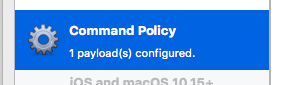
| 2. Select "Command Policy" in the iOS and macOS 10.10+ section |
|
| 3. In the profile definition, enter the url provided by your carrier in the Refresh Cellular Plan section |
|
| 4. Deploy the profile to the corresponding devices |

The command will beis sent to the device at each verifyverify. ;After youthe mayeSIM wantis toconfigured, remove devicesthe device from the corresponding groupsgroup onceso theyFileWave havedoes beennot configuredkeep properly to avoid re-sendingresending the commandrefresh too frequently.command.
Prior to iPadOS 13.4, the eSIM restriction would impact the ability of refreshing Cellular Plan via your MDM. If you have devices earlier than 13.4, then It is required to remove the restriction before deploying the Command Policy profile updating the plan. Upgrading your iPadOS device to 13.4.1 solves this issue.
The following options are also available in the iOS restriction payload to allow you configuring access to cellular settings:

Automatic configuration of new devices
If you buy a large number of eSIM capable devices, you may want to automate the process of configuring the eSIM during enrollment.
This can be achieved with:
- a Profile Fileset, with a "Command Policy" which will define Refresh Cellular Plan url provided by your carrier
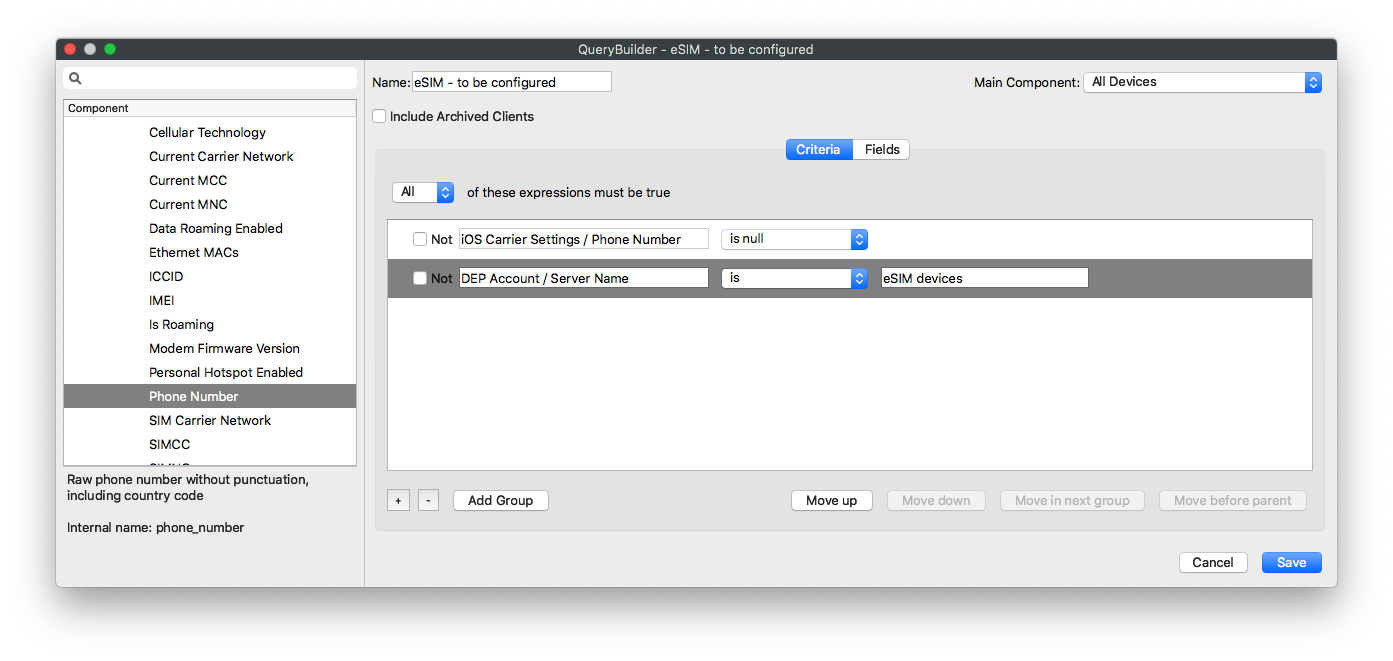
- Create a smart group with the following criteria:
- All involved devices (see notes below on identifying devices)
- Empty phone number
When enrolling a new device, it will be a member of our defined smart group and we'll assign the Refresh Cellular command to configure the eSIM to the group as well. Once that command is completed, the device will then report having a phone number and will thus be excluded from the Smart Group in future.
Currently, iOS devices do not report if they are eSIM capable or not, so it's not possible to create a Smart Group based on a built-in inventory field. However, there are a couple of ways this can be worked around:
- Use a specific DEP server in ASM/ABM, add all matching devices and use the DEP account field in the Smart Group (this would be a manual operation in ASM/ABM)
- Slightly easier, you can add your devices as
placeholders,placeholders and create a specific Custom Field to flag matchingdevicesdevices,andthen usethethat Custom Field in the Smart Group - Filter devices by model as only some models are eSIM capable. Apple lists them here : https://www.apple.com/ipad/cellular/ ; Mactracker, a free macOS app, can also be used to get information about device capabilities.