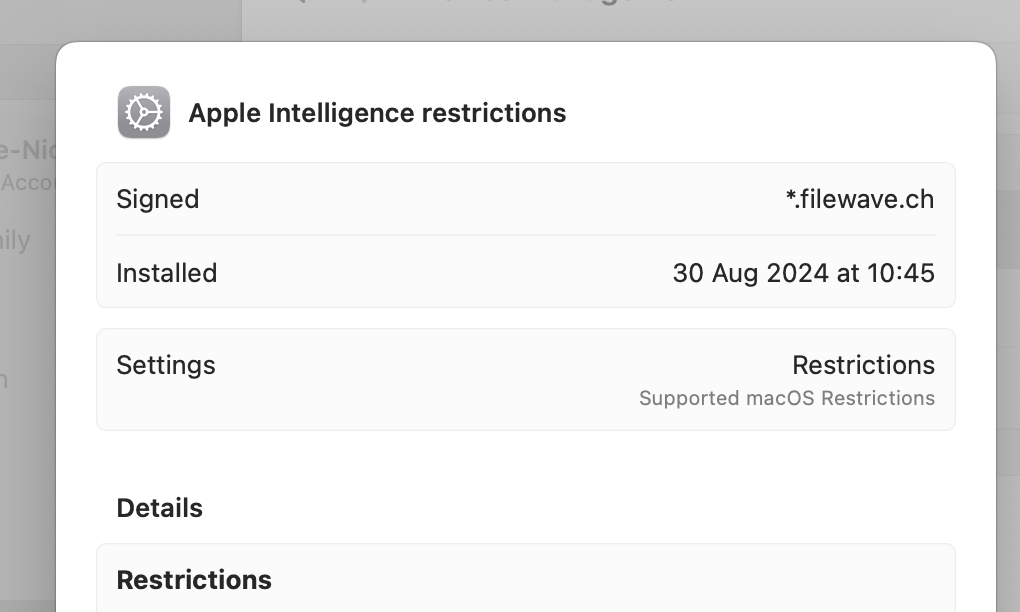
Signed Apple Profiles
What
With the release of FileWave 15.5,automatically allsigns configuration profiles deployed to Apple devices are now automatically signed.devices. Profile signing enhanceshelps security by verifyingverify the authenticity and integrity of the profiles,profile ensuringso theythe haven’tdevice beencan detect whether the profile was altered orafter tampered with during deployment. Additionally,signing. FileWave allowsalso lets you to export thesea signed profilesprofile forwhen you need to use that profile outside of theFileWave, FileWavesuch environment.as with Apple Configurator.
When/Why
When Doesdoes Profileprofile Signingsigning Occur?occur?
AutomaticDuringSigning Upon Deployment:deployment:StartingApplefromconfiguration profiles are signed automatically when FileWave15.5,preparesanythemprofileforyoudeployment.deployYoutodoApple devices is signed by default. There’s nonot need to manuallyselect or trigger theenable signingprocess.for normal profile deployment.
.mobileconfig for use outside of FileWave.
Why Isis Profileprofile Signingsigning Important?important?
Enhanced Security:Trust:AutomaticSigningsigningidentifiesensuresthethatprofileallasprofilescomingarefrom a trustedand have not been modified maliciously.source.Integrity Assurance:Integrity:GuaranteesSigningthathelps confirm the profile contentremainshasunchangednotfromchangedthe point ofbetween signingtoand installation.Compliance Requirements:Compliance:HelpsManymeetorganizationsorganizational security policies and industry compliance standards by providing proof of profile authenticity.
How
Deploying Signedsigned Profilesprofiles
SinceDeploy profilesthe areApple automaticallyprofile signed upon deployment innormally. FileWave 15.5signs andthe later,profile youas don’tpart need to take any extra steps for signing duringof the deployment process.
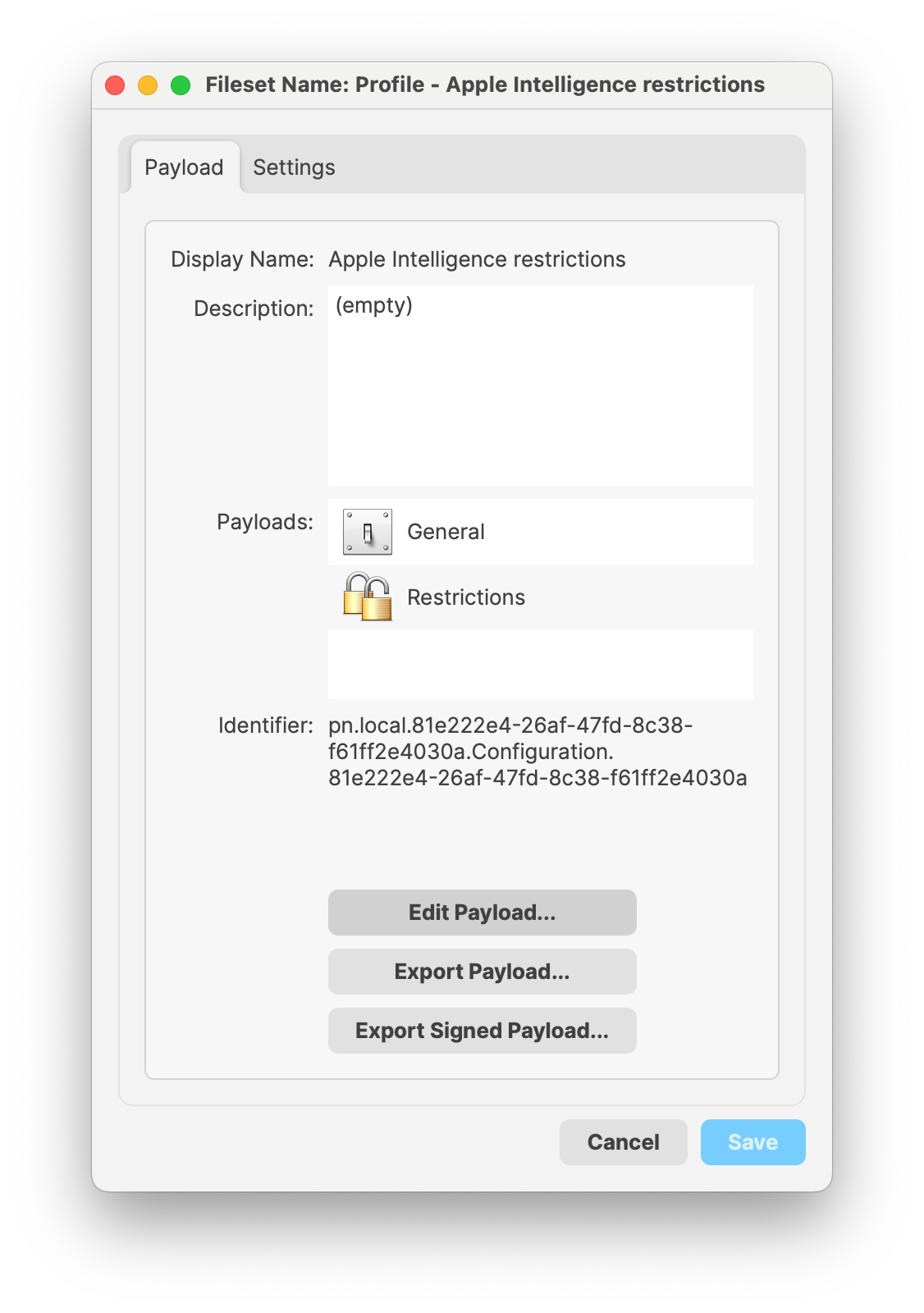
Exporting Signedsigned Profilesprofiles
If you need to use the signed profilesprofile outside of FileWave—forFileWave, example,open inthe Apple Configurator—you can export them as signed payloads, by way ofprofile Fileset Propertiesproperties view,and aschoose shownExport below:Signed Payload....