
Cisco Secure Client Installation (macOS)
Description
NeedUse this recipe to installpackage theand deploy Cisco Secure Client on your macOS devices? FileWave has you covered! Below are the steps to downloadmanaged Macs with FileWave. You will import the FileWave template,templates, uploadreplace the example Cisco package and XML with your CSCfiles, package,approve the required macOS extensions, and gettest readythe toresult deploybefore tobroad your macOS devices.deployment.
Ingredients
-
FWFileWaveAdminCentral -
Cisco Secure Client DMG file, example file name from your Cisco portal:
-
cisco-secure-client-macos-<version>-predeploy-k9.dmg
-
TCCMDM profile forkernel/systemCiscoextensionsecurity extensions and permissions- Older macOS versions for Kernel Extension TCC profile:
- Profile - Cisco Secure Client Kernel Extensions.fileset.zip
- macOS 11 (and later) for System Extension TCC profile:
- Profile - Cisco Secure Client System Extensions macOS 11 (and after).fileset.zip
- Template Install Cisco Secure Client Fileset
Directions
-
Download and import the
twoinstallationfilestemplateintoplusFileWavetheandextensioncreateprofile that matches your target macOS version. Create a Fileset Grouplabelednamed Cisco Secure Client Install orsimilarsimilar. -
Open the
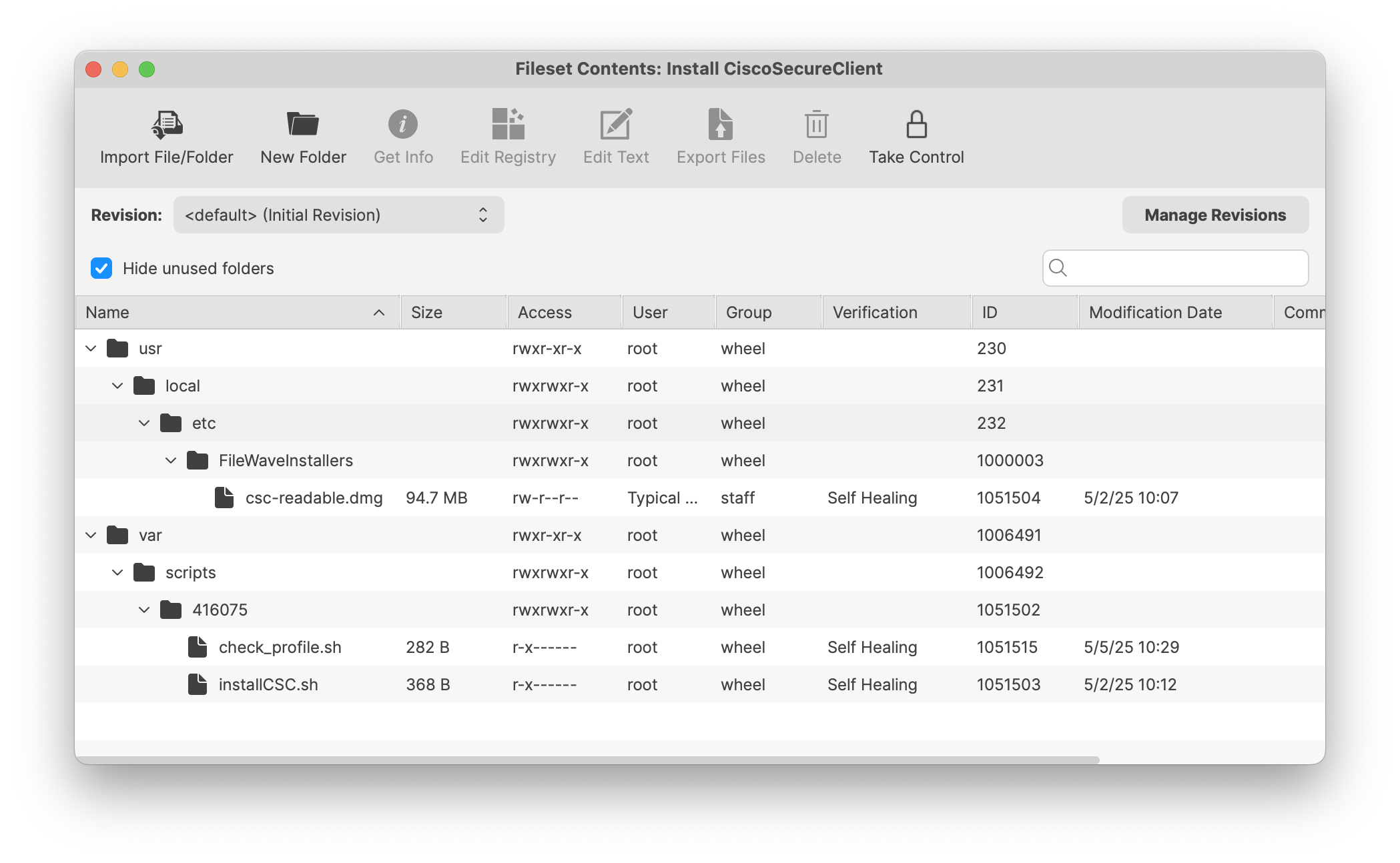
FilesetInstall CiscoSecureClienttoFileset.viewItits contents. The Fileset includescontains two scripts andtwoplaceholders for your customizeddmgDMG andxmlXMLfile.files.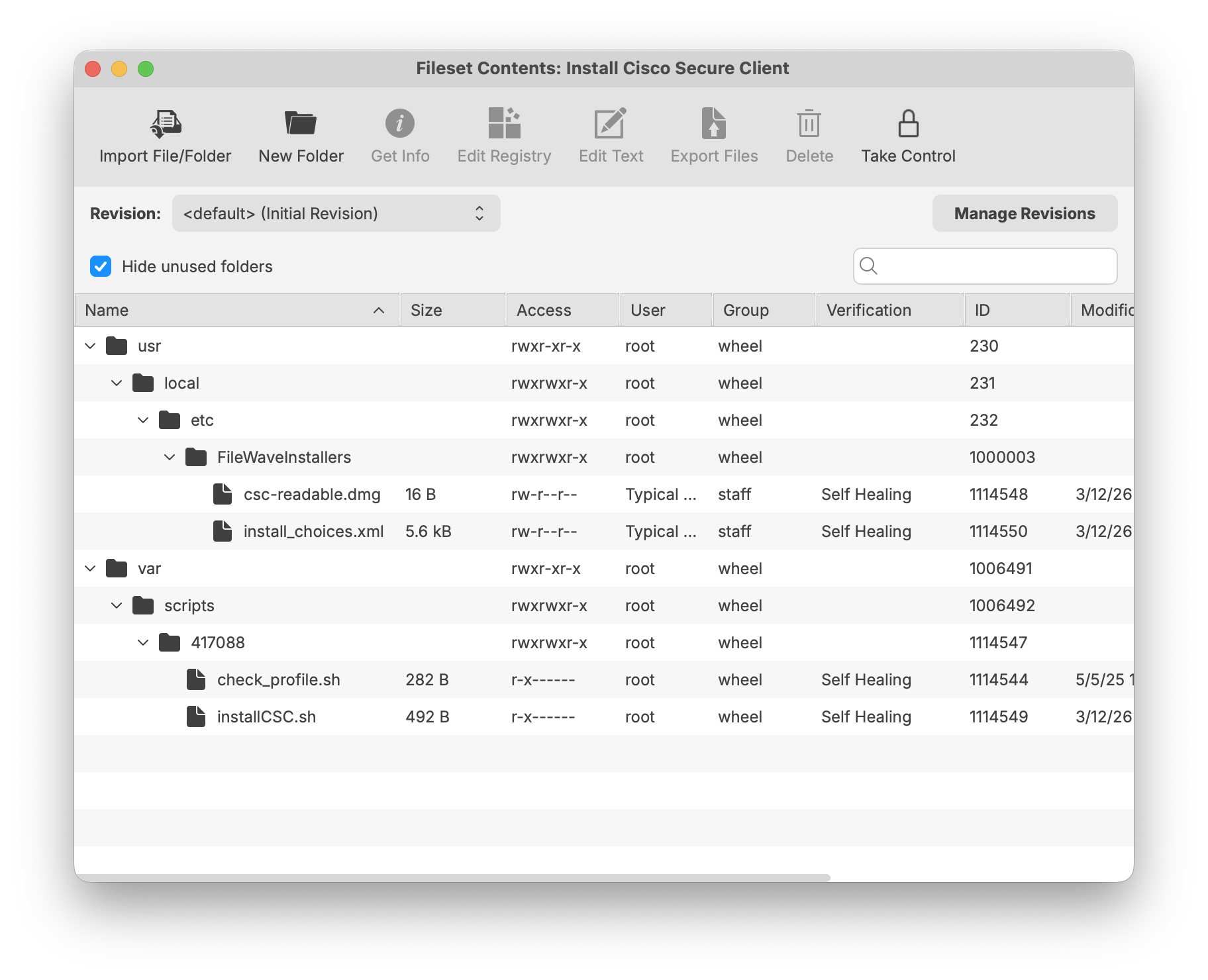
-
Proceed through the Cisco process of creating your CSC-readable DMG file. You may follow the updated steps onFollow Cisco'sKB documentation here:current Customize macOS Installation of Cisco Secure Client.instructions to prepare the DMG and choose the modules your organization needs. TheoneDMG and XML in the templateFilesetareis an exampleexamples andcontainmustanbeexamplereplacedXML profile configuration. Please refer to Related Content below to createwith yourCiscodeploymentCSC-readable DMG file along with customized modules to install.files. -
AfterReplace thecompletionexampleof the CSC-readable DMG, replace the oneDMG in the Fileset withyoursthe DMG you prepared. -
Open the install
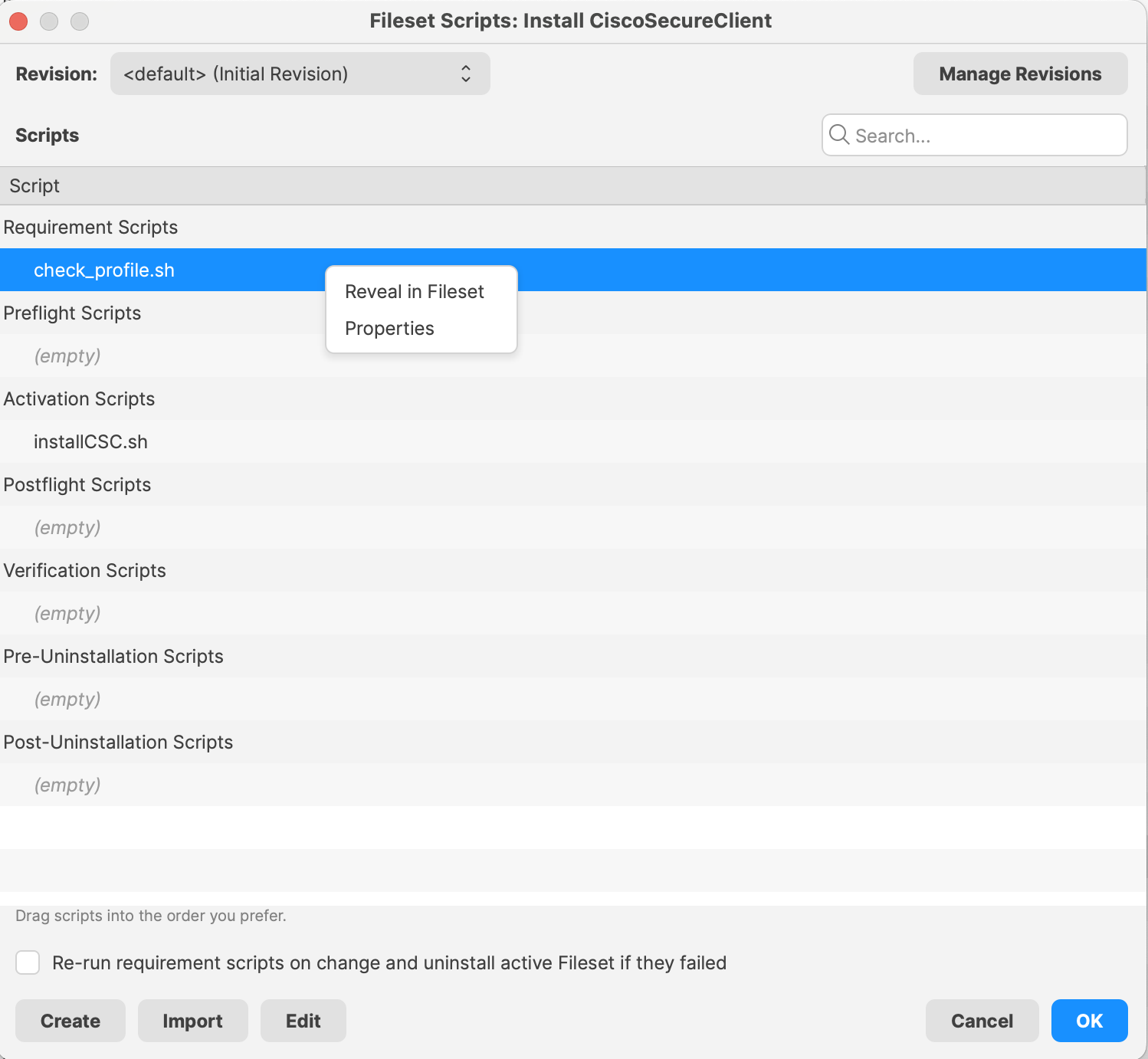
CSCscripttoandmodifyupdate thenames of the updated CSC-readableDMG name andtheCisco Secure Clientversion numberPKGinstallername to matchwhatyouryoufiles.have.EscapeIfspacesthere are spaces, usein thecorrectscriptsyntaxpath,(i.e.,for exampleCisco\ Secure\ Client..pkg)pkg
The scriptwill attachmounts theDMGDMG,tolocates thevolumePKG,of the machine, locate the PKG installer, and extractextracts it to the rootdirectory (you are welcome to change to a differentdirectory,ifinstallsdesired).the client, waits 30 seconds, and detaches the DMG. If youhaveuse a customizedinstall_choices.xml,filereplacebethesureexampleit has been updated and replacedXML in the FilesetContents.asThen the script will sleep for 30 seconds to allow installation of the client and detach the DMG from the machine.well.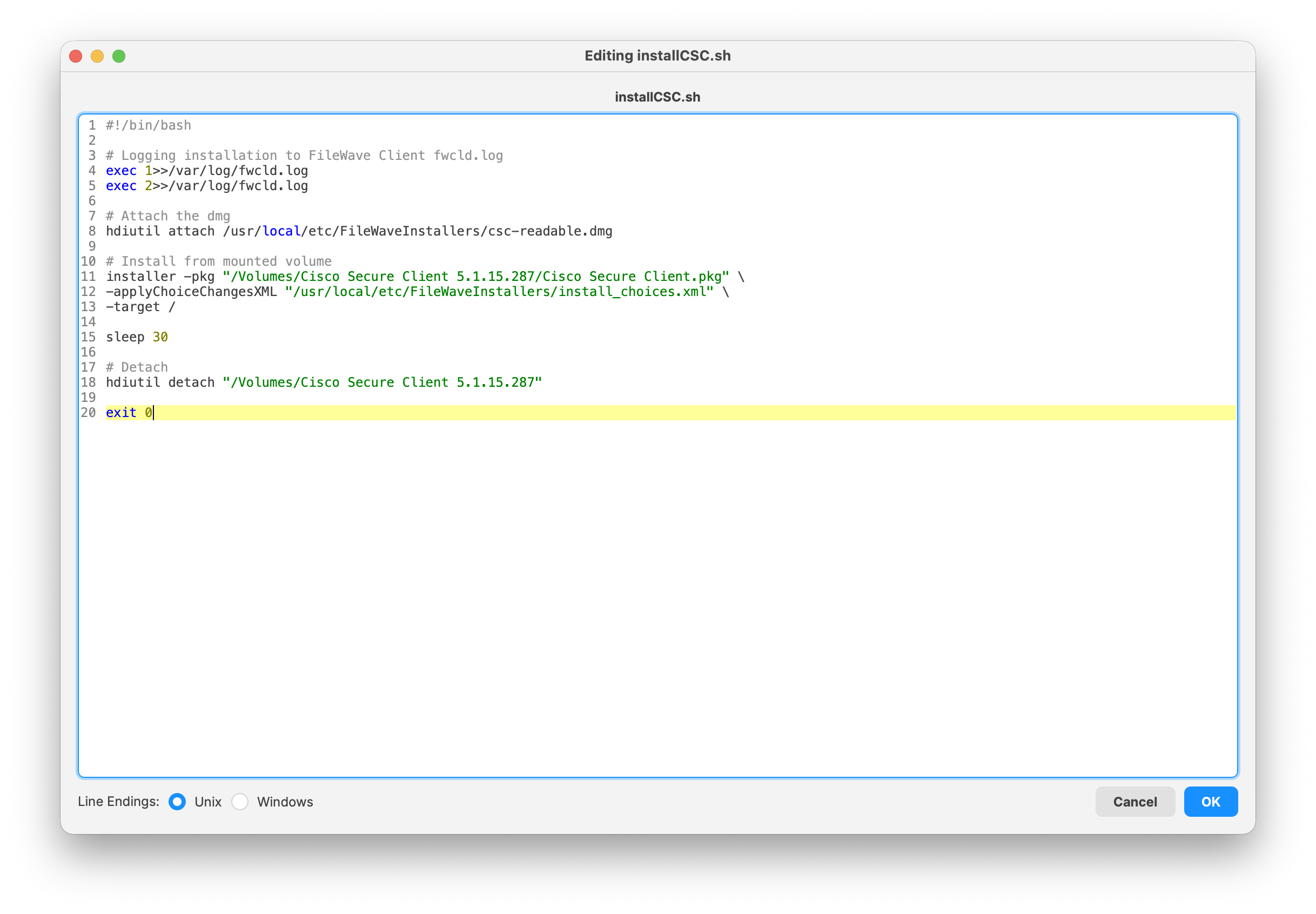
-
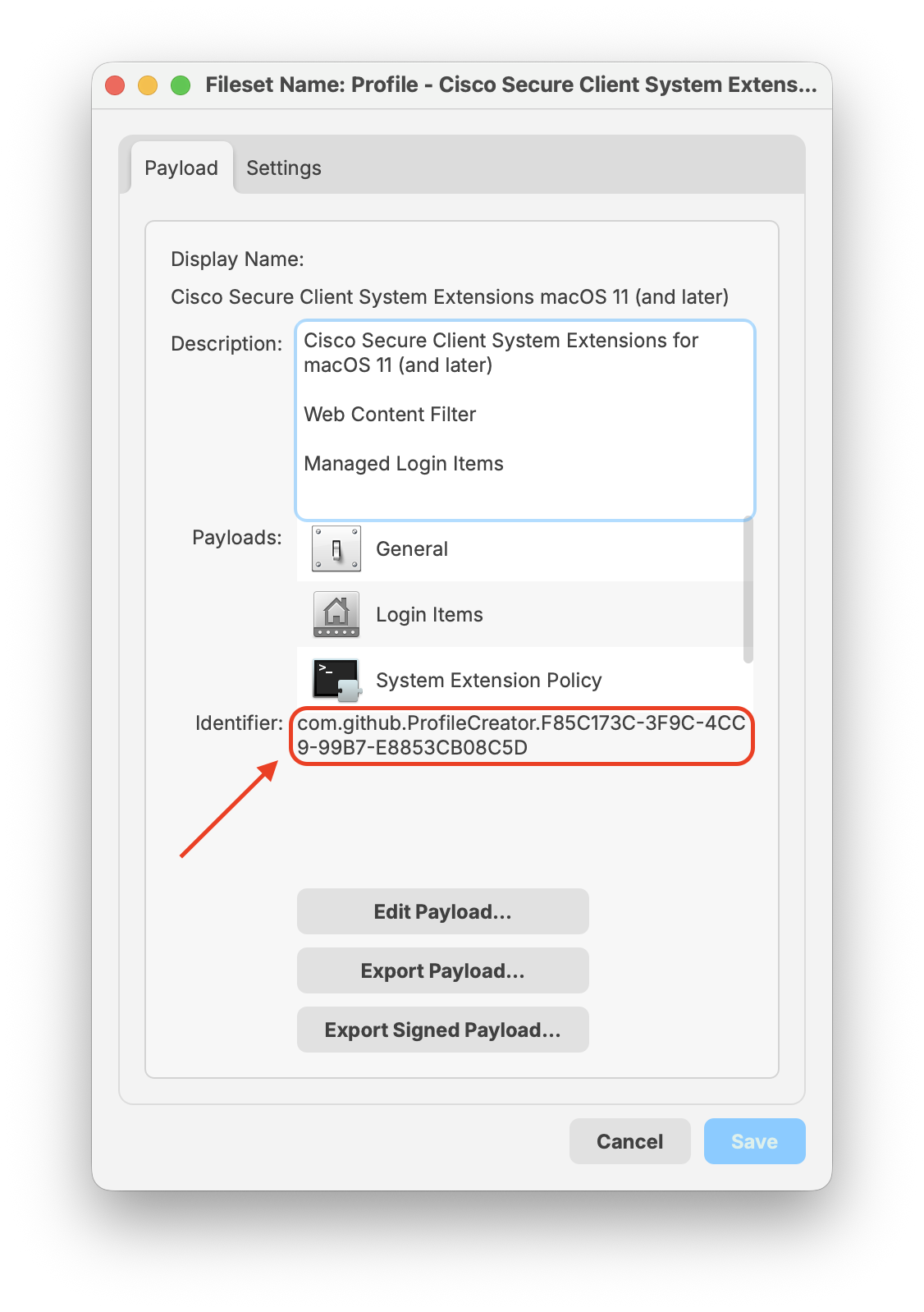
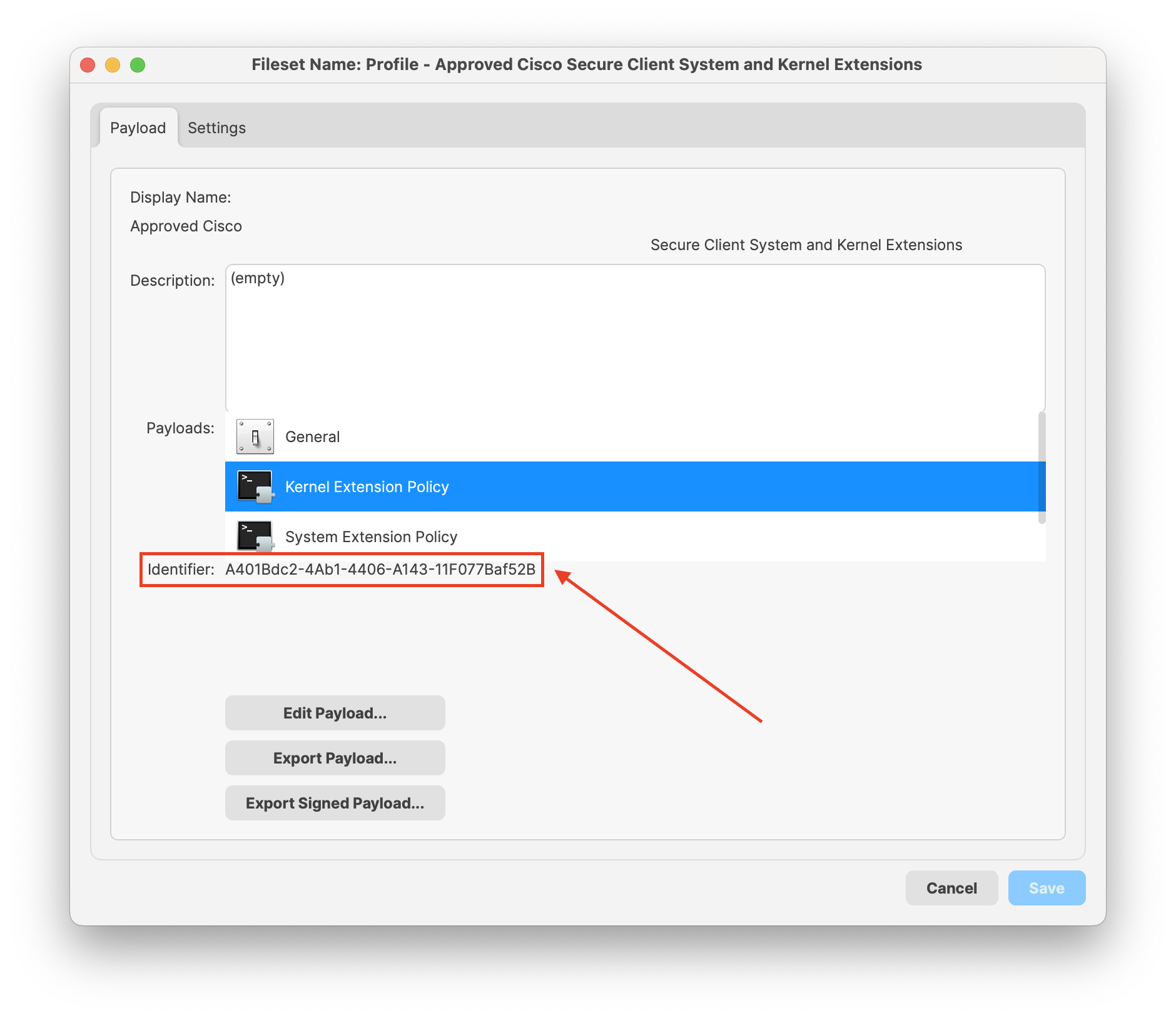
ThereUseare two profiles: one forthe SystemExtensionsExtension profile for macOS 11(andlater)later;alongitwithalso includes the Web Content Filter and Managed Login Itemsandsettings.anotherUsecontaingthe Kernel Extension profile onlythefor older macOS versionsforthatKernelstillExtensions.requireBe sure you are deploying toit.
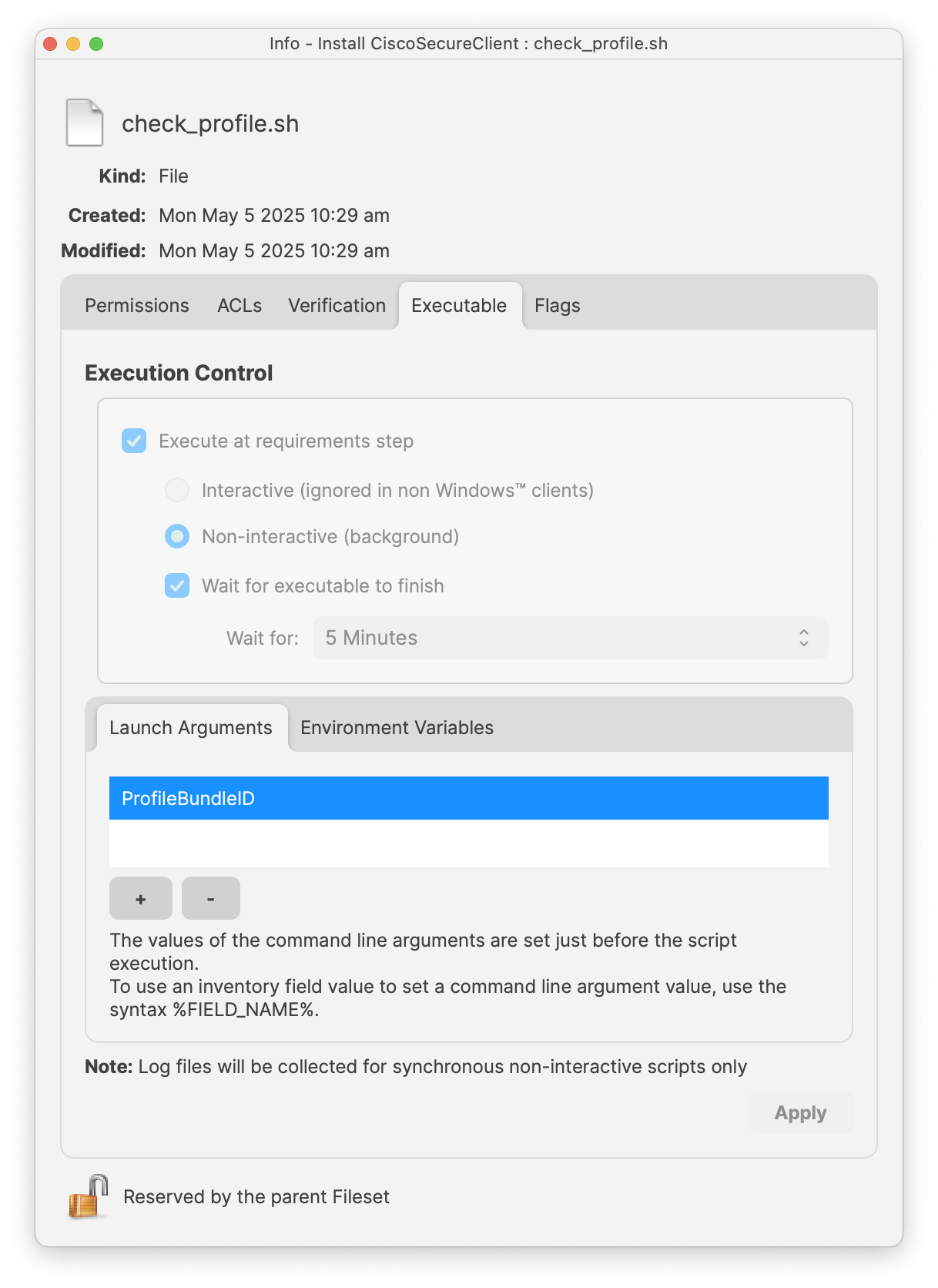
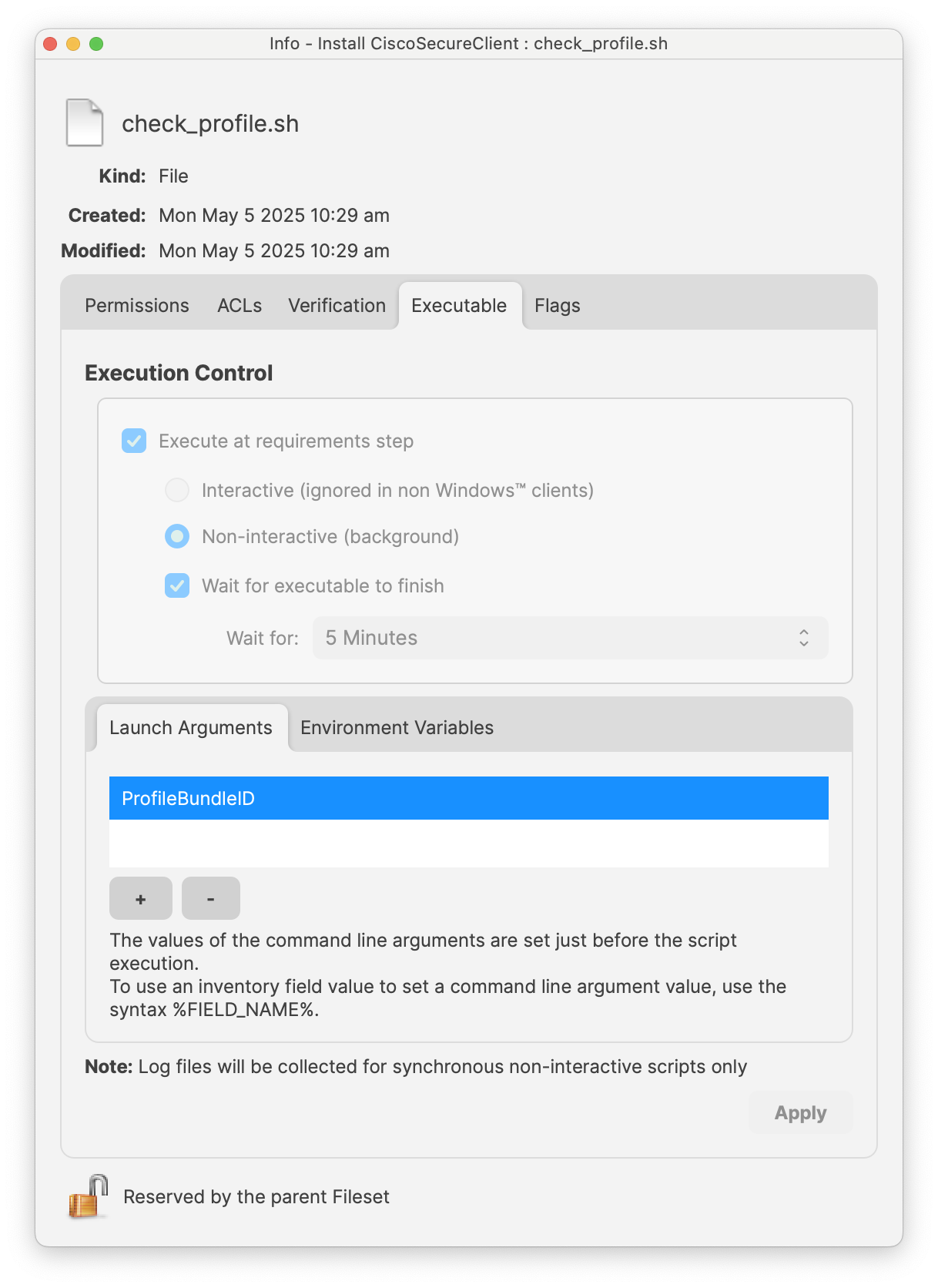
Update thecorrect macOS version in your enivornment.Modify thecheck_profilescript and itslaunchLaunchargumentArgument toensurematchit matches either boththe profile bundleIDsID orjustIDstheyoumacOS 11 (and later).deploy. TheTemplatetemplateFileset containschecks only the macOS1111-and-later(and later) Profileprofile bundle ID.

-
Save the
contentschanges and assign the Filesetgroup with your Fileset and profile(s)Group to afewsmalltest devices.pilot. TheFilesetgroupGroup will deploy profile(s) and the Fileset; oncedeploys the profilehasandbeeninstallationinstalledFileset;successfully,after theFilesetrequiredwithprofileyouris installed, the Cisco Secure Clientwillinstallationbecaninstalled.proceed.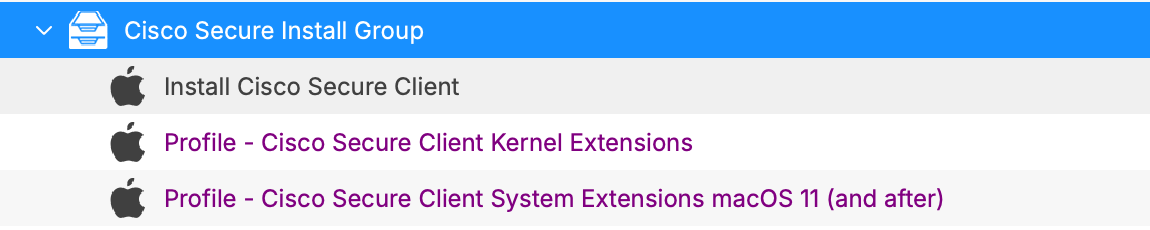


Notes
BeOn surethe topilot test with a few devices before mass-deploying to your production devices. It's always a good habit to test on a few devices toMacs, confirm the properprofile installationis installed, the selected Cisco modules are present, the client opens correctly, and configurationthe ofexpected network connection works before expanding the Cisco Secure Client.assignment.