
Microsoft Defender Recipe (macOS)
Description
ExampleQuick answer: This recipe for deployingdeploys Microsoft Defender.Defender for Endpoint on macOS by combining Microsoft’s PKG and onboarding script with the required FileWave profiles and Filesets.
Ingredients
The listdeployment isuses actuallyseveral quitepayloads, extensive,so duegather tothem before assigning the necessary payloads:Fileset:
- Microsoft Defender PKG
- Deployment Script: MicrosoftDefenderATPOnboardingMacOs.sh
BelowProvidedprovidedInstaller/UninstallerFilesetFilesets from this article- Profiles for:
- Web Content Filter
- TCC allowances
- Notifications
- Data
Acceptanceacceptance&andAutoupdaterMicrosoft AutoUpdate - System extensions and
KernellegacyExtensionskernel extensions
Downloads:
See below directions for deployment before associating with devices.
Microsoft Defender PKG and deployment script are available through the M365 Defender portal; details in the Microsoft Deployment KB:
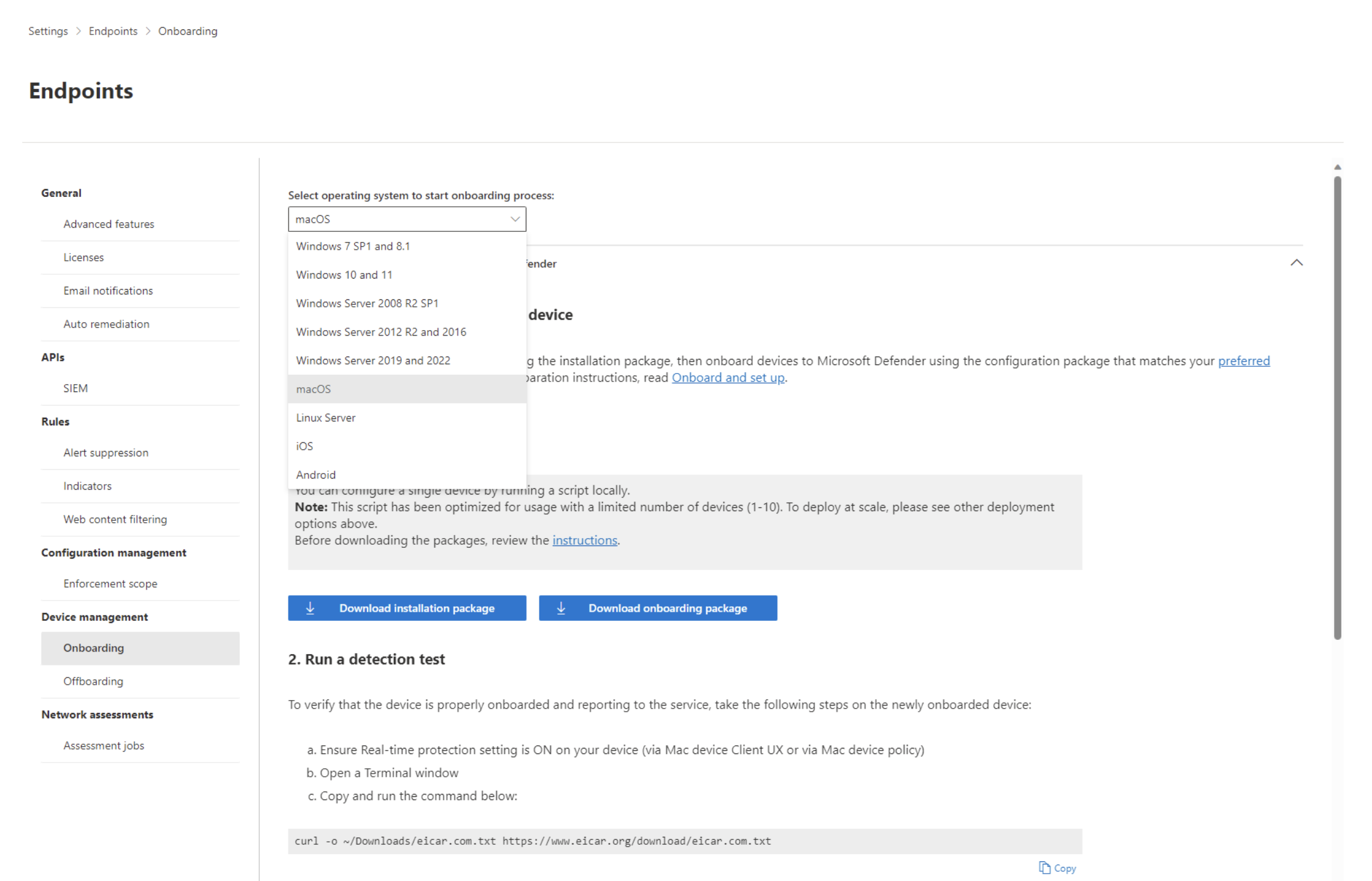
The 'MicrosoftDefenderATPOnboardingMacOs.sh' is built by Microsoft with the appropriate licence code embedded into the script, such that the download is personal to the logged in account, when downloading.
               <key>OrgId</key>
                <string>[licence code here]</string>
The 'OnboardingInfo' key also has this code burnt into its value.
Directions
Download all of the aboveFilesets providedattached Filesets.above. Note theThe Kernel Extension profile should only be requiredneeded for legacy devices.devices that still require it.
Fileset Group
Create a Fileset Group in which to add each of these.
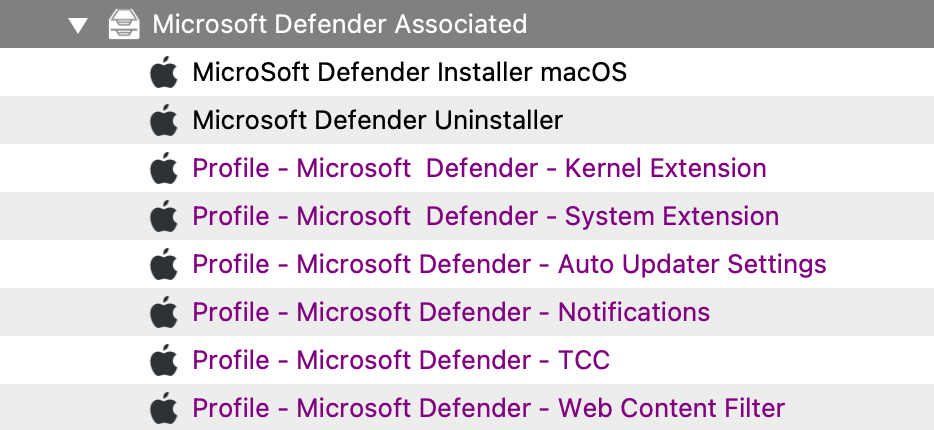
ProfilesInstall shouldthe beprofiles installed firsts.first. The Installer Fileset has a requirement script tothat ensurechecks Profilesfor arethe installed,profiles before commencing with downloaddownloading and activation ofactivating the Installer.installer.
The requirement script is designed to confirm ALLthat all required profiles are installed in advance, withbefore the exceptioninstaller ofruns, except for the legacy Kernel Extension,Extension sinceprofile. thisIf isyour legacy.environment Thestill Profile ID ofneeds the Kernel Extension mayprofile, beadd addedits Profile ID to the list within the Fileset. If this is requirement, butyou are unsure how to approach this, justunsure, ask in eitherthe FileWave community channels linked from the Discord,Resources Alliance or Slack FileWave forums. Links available through the 'Resources'area of the FileWave Websitewebsite.
Installer: 'wdav.pkg'
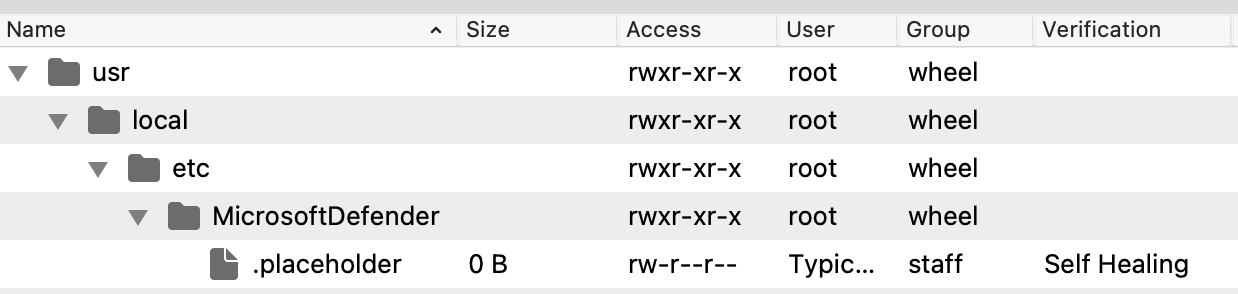
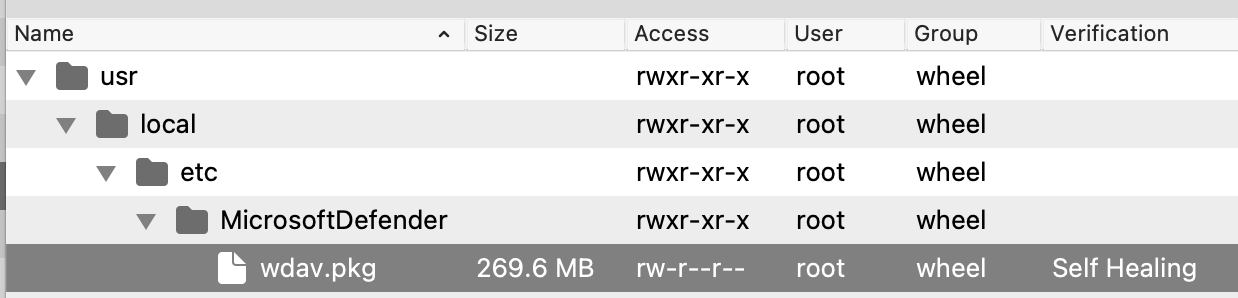
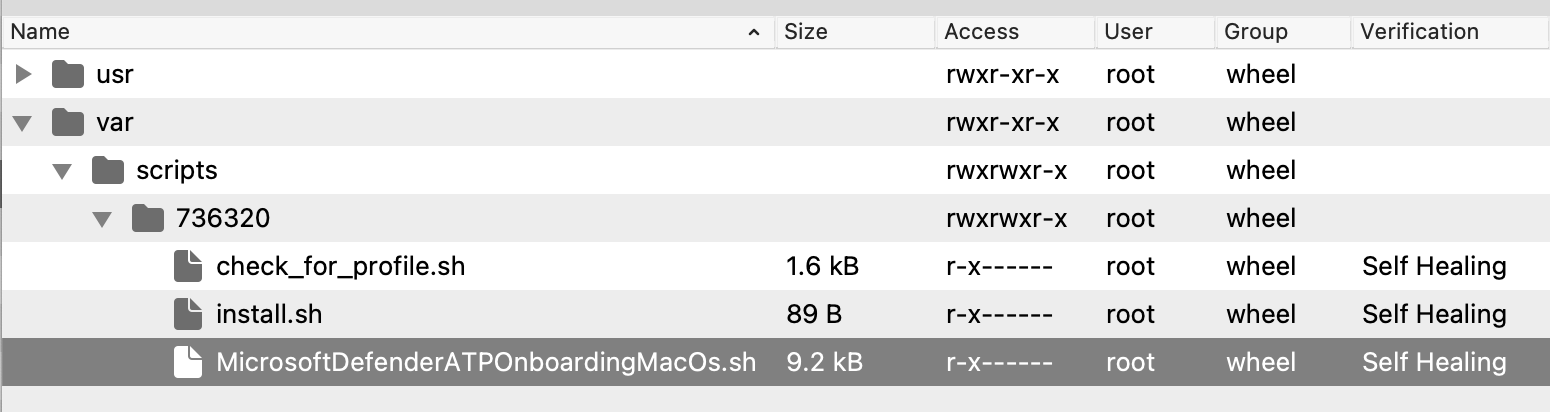
The 'Microsoft Defender Installer macOS' Fileset requires the downloaded PKG. Open the Fileset and drag the PKG into the same location as the '.placeholder' file; this placeholder file may be deleted.
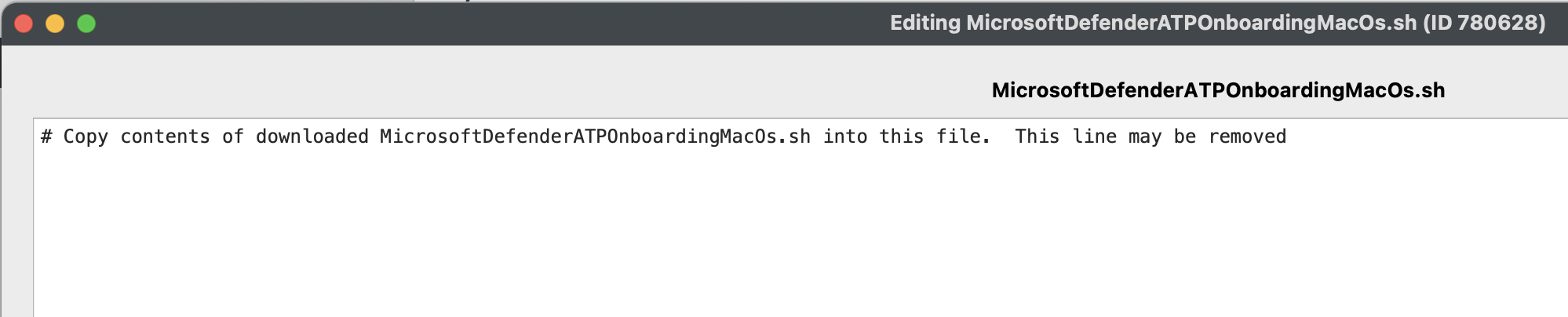
Script: MicrosoftDefenderATPOnboardingMacOs.sh
Edit the text of the provided 'MicrosoftDefenderATPOnboardingMacOs.sh' file within the Fileset and paste in a copy of the script contents downloaded from Microsoft:
Profile Payload Values
The Profilesprofiles tothat manage theMicrosoft AutoUpdaterAutoUpdate and Notificationsnotifications are configured with default values,values. considerConfirm confirming anyour internal desired process and adjust tothe match.values if needed.
The 'AcknowledgedDataCollectionPolicy' key prevents a user notification pop-up from showing. Recommendation is to leave this value as set.
All other profile payload values should be correct at the time of writing, however, Microsoft may make changes over time which could require alteration of one or more of these.
Details pertaining to the contents of the payloads may be viewed in Microsoft's Defender Policies documentation; scroll down past the initial unnecessary information until you reach Step 4.
Assign to Devices
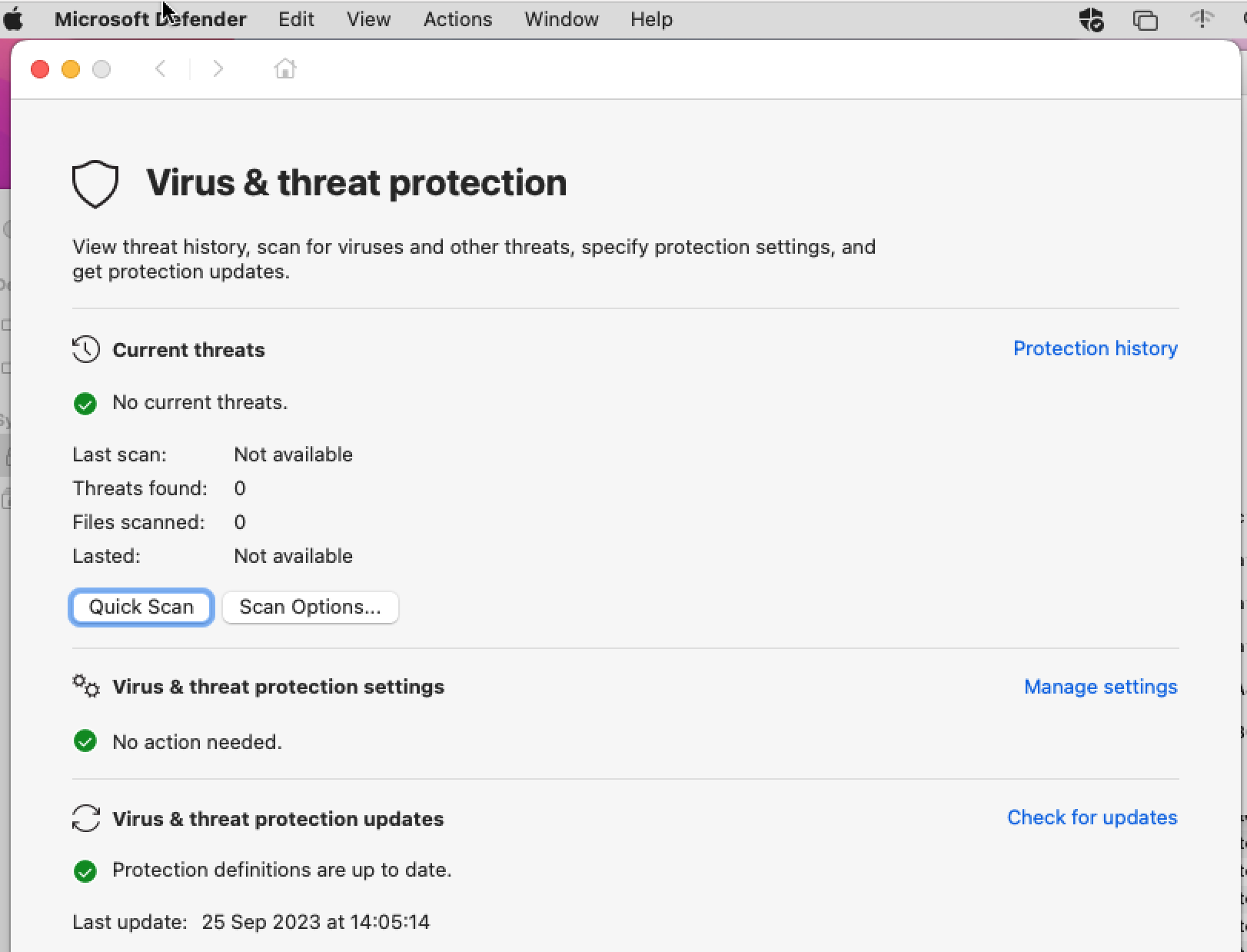
By way of eitherUse a 'Deployment'Deployment or 'Association'Association withinin FileWave,FileWave to assign the Fileset to one or more test devicesdevices. andAfter once happyvalidation, expand thisthe assignment to moreadditional devices.
Additional Information
The requirement script within the Installer Fileset isensures designedthe to ensure allrequired profiles are in placeinstalled before downloadingdownload and commencinginstallation with the installation.begin. Script output fromappears thein Client Info > Fileset Status displays logged information..
Example:
FirstIn timethis example, the first script ran,run found that the Profilesprofiles were not yet installed. On the next runrun, the profiles were installed and the requirement script exited with a value of 0.
Script Log:
----------------------- HEADER - Date: (Mon Sep 25 2023) - Time: (13:36:40) -----------------------
Set to match all profile IDs

Looking for profile: ml1063.local.5b1e7237-2773-4d3a-9627-361c4dd8a9b0.Configuration.5b1e7237-2773-4d3a-9627-361c4dd8a9b0
Profile found: FALSE

Looking for profile: ml1063.local.bd9007c3-41d6-45bb-a2bf-774ec901e4c2.Configuration.bd9007c3-41d6-45bb-a2bf-774ec901e4c2
Profile found: FALSE

Looking for profile: ml1063.local.7f249c3c-f79a-48cf-952c-dd178a00a5a6.Configuration.7f249c3c-f79a-48cf-952c-dd178a00a5a6
Profile found: FALSE

Looking for profile: ml1063.local.f68916cf-c1e0-47e2-a73c-700678267fe8.Configuration.f68916cf-c1e0-47e2-a73c-700678267fe8
Profile found: FALSE

Looking for profile: ml1063.local.4726b0a7-4f74-4369-8aeb-2450e4f0f935.Configuration.4726b0a7-4f74-4369-8aeb-2450e4f0f935
Profile found: FALSE
Only found 0 profiles from the supplied list of 5

----------------------- FOOTER - Date: (Mon Sep 25 2023) - Time: (13:36:41) - Exit code: (1) -----------------------

----------------------- HEADER - Date: (Mon Sep 25 2023) - Time: (13:39:31) -----------------------
Set to match all profile IDs

Looking for profile: ml1063.local.5b1e7237-2773-4d3a-9627-361c4dd8a9b0.Configuration.5b1e7237-2773-4d3a-9627-361c4dd8a9b0
Profile found: TRUE

Looking for profile: ml1063.local.bd9007c3-41d6-45bb-a2bf-774ec901e4c2.Configuration.bd9007c3-41d6-45bb-a2bf-774ec901e4c2
Profile found: TRUE

Looking for profile: ml1063.local.7f249c3c-f79a-48cf-952c-dd178a00a5a6.Configuration.7f249c3c-f79a-48cf-952c-dd178a00a5a6
Profile found: TRUE

Looking for profile: ml1063.local.f68916cf-c1e0-47e2-a73c-700678267fe8.Configuration.f68916cf-c1e0-47e2-a73c-700678267fe8
Profile found: TRUE

Looking for profile: ml1063.local.4726b0a7-4f74-4369-8aeb-2450e4f0f935.Configuration.4726b0a7-4f74-4369-8aeb-2450e4f0f935
Profile found: TRUE
All profiles found.  Exiting 0

----------------------- FOOTER - Date: (Mon Sep 25 2023) - Time: (13:39:33) - Exit code: (0) -----------------------
Subsequently, the Fileset downloaded and activated:
Client Log:
2023-09-25 13:39:34.758|main|INFO|CLIENT|about to downloadAllFileset files for Fileset MicroSoft Defender Installer macOS Installer Included, ID 736320, revision ID 736320
2023-09-25 13:39:35.697|main|INFO|CLIENT|Downloading Fileset MicroSoft Defender Installer macOS Installer Included, ID 736320, revision ID 736320
2023-09-25 14:03:49.650|main|INFO|CLIENT|finished downloadFileset files for Fileset MicroSoft Defender Installer macOS Installer Included, ID 736320, revision ID 736320
2023-09-25 14:03:50.285|main|INFO|CLIENT|Create all folders of fileset ID Fileset MicroSoft Defender Installer macOS Installer Included, ID 736320, revision ID 736320, version 4
2023-09-25 14:03:50.289|main|INFO|CLIENT|Activate all files of Fileset MicroSoft Defender Installer macOS Installer Included, ID 736320, revision ID 736320, version 4
2023-09-25 14:03:50.465|main|INFO|CLIENT|Done activating all 4 files of Fileset MicroSoft Defender Installer macOS Installer Included, ID 736320, revision ID 736320, version 4