
Deploy Oracle Java 8 for Windows with a Fileset
Description
Deploy the Oracle Java 8 JRE
This recipe shows youpackages the stepsOracle youJava need8 Windows offline EXE installer in a FileWave Fileset and runs it silently. It does not apply to followcurrent JDK installers or other Java distributions, which use different packages and deployment options.
Review licensing and application compatibility first.
Confirm that your organization is licensed to makedeploy athe selected Oracle Java Filesetrelease forand Windows.that dependent applications support removing older JRE versions.
Ingredients
Requirements
- FileWave Central
- Java Installer (EXE)
Directions
Build and test the Fileset
-
Download the offline EXE update from: Oracle Download Page
-
Create an empty Fileset and drag the Java install EXE to an appropriate location, e.g. ProgramData > fwEXE
-
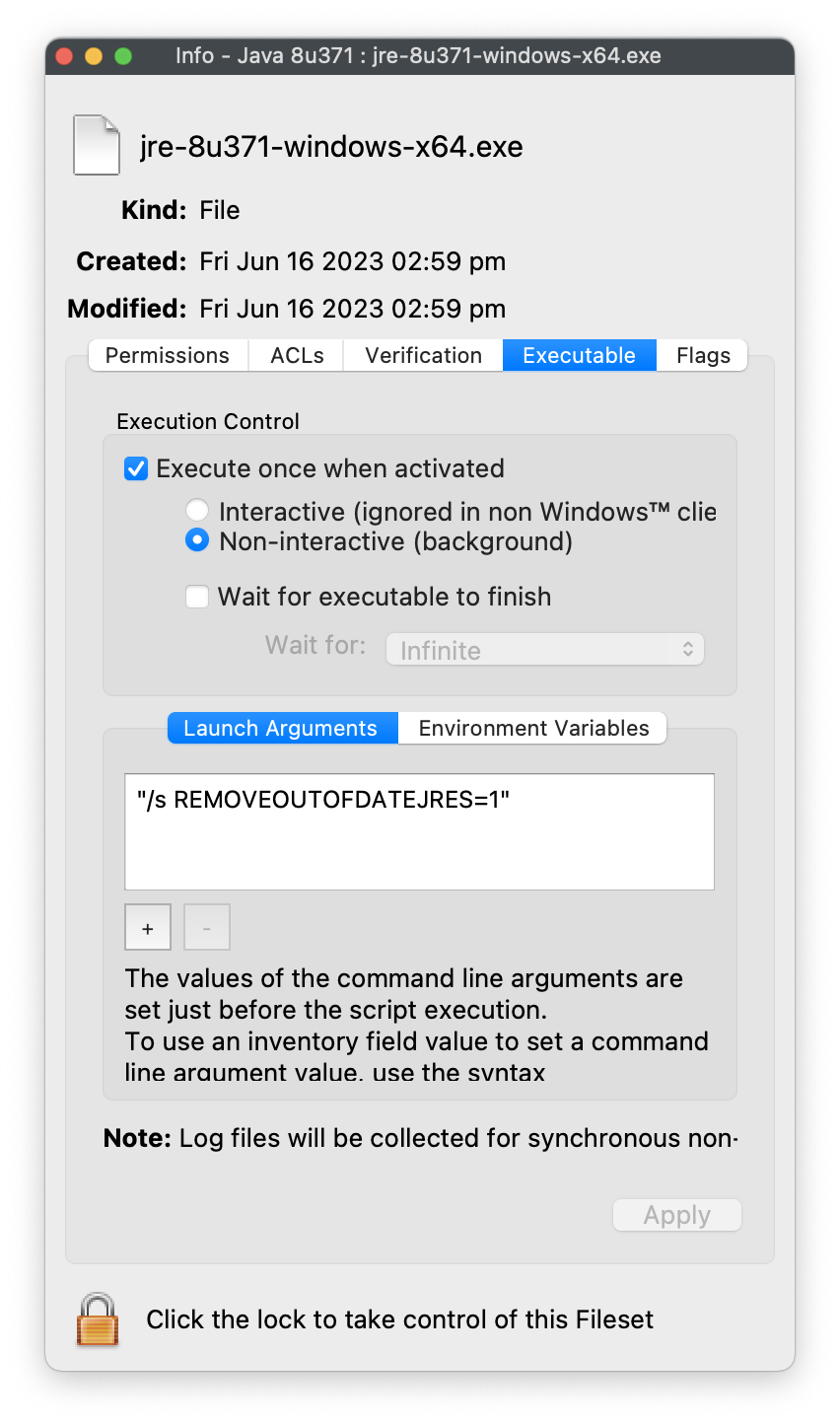
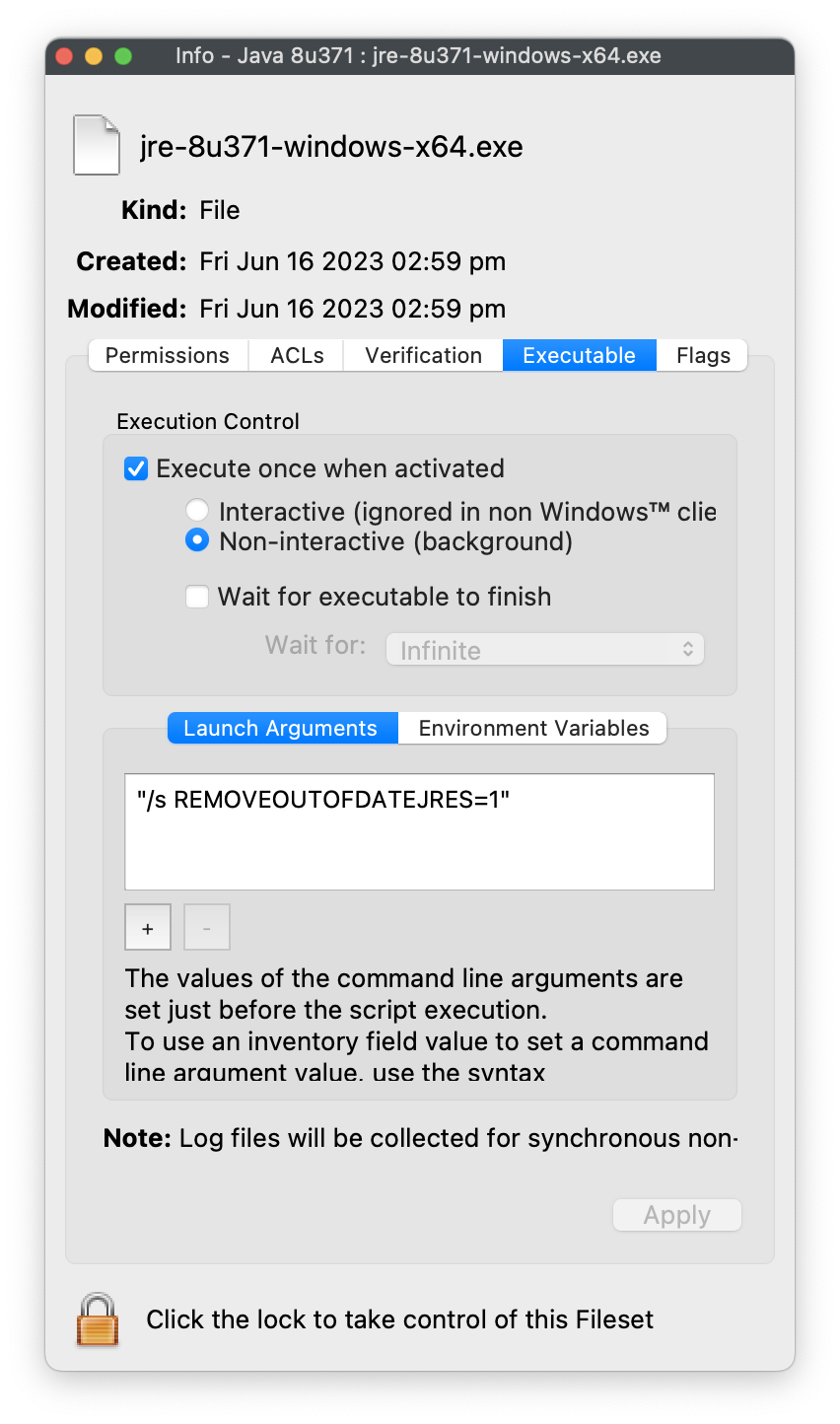
Select the EXE and choose Get Info > Executable
-
Set to 'Execute once when activated'
-
Add the
belowfollowingLaunchlaunchArgumentargument to install silentlyinstaland removeolder installedJRE versions
below Oracle's security baseline:"/s REMOVEOUTOFDATEJRES=1" -
TestAssociate the Fileset with a representative test device, run the deployment, and verify the required Java application before wider rollout.
Do not remove older JREs by default.
OmitREMOVEOUTOFDATEJRES=1or set it to0when an application still depends on an older runtime. Plan the application rollback before broad deployment.
Digging
Oracle Deeperinstaller
option
Oracle's Configuration Documentation
Applicable to online and offline installers only (.exe files and wrappers). Enables uninstallation of existing out-of-date JREs during JRE install.
REMOVEOUTOFDATEJRES
- REMOVEOUTOFDATEJRES=0 leaves all out-of-date Java versions on the system.
- REMOVEOUTOFDATEJRES=1 removes all out-of-date Java versions from the system.
For example, running jre1.8.0_60.exe /s REMOVEOUTOFDATEJRES=1 will remove all JREs below the security baseline.
JREs above the security baseline will not be uninstalled.
Details of baseline may be observed from Oracle's release notes:
https://www.oracle.com/technetwork/java/javase/8all-relnotes-2226344.html
Legacy InstallersinstallersAlthough recommendation is to always useUse the latestnewest version,release legacysupported versionsby the dependent application. Older releases are available from Oracle's Java archive and may require an Oracle account and appropriate license.