
Apple Background Security Improvements and Rapid Security Response (Legacy)
What
Starting
with FileWave 16.3.x, FileWave supports Apple's newer Background Security Improvements behavior. Older Apple isdocumentation, knownolder forOS its high standards of securityfamilies, and privacyolder forFileWave itsscreenshots users. However, no system is perfect and vulnerabilities canmay still beuse foundthe andearlier exploited by malicious actors. That's why Apple has developed a Rapid Security Response (RSR) process that allows it to quickly identify, fix and deploy security updates to its devices.wording.
What is RSR?changed
Rapid Security Response (RSR) iswas introduced by Apple in iOS 16, iPadOS 16, and macOS 13 as a methodway forto deployingdeliver urgent security fixes tobetween usersstandard moresoftware frequently.updates. Starting with Apple's 2026 operating systems, Apple replaced that model with Background Security Improvements. This is not just a label change. Apple now documents Background Security Improvements as their own release type for lightweight security fixes that can be delivered without a full operating system update.
In practice, that means you may still see the older RSR isterm ain process thathistorical Apple followsmaterial, whenolder itoperating becomessystems, awareolder ofFileWave ascreenshots, securityand issuesome thatlow-level affectsApple itsmanagement productskeys, orwhile platforms.current ItApple involvesdeployment fourguidance mainfor steps:newer OS versions uses Background Security Improvements.
How they behave
-
Investigation: Apple's security team analyzes the issue and determines its severity, impact and scope.
Mitigation: Apple's engineers work on developing a patch or workaround to address the issue and prevent further exploitation.
Testing: Apple's quality assurance team tests the patch or workaround to ensure it works as intended and does not introduce new problems.
Deployment: Apple's release team distributes the patch or workaround to its users via software updates, security bulletins or other channels.
When/Why
RSR is important because it helps Apple protect its users from potential harm caused by security breaches.
Rapid Security Responses don’t adhere to the managed software update delay; however, because theyThey apply only to the latest supported minor operating system version, ifso thatdelaying the base minor operating system update is delayed, the response is also effectively delayed. If necessary,delays the usersecurity canimprovement.
They don't follow the responses.normal managed software update delay.
IfSome improvements require a device restart. On Mac, Safari-related content may become available to Safari sooner, but a restart is still required to make the content broadly available to the rest of the operating system.
Users can remove installed improvements unless management prevents removal.
What device management can do
Apple's software update framework still exposes controls for these releases. On supervised devices, MDM can control automatic installation behavior, block manual installation, block removal, and enforce a specific response using thetarget latest operating systemOS and therebuild isvalues awhen Apple publishes one.
FileWave inventory continues to use Apple's supplemental software update reporting for this family of releases. The relevant inventory fields are the supplemental version and supplemental build values reported by the device.
The screenshots below were captured when Apple labeled these releases as Rapid Security ResponseResponses. available,Treat AvailableOSUpdatesthem returnsas thehistorical response.examples, Thenot MDMas sendsexact aUI command to install the response. Note that an MDM can only install the response on devices using the latest minor version.
How
RSR works by leveragingfor Apple's resources,2026 suchoperating as configuration profiles. There are options within macOS and iOS/iPadOS Restrictions payload to allow the installation and removal of these Rapid Security Response updates. Screen shots below for reference:systems.


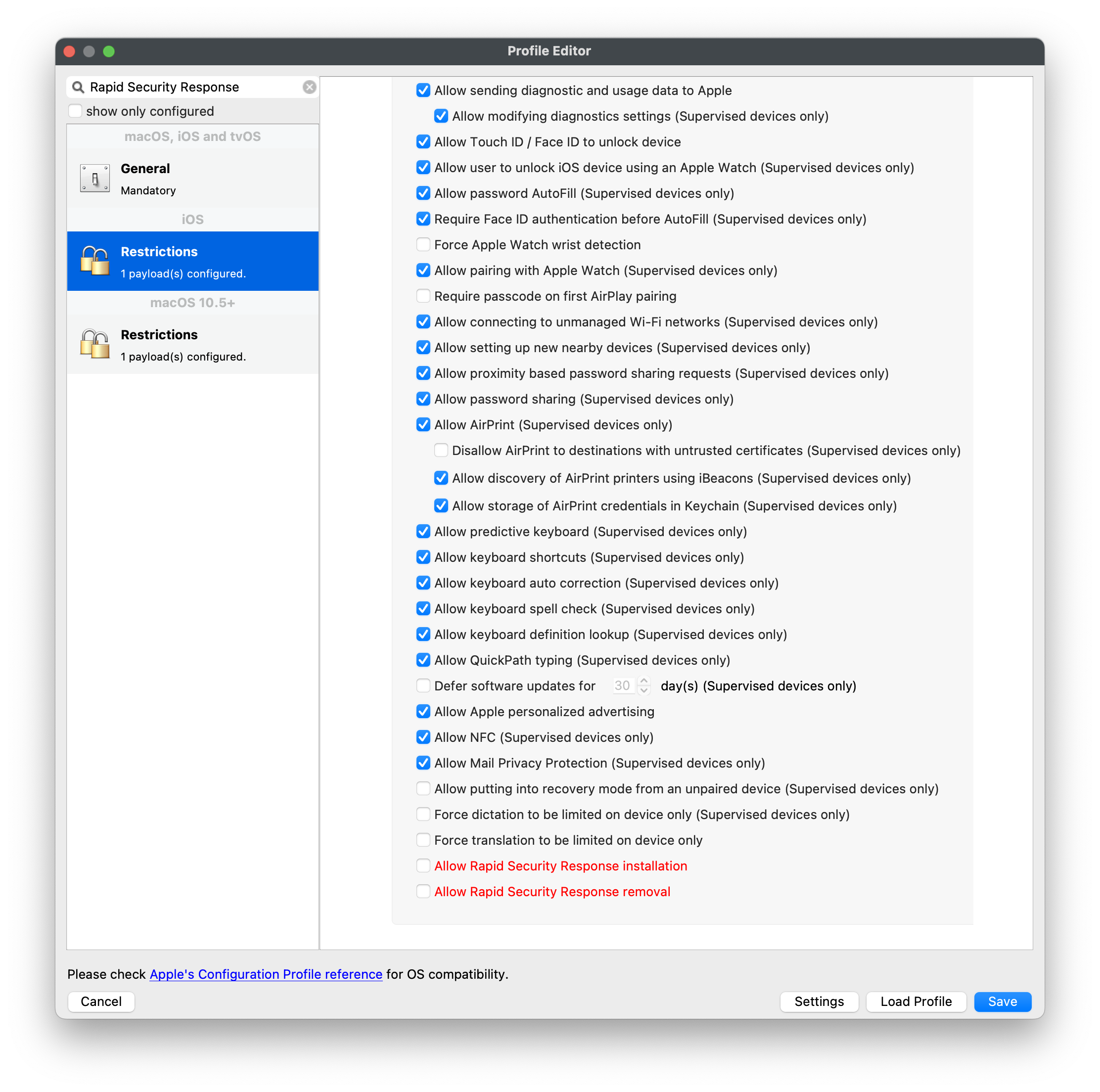
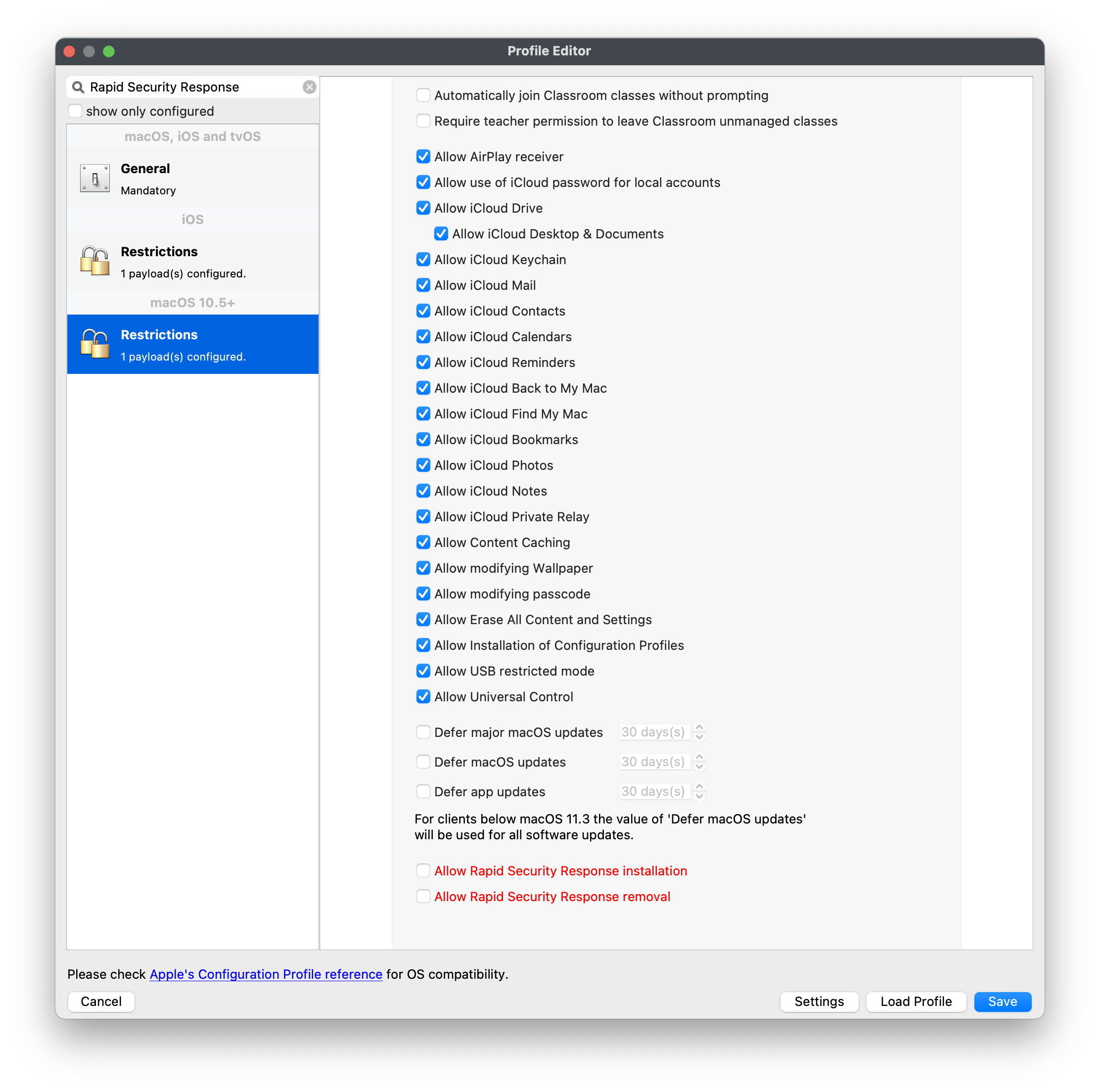
As of FileWave 15, there are two additional Inventoryinventory Itemsitems relatingfor toApple's Rapidsupplemental Securitysecurity Response;releases, both labelledlabeled as Supplemental:Supplemental:
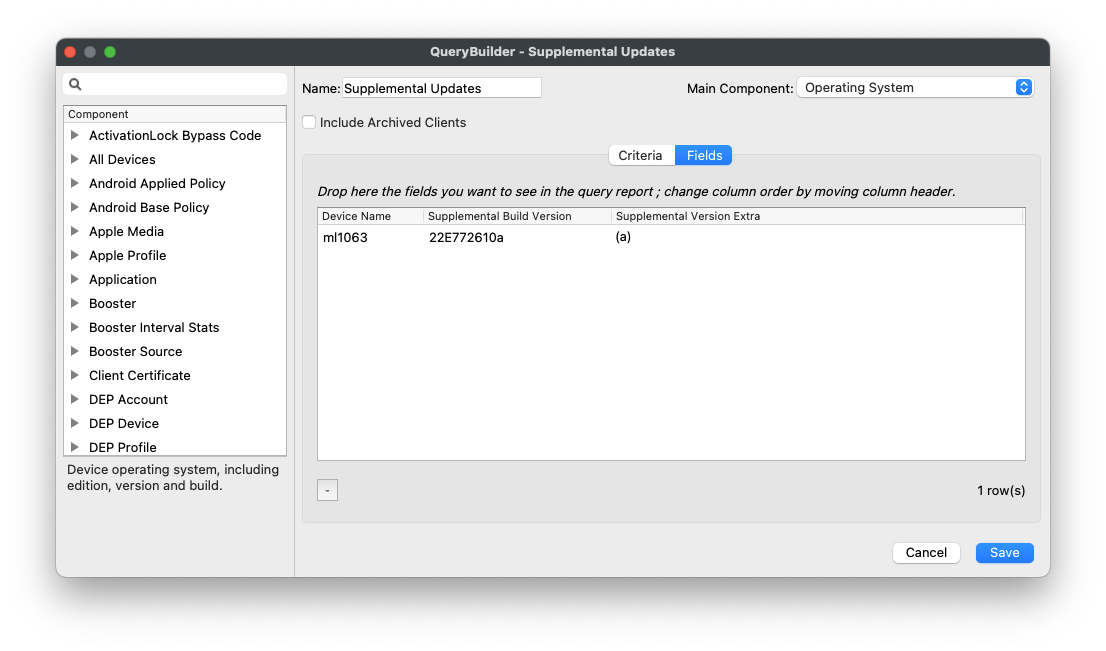
Note, Supplemental Build Version willtypically only showshows a value ifonly when a current supplemental security release is installed. After the device moves to a newer base OS version, or when there is ano currentactive RSRsupplemental installedsecurity onrelease afor device. Once a device updates to the next macOSthat version, that has no RSR installed, these twofields inventorymay items will becomebe blank again.
Related Content
For Apple documentation regarding Rapid Security Response Updates:
Use MDMdevice management to deploy software updates to Apple devices