
Apple Background Security Improvements and Rapid Security Response (Legacy)
Starting with FileWave 16.3.x, FileWave supports Apple's newer Background Security Improvements behavior. Older Apple documentation, older OS families, and older FileWave screenshots may still use the earlier Rapid Security Response (RSR) wording.
What changed
Rapid Security Response (RSR) was introduced by Apple in iOS 16, iPadOS 16, and macOS 13 as a way to deliver urgent security fixes between standard software updates. Starting with Apple's 2026 operating systems, Apple replaced that model with Background Security Improvements. This is not just a label change. Apple now documents Background Security Improvements as their own release type for lightweight security fixes that can be delivered without a full operating system update.
In practice, that means you may still see the older RSR term in historical Apple material, older operating systems, older FileWave screenshots, and some low-level Apple management keys, while current Apple deployment guidance for newer OS versions uses Background Security Improvements.
How they behave
-
They apply only to the latest supported minor operating system version, so delaying the base minor update also effectively delays the security improvement.
-
They don't follow the normal managed software update delay.
-
Some improvements require a device restart. On Mac, Safari-related content may become available to Safari sooner, but a restart is still required to make the content broadly available to the rest of the operating system.
-
Users can remove installed improvements unless management prevents removal.
What device management can do
Apple's software update framework still exposes controls for these releases. On supervised devices, MDM can control automatic installation behavior, block manual installation, block removal, and enforce a specific response using target OS and build values when Apple publishes one.
FileWave inventory continues to use Apple's supplemental software update reporting for this family of releases. The relevant inventory fields are the supplemental version and supplemental build values reported by the device.
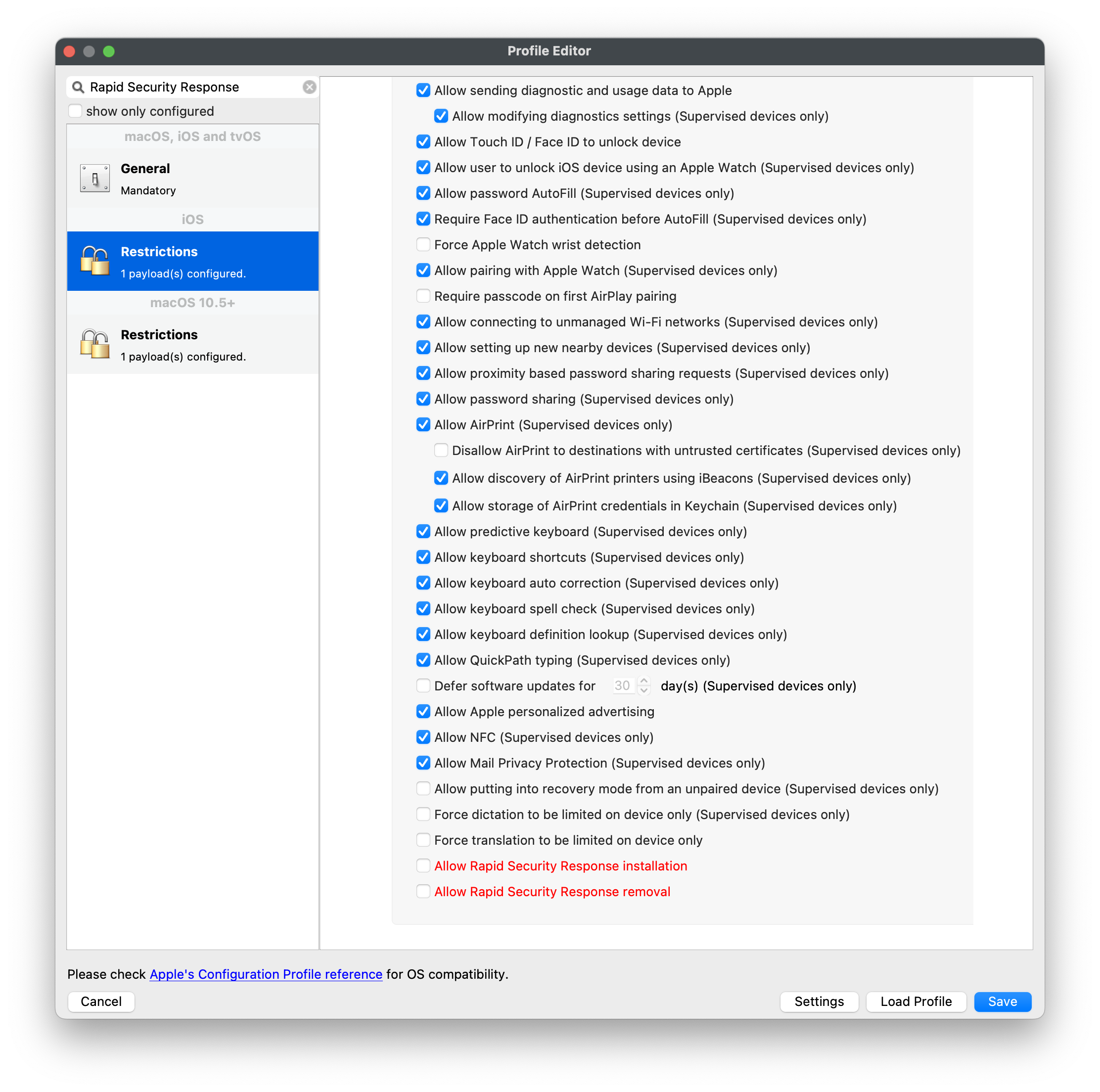
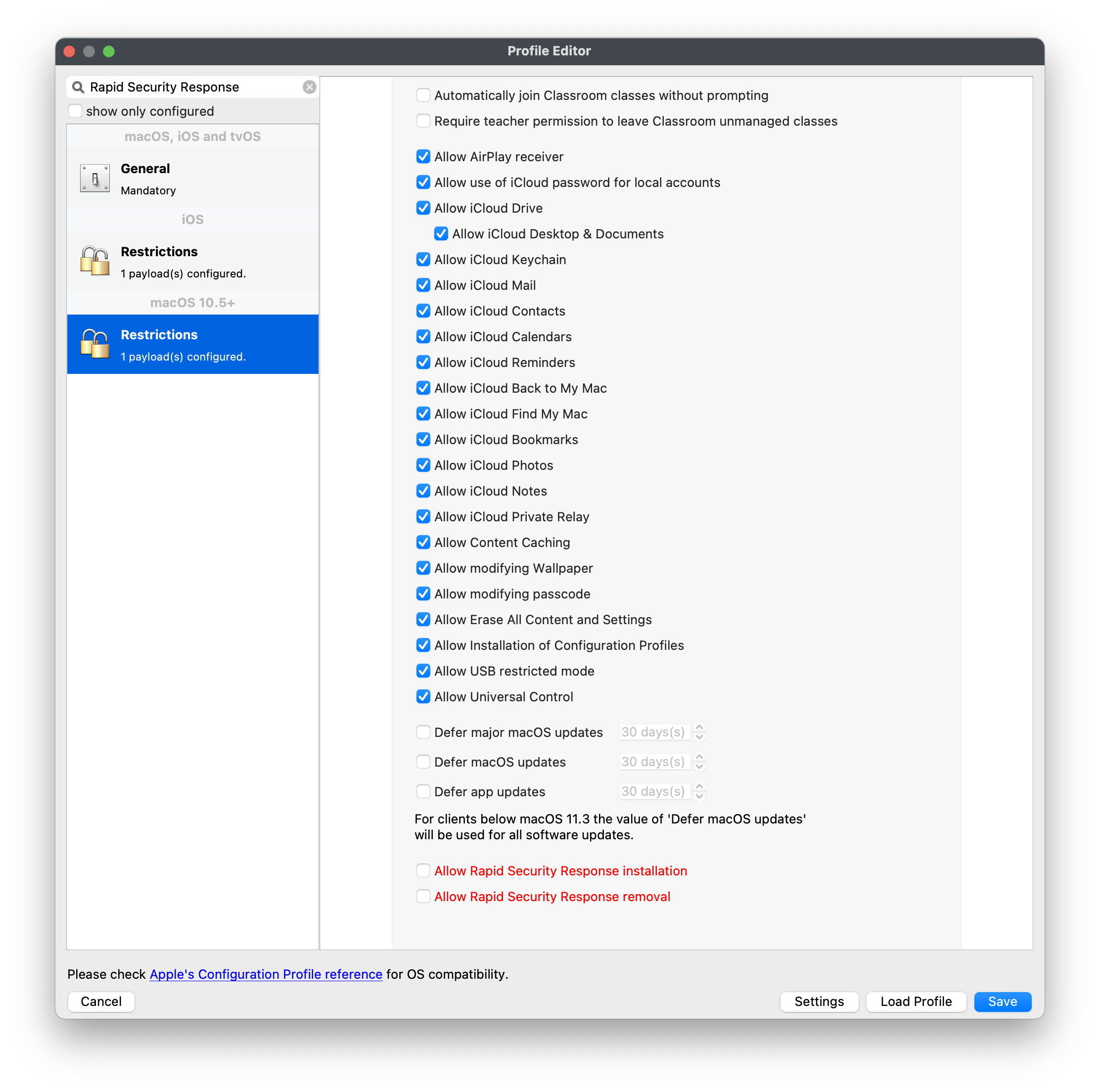
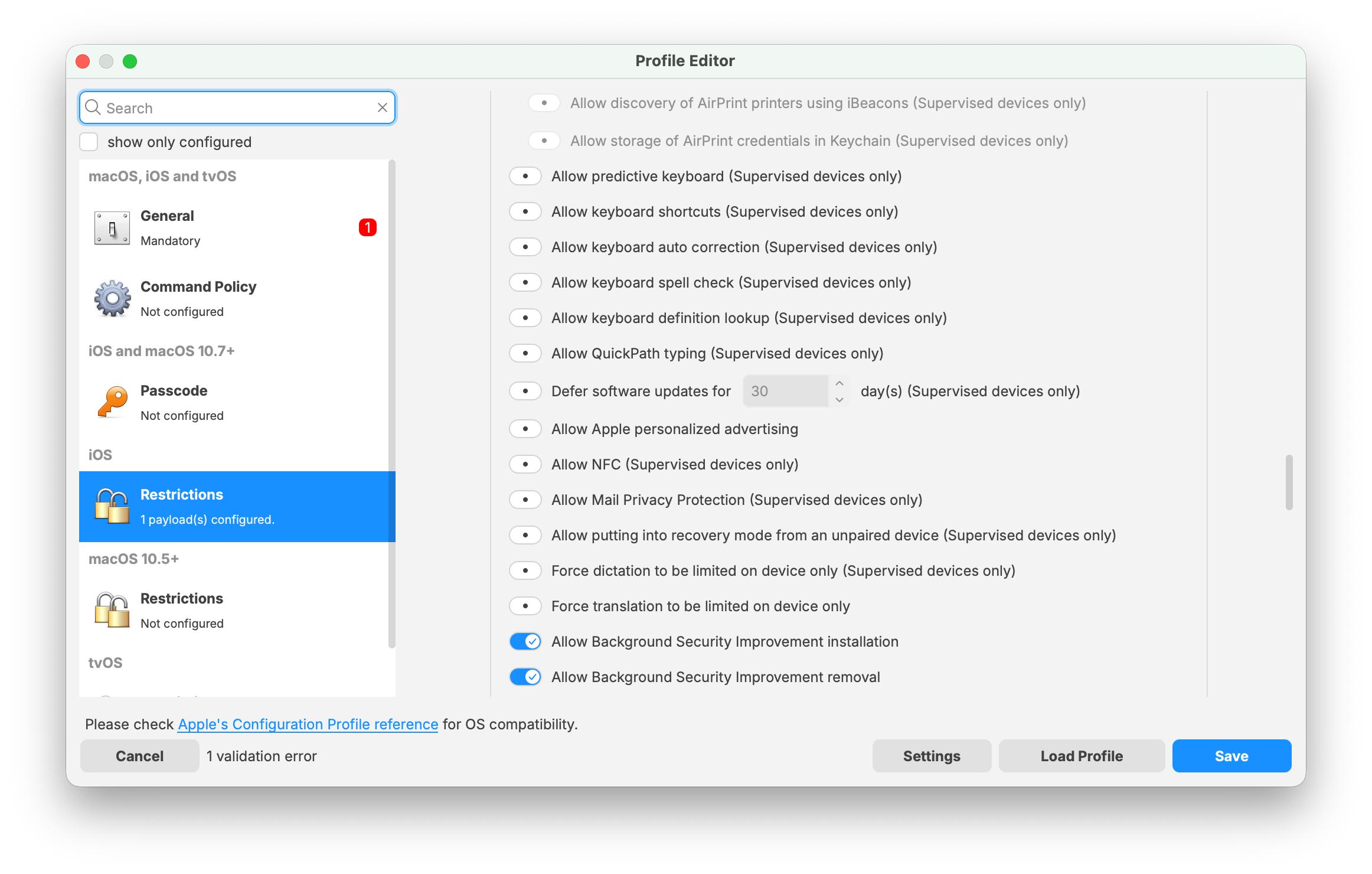
TheThis screenshotsscreenshot belowreflects werethe capturedcurrent whenFileWave Apple16.3.0 labeledProfile theseEditor releaseswording. In the restrictions payload, the options now appear as RapidAllow Background Security Responses.Improvement Treatinstallation themand asAllow historicalBackground examples,Security notImprovement as exact UI for Apple's 2026 operating systems.removal.
As of FileWave 15, there are two additional inventory items for Apple's supplemental security releases, both labeled as Supplemental:
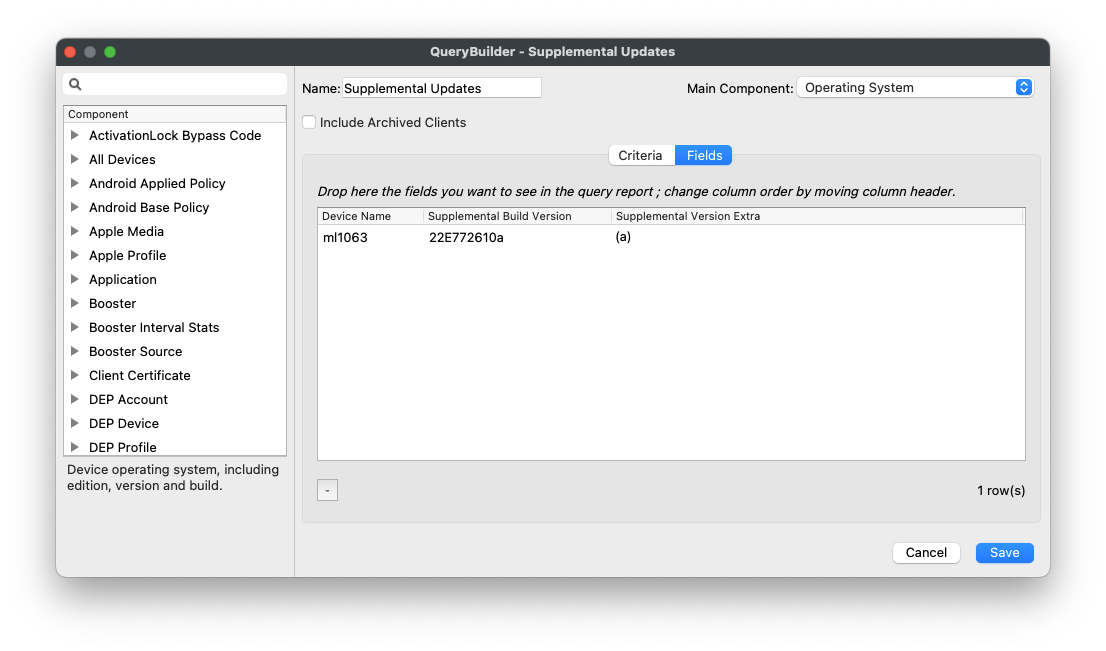
Supplemental Build Version typically shows a value only when a current supplemental security release is installed. After the device moves to a newer base OS version, or when there is no active supplemental security release for that version, these fields may be blank again.