
Defer Apple OS Updates
What
Use Apple allowsoftware update deferrals when you want a testing window before users tocan updateinstall devicesnew themselves,Apple howeverupdates itthemselves. mayThe besetting desiredhides tomatching delayupdates anfrom update,the perhapsdevice's dueSoftware toUpdate somepane incompatibilityfor thatthe isnumber notof yetdays resolved.you choose.
When/Why
WhenThis is useful when you want to validate a new Apple release updates,before devicesit reportreaches theseproduction updatesdevices. Apple allows up to the90 usersdays of thedeferral. device; allowing them to triggerDuring that window the update asis soonhidden as they desire. Apple provide a method to ‘Defer’ updates. Updates deferred will no longer be visible tofrom the user, maybut beFileWave deferredcan upstill install it with MDM if you decide to amove maximumahead.
Deferral 90only days,affects yet MDM may still push updates duringwhat the deferreduser timeframe.
Asin described,Software thisUpdate. onlyIf blocksyou also need to stop users from usinglaunching Software Updates. Preventing users from usingfull macOS Installerinstaller Applicationsapps, can be achieved withuse Fileset to block Apple Install macOS applications.
How
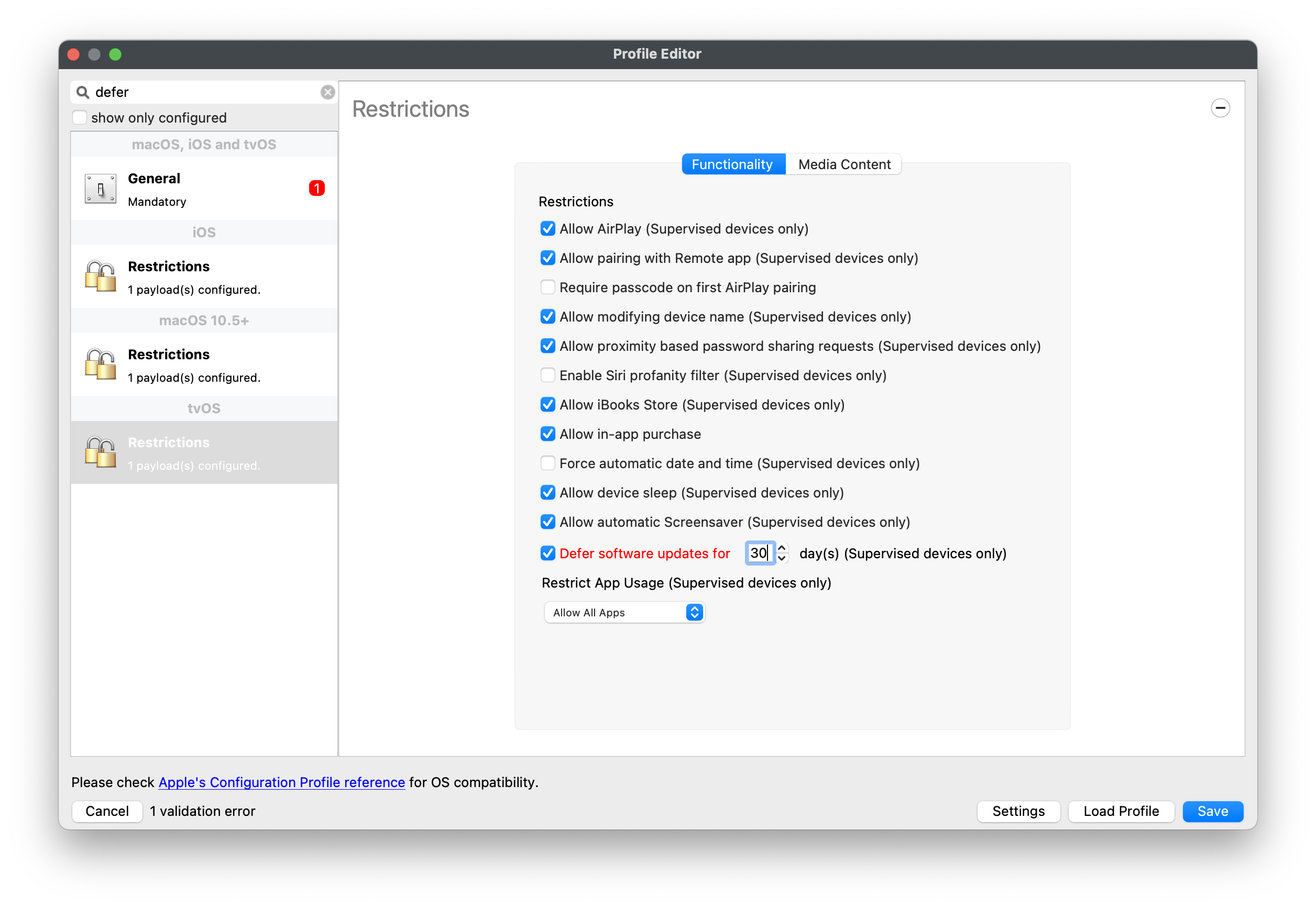
TheCreate methodor ofedit deferralan variesApple betweenconfiguration macOSprofile and mobileadd devices,the butRestrictions bothpayload arefor pushedthe usingplatform ayou Configurationmanage. Profile.Searching for defer in the Profile Editor is the quickest way to jump to the relevant settings.
iOS/iPadOS
Enable Defer software updates for and choose a value from 1 to 90 days.

macOS

On recentCurrent macOS versions,payloads thelet restrictionyou maydefer notdifferent applyupdate types separately:
For macOS versions earlier than 11.3, the --ignoreDefer optionmacOS ofupdates softwareupdatevalue commandis lineused tool.for Forall instance,software Catalina upgrade can be made hidden by running:updates.
softwareupdate --ignore "macOS Catalina"
To restore hidden updates, run the following command:
softwareupdate --reset-ignored
These commands can be sent to your devices using scripts within filesets.
tvOS
Enable Defer software updates for and choose the delay in days.
ConsiderA ashorter recommended workflow where ainitial defer time frameperiod is lessusually easier to manage than maximum.jumping Thisstraight wouldto give90 days. If testing slips, you can extend the optiondelay towithout amendstarting every profile at the policy to a greater amount where the deadline is not met. Remember to lower the defer period, on completion of the additional testing and deployment, back to the lower chosen value.maximum.
When updates are deferred, no local tools may be used to view or instal updates released in a time frame less than the deferred period. This not only includes System Preferences, but also the 'softwareupdate' command line tool. MDM is the only method of deployment whilstWhile an update is still ininside its deferreddefer timewindow, frame.local tools such as System Settings / System Preferences and the softwareupdate command will not offer that update. MDM remains the supported way to install it during the deferral period.
Digging Deeper
DeferringThe Examples
Defermenttimer durationstarts commenceson Apple's release date for each individual update, not on the releaseday dateyou ofassign eachthe update. For example, with a defer period of 10 days:profile.
- appleOS 1.1 is released on June
5th5. UserWith a 10-day defer window, users will notbe able tosee appleOS 1.1updateuntil15thJuneJune15.- appleOS 1.2 is released on June
12th12. UsersWith the same defer window, users will notbe able tosee appleOS 1.2updateuntil22rdJuneJune22.- MDM
maycan still pushoutappleOS 1.1.1 from June5th5onwards,onward, regardless of thedeferreddeferperiodperiod. - MDM
maycan still pushoutappleOS 1.2.2 from June12th12onwards,onward, regardless of thedeferreddeferperiodperiod.
Example Process
ConsiderWith a 60 60-day defer policy.policy, Withinusers 60will daysnot aftersee an update isuntil released,day 60 after Apple publishes it. If Apple releases newer updates before that date, users may still see none of them until each one ages past its own defer window.
FileWave can still send an MDM install command during the deferral period. That lets IT test and roll out a specific release before it willbecomes notuser-visible.
Once the user.defer Oncewindow 60 days have passed,expires, the update willbecomes show in Software Updates and the user may instal the update. It is possible that during that 60 day period an update is released to supersede the original. As long as Apple do not deprecate the former, it should still be available for deployment to devices.
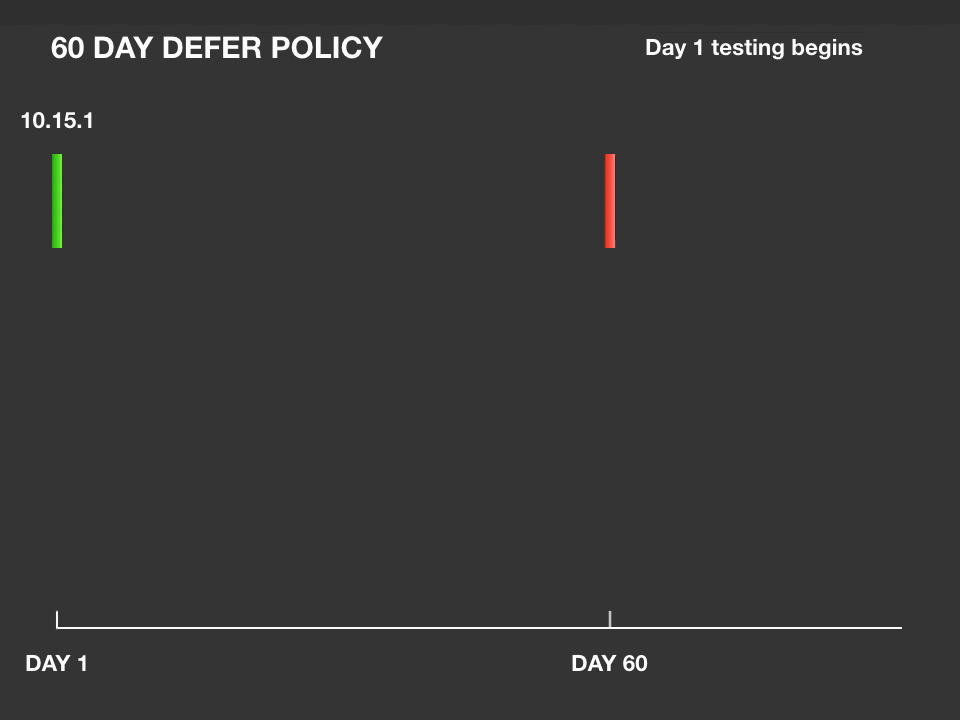
In the example, 10.15.2 and 10.15.3 were released prior to 10.15.1 reaching its 60 day policy restriction. As such none of the 10.15 updates will be available to the end user. During the 60 day time frame, an MDM command may be sent to the device to instal the update; as indicated on day 50 of the example. In this instance, the command to instal 10.15.1 was sent. If not deprecated, a 10.15.1 notification should be presentedvisible to the user toagain. instalDeferral thebuys update.
60for daystesting; fromit an updates release, the policy lapses and the user is notified of the update, regardless; any devices that haddoes not yetpermanently receivedhide the 10.15.1 deployment would then notify the user. If testing has not been completed and the 60 day policy lapses, as seen with 10.15.2, then the user will still be notified that the update exists; day 80, 60 days after day 20 when 10.15.2 was released.updates.
It is therefore possible to be testing multiple versions of updates, prior to release to users. However, it is not possible to prevent the users from seeing those updates once the deferred period has been exceeded.