
Defer Apple OS Updates
What
Use Apple software update deferrals when you want a testing window before users can install new Apple updates themselves. The setting hides matching updates from the device's Software Update pane for the number of days you choose.
When/Why
This is useful when you want to validate a new Apple release before it reaches production devices. Apple allows up to 90 days of deferral. During that window the update is hidden from the user, but FileWave can still install it with MDM if you decide to move ahead.
Deferral only affects what the user sees in Software Update. If you also need to stop users from launching full macOS installer apps, use Fileset to block Apple Install macOS applications.
How
Create or edit an Apple configuration profile and add the Restrictions payload for the platform you manage. Searching for defer in the Profile Editor is the quickest way to jump to the relevant settings.
iOS/iPadOS
Enable Defer software updates for and choose a value from 1 to 90 days.

macOS
Current macOS payloads let you defer different update types separately:
- Defer major macOS updates for to delay major upgrades.
- Defer macOS updates for to delay minor OS updates.
- Defer app updates for to delay non-OS software updates.
For macOS versions earlier than 11.3, the Defer macOS updates value is used for all software updates.

tvOS
Enable Defer software updates for and choose the delay in days.
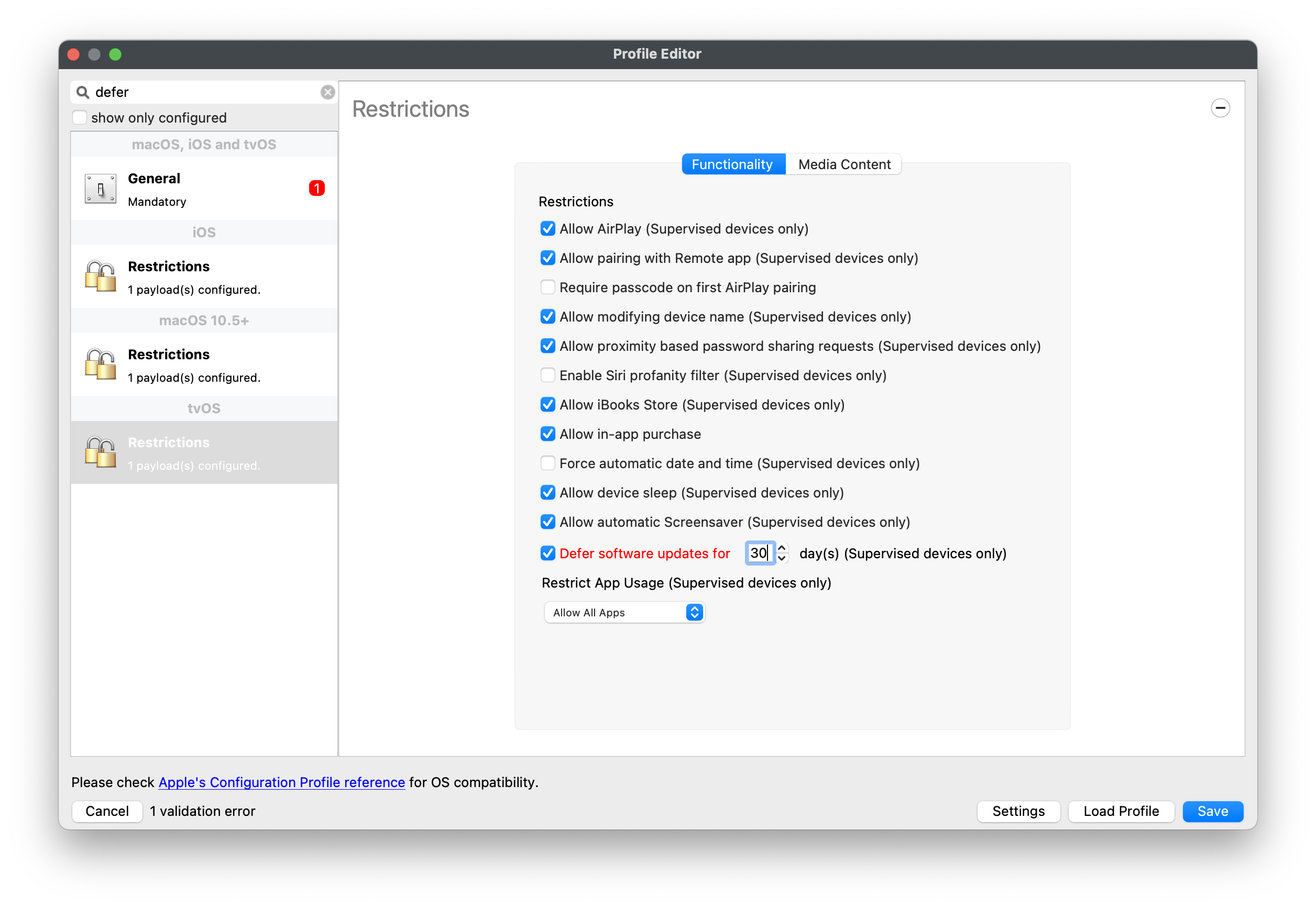
A shorter initial defer period is usually easier to manage than jumping straight to 90 days. If testing slips, you can extend the delay without starting every profile at the maximum.
While an update is still inside its defer window, local tools such as System Settings / System Preferences and the softwareupdate command will not offer that update. MDM remains the supported way to install it during the deferral period.
Digging Deeper
The defer timer starts on Apple's release date for each individual update, not on the day you assign the profile.
appleOSUpdate1.1 is released on June 5.- With a 10-day defer window, users will not see
appleOSUpdate1.1 until June 15. appleOSUpdate1.2 is released on June 12.- With the same defer window, users will not see
appleOSUpdate1.2 until June 22. - MDM can still push
appleOSUpdate1.1 from June 5 onward, regardless of the defer period. - MDM can still push
appleOSUpdate1.2 from June 12 onward, regardless of the defer period.
Example Process
With a 60-day defer policy, users will not see an update until day 60 after Apple publishes it. If Apple releases newer updates before that date, users may still see none of them until each one ages past its own defer window.
FileWave can still send an MDM install command during the deferral period. That lets IT test and roll out a specific release before it becomes user-visible.
Once the defer window expires, the update becomes visible to the user again. Deferral buys time for testing; it does not permanently hide updates.