
Apple Profiles & Dependencies
Description
DependenciesFileWave offerdependencies aare structureuseful forwhen one Fileset installations,must ensuringinstall onebefore or more Filesets are installed prior to one or more other Filesets. This works great, apart from whereanother. Apple MDM profile Filesets areneed involved.extra care because profile delivery depends on APNs and the device's MDM check-in timing, not just the FileWave Client sequence.
Fileset Activation Quick Re-cap
Standard Fileset
ClientThechecks-client checks in.ManifestTheisclientobservedreceives its manifest.- New items are
pushed to devicedownloaded andactivateactivated.
Apple MDM Fileset (Profiles)
- FileWave sends an APNs request
senttoAppleApple. DeviceThepullsdevice receives the queued APNsrequests from Applenotification.For each APNs request,The devicereaches out to relevant servers, for MDM requests, this iscontacts the FileWave Server for the MDM command.DeviceThechecks-indevice checks in.QueuedFileWave sends the queued MDMcommandscommand,aresuchpushedasto device, e.g.InstallProfile.- Profile
instalsinstalls.
For standard Filesets, FileWave is in control ofcontrols the communication.client communication However,sequence. forFor Apple MDM,MDM there is an unknown amount of delay untilprofiles, the Profileinstall istime installed.depends on APNs delivery, device connectivity, and the device's next MDM check-in.
The Issue
Since Filesets areinstall installedsequentially. sequentially, ifIf a standard Fileset were allowed tocould depend upondirectly on an Apple MDM profile Fileset, the client wouldcould bewait held waitingindefinitely for anthe unknownprofile periodto time,finish, preventingwhich would delay other Filesets and configurationconfiguration. from actioning. For this reason, Apple MDM Filesets can only depend on a differentother Fileset typetypes, andbut standard Filesets should not thedepend otherdirectly wayon around.Apple MDM Filesets.
Requirement Scripts
Requirement Scripts allowlet a Fileset tofail fail,its letrequirement check, allow the client continueto continue, and then 2 minutes later try the requirement again.again 2 minutes later. The Requirementrequirement Scriptkeeps willretrying continuewhile withthe thisscript process, whilst there isreturns a non-zero exit code. By way ofUse this process, the Requirement Script gives the abilitypattern to delay thea installationFileset ofuntil the Fileset, until any required ProfilesApple profiles are installed beforehand.installed.
Ingredients
- Fileset designed to use a Requirement Script to ensure Profile is installed prior to activation
- Associated Profile ID(s)
Profile Dependency Fileset Template.fileset.zip
Directions
Download the Fileset, import it into FileWaveFileWave, and edit it to match your requirements. Select the ‘check_for_profile. script and click sh’sh‘Get Info’Info:
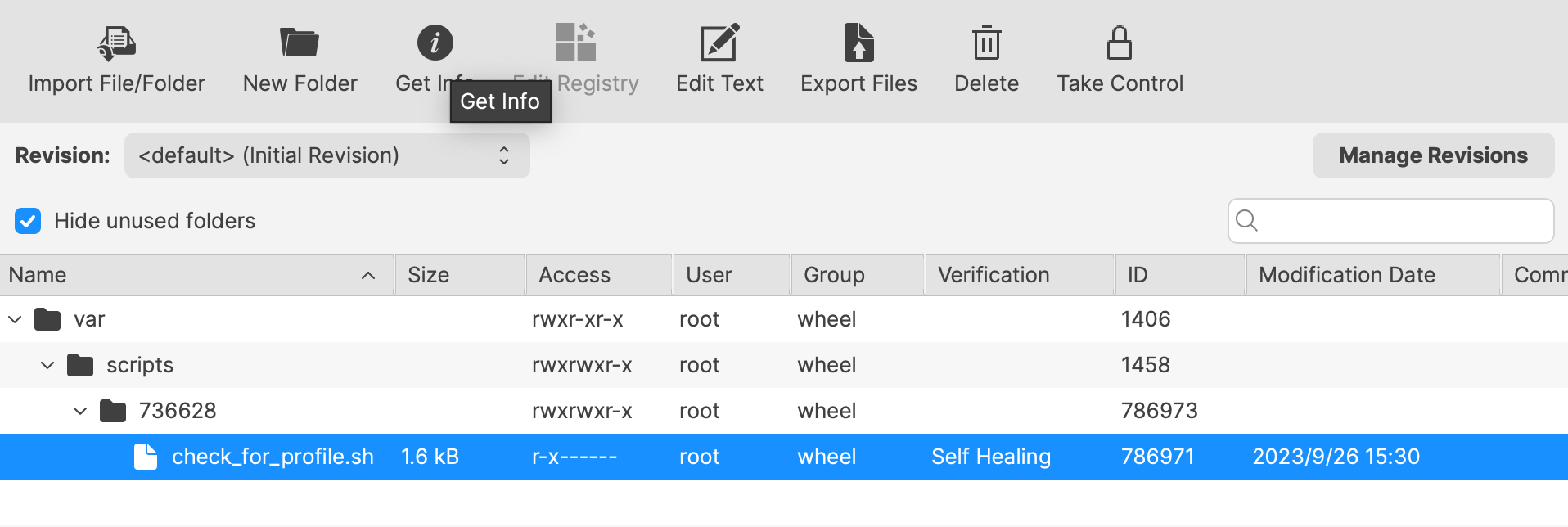
The Launch Arguments will initially appear empty.
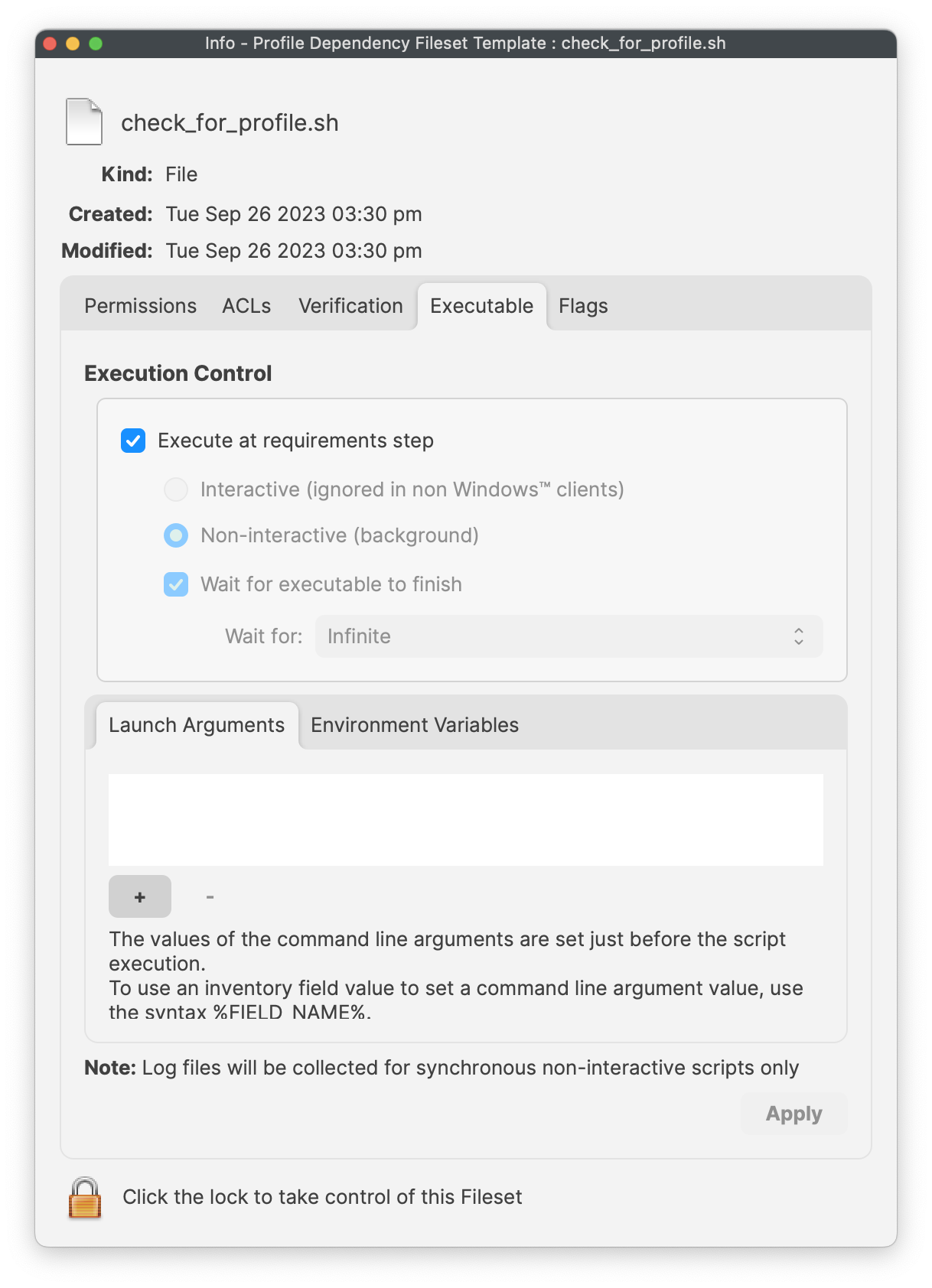
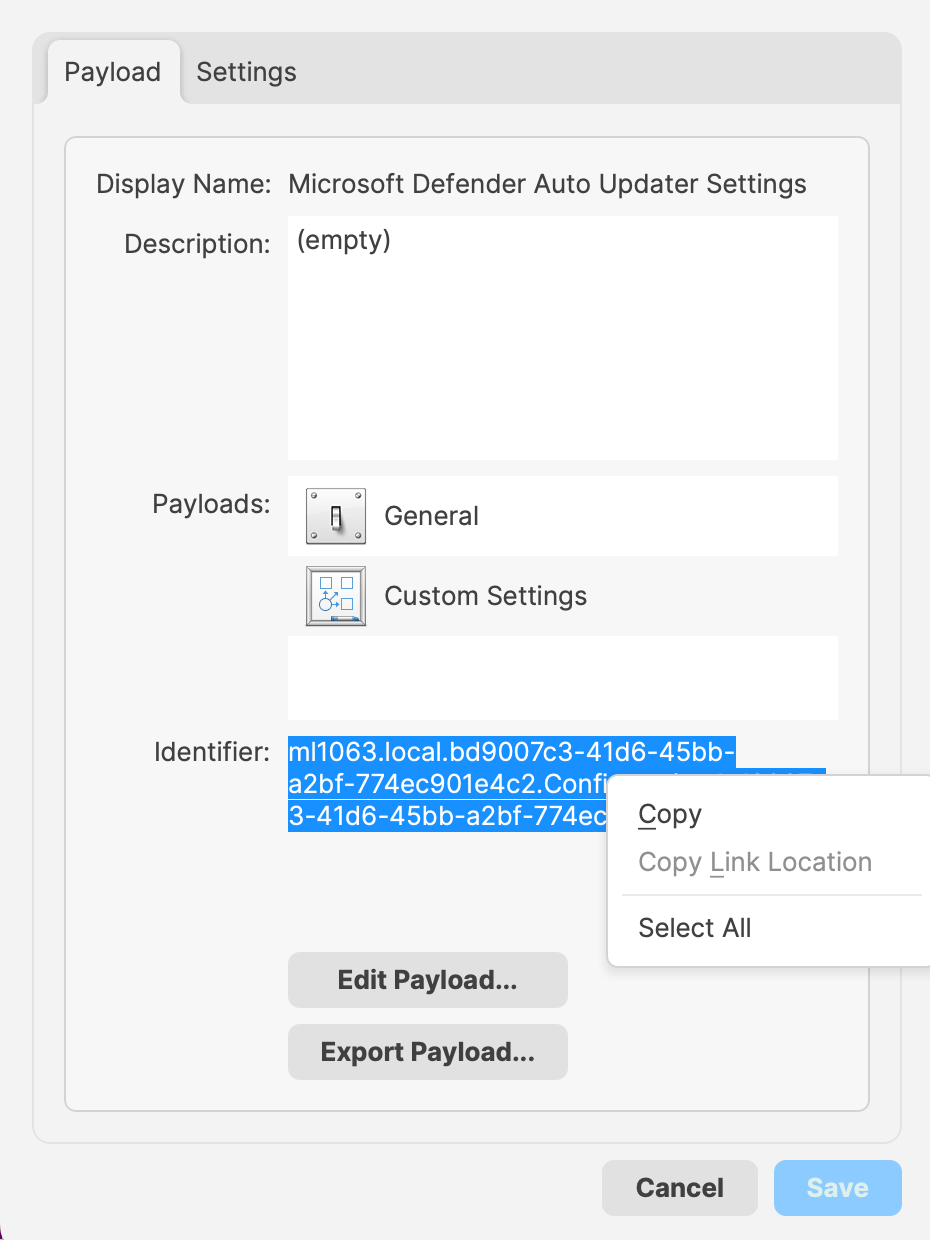
For each Profile that needs tomust be consideredinstalled for installation prior tobefore this Fileset, itsadd the Profile ID must be added to the list of Launch Arguments (list. Use one entrylaunch argument per Profile ID).ID. Profile IDsYou can be obtained from withinfind the PayloadProfile ID in the payload details of the Profile Filesets.Fileset.
For eaheach Profile that must be installed, open the Profile for editing, highlight the IdentifierIdentifier, and copy.copy it.
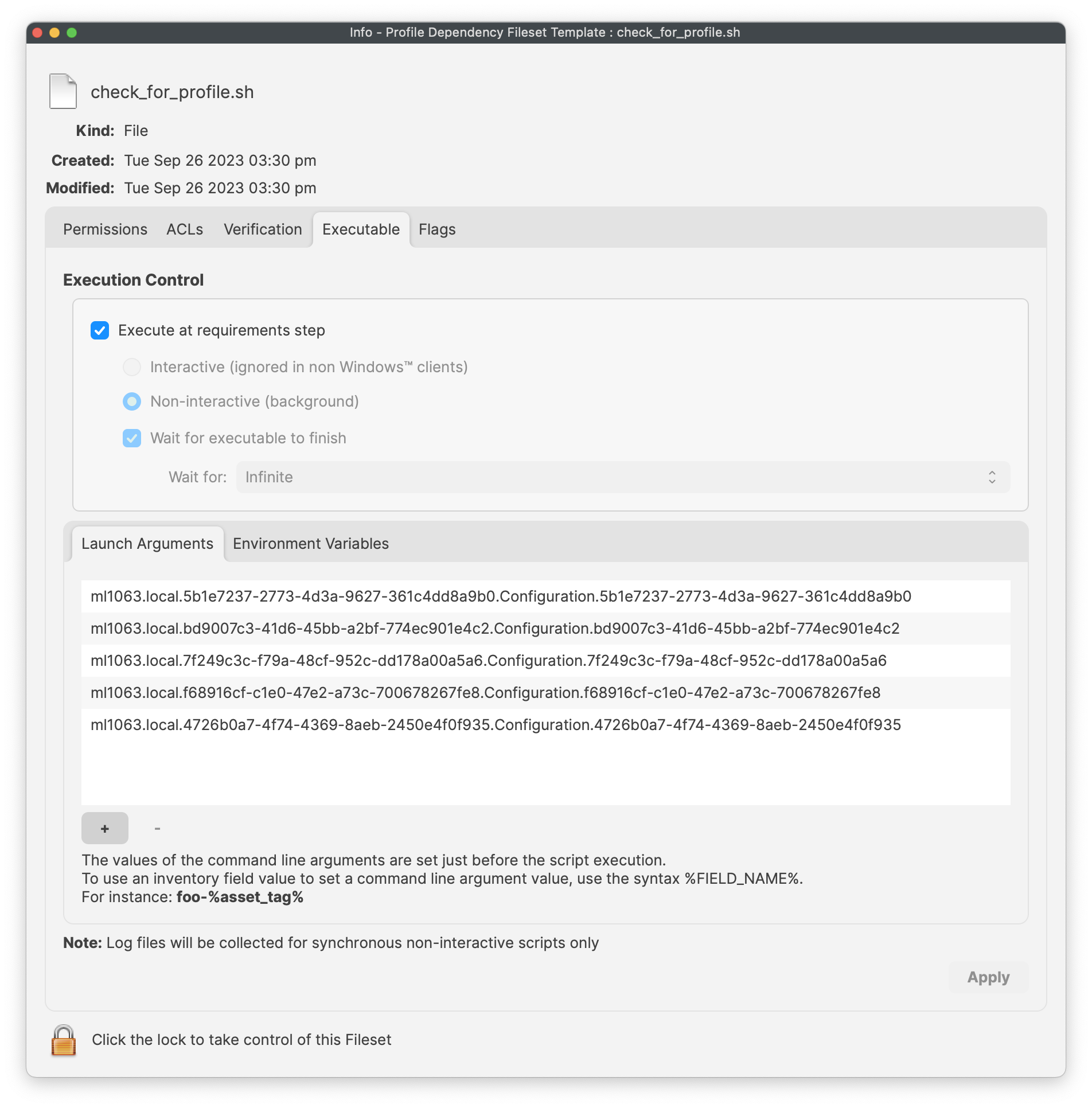
Copy these IDs into the LaunchArgumentsLaunch Arguments of the Fileset. The Exampleexample below shows 5 Profile IDs added for a Microsoft Defender Installer.installer.
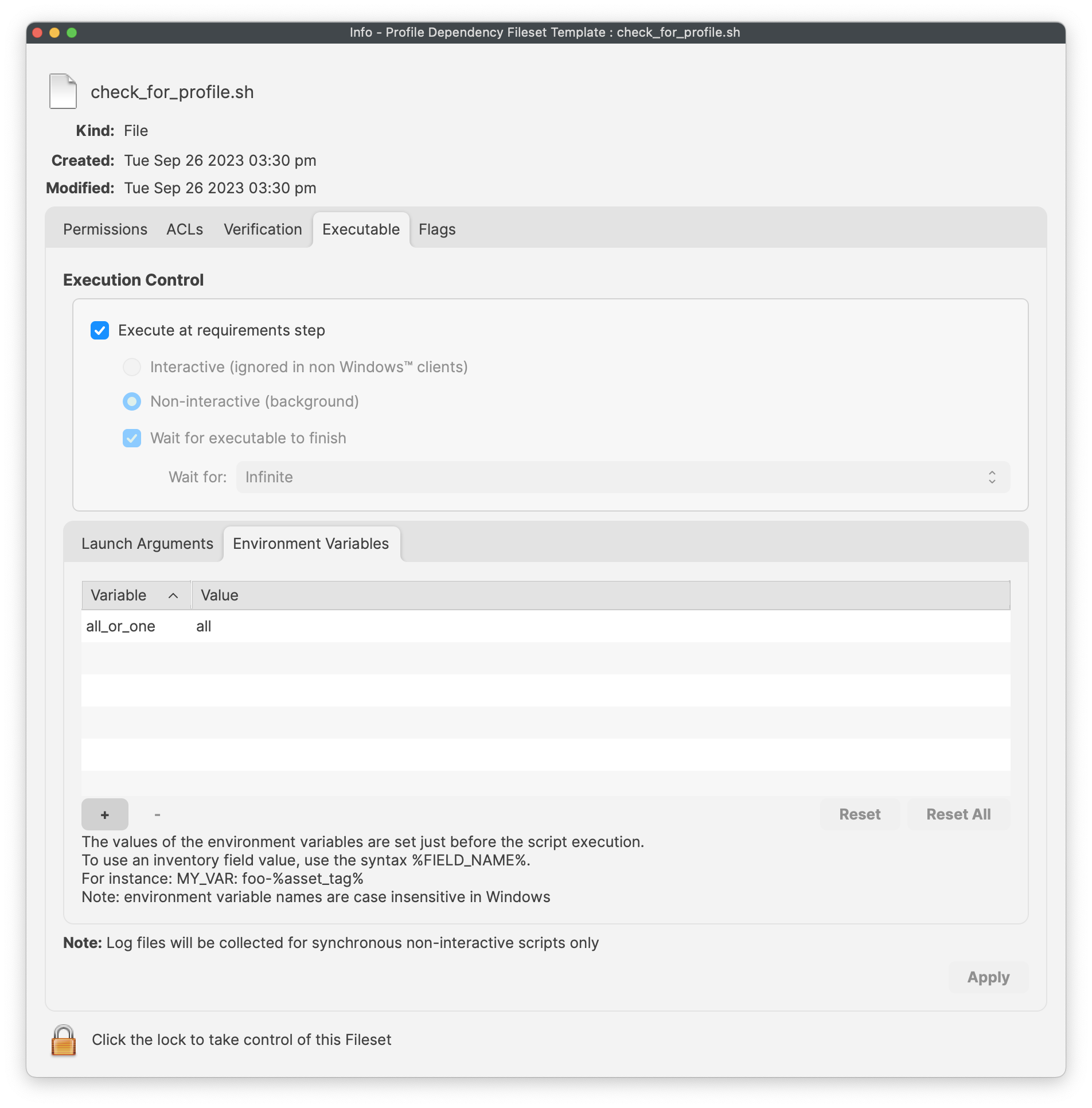
The script allowssupports foreither matching behavior through the ideaall_or_one ofenvironment either by way of an Environment Variable (all_or_one).variable. Set the value appropriately:that matches your deployment:
| all | All of the listed Profiles must be installed prior to the Fileset becoming active. |
| one | At least one of the included Profiles must be installed prior to the Fileset becoming |
The below,example below shows a Fileset setthat to requirerequires all Profiles areto installed,be installed before Fileset activation for the same Microsoft Defender example:deployment:
With this set, add any additionalthe installers intothat should run after the Fileset, that would need to be installed, once the providedrequired Profiles are installed.
Create a Fileset Group and add this Fileset andplus allthe necessaryrequired Profiles to the same groupgroup. (notThis necessary,is optional, but somewhatit neaterkeeps the deployment easier to manage)manage.
For example:
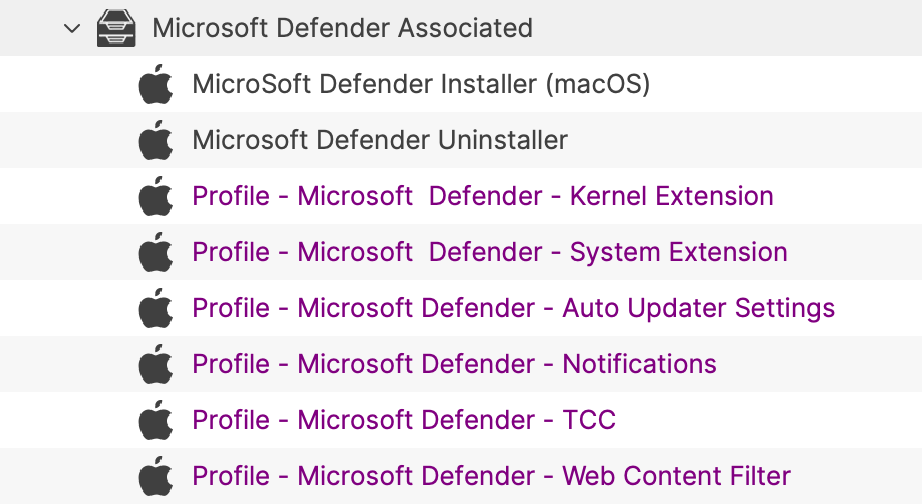
Associate the Fileset Group, test on a small scope, and then rolloutroll it out to more devices oncewhen happy.the result is correct.
This Fileset is particularparticularly useful with Apple TCC Privacy Settings Profiles. Privacy settings providegive software the access permissions forit softwareneeds to function. However, typically theseThese Profiles usually need to be installed before the processprotected thatapp theyor areservice allowingstarts. is started. This means, ifIf the software isinstalls allowed to instal before the Profile is installed,first, the software process wouldmay need restartingto be restarted after the Profile isinstalls. installed.With this The above Fileset offersFileset, the solutioninstaller aroundwaits this, whereuntil the Fileset will only attempt download and installation once therequired Profile is in place.place before it downloads and installs.