
Android apps are not installing immediately
What
As an administrator, you use FileWave to send aAndroid policy changes to an Androida device. ThisThe policy will beis enforced on the device.device, but However,Android controls the preciseexact timing of when to implement the policy changes, and particularlyfor installing andor updating applications, is determined by the device itself.apps.
When/Why
Google prioritizes battery lifelife, network state, and user experience for Android users. As a result, Android Play Store filesets that have beenFilesets associated with a device may take time to install or update. In normal priority mode, app changes can take up to 24 hours to install or update, per Android user experience priorities.apply.
How
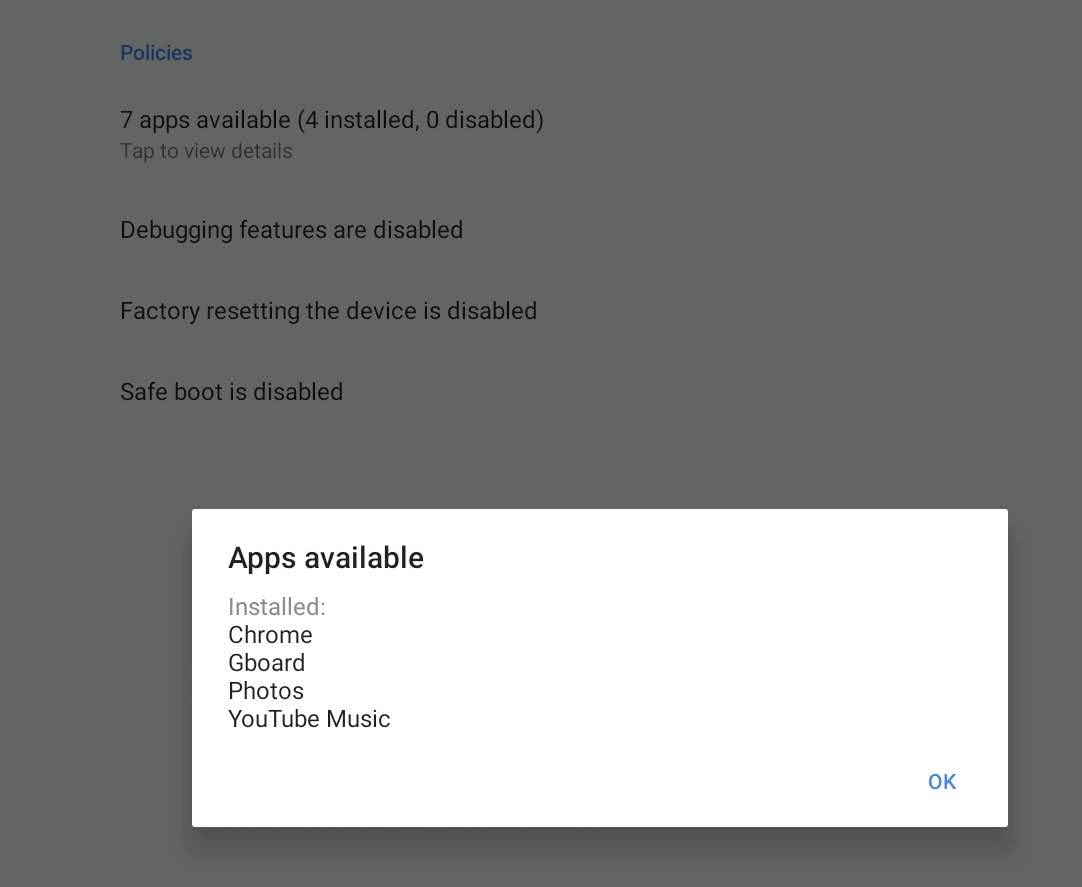
You can check the Android Device Policy app on the device. The Policies section will reflectshows the status of apps specified by the policy.
InstructionsOptions to speed up theapp processinstallation
There are twoseveral ways to accelerate this process, but both require some level of cooperation fromreduce the user:wait, depending on the app configuration and whether the user can interact with the device:
Once a Fileset has been associated with a device, within a short period of time,If the appshould appearappears as available in theuser’user's managed Play Storeonshortly after thedevice.Fileset is associated, the user can choose to install it immediately.
The user may put their device into a passivefavorable state,state by:
Turningconnect onto wifiWi-Fi, connect to power, close running apps, and connecting to the internet
Charging their device
Clear out any running applications and stop usingleave the device idle for a period of time
Alternatively,If none of the acceleration options are practical, wait for athe periodAndroid ofpolicy time (upcycle to 24complete. hours) and theThe policy will eventually be appliedapply and the apps will be installed.
Future
Google has added a new feature called “high priority updates”. This can be specified at a per-app level and indicates that the device should install or update an app immediately, but this is not yet in FileWave as of 15.2.1.update.