
Android Lost Mode
What
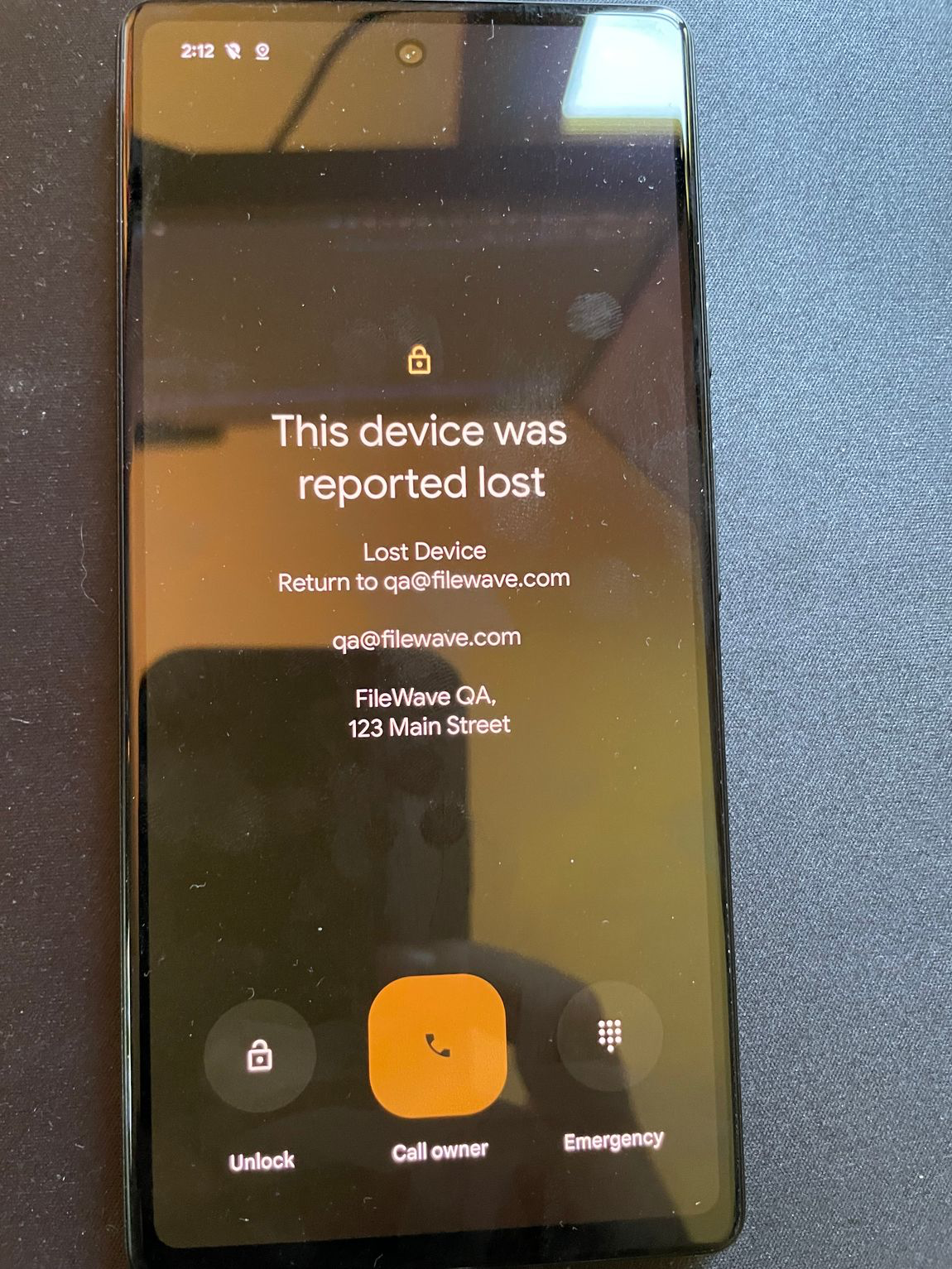
Android Lost Mode is a FileWave EMM security featureaction infor FileWave’scorporate-owned EnterpriseAndroid Mobility Management (EMM) system as of FileWave 15.5.0.devices. It allows administrators to remotely locklocks an enrolled Android device when it’s reported as missing.missing, Whenshows activated,a custom message, and prevents normal use until the device displaysis aunlocked custom message and becomes inaccessible withoutwith the correct passcode, safeguarding sensitive data stored on the device.passcode.
When/Why
You should useUse Android Lost Mode inwhen thea following situations:
Activatingit. Lost Mode helps maintainprotect organizational data securityby blocking normal device use and reducesshowing recovery information on the risklock of data breaches from lost or stolen devices.screen.
How
Device Eligibility
Before activating Lost Mode, ensuremake thatsure the device meets thethese following criteria:requirements:
Non-BYOD Device onCorporate-owned Android 11 orHigherlater::The device must beacorporate-owned,corporate-owned device (notBringBYOD,YourandOwnmustDevice) runningrun Android 11 or later.- Not
Alreadyalready in LostModeMode::The device should not currently be in Lost Mode. - No
RecentrecentPasswordpasswordResetreset::The device must not have had a password reset in the last 12 hours. - No
RecentrecentManualmanualExitexit from LostModeMode::The device must not have been manually exited from Lost Mode in the last 12 hours.
Activating Android Lost Mode via FileWave
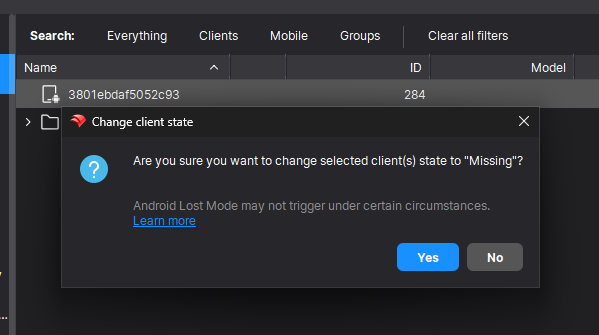
EMM devices which are in “Missing”the deviceMissing Client State will now use Android Lost Mode mechanism.Mode. In CentralFileWave youCentral, can right right-click the device and pickchoose Client State -> Missing.Missing.
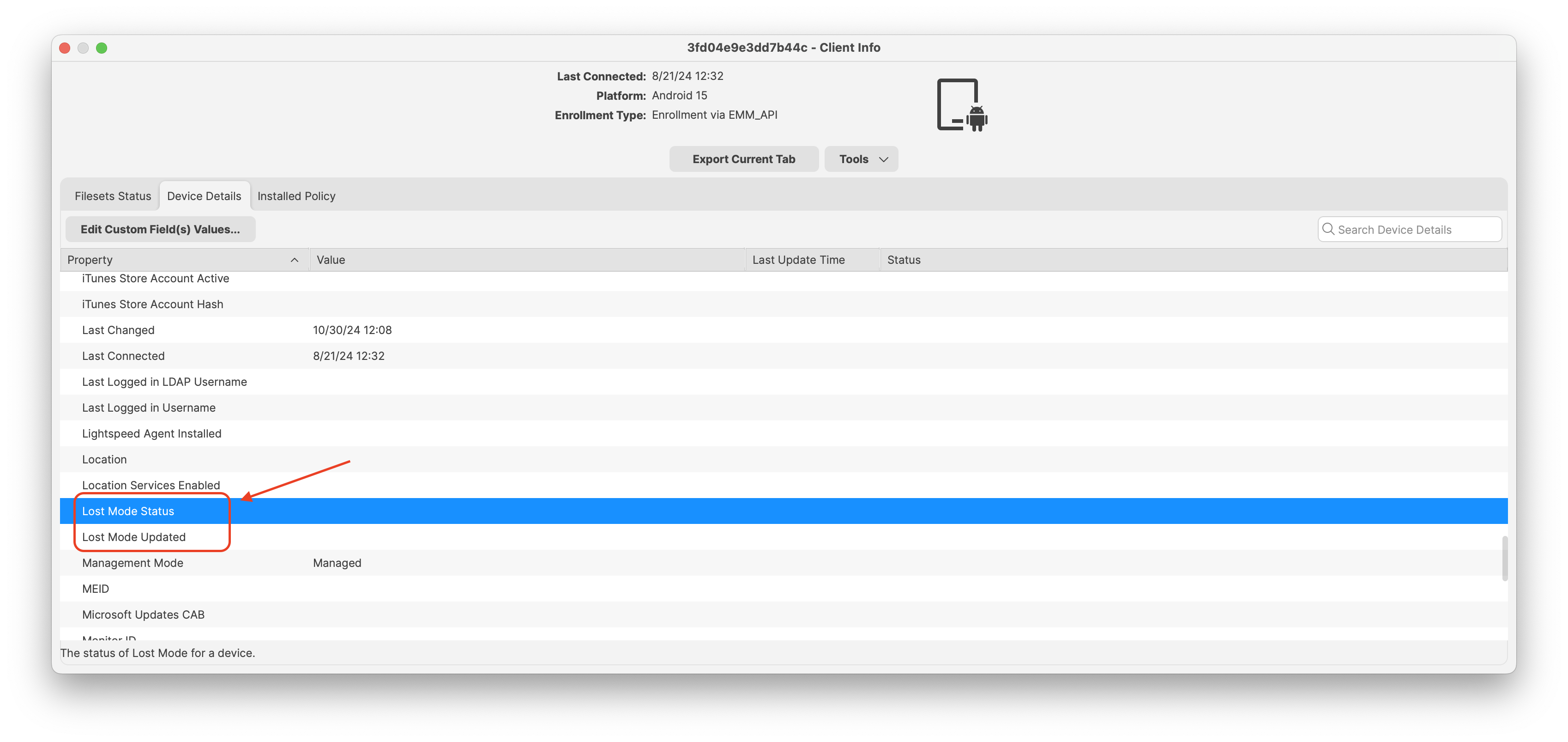
As Android Lost modeMode allows the end user to exit lostLost modeMode by entering the device passcode,passcode. FileWave willreports then report in inventoryboth the current state and the expected state.state Itin isinventory. also possible to “Play Lost Mode Alert” on lost devices by right clickingAfter the device once it is in Lost Mode.Mode, you can right-click it and choose Play Lost Mode Alert.
StatusThe status report foundappears in Device Details.
Disabled Devices and Lost Mode
 |
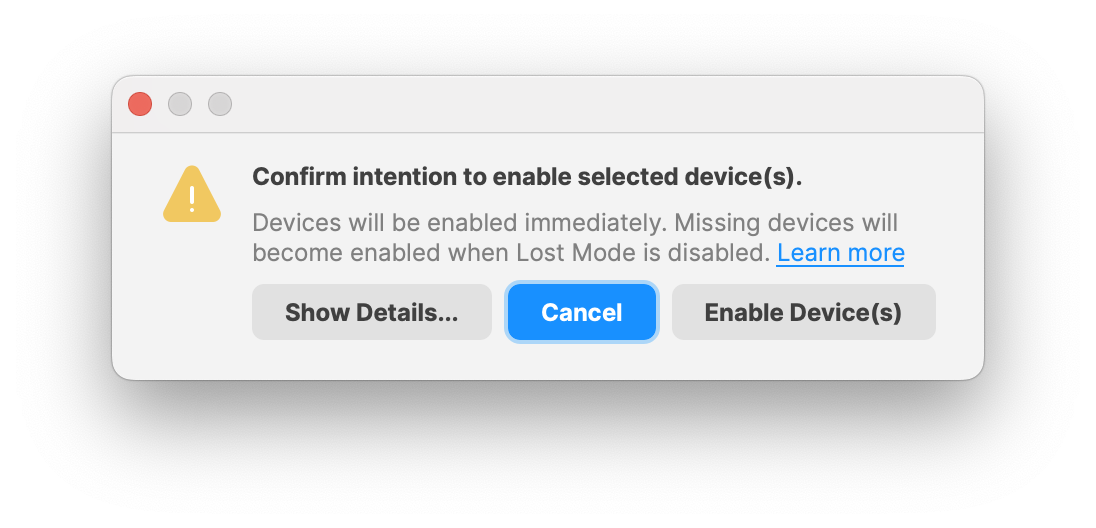 |
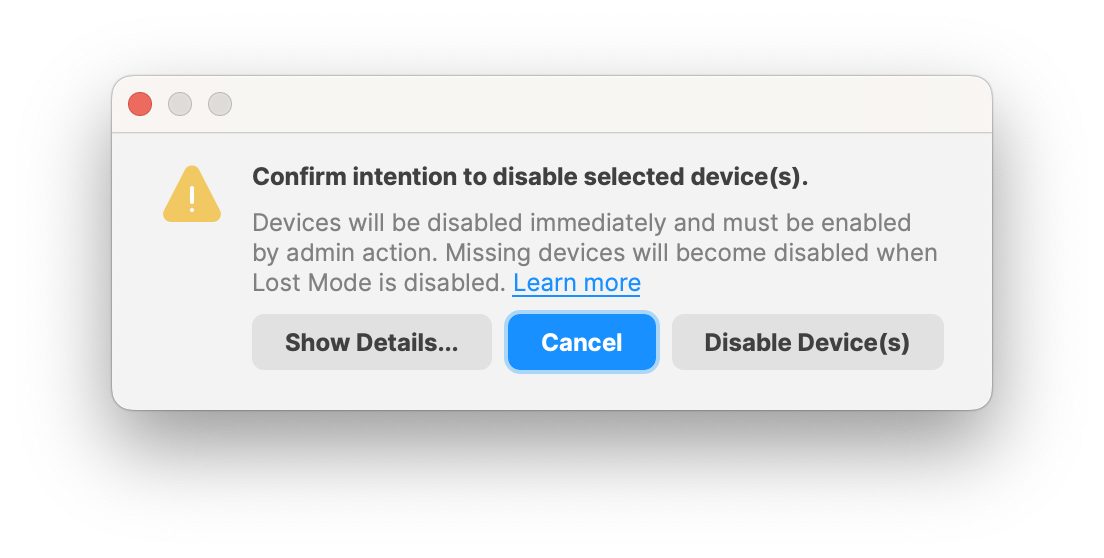
When selecting an Android devicedevice, thereyou iscan anenable optionor todisable Enable / Disablethe selected device(s).device. When an Android device is set to "Disabled"Disabled, onlyFileWave applicationslimits andthe featuresdevice underto Google services oninstead of normal device use. Core apps such as Phone, Google Play Store, and Settings are part of that restriction.
When the device willis beset usable.back Mainto applications such as the "Phone", "Google Play Store" and "Settings" apps.
When "Enabled"Enabled, Google Play services resume and all apps are usable again. If the device was in Lost Mode while disabled, it willresumes resume beingthe disabled evenstate onceafter Lost Mode ends.
Important Considerations
- Passcode
Requirementrequirement::EnsureDevicesthat devices are configured toshould require a passcodeforsomaximumLostsecurityModeeffectiveness.can be exited only by an authorized user. - User
Communicationcommunication::InformTell usersabout thewhat Lost Modefeaturedoes and how they can exit it by entering their passcode. - Policy
Compliancecompliance::ActivatingUse Lost Modealignsaswithpartsecurityofpoliciesyour organization's missing-device andhelpsdata-protectionprotect organizational data.process.