
Redeeming VPP/Gift Codes
Description
For those that can't use VPP, Redeemable Codescodes provide a way to assign Licensesapp licenses to iTunes StoreApple IDs ,when in order to deploymanaged Apps toand devices.Books/VPP assignment is not available for the app or workflow you need.
Who has used the licence, and how manageable are they ? This article gives an overview overexplains how to findreview out,imported manage,VPP or gift-code batches, see which codes are still available, and troubleshoot thiscases process.where a code appears to be redeemed but may still be reusable.
Information
After the codes have been added intoin FileWave Admin from Assistants > Manage VPP Codes, the FileWave VPP Codes assistant ( available from Assistants - "Manage VPP Codes" ), you should see:shows:
- The file
thatthetheycodes were importedfrom,fromalong withand thenameappof the Appname. - Each
licencelicenseshouldcodebeinlistedthe imported batch. - How many codes are still available for
redemptionredemption. - The date the codes were added to the FileWave
serverServer.


Automatic Assignment
Any licencesavailable availablelicenses shown here may be redeemed automatically by the user of the device,device with the following process:
- Associate the
FilesetFileset. - Update
ModelModel. - When the device checks in, the user
will beis prompted to accept the installation with their AppleIDID. - If the user accepts the installation,
thisthe codewillis no longerbeavailable for use and theAppappwill belongbelongs to that AppleIDID.

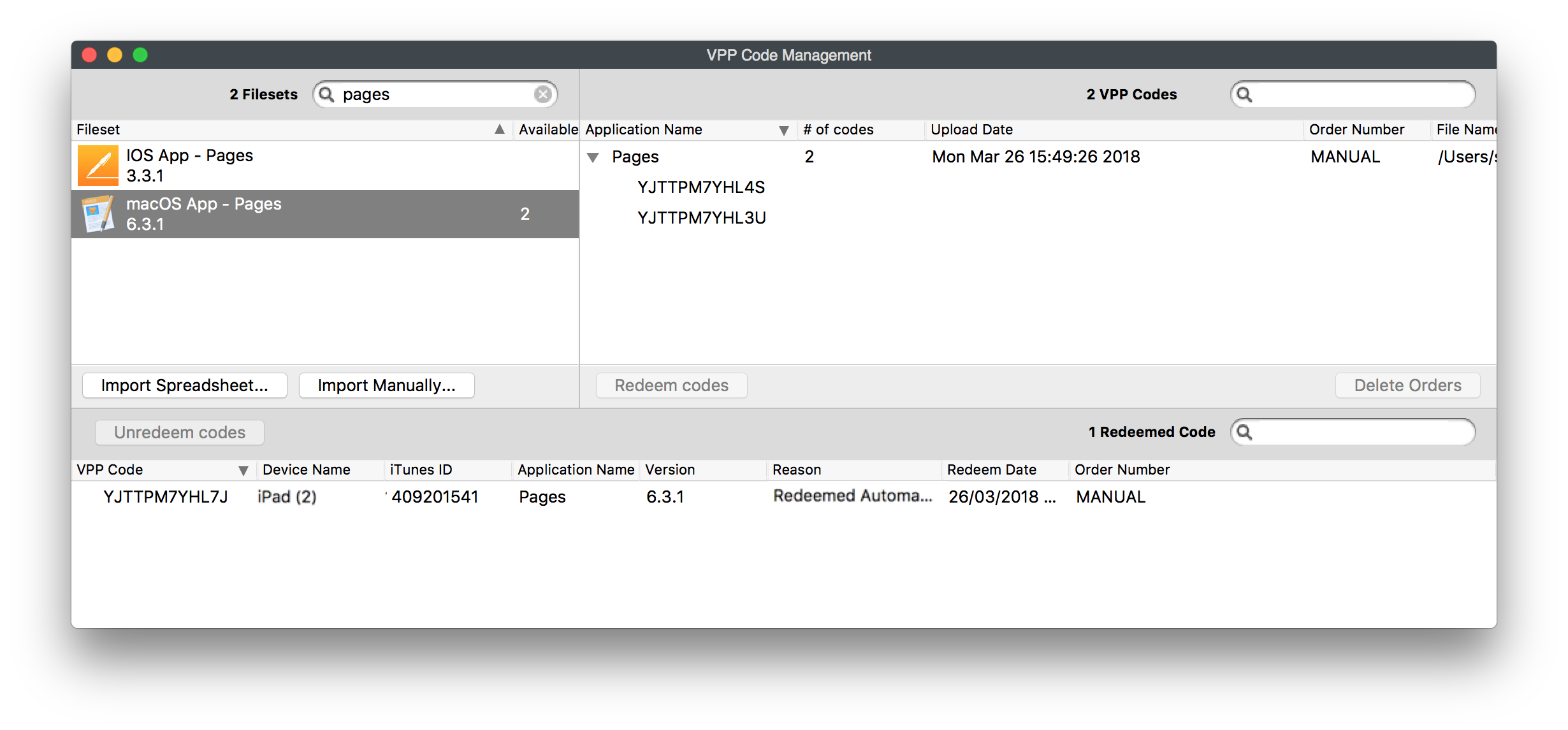
Unfortunately, Apple dodoes not allowprovide visibility ofinto which user accepted the licence.license.
Have codecodes been used?
In rare circumstancescases, a device may show a code as 'Redeemed Automatically",Automatically buteven though the code was not actually redeemed and could be re-assigned.reassigned. If you suspect thisthis, to be the case,re-import the codes in question can be re-imported from a CSV. For efficiency, we recommend only re-importingimport suspected unused codes wherewhen possible.
For VPP codes, downloading the file again from Apple will provideprovides a new file with justonly the unredeemed codes. Gift codes though cannot be re-downloaded inagain this way.AOne clue could be ifis a device showsappearing more than once with differingdifferent codes. You couldcan try re-adding the first code that had beenwas redeemed viaby thisthat devicedevice, bybased on date, from a new CSV import. If a codethe re-imported form CSVcode has indeedalready been redeemed, the next redemption attempt for thisthat code will fail,fails, the code will beis removed from the listlist, and anFileWave attemptattempts willto be made withuse the next code in the list.YouThis maycan experience thishappen when several users use the same devicedevice, or ifwhen the code was automatically associated,associated but redemption by the user was not finalised.completed.
Manual Assignment
You may also choose to allowlet the user to manually install the application. In this case, you would:case:
- Highlight the relevant
code(s)code or codes. - Choose
redeem.Redeem. - The code
willnowshowappears in the redeemedwindowwindow.(Thiswilldoes not automatically prompt theuser)user. You would then need to sendSend the code to theuser,usersuch thatso they canchoose toredeemthe codeit themselves.

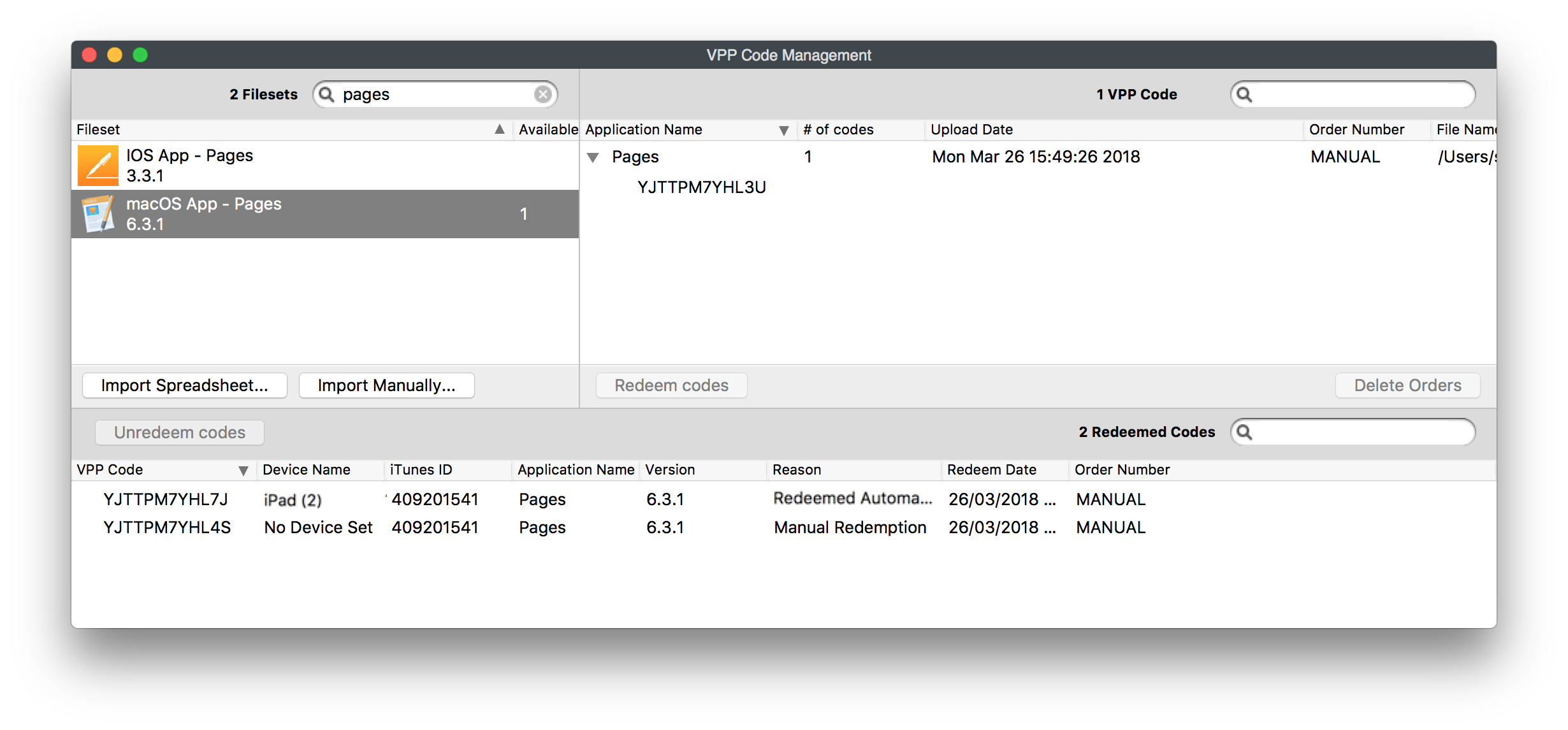
Any codes configured to be manually redeemed,Codes that were marked for manual redemption but have not actually been redeemed,redeemed may be pulled back tointo the pool of licencesunredeemed (unredeemed)licenses such thatso they couldcan be automatically associated instead.
Warning
If a code has beenwas provided to a previous user, e.g.for example by email, and that wasuser did not redeemedredeem andit, youusing 'Unredeem'Unredeem returns the currently unused code, this code couldto stillFileWave bebut useddoes bynot invalidate the copy the original user asalready they have the code details.has. The first Apple ID to useredeem the code will ownowns that Appapp, and thatthe code willcan no longer be useable.used.