
VPP Token Renewal
Description
VPP Tokenstokens needexpire toannually. be renewed once a year.The FileWave dashboard willshows alertrenewal when any VPP Token is about to expirewarnings by changingturning tothe token status yellow andas statingthe durationexpiration untildate expiry;approaches, subsequently turningthen red onceafter a VPPthe token expires. Use thethis steps belowprocess to renewdownload VPPa Tokens.fresh token from Apple School Manager or Apple Business Manager and import it into FileWave Central.
Requirements
- FileWave Central
- FileWave fwadmin credentials
- Access to Apple School or Business Manager:
- Apple School Manager (ASM)
- Apple Business Manager (ABM)
TheUse IDan accessingApple School Manager or Apple Business shouldManager requireaccount thethat appropriate permissions tocan access the below mentioned VPP token.token Thisyou willneed likelyto berenew. Content ManagersManager or higher,higher e.g.is Administrators.typically required. Apple recommendrecommends Administratorsusing doan thisAdministrator whereaccount thewhen one management account hasowns multiple VPP accounts,locations, split across an organisation, such thatso all maytokens can be renewed in unison.one pass.
Directions
Steps:
- Navigate to the appropriate Apple account, e.g ASM:
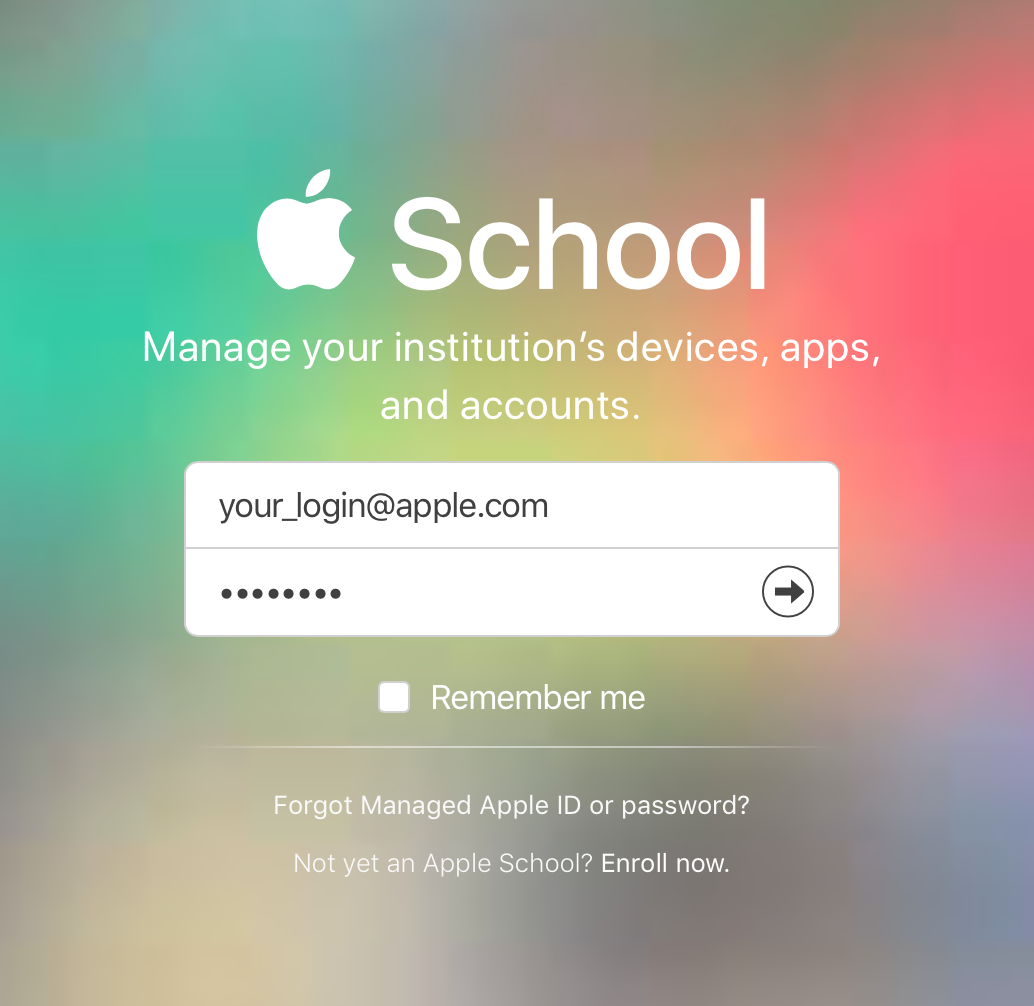
- In
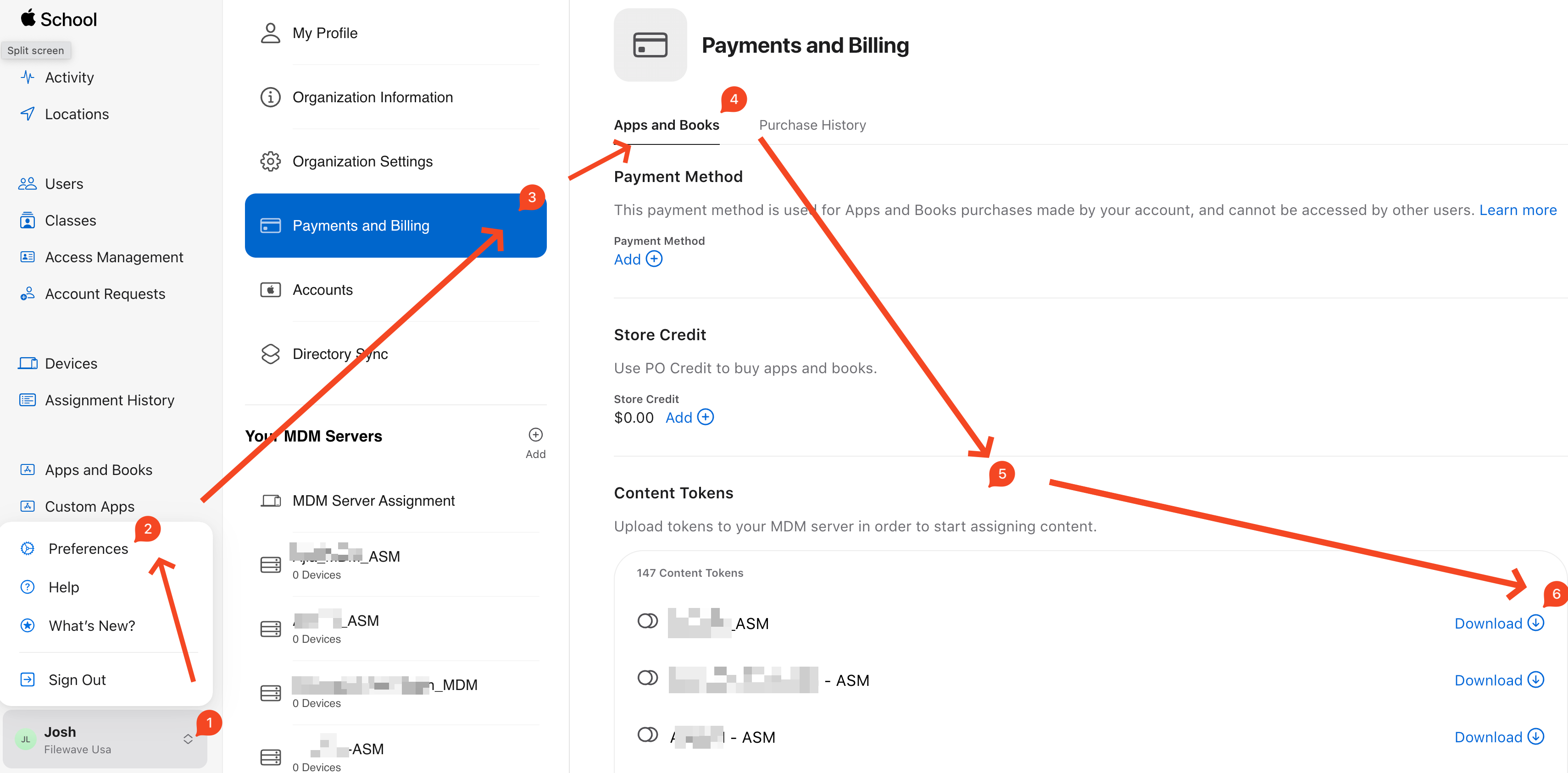
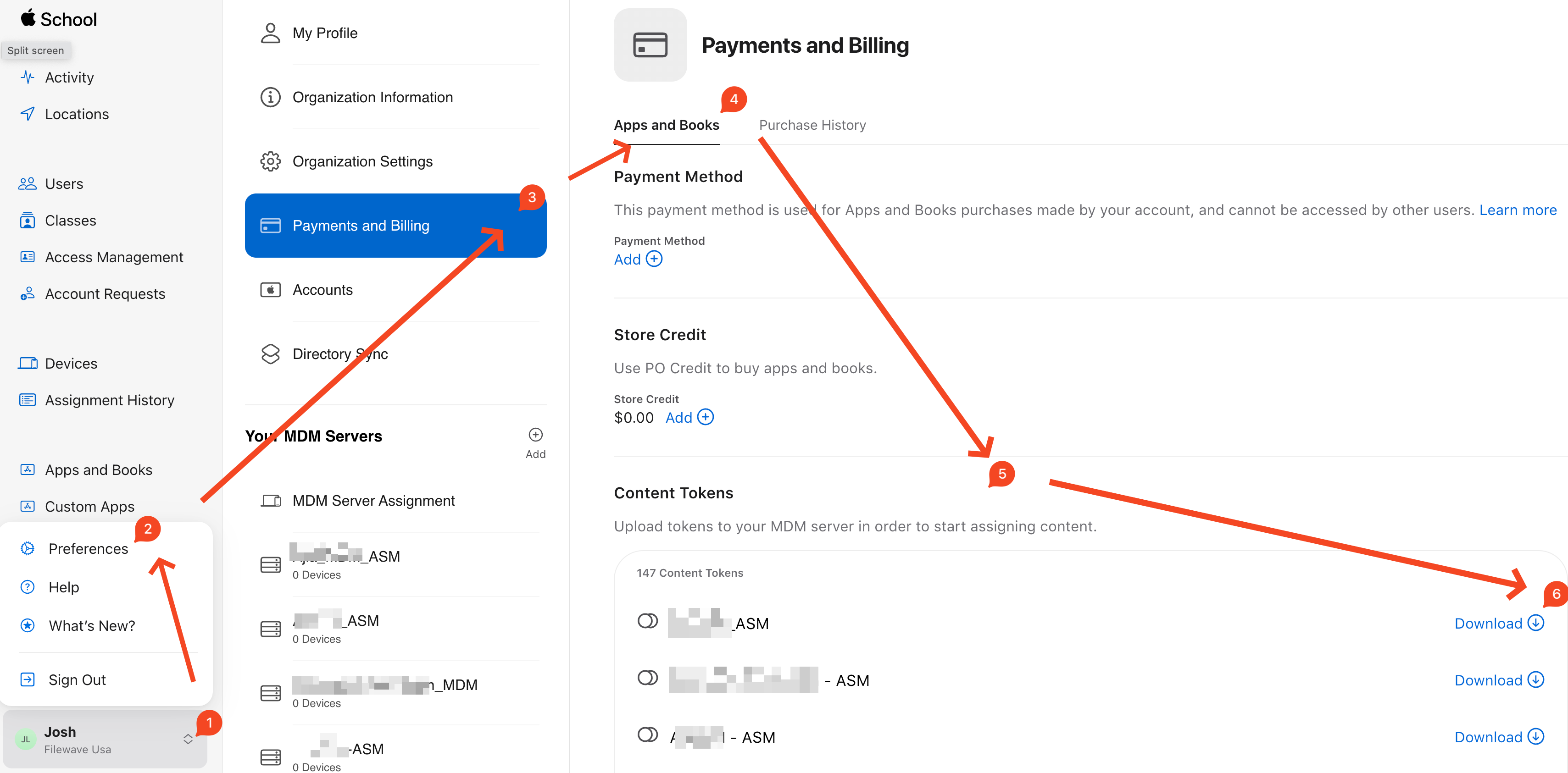
theAppleABMSchool Manager orASMAppleportalBusiness-Manager,navigateselectto theyour account nameatin thelowerlower-leftside,corner, open Preferences, then select"Preferences," then "Payments andBilling"Billing.(appsOpen Content Tokens andbooks is usuallydownload thedefaulttokentab), Then navigate to "Content Tokens". "Content Tokens" will containfor theVPPcorrecttoken download option for each location. Select the appropriate token to Download as highlighted:location:
- Log into
theFileWaveAdmin console specificallyCentral as fwadmin,.andOpenfromPreferences > VPP & DEP, select"Configuretokens"tokens, and enter the'fwadmin'fwadmin password: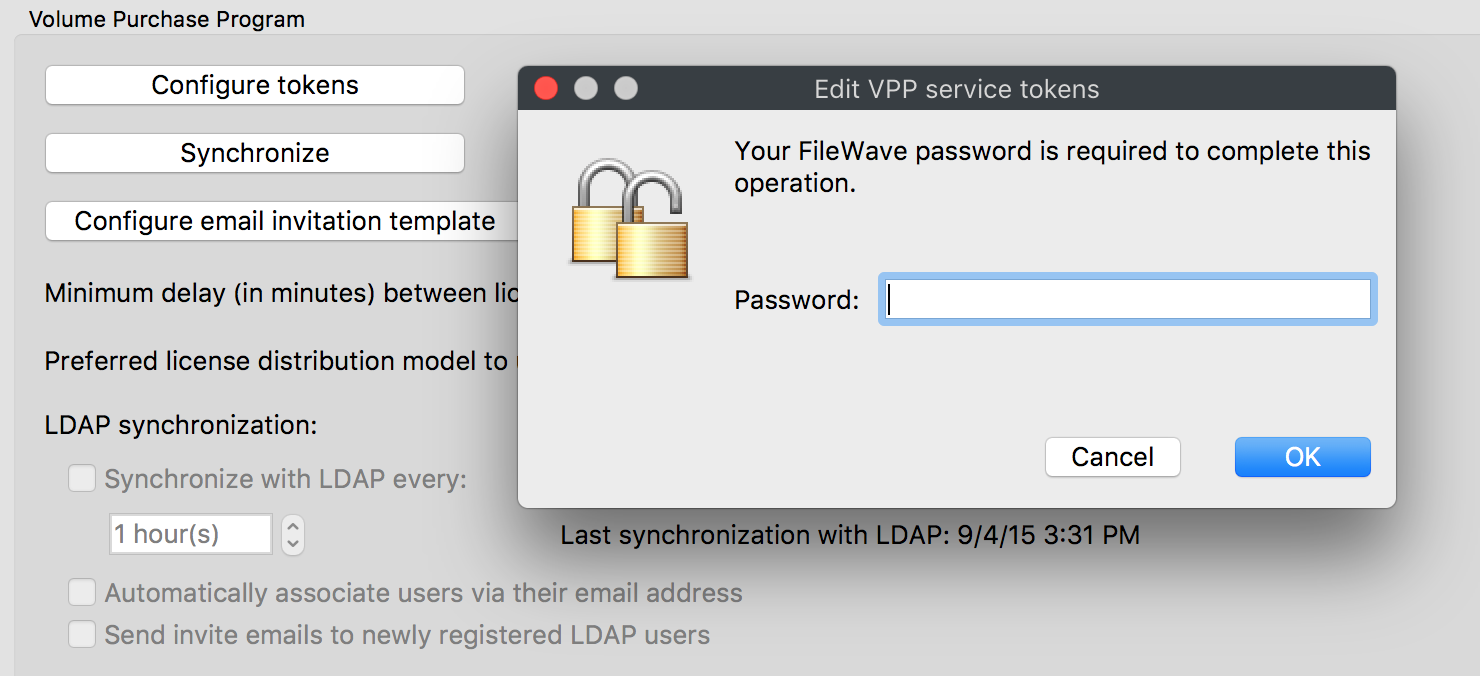
- From the "Edit VPP service tokens" window double-clicking the appropriate token will open the "VPP server token" showing current VPP token details:
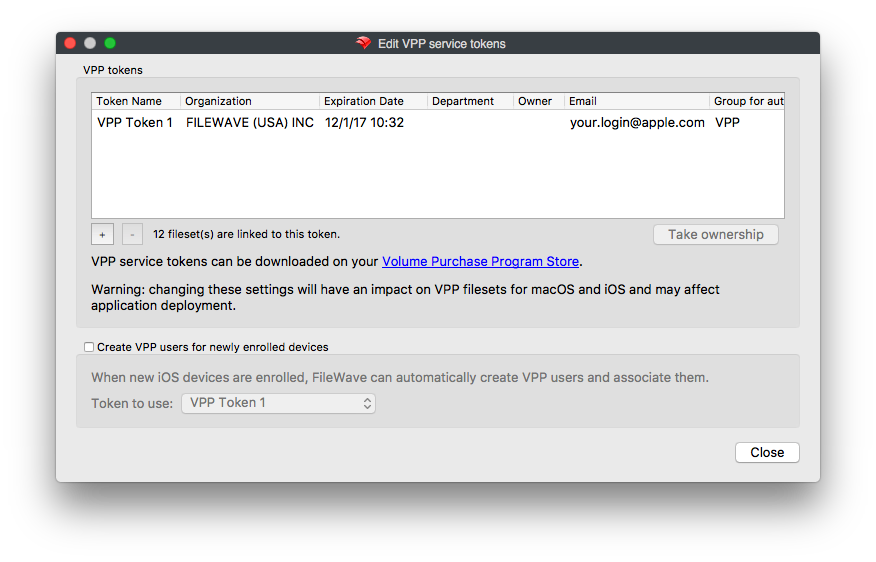
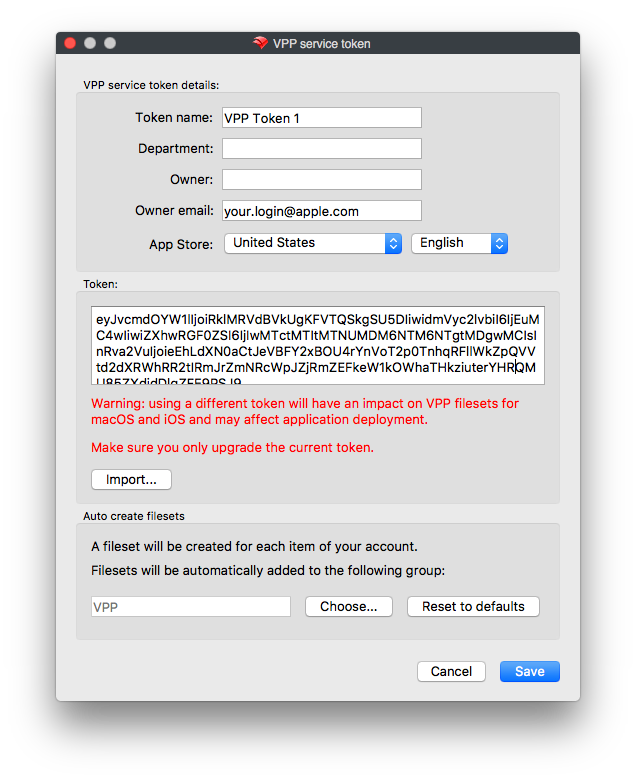
- Use the 'Import' feature to select the downloaded token from Step 3. Email is not required, but may be a good idea where multiple tokens are configured:
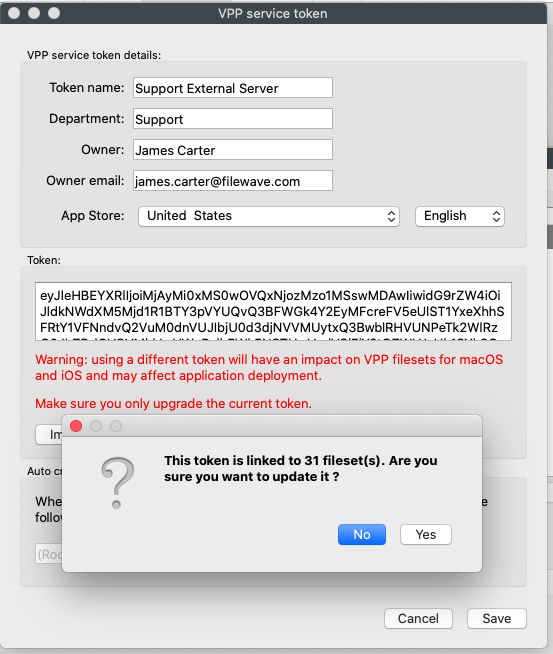
- Note: You may also see this pop-up, but this is just a warning to let you know how many Filesets a token is associated with. This is not an error, please click yes to continue.
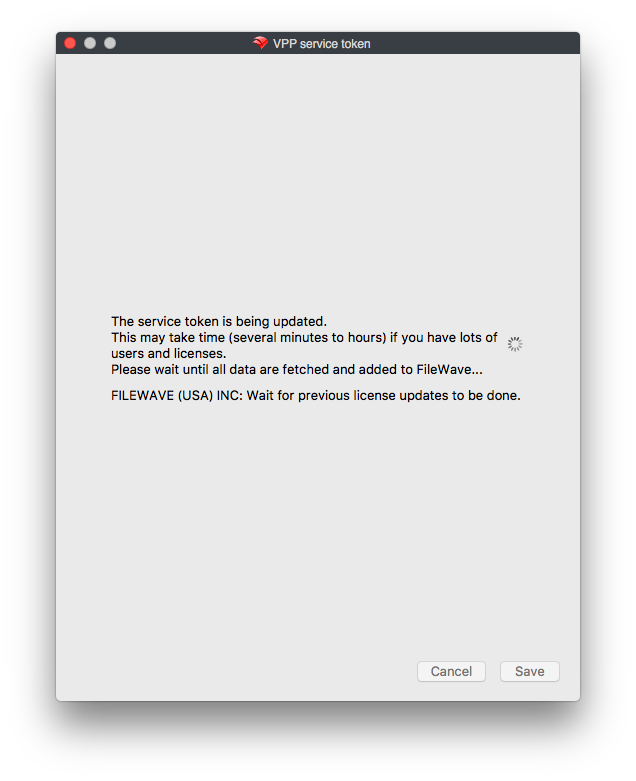
- On saving, a prompt will appear indicating it may take a while for synchronization. This window will automatically close at completion.
- During any synchronization, an additional prompt may appear if there are new VPP App licenses that do not yet have Filesets. Allow creation if desired.
Congratulations, theThe VPP token is now configuredrenewed for another year!year. Confirm the token shows the new expiration date after synchronization completes.