
FileWave Anywhere API Documentation
What
FileWave Anywhere hasincludes a dedicatedSwagger/OpenAPI documentation page,page whichfor issupported builtpublic byAPI Swagger and is OpenAPI.paths.
The documentationpage shouldlists onlypublic, list public (non-internal)internal URL paths.paths Notand onlyincludes doesa it list possible commands, but there is an option to 'Try it Out',out allowingoption executionthat ofcan theexecute an API command directly from the documentation.
Executing a command from the Swagger API documentation is a live action on the FileWave Server,Server. itIt willruns actexactly as requested and can be destructive. BeConfirm 100%the surecommand, target object, and payload before ofexecuting any command before executing.it.
When/Why
UnsureUse ifthe API documentation when you need to confirm whether an API call existsexists, forwhich theJSON intendedkeys action?are Needrequired, towhat confirma thefield formatis called, or namewhich of a key in the JSON? Are some keys in the JSON required? What is theobject ID of the item toshould be targeted?targeted.
These are some of the questions the Swagger documentation can answer.
Executing commands from the Swagger documentation requires an active login to the FileWave Anywhere weblogin. admin. If thisthe loginsession times out, alog freshin loginagain actionbefore willusing beTry required.it out.
How
On earlier versions of FileWave, the Documentation page may be accessed without logging in first, but it may then only be viewed as 'read only'.
This is no longer the case and it should be expected to log into FileWave Anywhere to access the API documentation.
First log into FileWave Anywhere through a web browser. The address should be the same as shown in the FileWave Central Mobile Preferences:

The URL for the Swagger documents page is the server address appended with /api/doc/. From the example above, it would look as follows:
https://demoz.filewave.com/api/doc/
Example GET
The below shows an example of using a 'GET' to return the DEP Profiles:
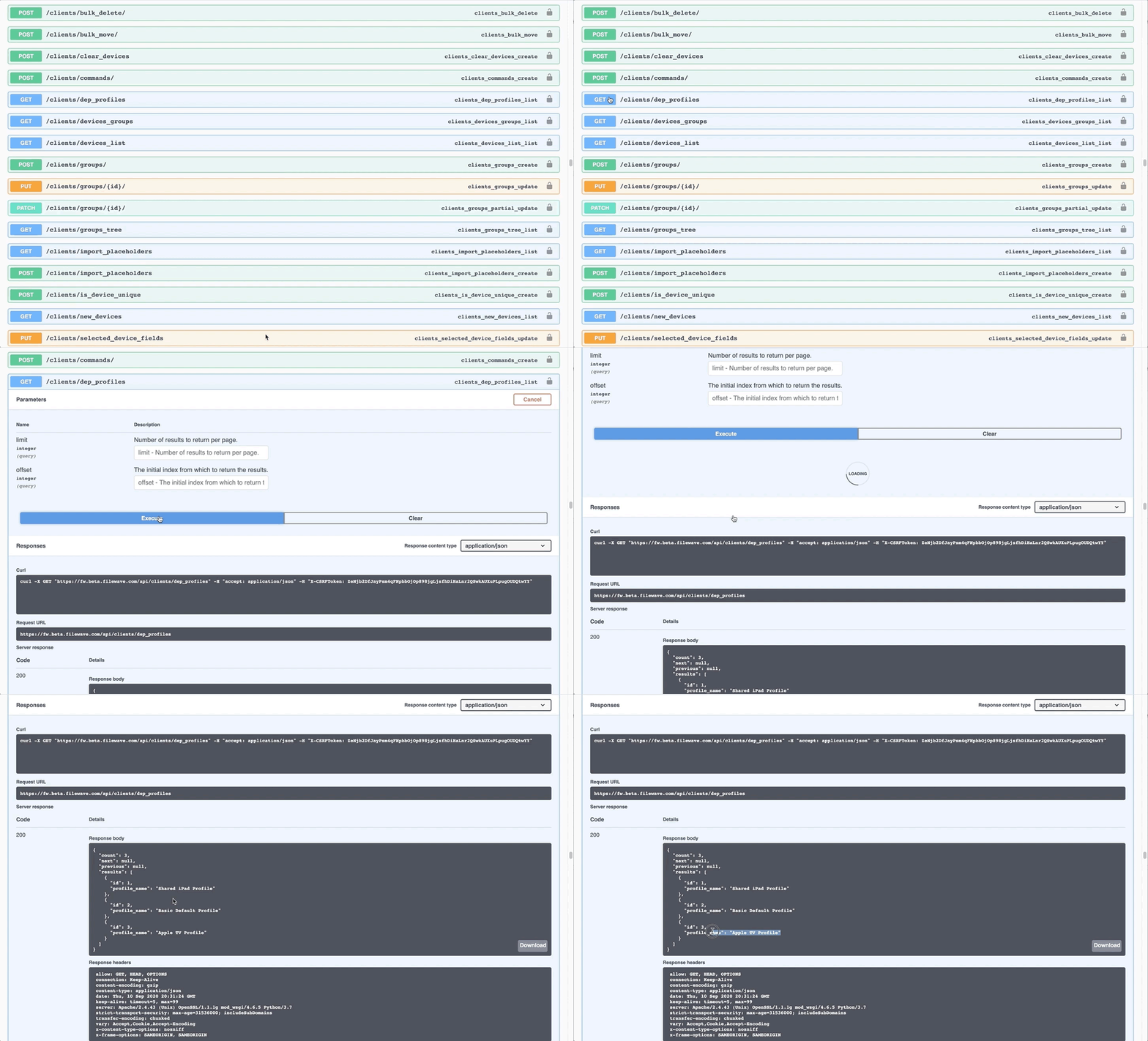
The response section from an executed action shows the curl command, the requested URL and the returned response (code and body)
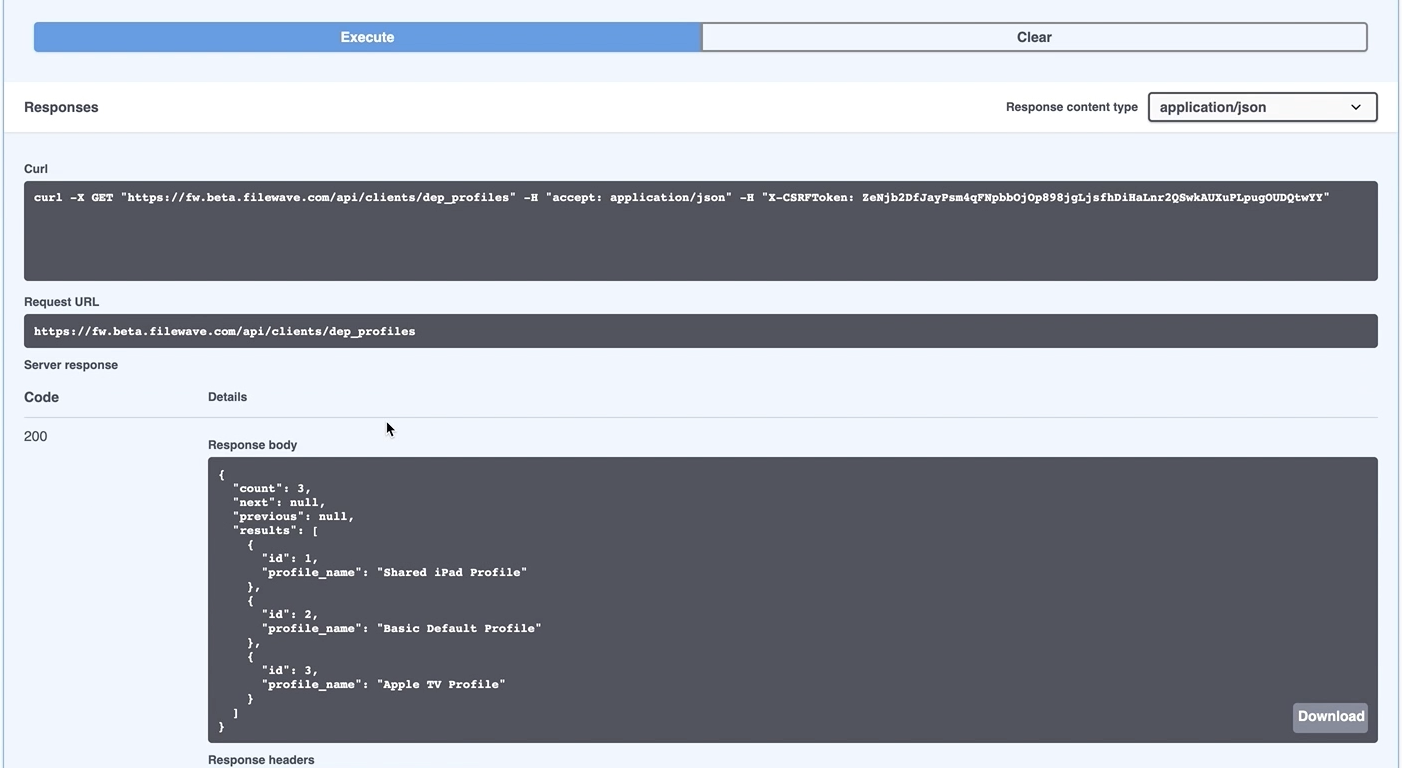
AuthenticationSwagger throughuses an X-CSRFToken for commands run inside the Swagger documentation usespage. aUse X-CSRFToken. Thisthat token is for useonly in SwaggerSwagger. alone. The base64 token should be used elsewhere, as shown in all other examples. If copyingyou thiscopy the generated curl command to paste into a script or alternativeanother tool, ensure to remove this part of the lineX-CSRFToken portion and insertuse the correct API authentication token from FileWave Central.Central instead.
Discovering Content
Swagger can not only be used for testing API calls and discovering the URL paths, but also determining the necessary content of the key/value pairs.
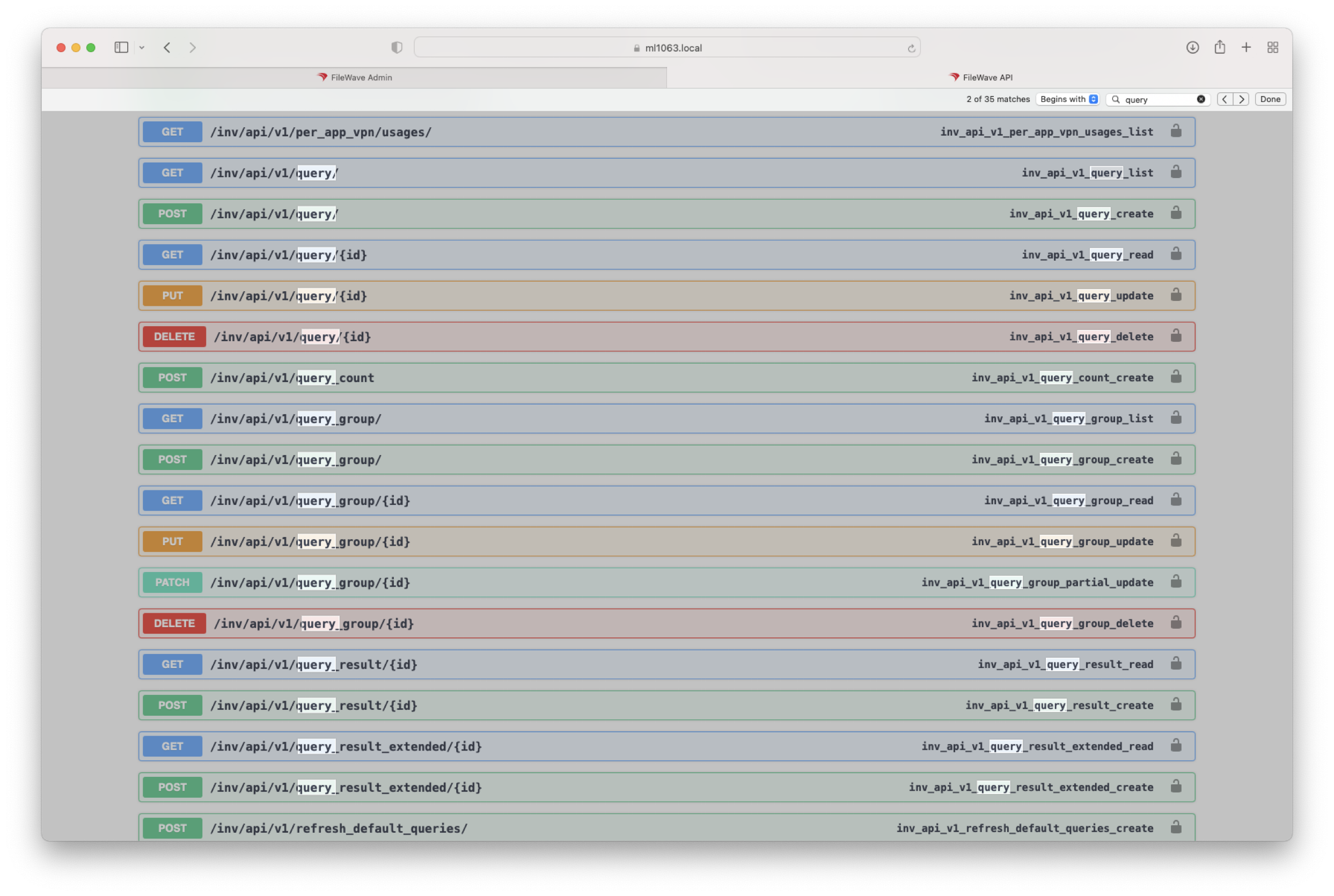
To simply locate all paths relating to queries, for example, the browse 'find' feature could easily assist:
Executing a list of all queries:

The response could then be searched to find the ID of a particular query:
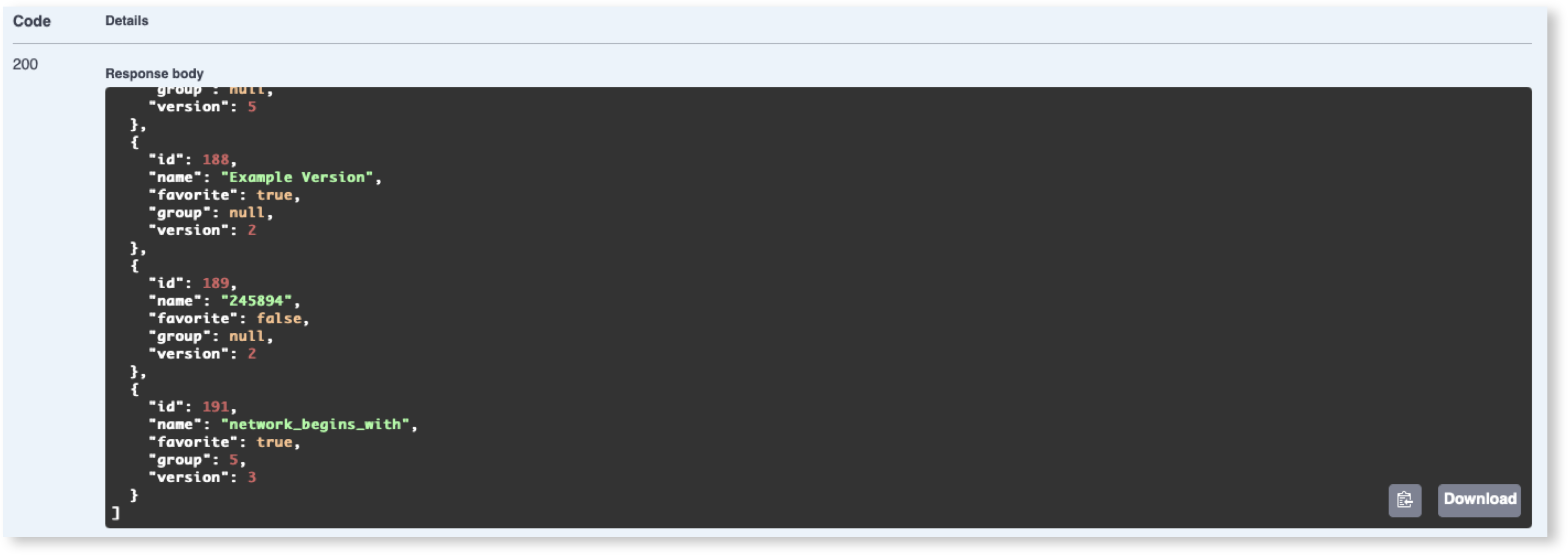
Using Query ID 191 as an example, that ID may then be used in a following GET, which will respond with the definition of that query:
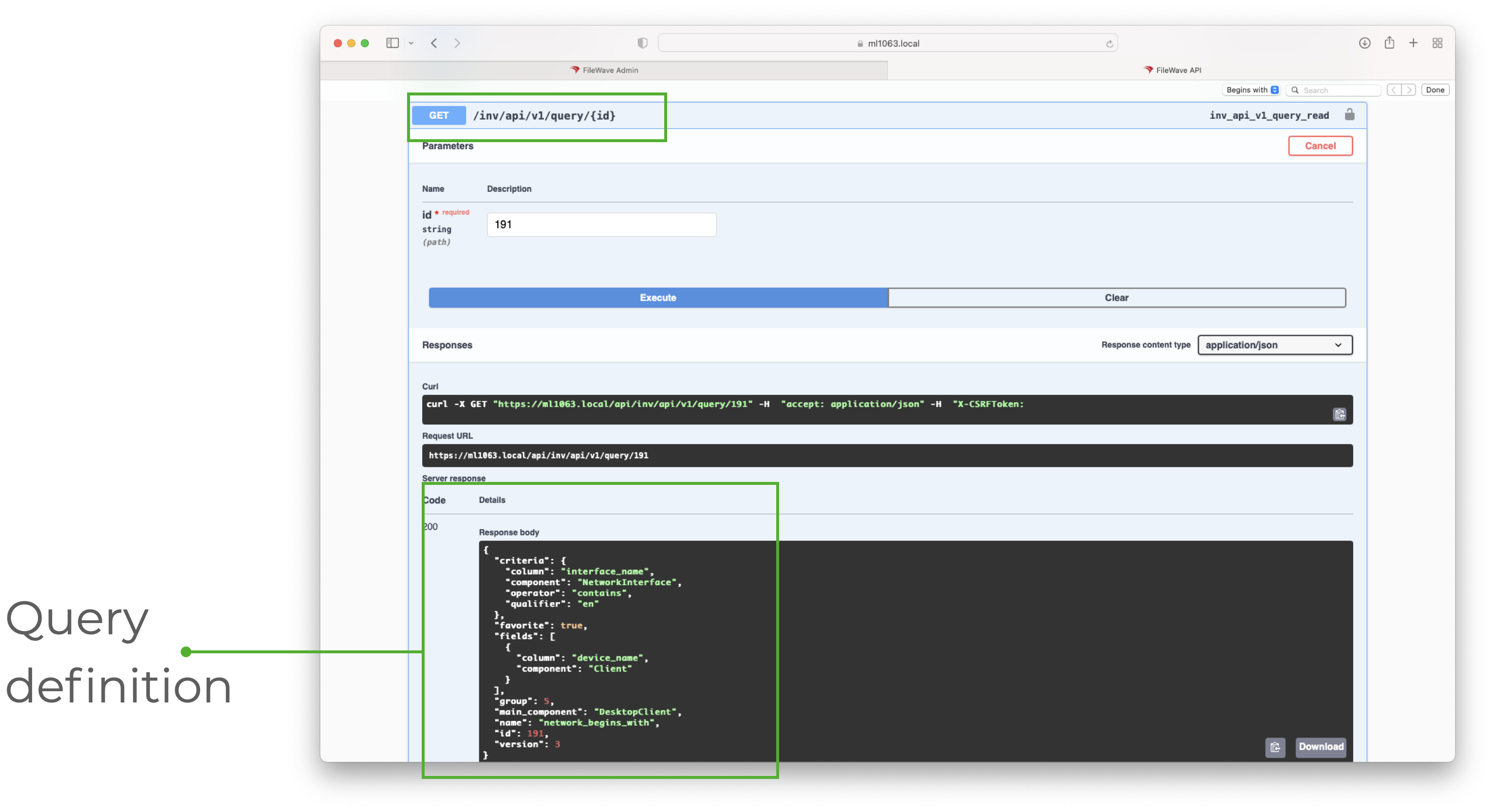
The Query Definition shows the various key/value pairs and can be used to identify values which could then be submitted in other API calls.
To discover the name used as a value for a particular item, consider building a query in FileWave Central, then using the above steps to locate the name to be used within the API call. For example: interface_name, device_name, DesktopClient.
Taking that another step forward, the same ID could be used to show the response of query results:
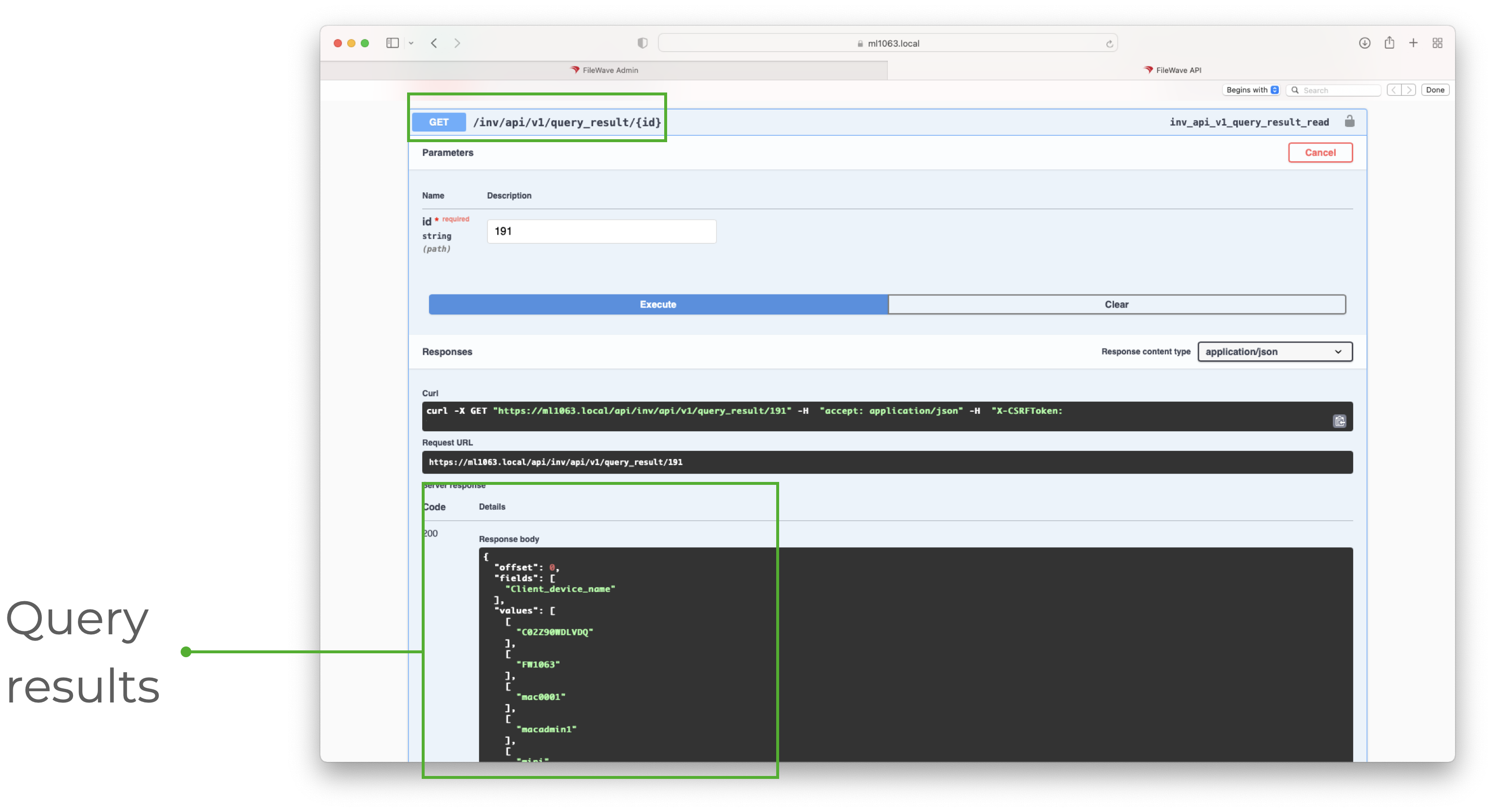
The same documentation can therefore be used to assist with the Command Line RESTful API, just remember the path needs to be altered if copying them.
Hopefully this has shownUse the Swagger documentation to be a great way to discover JSON formatting, key/value names, URL pathspaths, and listavailable theAPI commands availablebefore throughbuilding theor API.troubleshooting API workflows.