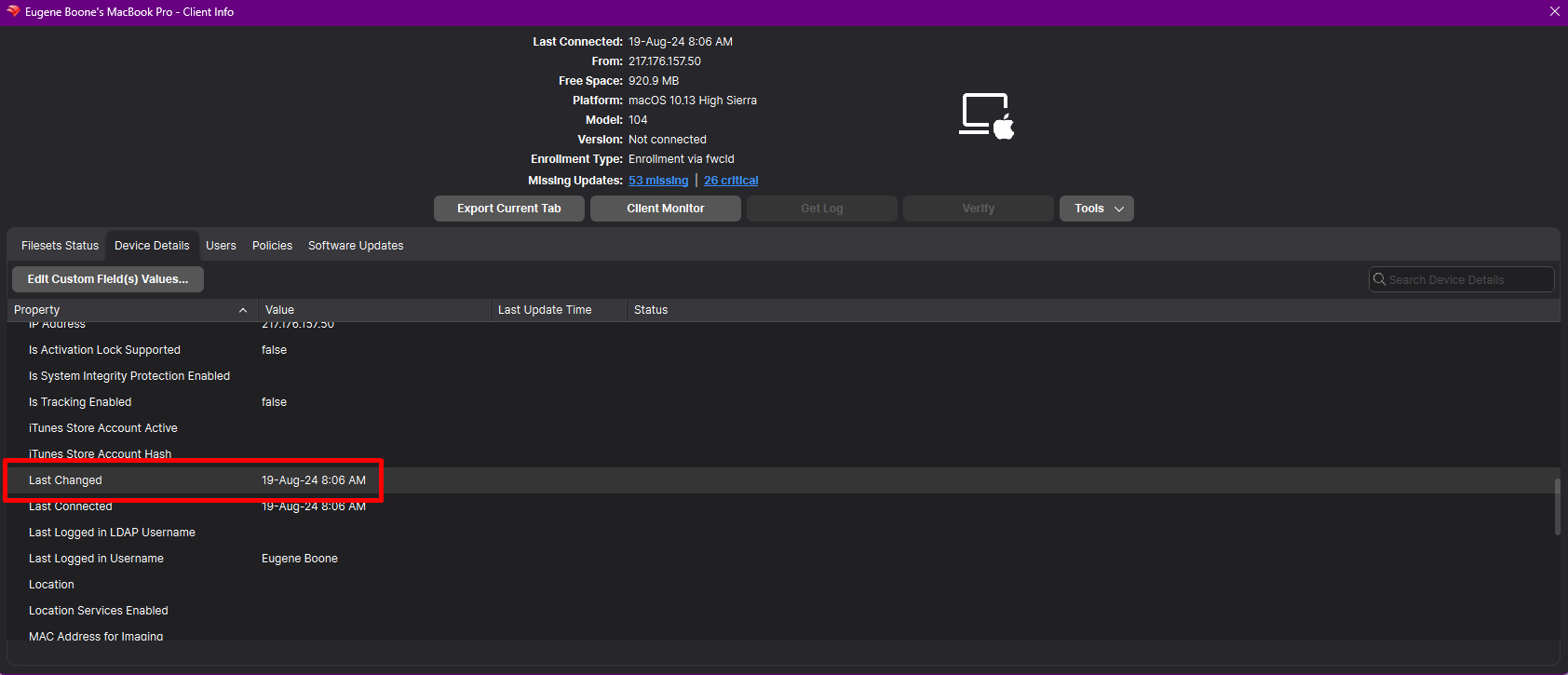
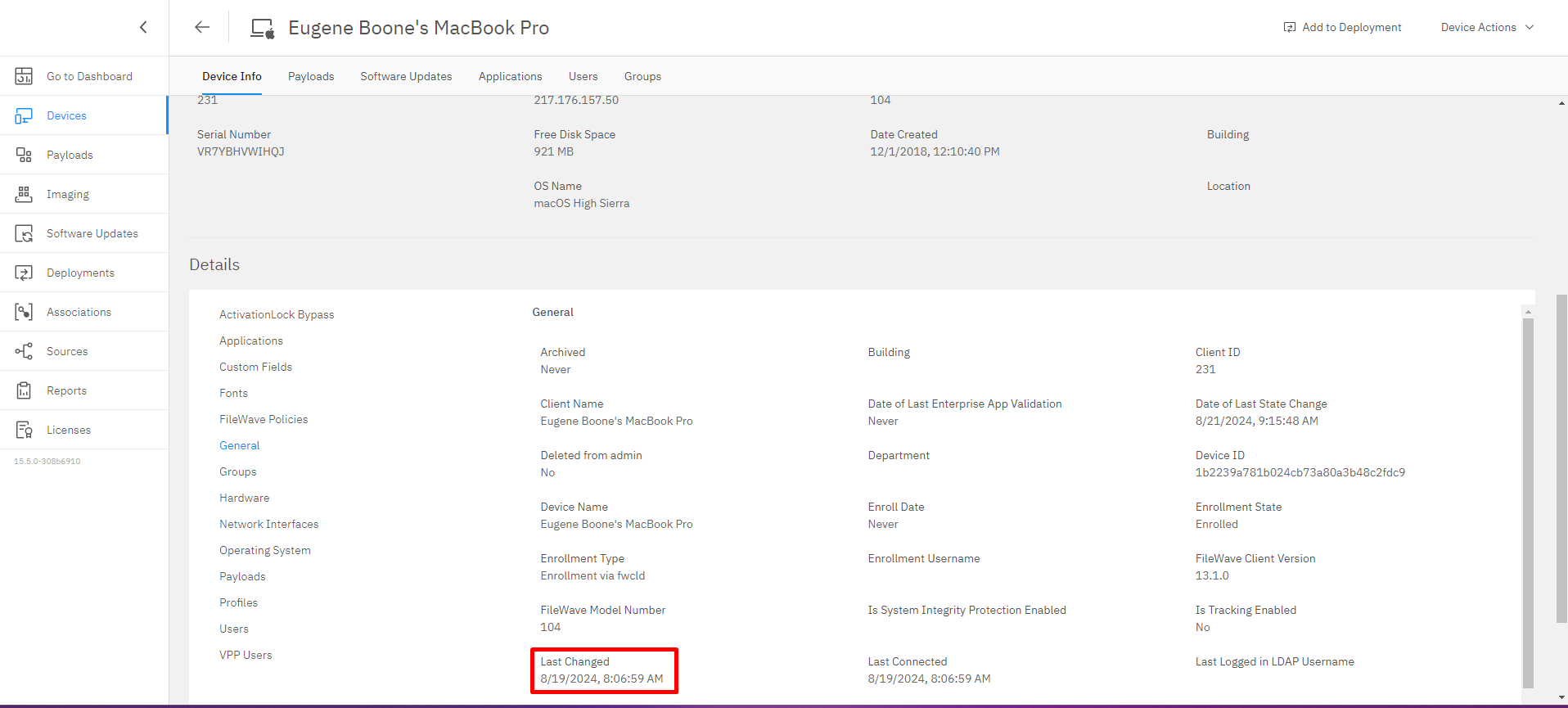
Last Changed Inventory Field
What
We'We’ve added a new "“Last Changed"Changed” field in FileWave Inventory.
Inventory When/Why
starting ...
with How
version
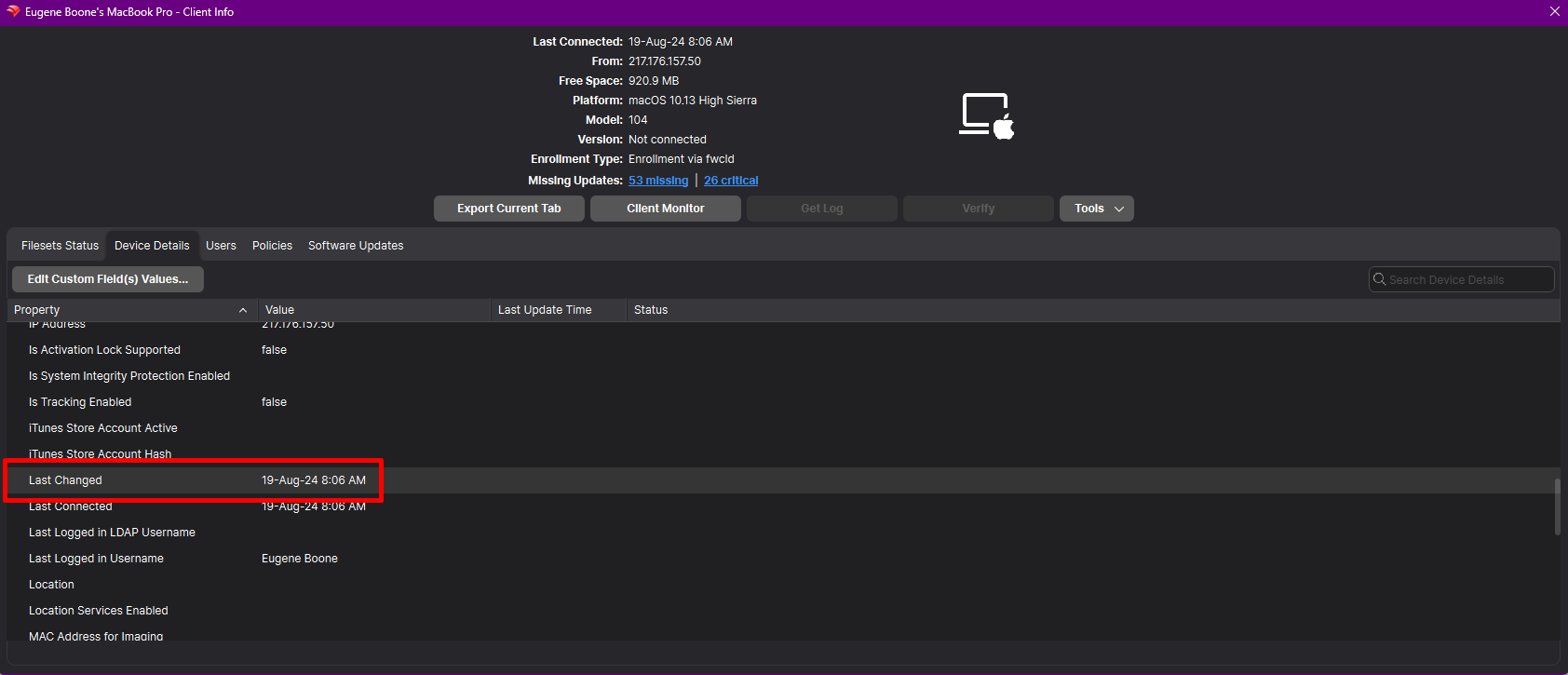
"Last Changed" Field:15.5.0. This new field records the date and time when any custom or built-in field value is updated for a client or when the client reports to the inventory.
When/Why
Field Updates: The "“Last Changed"Changed” field is alsouseful updatedin the following scenarios:
Monitoring Inventory Updates: It helps administrators track when
changes occur in a
device’s inventory data.
Data Synchronization: Facilitates accurate data synchronization between FileWave and external systems by providing a timestamp of the last update.
Change Management: Aids in auditing and compliance by keeping a record of when inventory fields are modified.
API Integration: Enables developers to leverage the “Last Changed” timestamp in API responses for more efficient data handling.
How
Understanding the “Last Changed” Field
Records Updates: The “Last Changed” field automatically updates the timestamp when:
Any custom or built-in field value is changed for a client.
The client reports new information to the inventory.
A new custom field is associated
with or disassociated
withfrom the device.
Viewing the “Last Changed” Field
In FileWave Central:
Open the APIFileWave Integration:Admin Console.
Navigate to the Clients Thetab.
"Select the device you wish to inspect.
Locate the “Last Changed"Changed” field
iswithin visiblethe in existing publicdevice’s inventory
APIdetails.
responses, enabling more accurate data synchronization and integration.
In FileWave Anywhere:
Log in to FileWave Anywhere through your web browser.
Go to the Devices section.
Click on the specific device to view its details.
Find the “Last Changed” field in the inventory information.
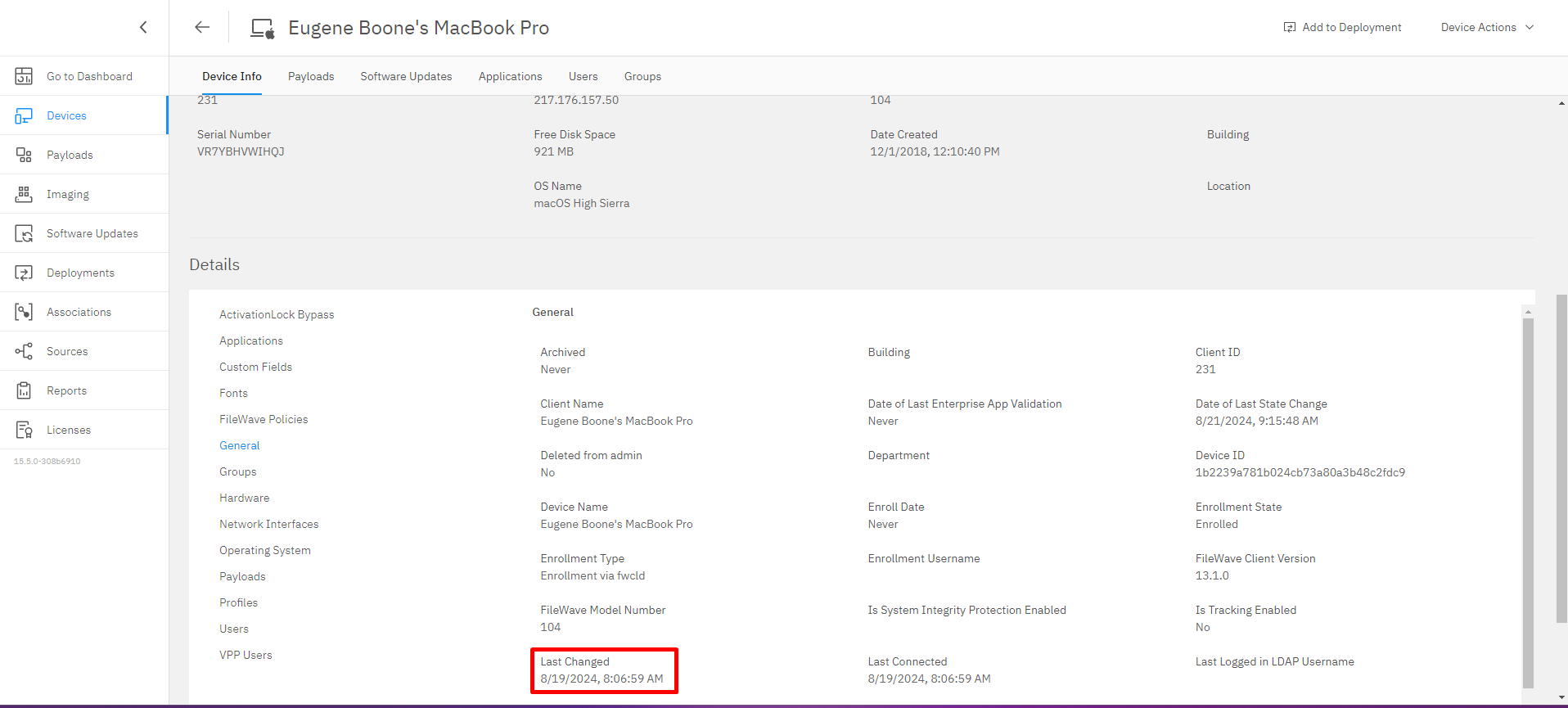
Utilizing the “Last Changed” Field
Field Updates:
The field provides a precise timestamp, helping you determine the exact moment a change occurred.
Useful for troubleshooting and verifying when specific updates were made.
API Integration:
The “Last Changed” field is included in public inventory API responses.
Enables developers to:
Optimize Data Sync: Check the “Last Changed” timestamp to decide whether to pull updated data.
Enhance Automation: Integrate inventory updates into custom scripts or applications with accurate timing.
Important Notes
Custom Fields Association:
Associating or disassociating custom fields with a device updates the “Last Changed” timestamp.
Helps in tracking changes to custom data points specific to your organization’s needs.
Client Reporting:
Every time a client device reports back to the inventory, the “Last Changed” field is updated.
Ensures you have the most recent interaction time logged.
Related Content