Upgrading a Single Booster
What
The Booster upgrade feature gives FileWave administrators a centralized way to upgrade Boosters from within FileWave.
When/Why
Having to sshuse SSH or remote control tofor eachevery Booster to download and run the installerupgrade takes too much time. Starting with FileWave 14.4, the "Boosters"Boosters and "Booster Details"Details tabs provide a manual upgrade optionaction for each Booster that haswhen an applicable upgrade is available. Starting with FileWave 16.3.0, compatible outdated Boosters can also be automatically scheduled for upgradeautomatically after a FileWave Server upgrade. ByThe default, that automatic Booster upgrade is scheduled one week later, thedefault delay is configurableseven days and can be changed in Preferences,FileWave andCentral administrators> canPreferences unschedule> itGeneral ifbefore needed.upgrading Thatthe delayServer. A value of 0 days schedules eligible Boosters immediately. The value is evaluated when the FileWave Server upgrade schedulescreates the Booster upgrades.schedule; Ifchanging the delay is set to 0 days before the FileWave Server upgrade, compatible Boosters try to upgrade right away after that Server upgrade. Changing the delayit afterward does not retroactively reschedule Boosters that weremove already queued.scheduled Itwork.
FileWave 16.4 makes automatic Booster upgrades more resilient. FileWave now checks both the next FileWave Serverreported upgrade schedulingstatus eventand instead,the suchinstalled Booster version before treating an upgrade as 16.3.1complete. A failed attempt can be retried automatically within defined limits, and the attempts are logged. If the Booster remains below the target version or later.reports ThatFailed after the automatic attemptretries, happensinvestigate oncethe per Booster,logs and ifmanually it fails, an administrator needs to intervene to complete or re-triggerschedule the upgrade.upgrade again.
Some ofcriteria the criteriaused to determine if there iswhether an applicable upgrade is available are:
- Booster has to be at least 14.4
- The operating system version has to be supported by the target version
- The booster has to be running in order to trigger an upgrade
- The version number of the target version has to be higher than the currently installed version (i.e you cannot use this feature to reinstall/downgrade to a specific version)
This article discusses manually upgrading a single Booster immediately. In FileWave 16.3.0 and later, this is especially useful when you do not want to wait for the automatic post-Server-upgrade schedule or when you want to handle one Booster separately.
How
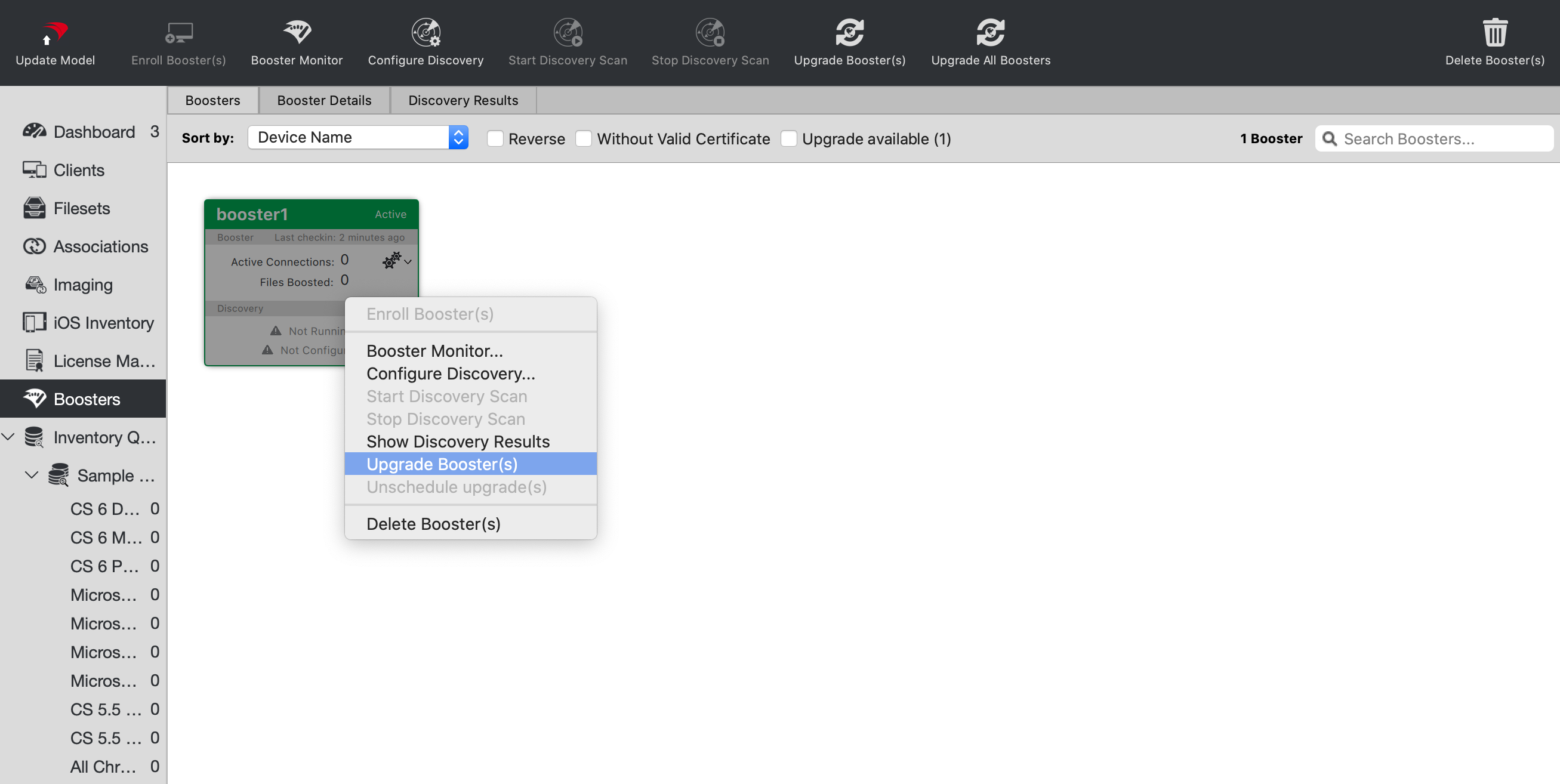
To upgrade a particular booster, just right-click it and select "Upgrade Booster". You can also right-click the booster in the "Booster Details" tab.