Upgrading a Single Booster
What
The Booster upgrade feature gives FileWave administrators a centralized way to upgrade Boosters from within FileWave.
When/Why
Having to ssh or remote control to each Booster to download and run the installer takes too much time. Starting with FileWave 14.4, the "Boosters" and "Booster Details" tabs provide a manual upgrade option for each Booster that has an applicable upgrade available. Starting with FileWave 16.3.0, compatible outdated Boosters can also be automatically scheduled for upgrade after a FileWave Server upgrade. By default, that automatic Booster upgrade is scheduled one week later, the delay is configurable in Preferences, and administrators can unschedule it if needed. Some of the criteria to determine if there is an applicable upgrade are:
- Booster has to be at least 14.4
- The operating system version has to be supported by the target version
- The booster has to be running in order to trigger an upgrade
- The version number of the target version has to be higher than the currently installed version (i.e you cannot use this feature to reinstall/downgrade to a specific version)
This article discusses manually upgrading a single Booster immediately. In FileWave 16.3.0 and later, this is especially useful when you do not want to wait for the automatic post-Server-upgrade schedule or when you want to handle one Booster separately.
How
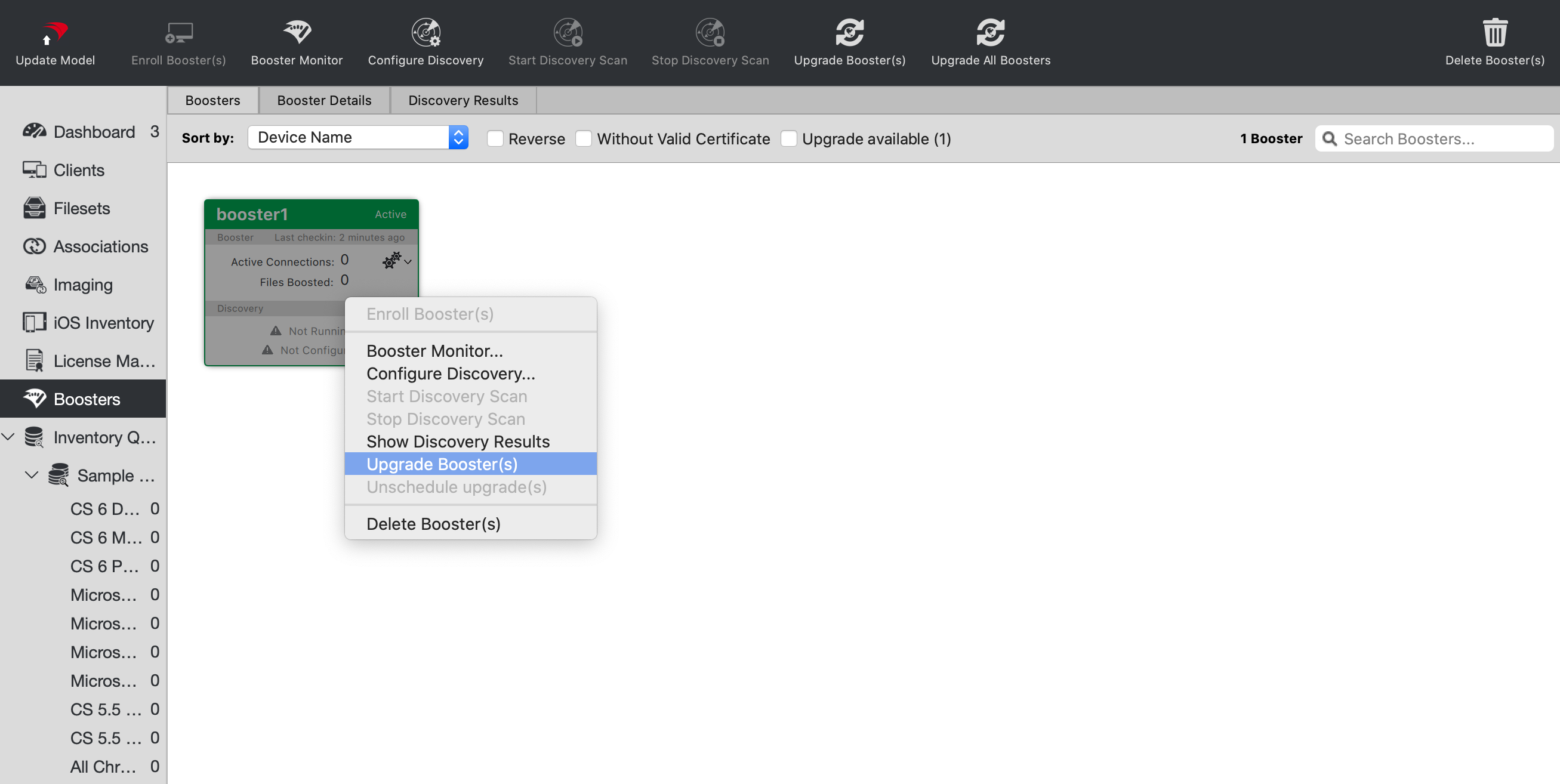
To upgrade a particular booster, just right-click it and select "Upgrade Booster". You can also right-click the booster in the "Booster Details" tab.