Determine Correct Intermediates Bundle for SSL Certificate
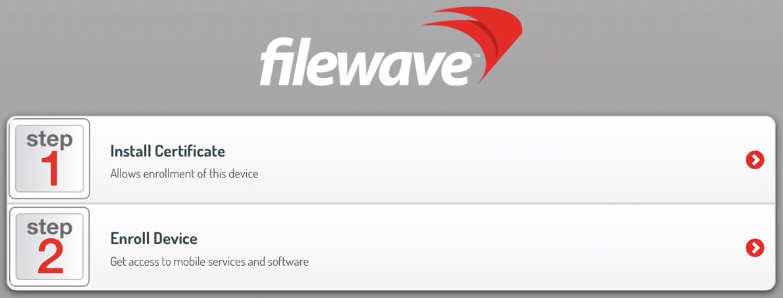
Some SSL providers include multiple intermediatesintermediate certificate bundles along with your SSL certificate. Your SSL certificate must be merged with onethe ofcorrect theseintermediate intermediatesbundle bundles along withand your private key to generate athe .p12 certificate file that can be uploaded intoin the Mobile preferences tab of the FileWave Admin. If the incorrectwrong intermediatesintermediate bundle is used, two steps will appear during interactive MDM enrollment rathermay thanshow one,an likeextra incertificate-install thestep screenshotbefore below.Enroll IfDevice, the incorrect intermediates bundle is used,and client devices willmay not be able to communicate with the FileWave MDM server correctly. ThereA should normally only be one step listed, the one to "Enroll Device", if there are no certificatehealthy trust chain issues.normally shows only the Enroll Device step.

Step-by-step guide
Follow the steps below to determine the correct intermediates bundle to pair with your SSL certificate so that only one step appears on the interactive enrollment page.
Be sure to choose Apache format whenWhen downloading your SSL certificate fromtheyourprovider.provider, choose Apache format if that option is available. If the certificate files do not have a .crtextensionextension,redownloaddownload them againand pickin Apacheformat this time.format.- Go to the Intermediate Certificate Check page at https://tools.keycdn.com/ssl.
- Paste the contents of
yourthe SSL .crt file from your SSL provider. Follow it up withPaste the contents of thedesired intermediatesintermediate .crtfilebundlerightdirectly below it. Theintermediatesintermediate bundle may contain multiplecertificates.certificates;Copy and paste them all intoinclude theIntermediatefullCertificate Checkpagebundle below your SSL certificate.- Click the Validate button.
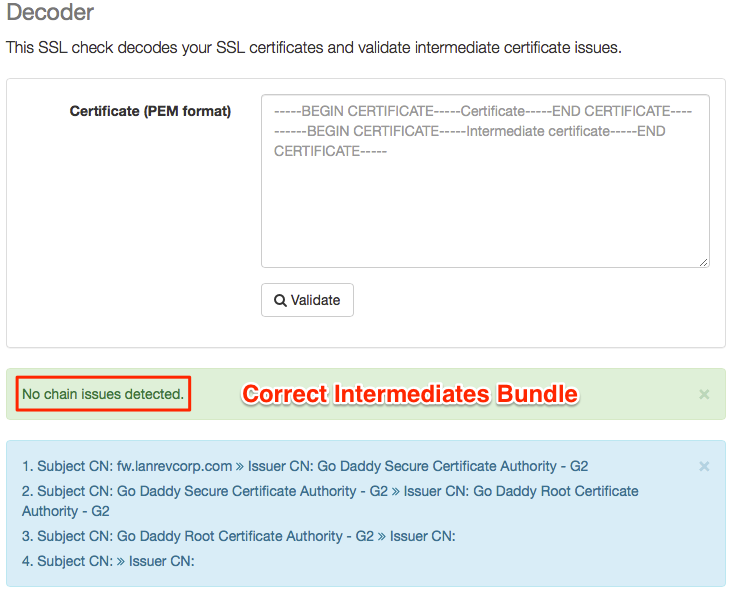
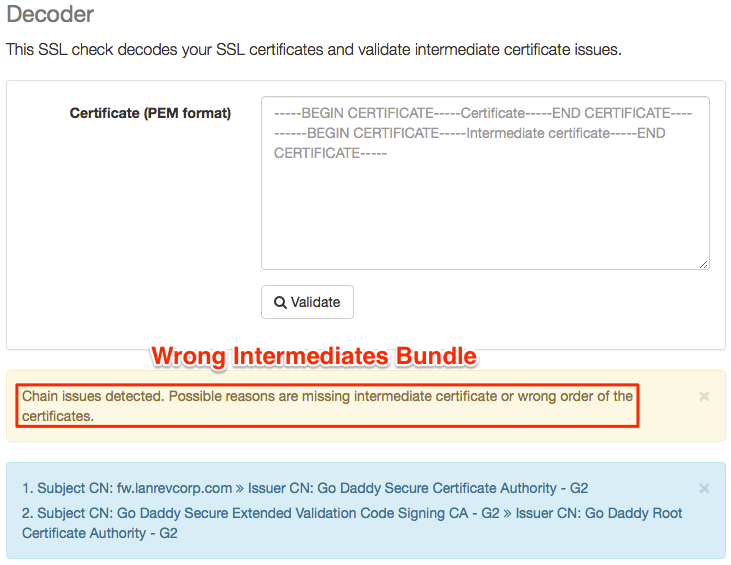
You'llThereceivecheckera response statingreturns either"No chain issuesdetected" in greendetected or"Chain issuesdetected" in brown.detected. Ifthere arechain issueskeeparereplacingdetected, repeat theintermediatescheck with the next intermediate bundlewithfromanotheryouroneprovider.untilUsetheretheare no chain issues. The intermediatesintermediate bundle thatresults inreturns no chain issuesis the one you need to usewhen generatingyourthe .p12 file for FileWave.