2.2.1 Copied Panel is Blank
What
InQuick certainanswer: circumstances, when you copy/pasteIf a copied dashboard panel intois anotherblank, dashboard,recreate youthe may findvariables that the new panel isexpects blank.in the destination dashboard, then save the dashboard and reload the panel.
When/Why
This will happen most often ifhappens when the source dashboard that you copied from has variables defined that the panel reliesdepends upon.on, but the destination dashboard does not. For instance,example, if a panel relies on $host to befor the server address of your server, butand the destination dashboard doesn'tdoes havenot thatdefine variable, then$host, the panel willcan copy,paste successfully but berender blank.
How
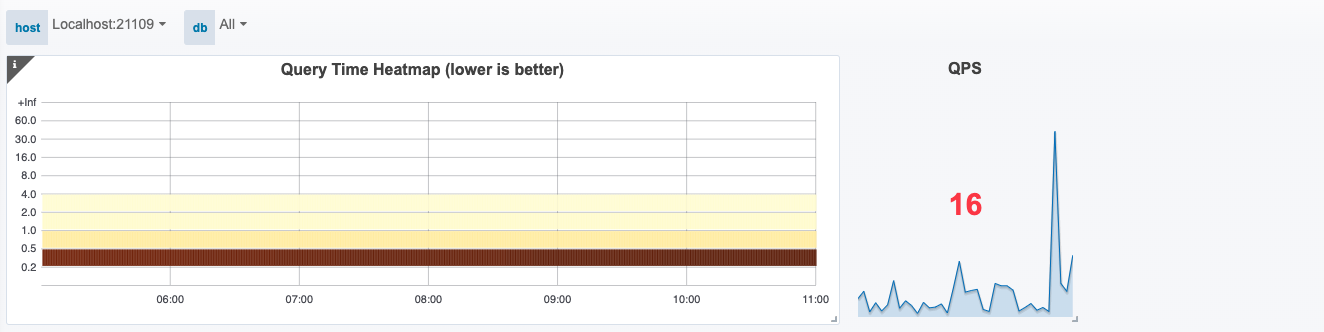
Below you'll see the issue:
Fixing the issue requires replicatingrecreating the variables in the destination dashboard. Grafana (Unfortunatelydoes therenot iscopy nothose methodvariables forwith copy/paste,the panel, so theyrecreate mustthem be regenerated.).manually. In any dashboard, youopen can see the variables in Dashboard Settings → Variables:Variables to review the variables:

 then
then 

ReplicateRecreate the variablessame variable names and values in your owndestination dashboard:

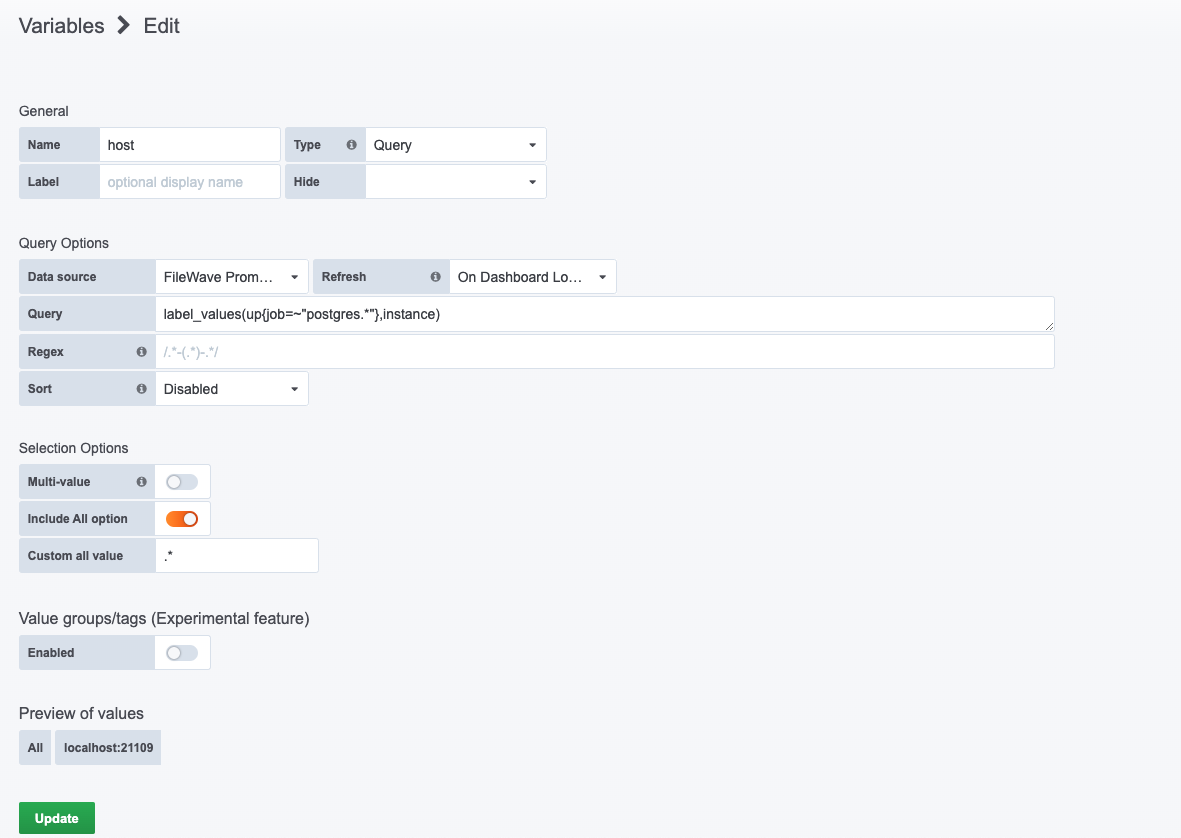
And,After oncesaving you save those newthe variables, youreload shouldthe finddashboard. yourThe copied panel should now works:render with data: