
Plugin Installation
PluginsGrafana areplugins acan greatadd waypanels, data sources, and visualizations to extend the featuresFileWave of Grafana, optimising the Grafana experience.Dashboard.
RecommendationInstall is that any installedsigned plugins areonly. signed.Plugins Allfound pluginsthrough from theGrafana's built-in search should already be approved already,approved, but plugins arecan availablealso come from other sources.
Installation
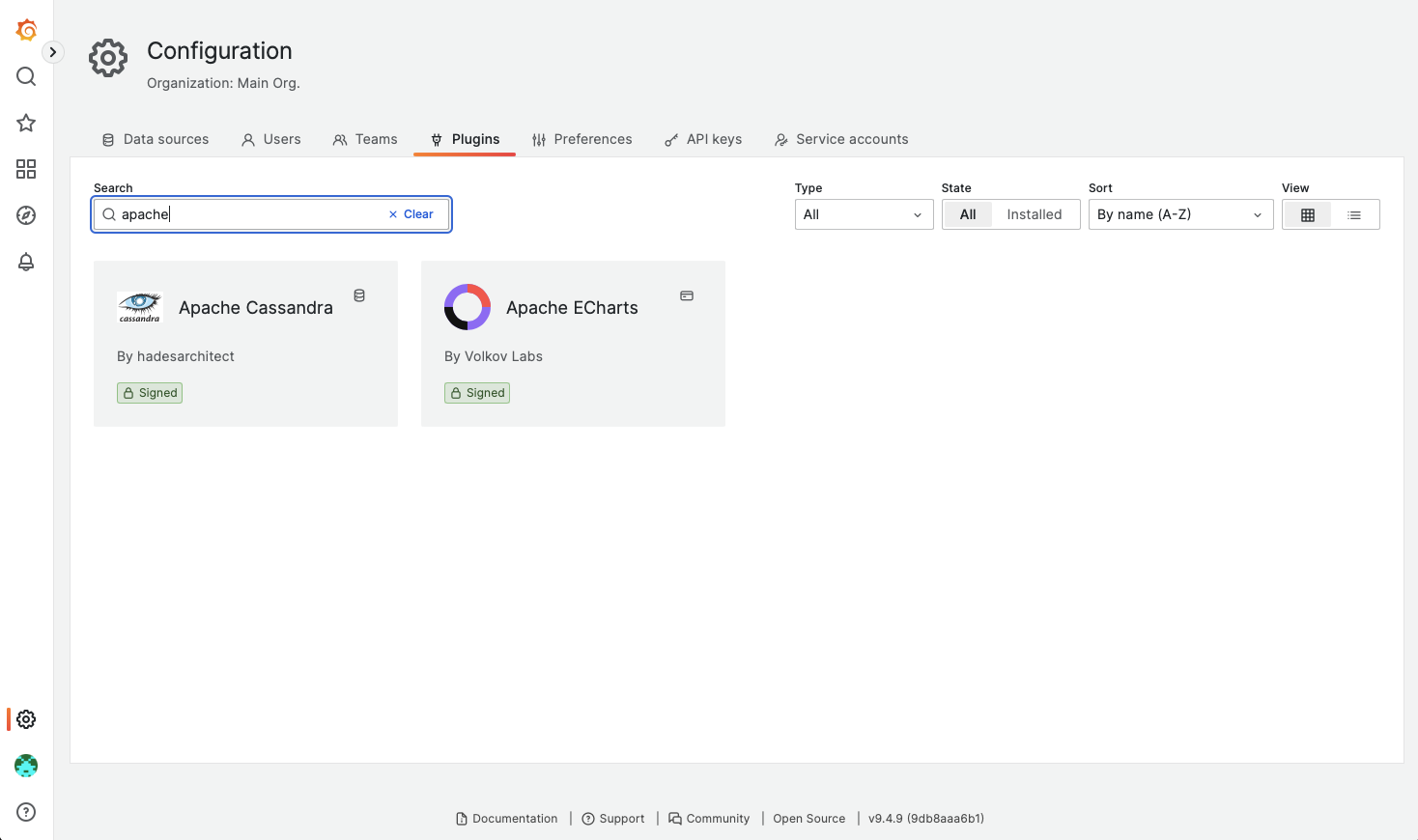
PluginsSearch arefor easilyplugins searchable throughin the Grafana Dashboard,Dashboard viaunder the Configurationconfiguration tabsarea.
On selecting a plugin though, at the bottom of the description it will indicate necessary permissions are not enabled:
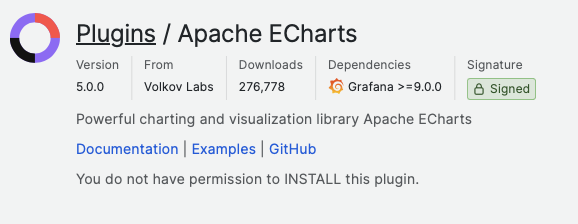
InstallationInstalling plugins through the Grafana GUI requires a Grafana Admin.Admin access. FileWave does not allow plugin installation ofthrough that path, so install plugins in this manner. Instead,from the command line should be used directly on the server to instal plugins.server.
Command Line Installation
ScrollingThe downplugin throughpage includes a command-line installation section. Do not copy that command as-is for FileWave, but use it to identify the plugin page,name thererequired is a section on using command line to instalby the plugin,FileWave however,server this should not be used. It does however highlight the required plugin name to be used in the process.command.
Taking ApaceApache ChartsECharts as an example:
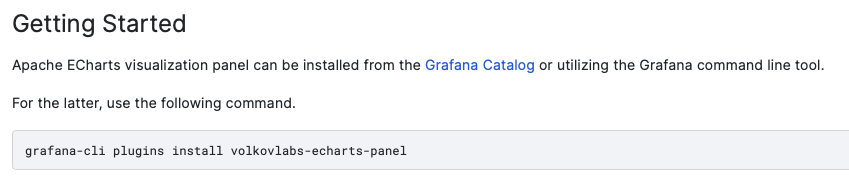
From the description, the plugin name is:
volkovlabs-echarts-panel
As such theThe command to instalinstall this plugin on a FileWave Server would be:
/usr/local/sbin/grafana-cli --pluginsDir=/usr/local/filewave/instrumentation_data/grafana/plugins --homepath=/usr/local/filewave/grafana plugins install volkovlabs-echarts-panelThe process should report success and the plugin should now be available.