
Restrict Math Notes and Math Results with DDM
What this controls
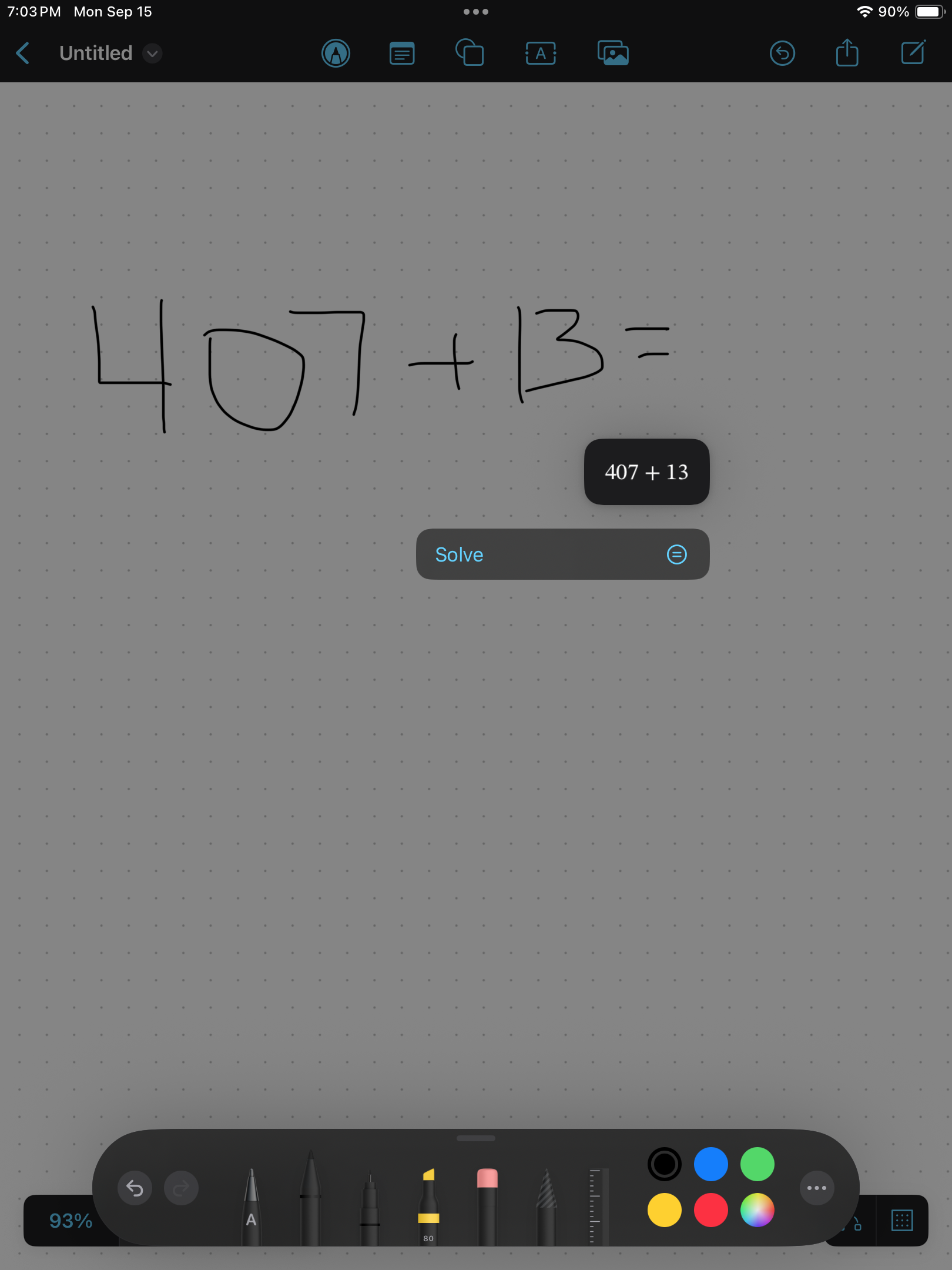
Use FileWave's Apple DDM Configuration Editor to prevent keyboard suggestions from including math solutions and to stop Math Notes results from appearing in other apps such as Notes and Freeform.
Apple requirements: iOS 18 or later, iPadOS 18 or later, or the macOS 15-or-later user channel. The device must be supervised. Apple supports Device Enrollment on macOS and Automated Device Enrollment on iOS and iPadOS, including Shared iPad device and user channels.
Steps to Configure
-
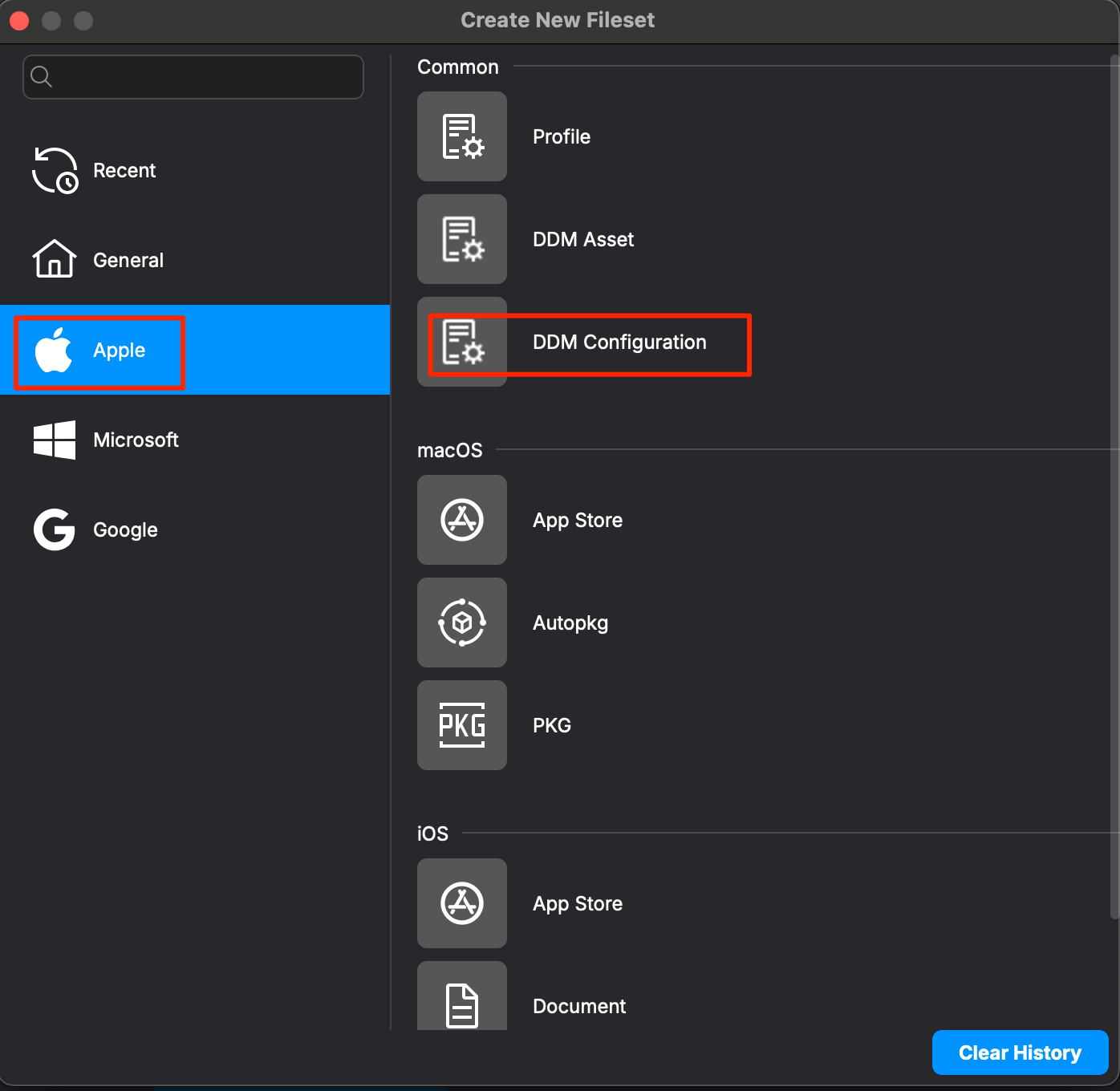
In FileWave Central, create a new Fileset and choose:
Apple → DDM Configuration

-
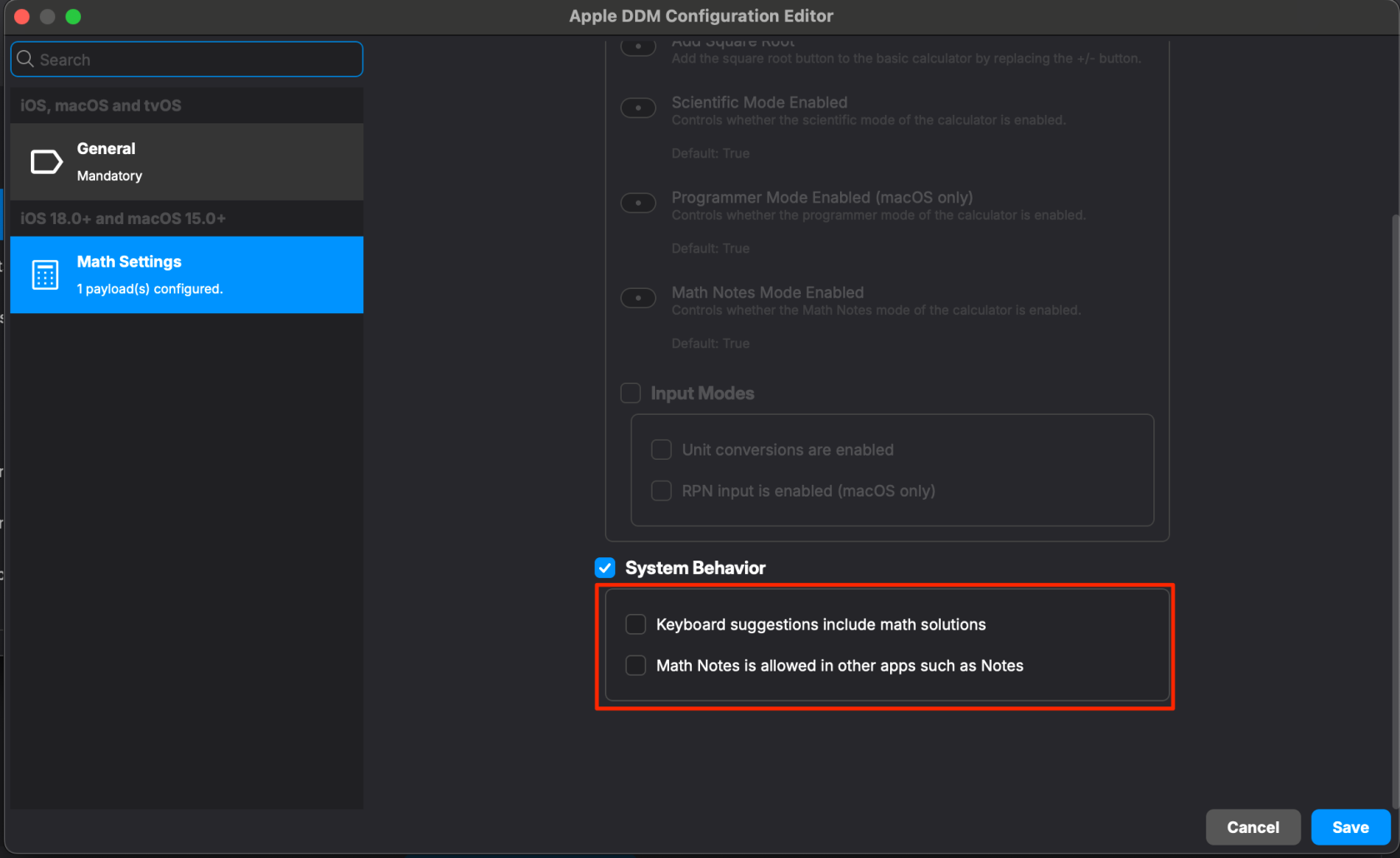
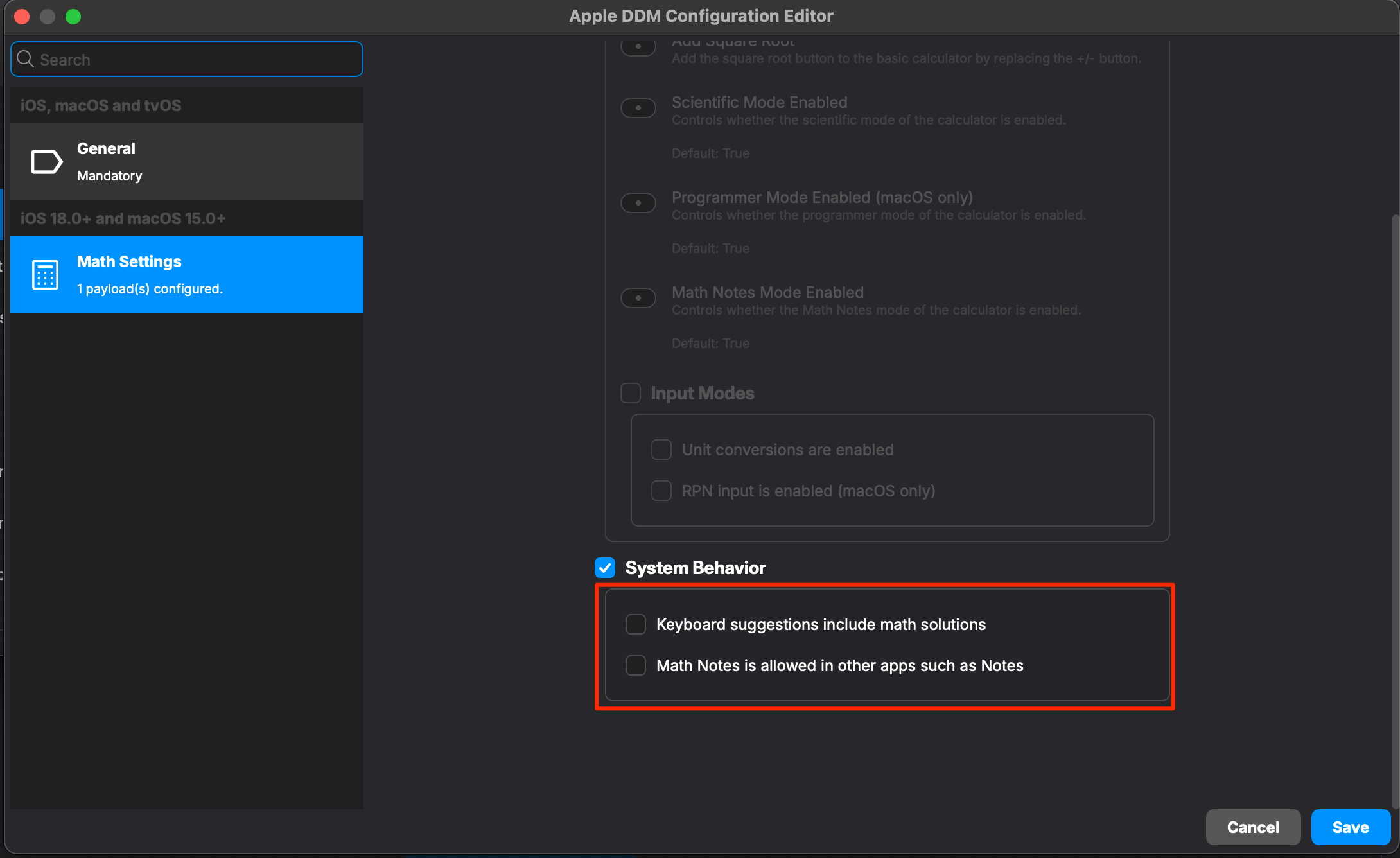
Search for Math Settings, choose Configure, then select System Behavior.
-
Leave both positive-behavior options unchecked so DDM sends them as disabled:
-
Keyboard suggestions include math solutions — prevents math answers from appearing in keyboard suggestions.
-
Math Notes is allowed in other apps such as Notes — prevents Math Notes results from appearing in Notes, Freeform, and other apps.
Do not select either child option when the goal is restriction. Selecting a child option explicitly allows that behavior.
-
-
Save the Fileset and create a Deployment to a supervised pilot device on a supported OS. Avoid targeting the same behavior with a conflicting configuration profile or another DDM configuration. Expand the Deployment only after verification.
Verify the restriction
- Confirm FileWave reports the DDM configuration as active on the pilot device.
- In an app that offers keyboard suggestions, enter a simple arithmetic expression and confirm no solution appears in the suggestion bar.
- In Notes or Freeform, enter a simple expression and confirm Math Notes does not offer or insert the result.
- Repeat the checks after a device restart or user sign-in, then expand the Deployment to the intended group.
These controls restrict math assistance without disabling the core Notes or Freeform apps.
No comments to display
No comments to display