
Organize Filesets into Groups
YouWhy getFileset agroups group and you get a group, everybody gets a group!matter
Again,Organize really? Yep. We recommend that you stay justFilesets as organized with your Software (Fileset) groupsdeliberately as you do with your Client groups. This will enable you to do "Group to Group" associations, allowing for even more dynamic and automated deployments. For example, if we have an "Interactive Media" ClientMatching group andstructures ansupport "Interactive Media" Software group, we can associate them at the group-to-group leveldeployments: so any timewhen a newFileset piece of software getsis added to the SoftwareInteractive groupMedia Fileset group, it willcan be deployeddeploy to allevery devicesdevice in the corresponding Client group...group; and vice versa,when a newdevice joins that Client getsgroup, addedit receives the Filesets already assigned to the Client group and it will receive all software in the Software group, all without having to make a new Association.group.
CreatingCreate SoftwareFileset (Fileset) Groupsgroups
YourChoose groupa structure willthat greatadministrators dependcan onmaintain. yourPlatform organization's structure butis a gooduseful placefirst tolevel, start isfollowed by sortingdepartment, outsite, yourapplication softwareowner, byor thedeployment intendedpurpose Operatingwhere System.those distinctions affect targeting.
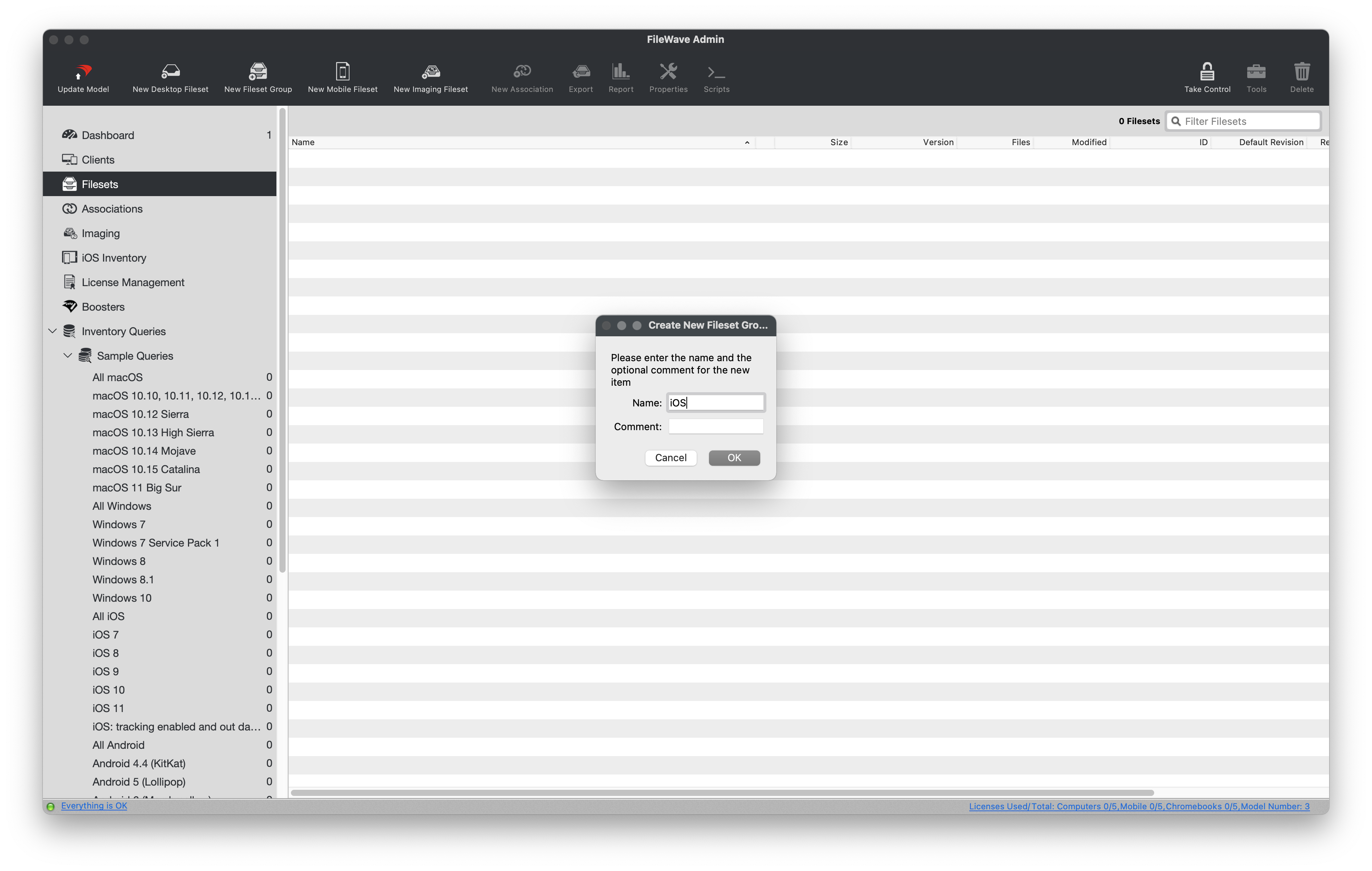
Create a group
ConfiguringChoose a Fileset group for automatic VPPApps Filesetand Books imports
ThisWhen sectionFileWave issyncs intendedApple forApps thoseand goingBooks tolicenses sync(VPP), witheach Apple'slocation Volumetoken Purchasecan Programcreate asits describedFilesets in thisa futureselected section. When syncing VPP licenses into FileWave, you can specify which group each VPP Token's Fileset will be created within.group. This iskeeps verycontent helpful especially if you have multiple VPP Tokens designated forfrom different departments and/or sites.sites separated. Complete the Apple client prerequisites before configuring the token.
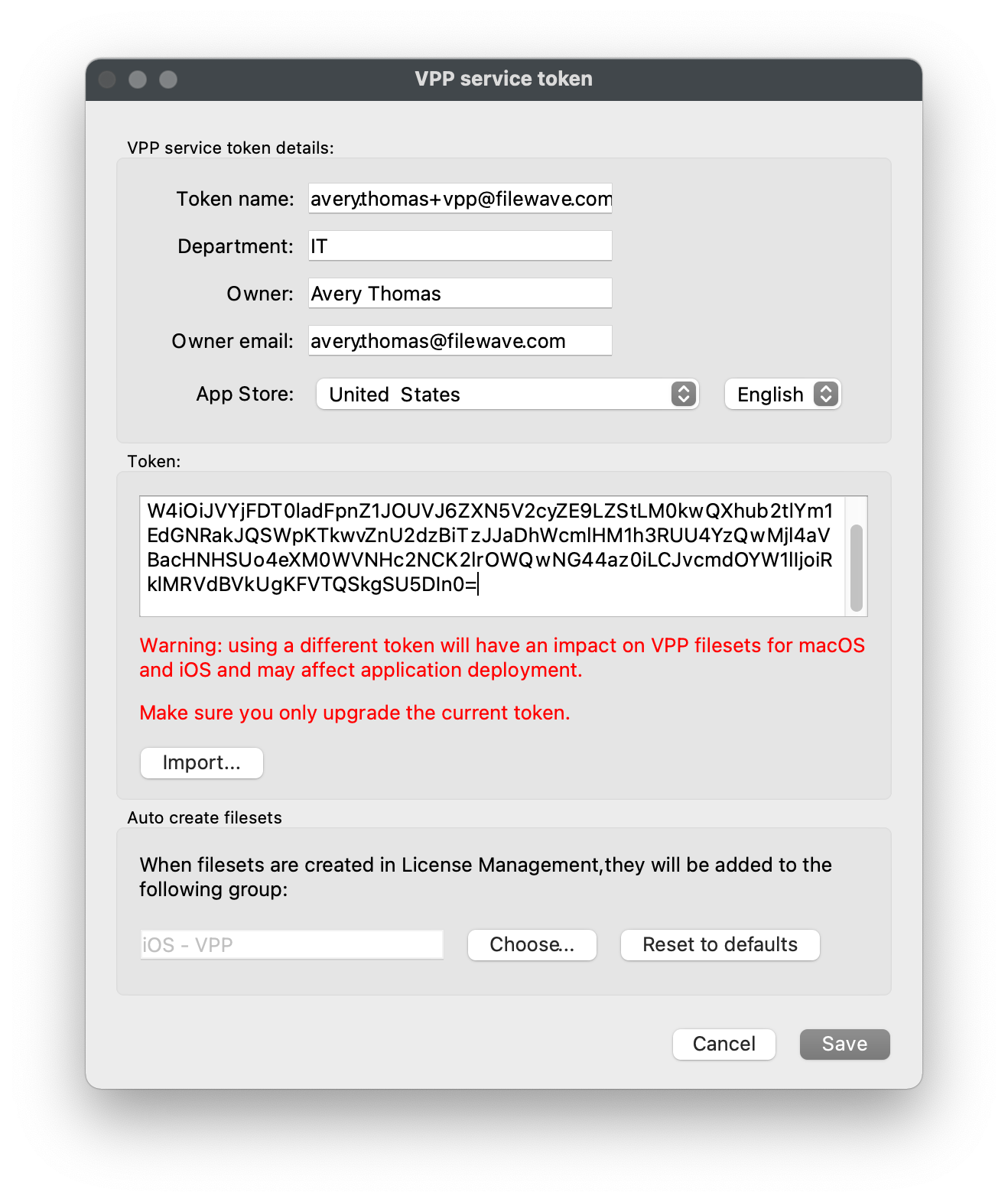
AutoConfigure createautomatic VPPFileset Filesetscreation
Ensure that you haveCreate thetargetdestination Fileset groupcreatedfirst.prior,Thisweexamplewillusesbe using the"iOS -VPP"VPPgroup..OpenIn"FileWaveAdminCentral,>open Preferences > VPP &DEP",DEP.clickUnder"Configure tokens"from the"Volume PurchaseProgram"Program,section,select Configure tokens and authenticate.Double-clickOpenyourthe existing VPPToken.service token.ClickUnder"Choose"from the"Auto createfilesets"filesets,sectionselect Choose andselectpickyourthedesireddestination Filesetgroup, in this case"iOS - VPP".group.Click "Save" onSave the"VPP servicetoken"token,window,then"Close"close and"OK"save theotherremaining Preferenceswindows.dialogs.- Repeat
thesethestepsgroup selection foranyeachothertokenVPPthatTokens.should import into a different destination.