
Apple VPP Apps
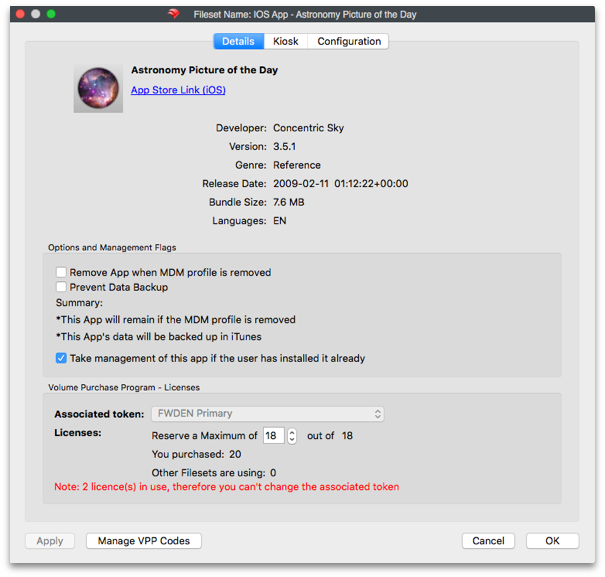
Unlike File Level Filesets, Apple VPP Filesets contain the details of the App from the App Store, including the link to the App, with 3 distinct tabs, Details, Kiosk and Configuration.
FileWave does not store Apps from the App Store, devices will pull the Apps directly from the App Store on successful activation.
Details
Amongst these are some key entries:
|
Remove App when MDM profile is removed |
If the device has the MDM enrolment profile removed, this option will force Apps managed by MDM to be removed. |
|
Prevent Data Backup |
Disallow the App from backing up user data |
|
Take management of this app if the user has installed it already |
For Apps already installed, the MDM server will take over management of the App from the user. This allows VPP to auto update the App, amongst other things. |
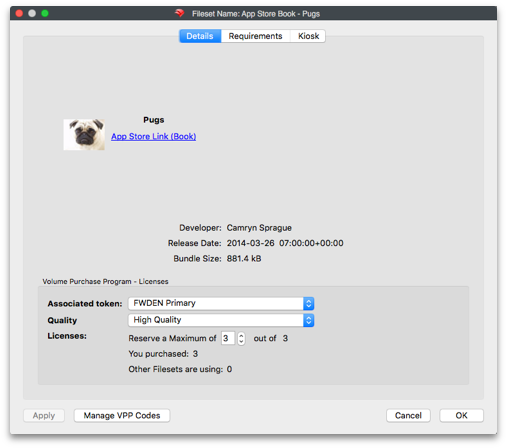
eBooks may also be delivered:
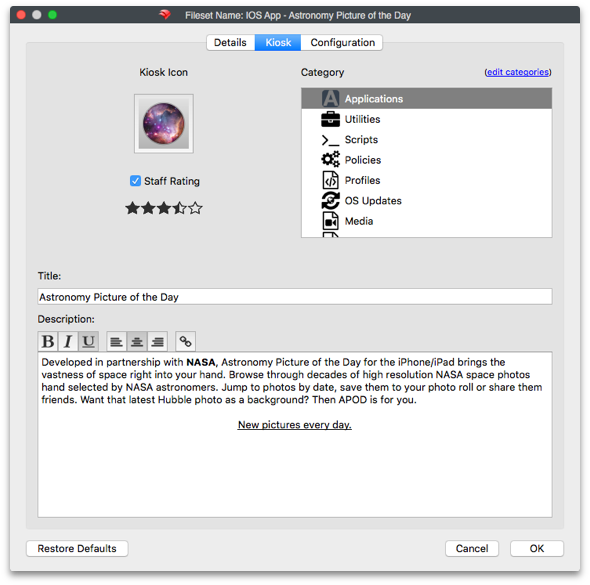
Kiosk
Details to be displayed to the user through the FileWave Kiosk App, including App Store ratings, description, etc. Text may be updated, categories added or removed and icons replaced.
Configuration
EnhancedSome Appapps support enhanced configuration maythrough managed app configuration. When available, these settings are provided by the app developer as a preference manifest in property list (plist) format and can be applied,deployed wherethrough developersFileWave.
For chosenmore information on configuring VPP apps in FileWave, see:
https://kb.filewave.com/books/apple-school-business-manager/page/vpp-app-configuration
For details on property list (plist) structure and keys, refer to offerApple’s such features, by way of a preference manifest in plist format.
SuppliersAvailability ofand Appssupported shouldconfiguration provideoptions detailsare ifdefined theyby exist.the app developer. Please consult the app vendor’s documentation to confirm whether managed app configuration is supported and which settings are available.