
VPP App Configuration
Description
VPP Apps are all well and good, but what if you need to customise the experience in some way. Some App developers provide key/value pairs to do just that.
Starting in FileWave 16.3.x, supported apps installed through DDM can also include configuration for application extensions. This is separate from classic managed app configuration for the main app itself, and support depends on what the app developer exposes.
Requirements
You need an Apple Business Manager or Apple School Manager Apps and Books account configured in FileWave, enough app licenses for the intended targets, and an app that supports managed configuration. For the Edge example below, use an iOS or iPadOS device enrolled in FileWave MDM and the Microsoft Edge VPP Fileset. Complete VPP token setup and synchronization first, then confirm that the app's Apps and Books Fileset is available. Check the vendor's supported app and OS versions before choosing configuration keys.
Directions
Within the contents of a VPP Fileset, you will find a tab called 'Configuration'
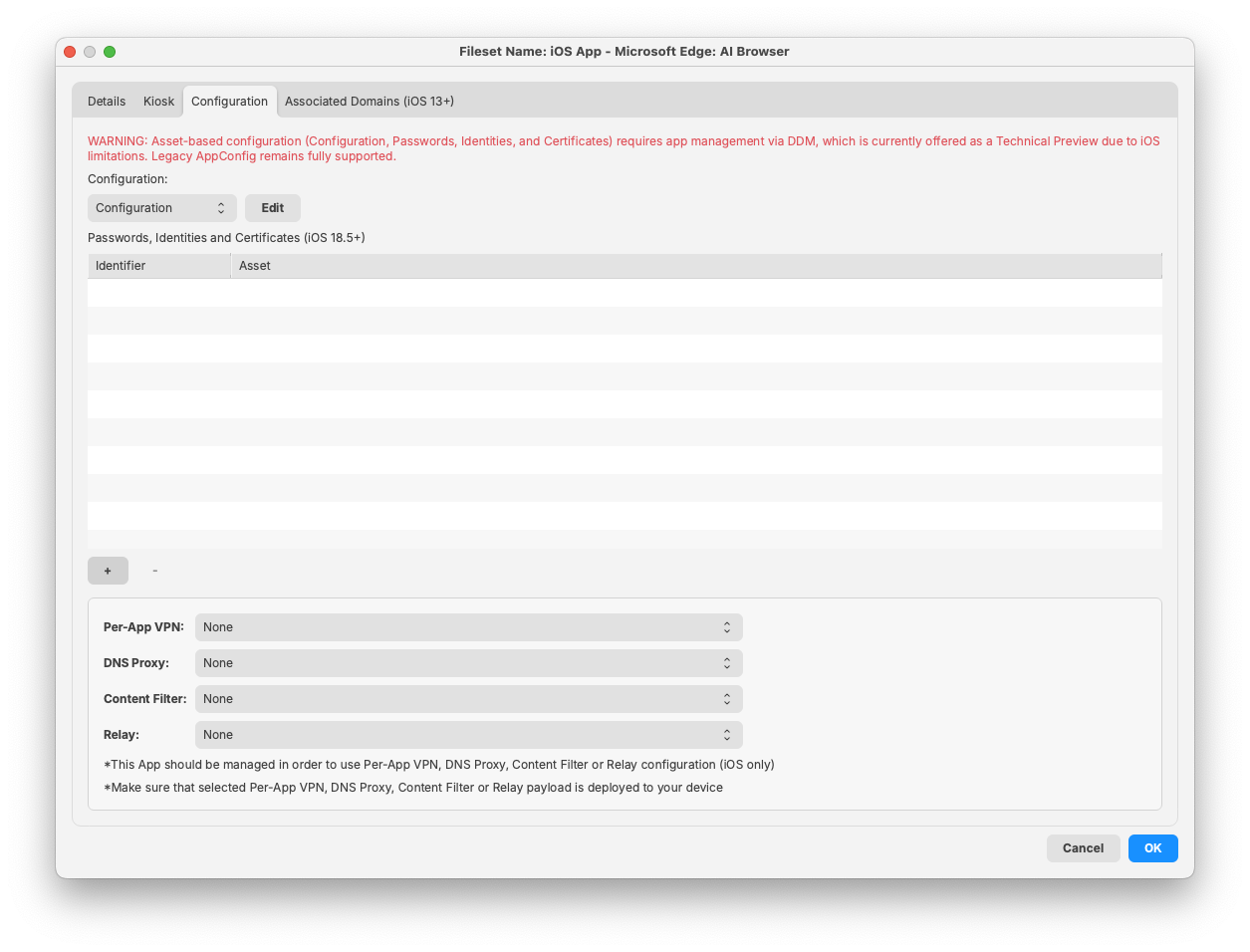
This example configures Microsoft Edge for iOS/iPadOS. Microsoft documents URLBlocklist as a list of URL-pattern strings, supported on iOS from Edge 85. The setting controls browsing inside Edge; it is not a device-wide web filter and does not configure Safari or other apps.
Consider a list of URLs to block. It can be seen from the Microsoft KB, the key/value pairs are:
- Key: URLBlocklist
- Value: Array of chosen URLs to block, each of which should be a string
When first opening a VPP Fileset > Configuration tab, the setting will be set as 'None'. Clicking on this, it can be set as 'Configuration':
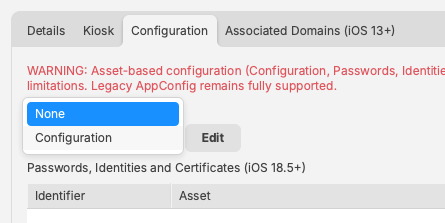
Once set as Configuration, click 'Edit'
The screenshot uses the FileWave KB as a demonstration URL to block. Do not copy that value unless you intend to block access to this documentation in Edge; use an approved test URL for your pilot.
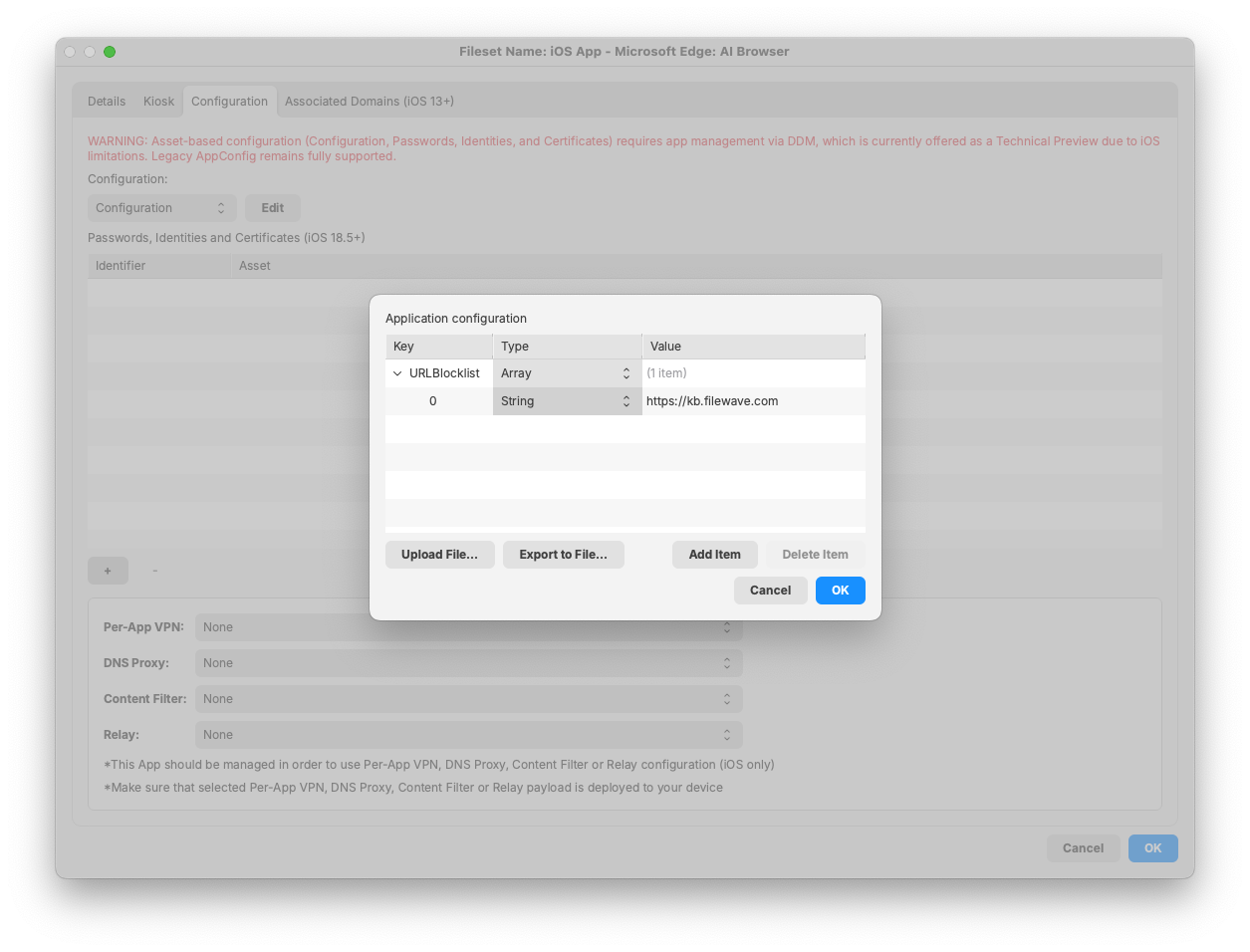
Note, there are multiple 'Type' options for each key:
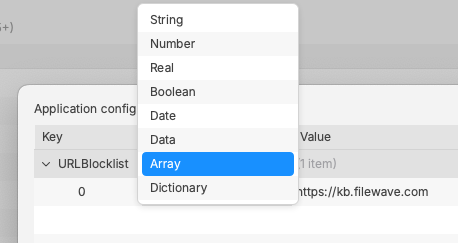
As suggested, this is an Array. Each item in this Array, for this example, should be a String. Add as many strings as required for each URL to block.
Save the app configuration and Fileset, then use a Deployment in FileWave Central to target the intended test device with the correct license-distribution option. Review pending changes before updating the FileWave Model. After the device receives the app and configuration, open Edge and navigate directly to the test URL: it should show the blocked-page result illustrated below. Check an allowed URL too. An installed app alone does not prove the configuration was applied.
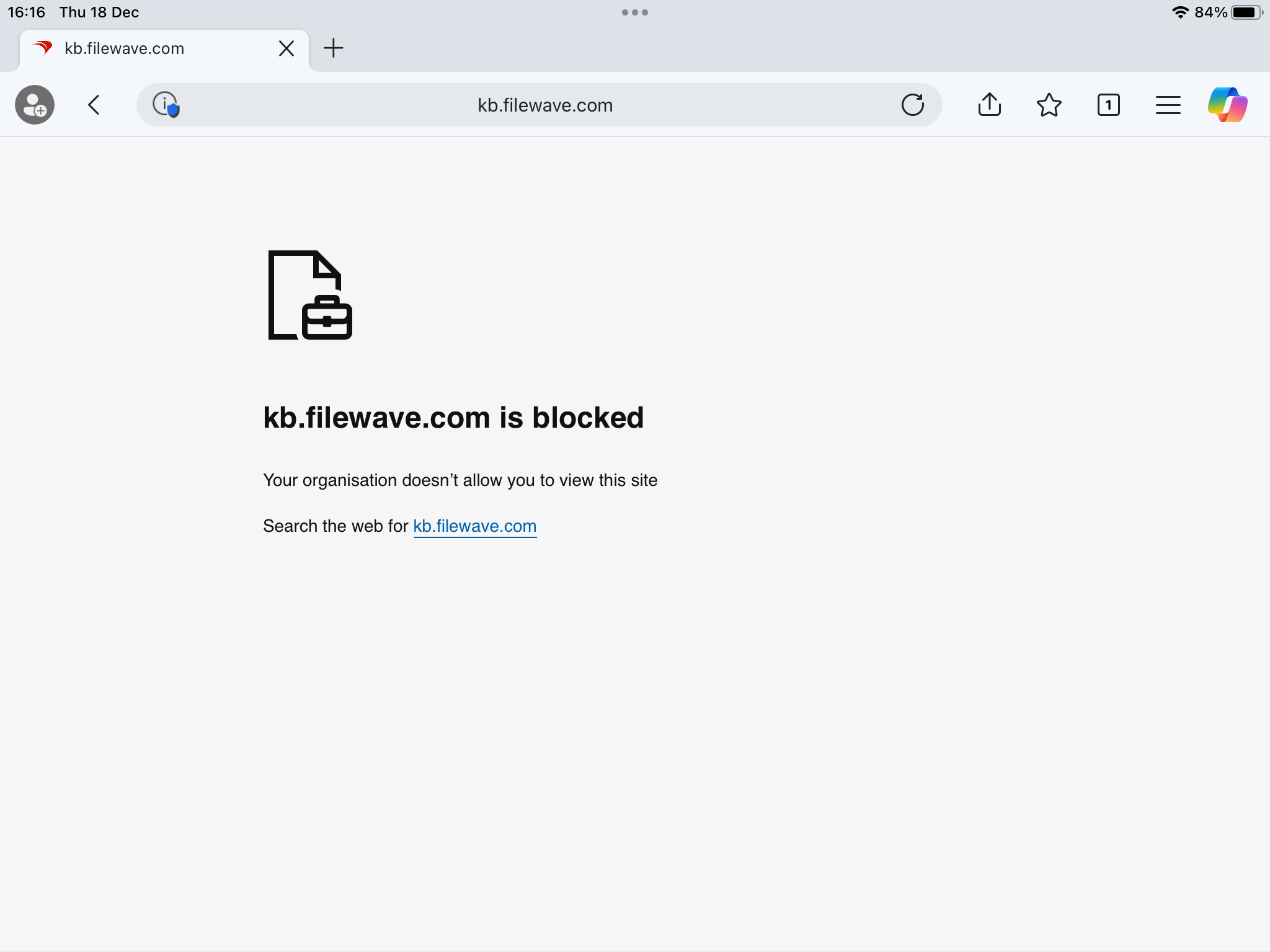
If Edge still opens the blocked URL, check the installed Edge version, exact key spelling, Array/String types, URL-pattern syntax, and any URLAllowlist exception before expanding the Deployment. Microsoft notes that URLBlocklist does not prevent every JavaScript-driven page transition, so test by navigating directly to the URL. Similar options exist for other browsers, such as Chrome, but use each app developer's documented keys and types rather than copying Edge settings unchanged.
Taking Chrome one step further, where Google Admin Console is in use, it is possible to generate a token for browser management. The Configuration tab can be used to push the token as part of the App Configuration. Using this method, it is then possible to manage the browser through the Google Admin Console, rather than supplying each desired key/value pair for required management.

More details can be found on Google's Cloud Management Enrolment pages:
Unfortunately, many Apps have no configuration options, however, saying that, some everyday Apps, like those mentioned above, do indeed have options that are typically desired.
It is possible to contact developers of Apps if there was some configuration that was felt to be a requirement; perhaps configuration would be added by request!
No comments to display
No comments to display