
Custom MSI installer parameters
What
Starting with FileWave 15.2.0 it is now possible tocan add custom parameters to MSI Filesets. This includesapplies to Filesets created byfrom MSI files, but not to Filesets that FileWave creates automatically created based onfrom Windows software updates.
When/Why
Some MSI installers accept custom parameters that will change the way software is installed. For example, many MSI installers allow the software installation path to be defined via an additional option at runtime. Two such examples are:
| Application | Instal Path |
| UltraEdit | TARGETDIR="<my-desired.path>" |
| 7Zip |
INSTALLDIR="<my-desired.path>" |
TypicallyYou throughusually FileWave,do itnot may feel necessaryneed to setadd a silentsilent-install option,option however,here. FileWave already ensures allruns MSI areinstalls silent.silently.
How
These MSI parameters may be set in two ways.
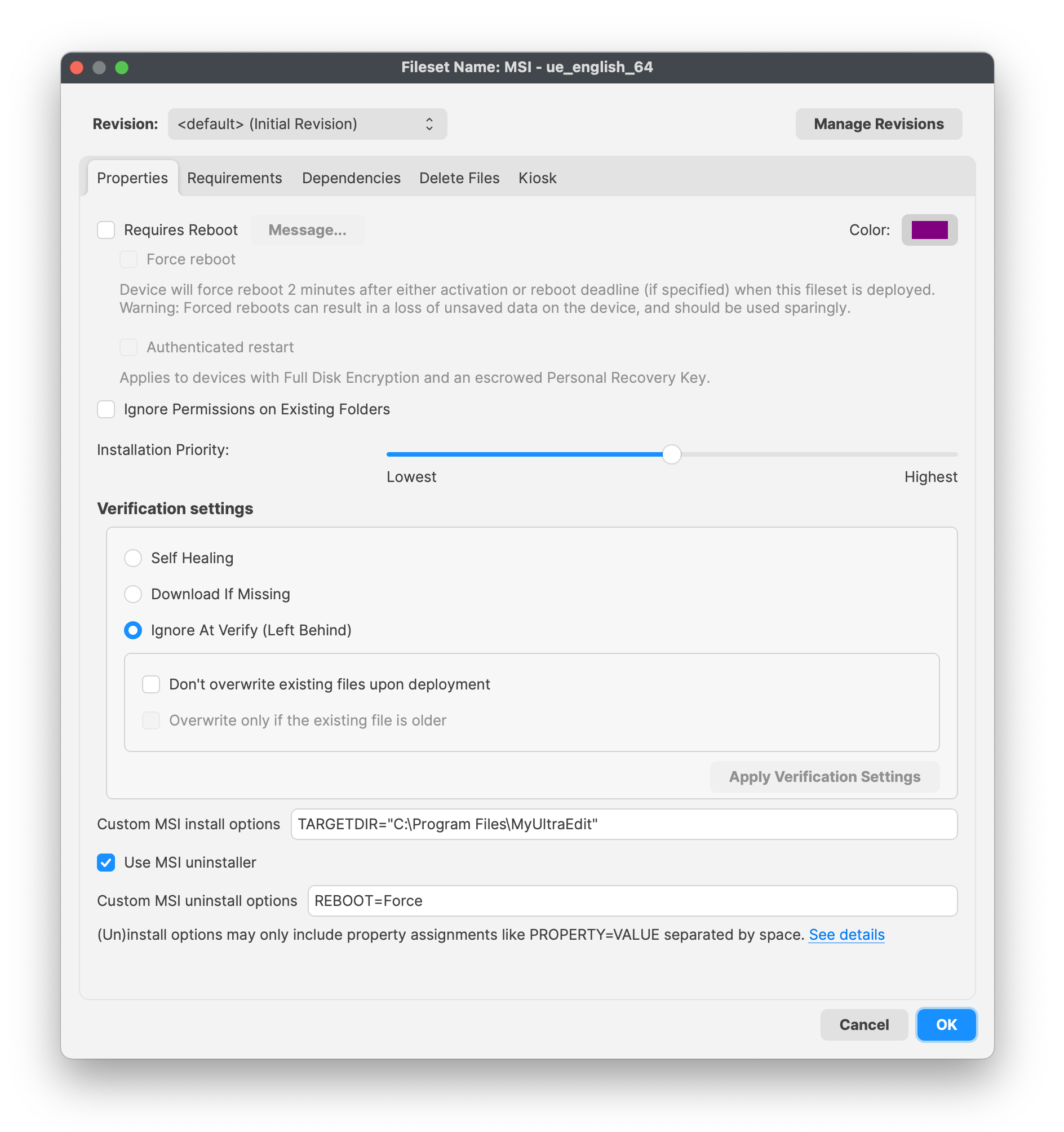
FileWave Central
Through the newly included Fileset property items:
- "Custom MSI install options"
- "Custom MSI uninstall options"
FileWave Anywhere
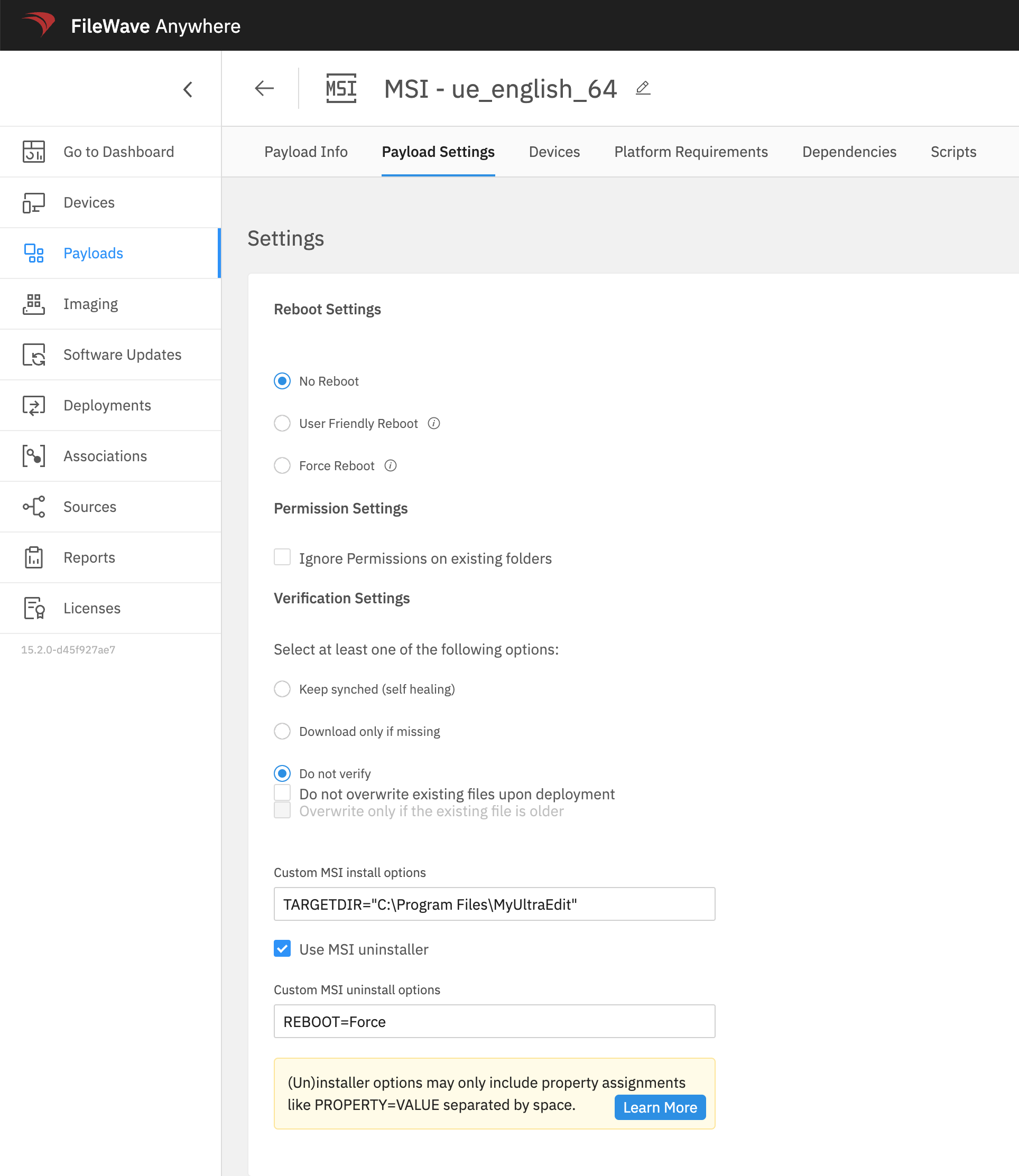
Through the newly included Payload Settings:
- "Custom MSI install options"
- "Custom MSI uninstall options"
Multiple Options
Multiple options may be specified at the same time and should be separated by spaces.
For example, to instalinstall TeamViewer Host with multiple properties, thisuse coulda beformat achievedlike with the following:this: SETTINGSFILE="YOURPATH\yourfilename.tvopt" APITOKEN=xxxxxx CUSTOMCONFIGID=xxxxxx
Parameters
Parameters may be used to define options, including Custom Fields.
Example
For TeamViewer Host, ityou may be desirablewant to hidekeep the APITOKEN,APITOKEN butout of the visible MSI options while still passing it needs to be supplied to the MSIinstaller at installation runtime. As such, aA Custom Field couldcan bestore usedthat to define the value for the APITOKEN.value.
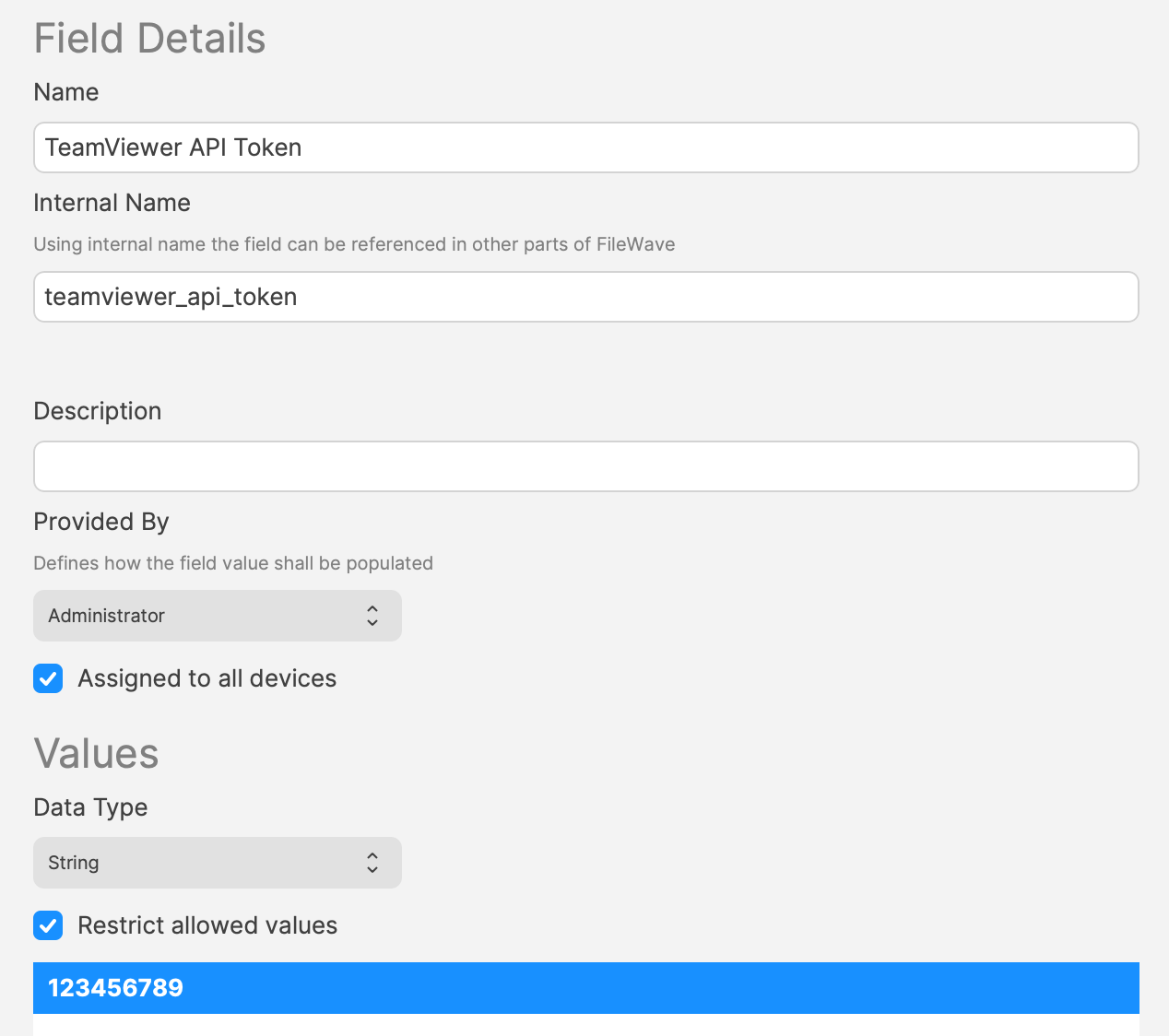
The Custom MSI Instalinstall Optionsoptions could then be:
APITOKEN=%teamviewer_api_token%
NoteParameters though, parameters may onlycan include MSI properties e.g.such as SETTINGSFILE, APITOKEN,CUSTOMCONFIGD or CUSTOMCONFIGID.
The Custom MSI settings maycan be used to define settingsoptions that start with a leading / or special parameters,parameters e.g.such as ALLUSERS. However,When whenyou usinguse Parameters,Custom Fields as parameters, FileWave removes options specified with a leading / orand special parameters likesuch ALLUSERS,as willALLUSERS automatically be removed from the options to prevent seeminglyso hidden settingsparameter whichvalues could,cannot for example,silently force behavior such as a reboot.
In both FileWave Central and Anywhere there are also "Learn More" links directing to this page.
Information
Option definitions:
| Custom MSI install options | Options passed to the MSI during Fileset |
| Custom MSI uninstall options |
Options passed to the MSI when the Fileset is disassociated. Requires 'Use MSI Uninstaller' to be enabled and that the MSI uninstaller supports this option. (Firefox is an example of an MSI that does not support this feature) |
Related Content
- 7zip (Windows MSI) - Using a custom parameter to install 7zip on Windows