
Deployments in FileWave Central
What
FileWave Deployments are the current assignment workflow inA FileWave Central.Deployment Theykeeps keep theits target rules, content,Filesets, exclusions, and deployment options togethertogether. In FileWave Central 16.4, included targets and Filesets appear side by side in one editor instead of treating assignment metadata as aon separate step.tabs.
When/Why
Use a Deployment when you want to assign Filesets, applications, profiles, or other content to devices with consistent settings. For example, youYou can add anotheror appremove targets and content later without rebuilding the assignment, and all content in the Deployment uses the same applicable installation, timing, and license-distribution options.
How
Create or open a Deployment
Open Deployments in FileWave Central, then create a Deployment or open an existing one for editing.
At the top of the editor:
Add targets and Filesets
The left side of the editor contains the included Targets. The right side contains included Filesets or Fileset Groups.
You can also begin from selected Clients or Filesets elsewhere in Central. Choose Create Deployment… to create a new Deployment with that selection included, or Add to Deployment… to add it to an existing Deployment and have it inherit the same Kiosk availability or timing options as the other items in that Deployment.
How
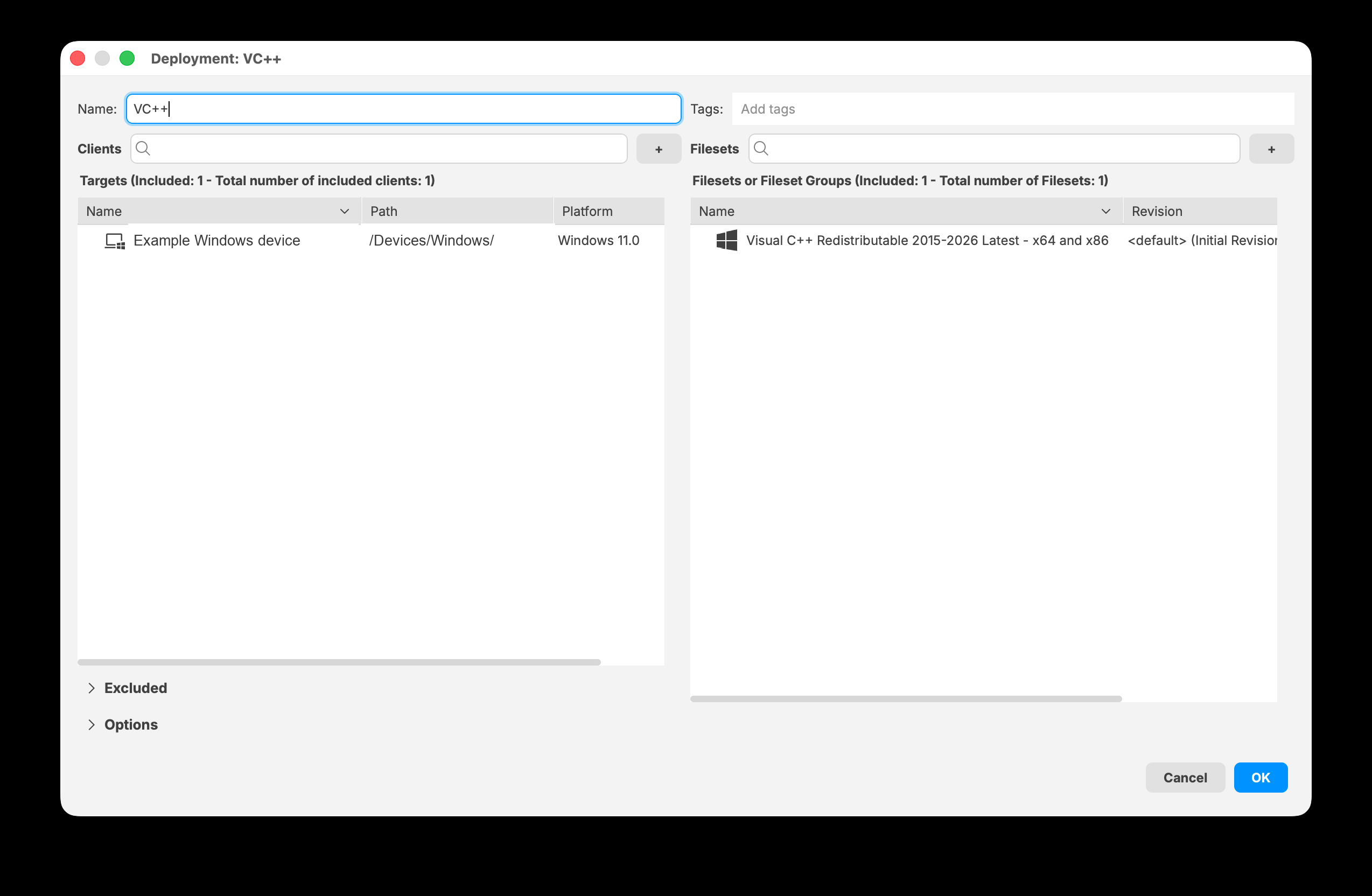
Deployments in FileWave Central follow16.4 displays included targets and Filesets together in the sameDeployment three-editor.
Exclude devices or groups
Expand Excluded when part structureof usedan inincluded FileWavegroup Anywhere.should Stepnot 1 defines who receivesreceive the contentDeployment. by settingSelect TargetsAdd devices/groups, then choose the devices or groups to exclude.
The Exclusions heading shows the number of directly excluded items and Exclusions:the resulting total number of excluded clients.
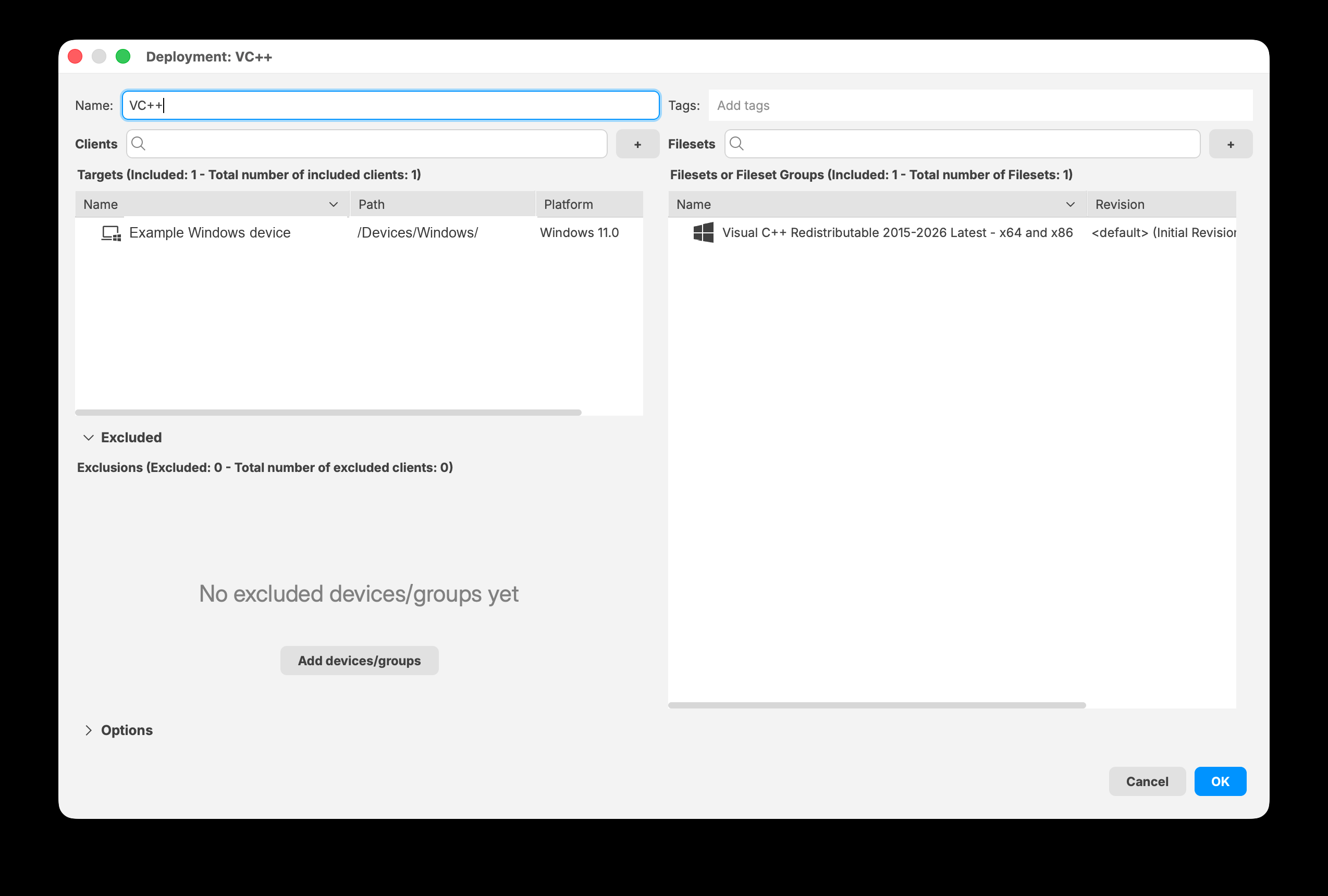
StepExpand 2 defines the content the targeted devices receive:
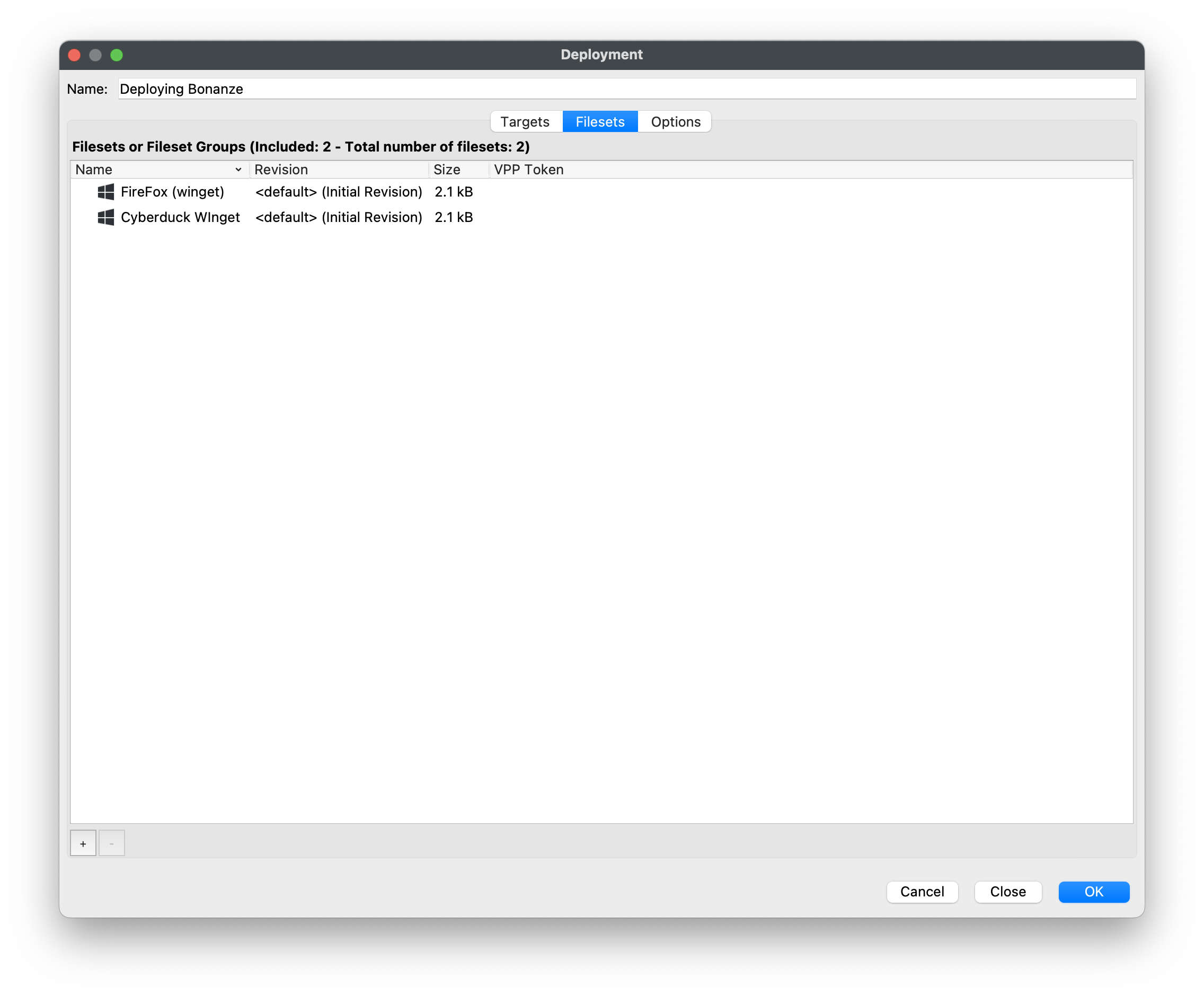
Step 3 defines Deployment options. In this example, the Filesets are published to Kiosk:
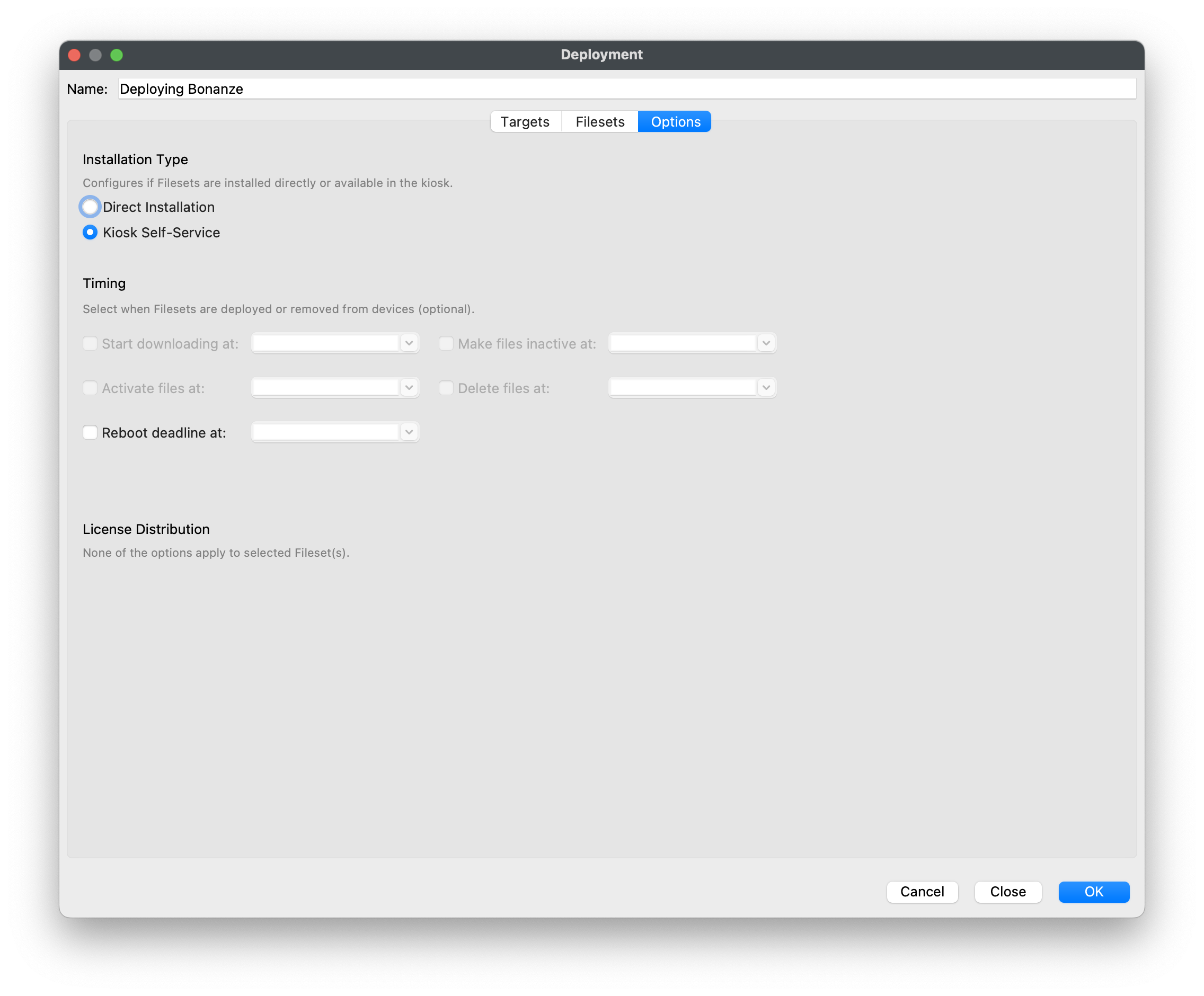
After you create a Deployment, you can edit it by nameExcluded to add devices or removegroups content,that should not receive the Deployment.
Configure Deployment options
Expand Options to configure the settings that apply to the Deployment's content.
Installation Type
Timing
Timing is optional. Select a checkbox to set any supported stage:
License Distribution
License-distribution controls appear when they apply to the selected Filesets. If none of the selected Filesets support those options, Central reports that no license-distribution options apply.
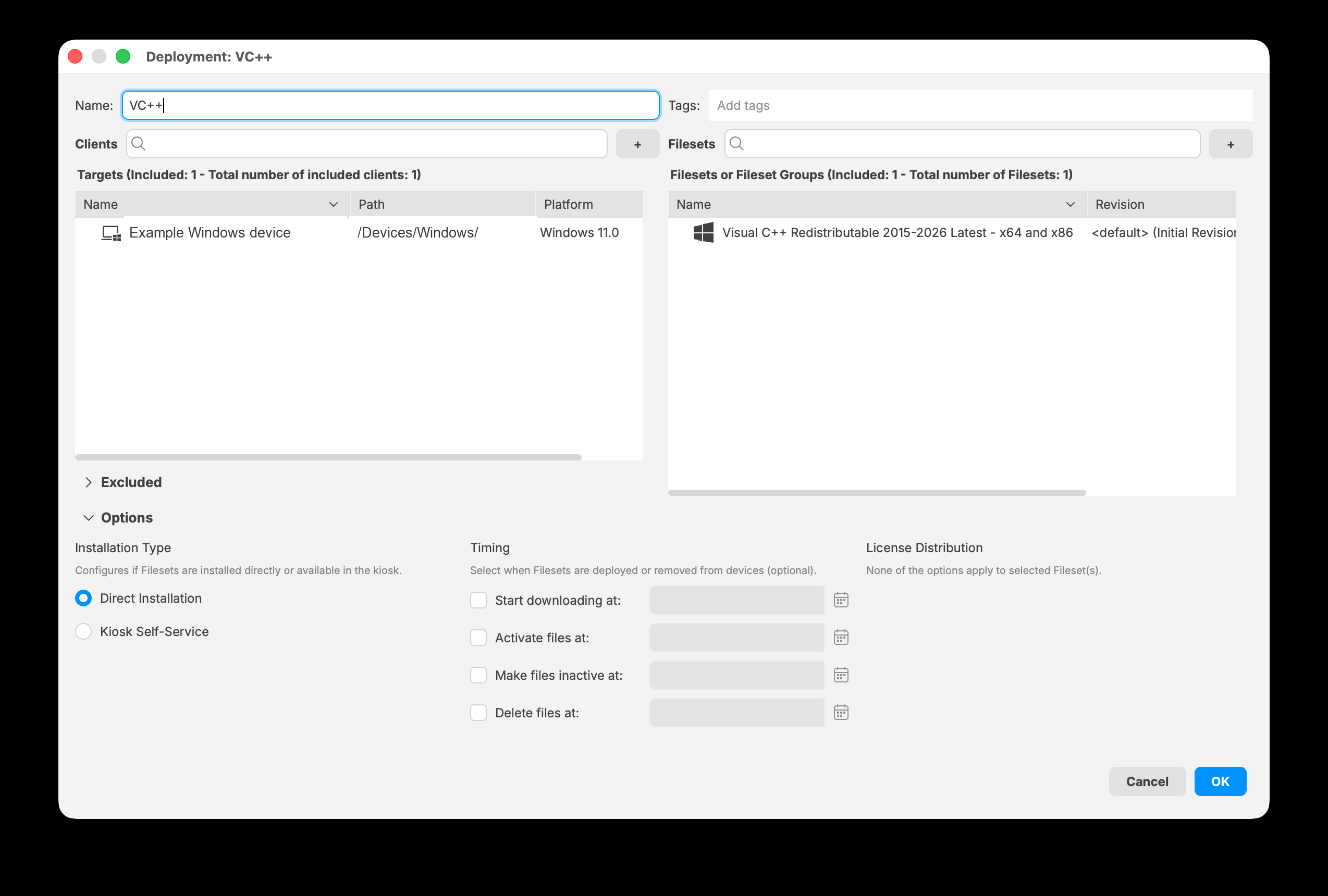
Expand Options to choose an installation type and configure optional timing and license distribution when available.
Save and maintain the Deployment
Select OK to save the Deployment. You can reopen it later to change the name, tags, targets, Filesets, exclusions, or options.
After saving, update the FileWave Model to distribute the change.