
Deployments in FileWave Central
What
A FileWave Deployment keeps its target rules, Filesets, exclusions, and deployment options together. In FileWave Central 16.4, included targets and Filesets appear side by side in one editor instead of on separate tabs.
When/Why
Use a Deployment when you want to assign Filesets, applications, profiles, or other content to devices with consistent settings. You can add or remove targets and content later without rebuilding the assignment, and all content in the Deployment uses the same applicable installation, timing, and license-distribution options.
How
Use the FileWave 16.4 Deployment list columns
FileWave Central and FileWave Anywhere 16.4 provide the same predefined Deployment columns so administrators can review and organize Deployments consistently across both interfaces:
| Column | Use it for |
|---|---|
| Installation Type | Distinguish Direct Installation from Kiosk Self-Service Deployments. |
| License Assignment | Identify the Device or User assignment model used when VPP/Apps and Books licensing applies. |
| Creation Date | Find newly created or older Deployments during review and cleanup. |
| Tags | Group Deployments by purpose, owner, rollout, environment, or another organization-defined convention. |
Show the columns needed for the current task, then use them for sorting and filtering. A column summarizes the Deployment; open the Deployment before changing targets, Filesets, exclusions, timing, or licensing.
Create or open a Deployment
Open Deployments in FileWave Central, then create a Deployment or open an existing one for editing.
At the top of the editor:
- Enter a clear Name.
- Add Tags when you want to group or filter Deployments.
Add targets and Filesets
The left side of the editor contains the included Targets. The right side contains included Filesets or Fileset Groups.
- Use the + beside Clients to add devices or groups as targets.
- Use the + beside Filesets to add Filesets or Fileset Groups.
- Use either search field to find items already included in the Deployment.
- The headings show the number of directly included items and the resulting total number of clients or Filesets.
You can also begin from selected Clients or Filesets elsewhere in Central. Choose Create Deployment… to create a new Deployment with that selection included, or Add to Deployment… to add it to an existing Deployment.
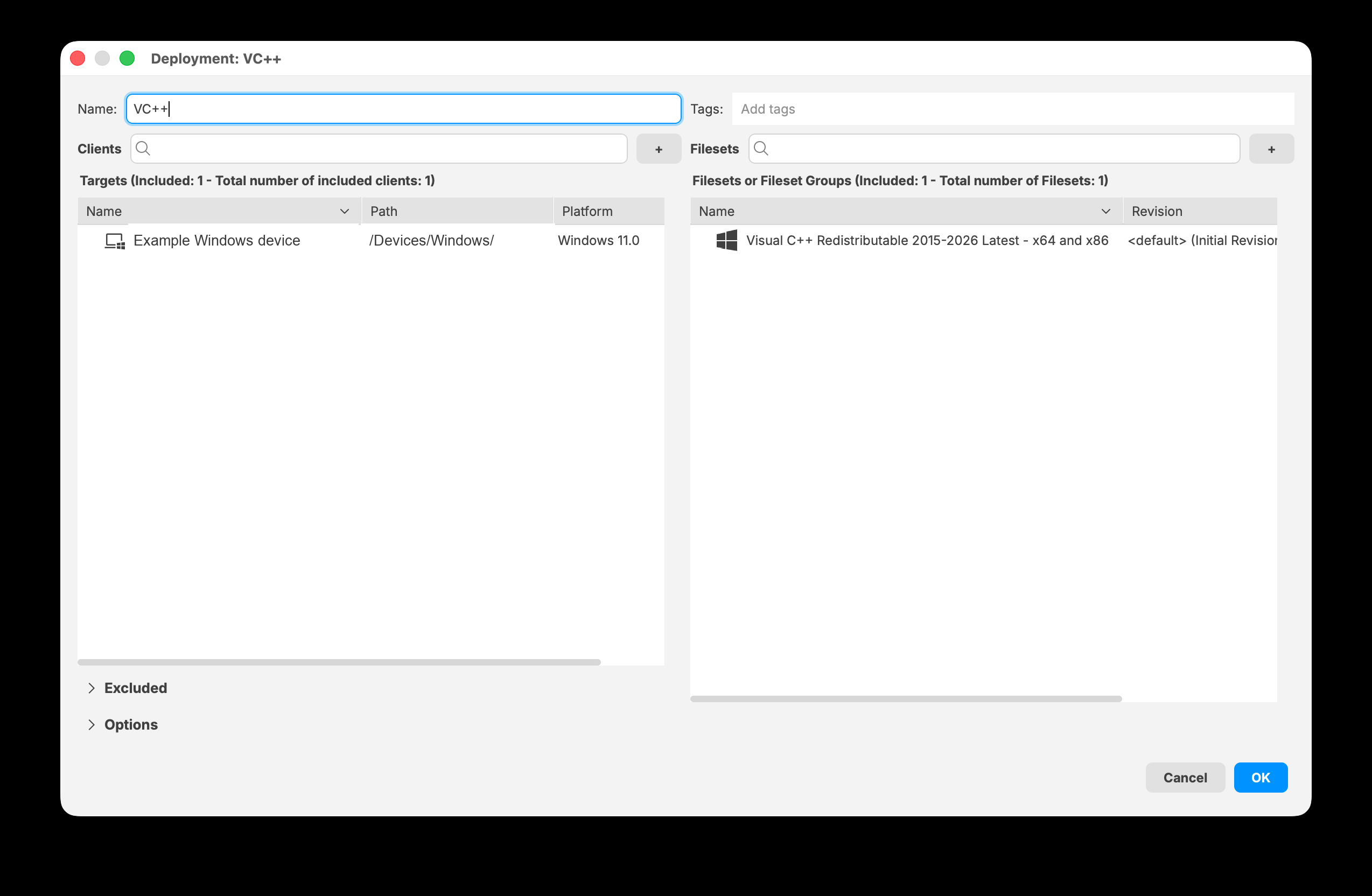
FileWave Central 16.4 displays included targets and Filesets together in the Deployment editor.
Exclude devices or groups
Expand Excluded when part of an included group should not receive the Deployment. Select Add devices/groups, then choose the devices or groups to exclude.
The Exclusions heading shows the number of directly excluded items and the resulting total number of excluded clients.
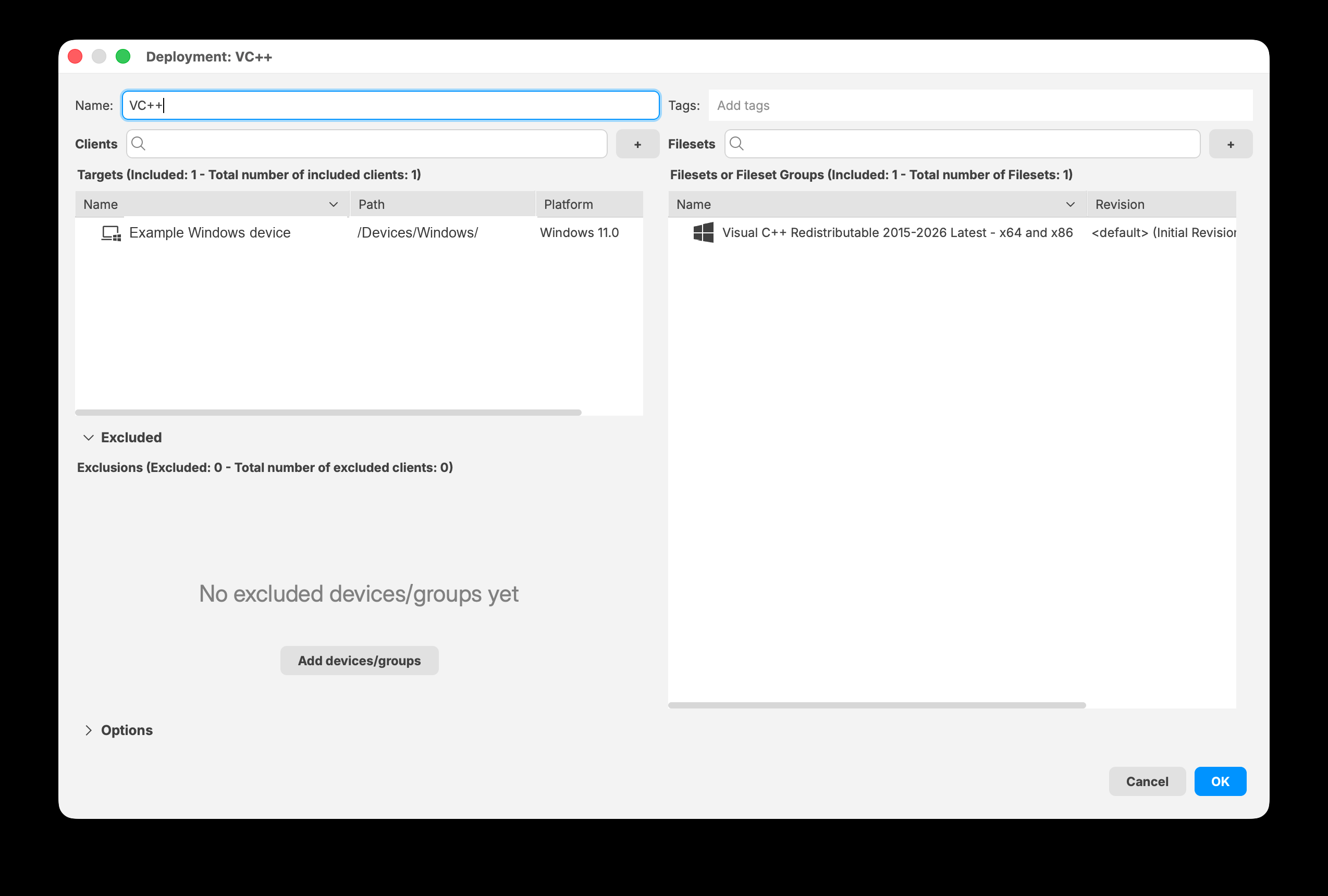
Expand Excluded to add devices or groups that should not receive the Deployment.
Configure Deployment options
Expand Options to configure the settings that apply to the Deployment's content.
Installation Type
- Direct Installation delivers applicable Filesets directly to targeted devices.
- Kiosk Self-Service makes applicable Filesets available through Kiosk for users to install.
Timing
Timing is optional. Select a checkbox to set any supported stage:
- Start downloading at
- Activate files at
- Make files inactive at
- Delete files at
License Distribution
License Distribution applies to VPP/Apps and Books applications. Use it to choose whether licenses are assigned with the Device or User licensing model. If none of the selected Filesets are VPP applications that support license distribution, Central reports that no license-distribution options apply.
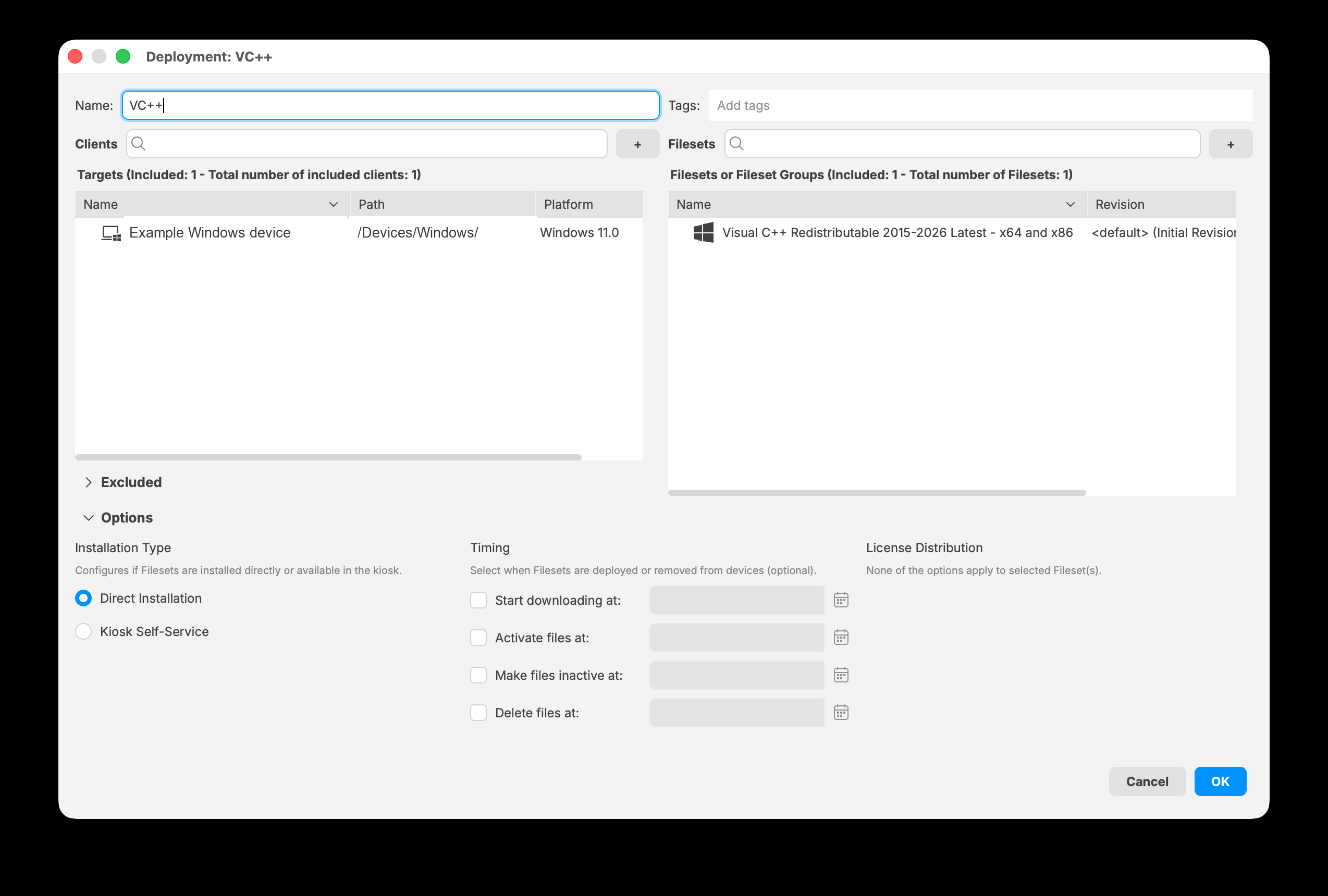
Expand Options to choose an installation type and configure optional timing and license distribution when available.
Save and maintain the Deployment
Select OK to save the Deployment. You can reopen it later to change the name, tags, targets, Filesets, exclusions, or options.
After saving, update the FileWave Model to distribute the change.
Automation with the FileWave API
FileWave Server 16.4 and later also provide supported public API endpoints for creating, listing, reading, updating, and deleting Deployments. See Managing Deployments with the FileWave API (16.4+) before automating Deployment changes.
No comments to display
No comments to display