
Fileset Revisions: Test, Roll Out, and Roll Back Updates
Previously, updating one version of a software, for example, to a newer version, would require: a newA Fileset created,can new association or deployment generated and then the prior association removed. Revisions simplifies this process.
To prevent associations or deployments being altered, a Fileset becomes a container ofcontain multiple revisions.
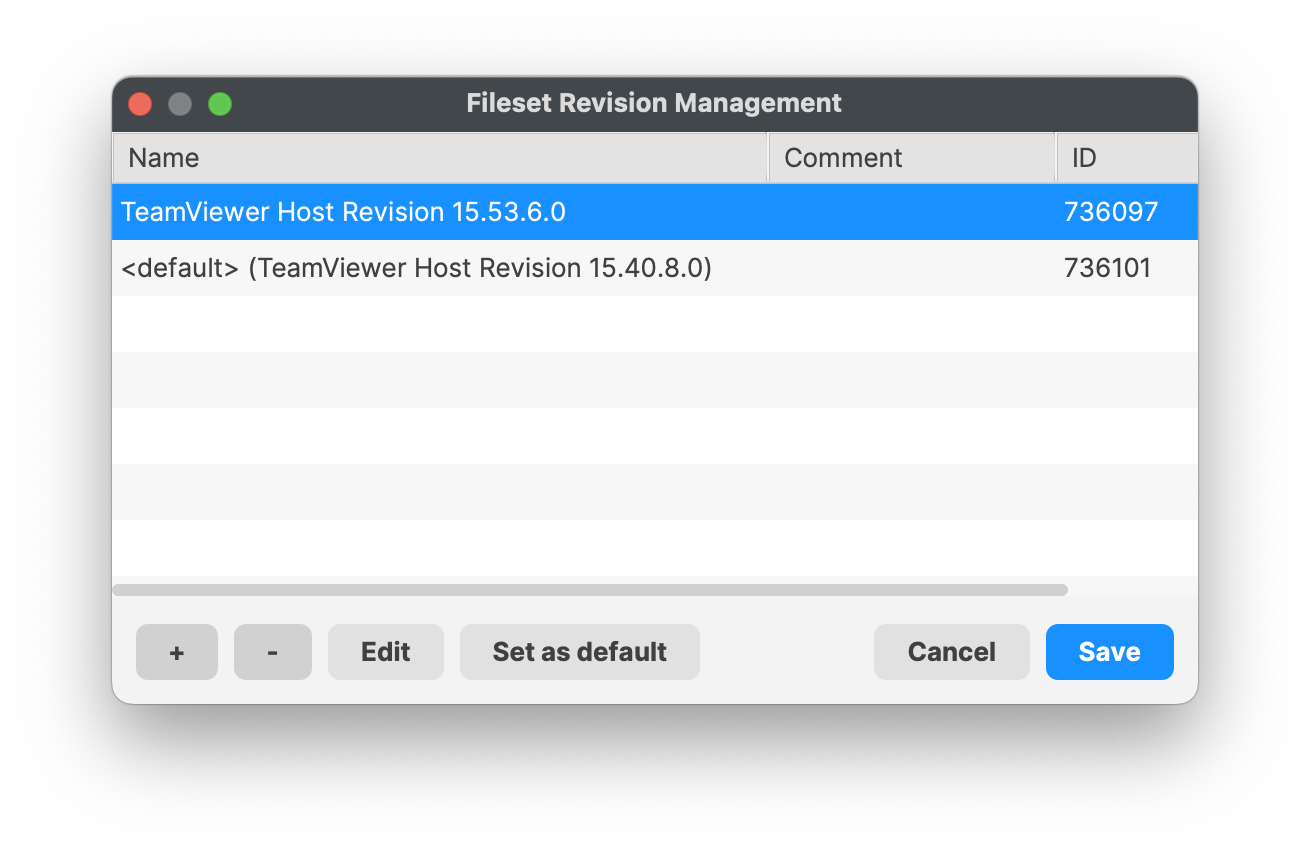
The version associated with devices may be altered within the Fileset. This allows for efficient updaterevisions of Filesets on devices, simplified process between testing and mass assignment, whilst at the same timesoftware providingor ancontent. easyYou methodcan tomove rolla back if found to be necessary; depending upon Fileset Type.
Behind the scenes, swappingDeployment from one revision to another iswithout creating a separate Fileset and rebuilding its target scope.
Use revisions to keep the samecurrent asproduction actuallyversion swappingin betweenplace twowhile differenta Filesets.newer Allrevision is tested with a smaller device group. After validation, move the broader Deployment to the tested revision. If the Fileset type supports rollback, you can point the Deployment back to the earlier revision.
Plan the revision change like a software replacement. Pilot it first, confirm installation and removal behavior, and schedule the wider cutover around any user interruption caused by the installer or scripts.
Revision changes reevaluate the full Fileset.
Changing revisions behaves like unassigning one Fileset and assigning another. FileWave reevaluates all contents will be reconsidered and anyruns scriptsapplicable ran,scripts. e.g.For example, a post-uninstaller script in the revision being removed will run if included induring the Filesetchange. RevisionTest thatboth isthe beingforward unassigned.update and rollback path before production rollout.