
Filesets View
CreatingThe aFilesets Filesetview in FileWave Central is where you create, organize, and deployingreview Filesets before assigning them to clientsdevices. A Fileset can be relativelya simplistic, e.g.straightforward PKG, MSIMSI, or VPP.VPP app, However,or customit configurationcan throughinclude scripts, requirements, properties, providesrevisions, tremendousand flexibility.other deployment settings.
TheUse standardthe Filesetcolumns in this view providesto somecheck basica details:Fileset's identity, size, contents, and revision state:
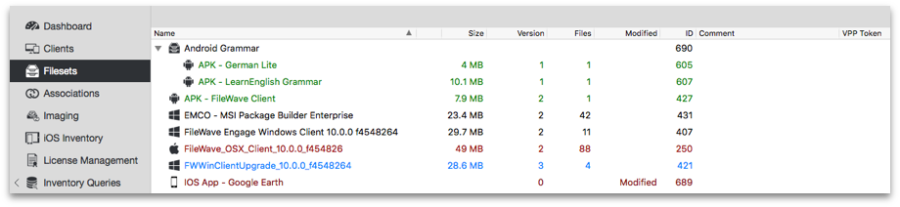
|
Name |
The Fileset |
|
Size |
|
|
Version |
|
|
Files |
|
|
ID |
|
|
Comment |
|
|
VPP Token |
The Apple |
|
Default Revision |
|
|
Revision Count |
|
EachThe Fileset,available though,settings hasdepend additional, customisable features, which vary depending uponon the Fileset type,type. e.g.For example, Apple VPP, Windows RegistryRegistry, orand Filefile-level Level,Filesets asexpose covereddifferent indeployment options. See the otherrelated pagesFilesets ofand thisPayloads chapter.articles for those type-specific controls.