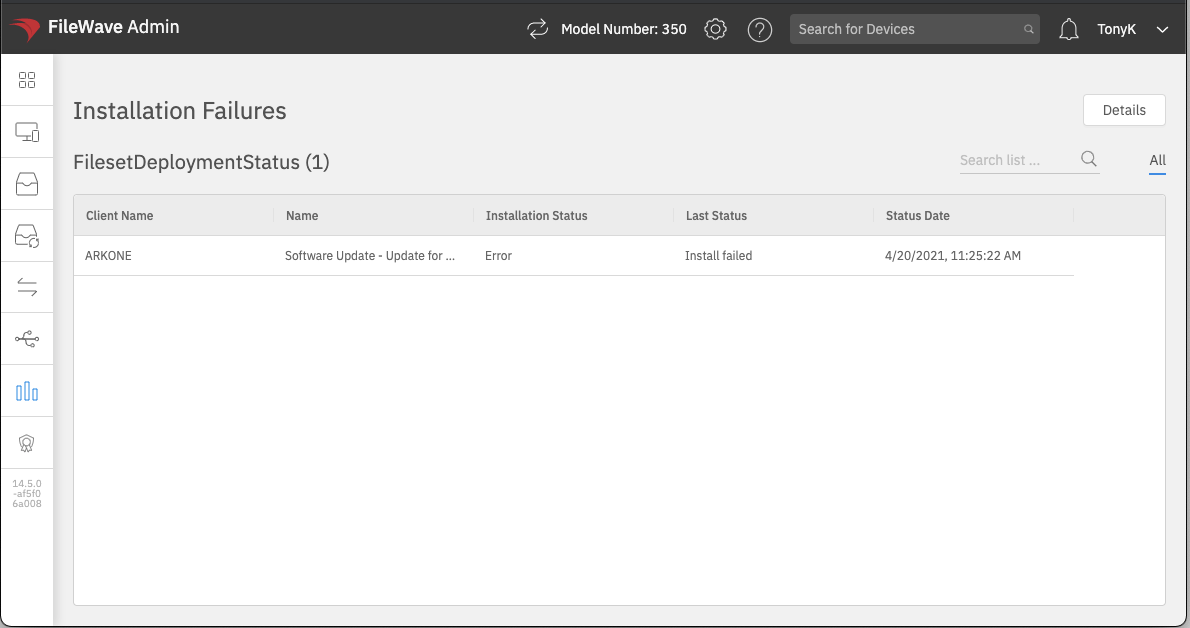
Report on Fileset Deployment Status
What
ItInventory hasReports longcan beenuse possibleFileset deployment status fields to compileshow "FileSetwhether Reports"a Fileset or payload succeeded, failed, or remains in theanother FileSetdeployment viewstate withinon themanaged FileWave admin, but it was not possible previously to create Inventory Queries (Reports) using the same info. With FileWave 14.5+, this issue is resolved, and more traditional reports can now be created in the Native and WebAdmin consoles.devices.
When/Why
We'll wantWhen to use it
Use these new inventory fields whenever we want to reportfind onfailures deployment status. For instance,for a reportspecific canFileset, bereview usedall tofailed feeddeployments, or provide deployment data to the integrateda Grafana dashboard,dashboard. orFor weexample, mayan simplyadministrator wantcan aisolate reportdevices where an Office deployment failed instead of onlyscanning Officeeach 365device failures.record.
HowBuild the report
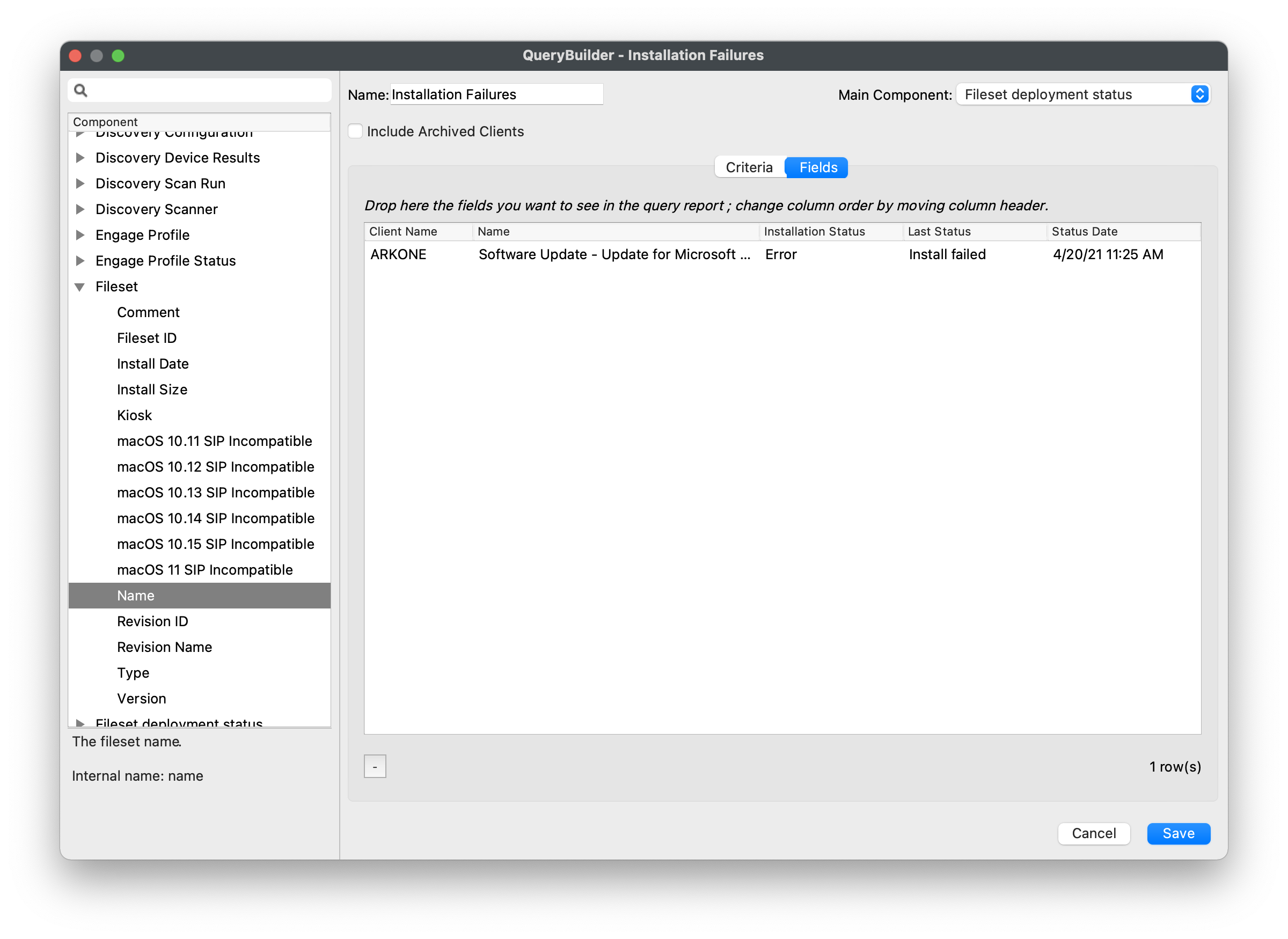
ForAdd anyfields newfrom report, you can utilize the data elements shown below for "Fileset deployment status".status to Inan Inventory Report, then filter on the examplestatus shown,and weFileset areor specifically choosing to look at all failures generally, but this report could also be fileset/payload specificthat ofmatters. course.

Andscreenshot shows a general failure filter; narrow the report itself:to a specific Fileset when troubleshooting one deployment. Confirm that affected devices have reported fresh inventory before treating the result as current.

The resulting report lists the devices that match the selected deployment-status criteria: