
Deploy Software Updates to Device Groups
What
With Version 14.5+ of the FileWave WebAdmin, youAnywhere can now deploy Softwarean Updatesindividual software update to groupsa manual or Smart Group of devices.
When/WhyWhen to use groups
ThisUse featuregroup isdeployment veryto helpfulstage a patch for usa whentesting itring, comesdepartment, location, or another device set you already maintain in FileWave without selecting every device individually.
Deploy an update to deployinga patches to groups of devices. Typical uses would be for assigning patches to Patch Testing groups. or department-based devices.
Howgroup
ToIn utilizeFileWave groupAnywhere, deployments,open go to Software Updates→Updates Anyand select an individual updateupdate. andThe you'llGroups noticepanel appears in the Groupslower-left on the bottom left:area:
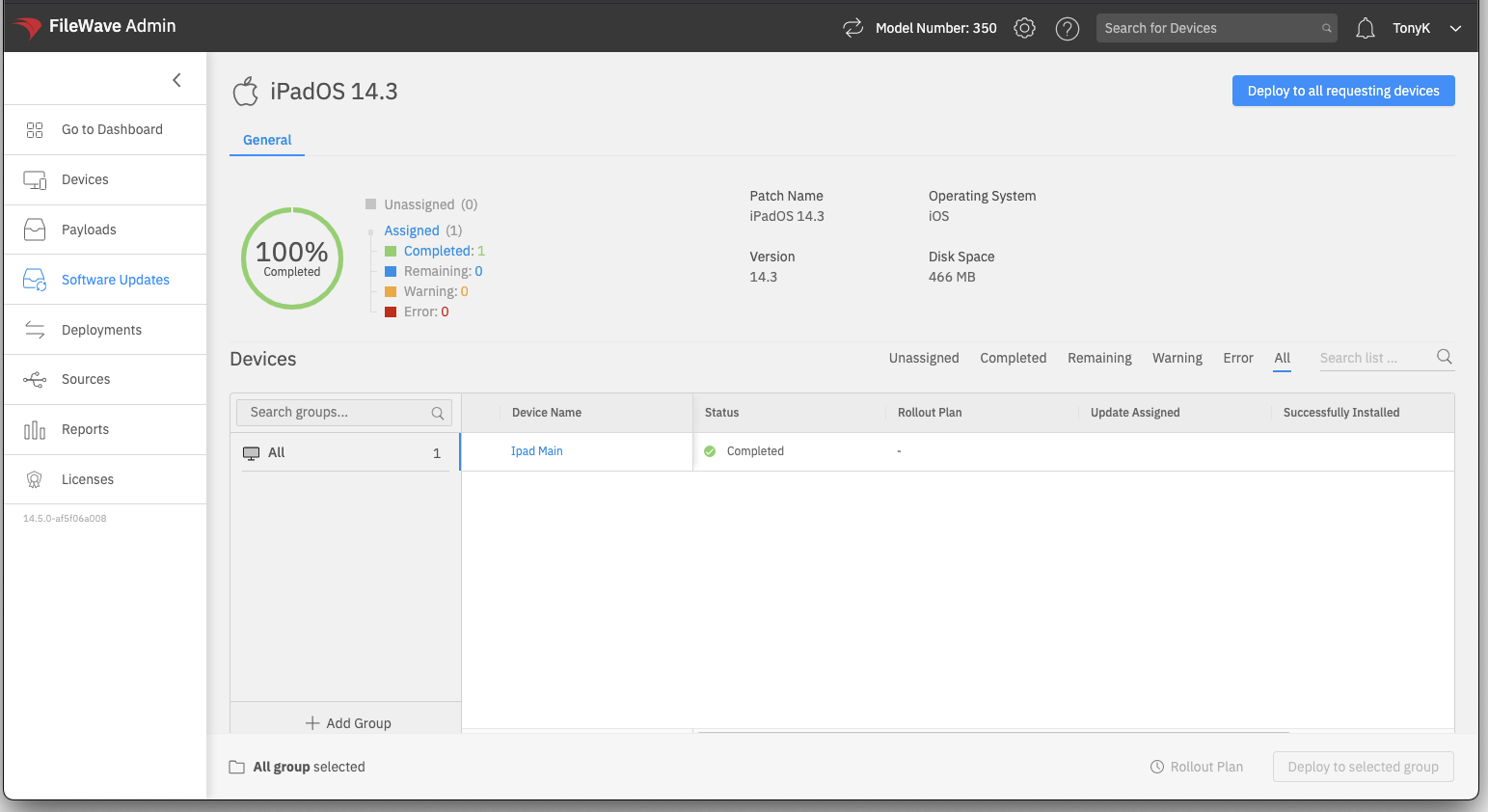
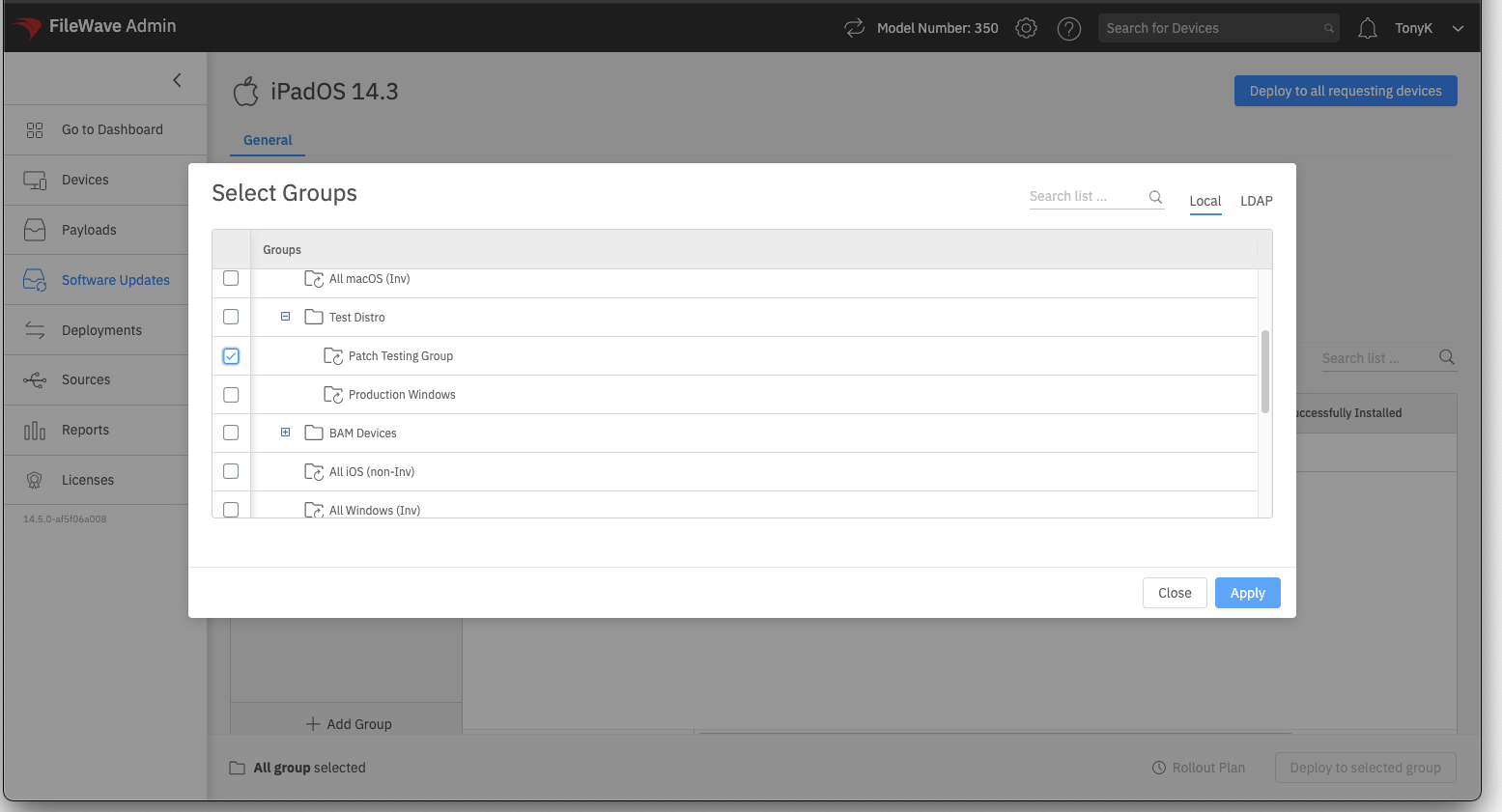
GroupsThe arepanel onlylists usedgroups onceafter you add them (futurefor iterationsthis willworkflow. mostSelect likelyAdd includeGroup, thethen abilitychoose toone setor favoritemore groups). But, to add any pre-existing manual or smartSmart groups, just click the Add Group Button and select group(s):Groups:
Once your group(s) are added, you can selectSelect the target group, and then clickchoose the Deploy to Selected Group option to deploy the update to that specific group ofits devices:
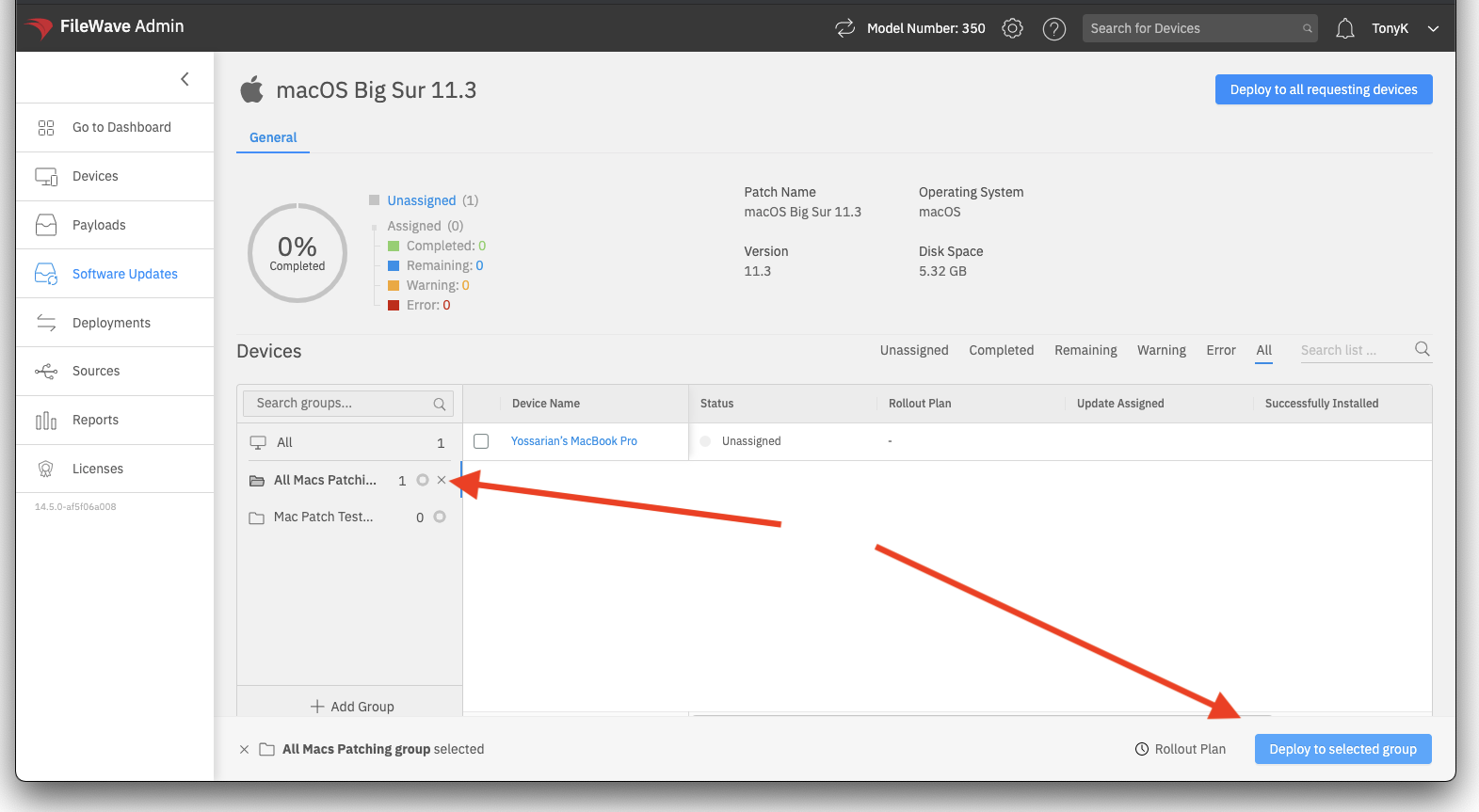
You can alsoTo deploy only to specificcertain devices withinin athe groupgroup, byselect manuallythose selectingdevices them andbefore choosing the same deploy option.action. This lets you make a smaller exception without changing the group's membership.