Deployment Drafts
What
When creatingyou Deploymentscreate a deployment in theFileWave WebAdminAnywhere, youan unfinished deployment may seeappear as a Deployment draftsdraft on the deploymentDeployments page.
When/Why
Because the WebAdmin is not a local application, and you could be interrupted while creating a Deployment by accidentally closing the browser or simply going off to work on something else after starting to define a Deployment, there is a concept in FileWave 14.6+ of Deployment drafts protect work that was introduced. You will see them in the Deployments section of the WebAdmin if any exist. The only drafts you will see are ones created by you in the current web browser. So if you have started but not finished. If you close the browser, move to another task, or leave the deployment before saving it, FileWave Anywhere can keep the draft so you can return to it later.
Drafts are stored for the user and browser that created them. For example, a draft created in Chrome and then login with Firefox you will not seeappear if the draft.same administrator signs in from Firefox.
How
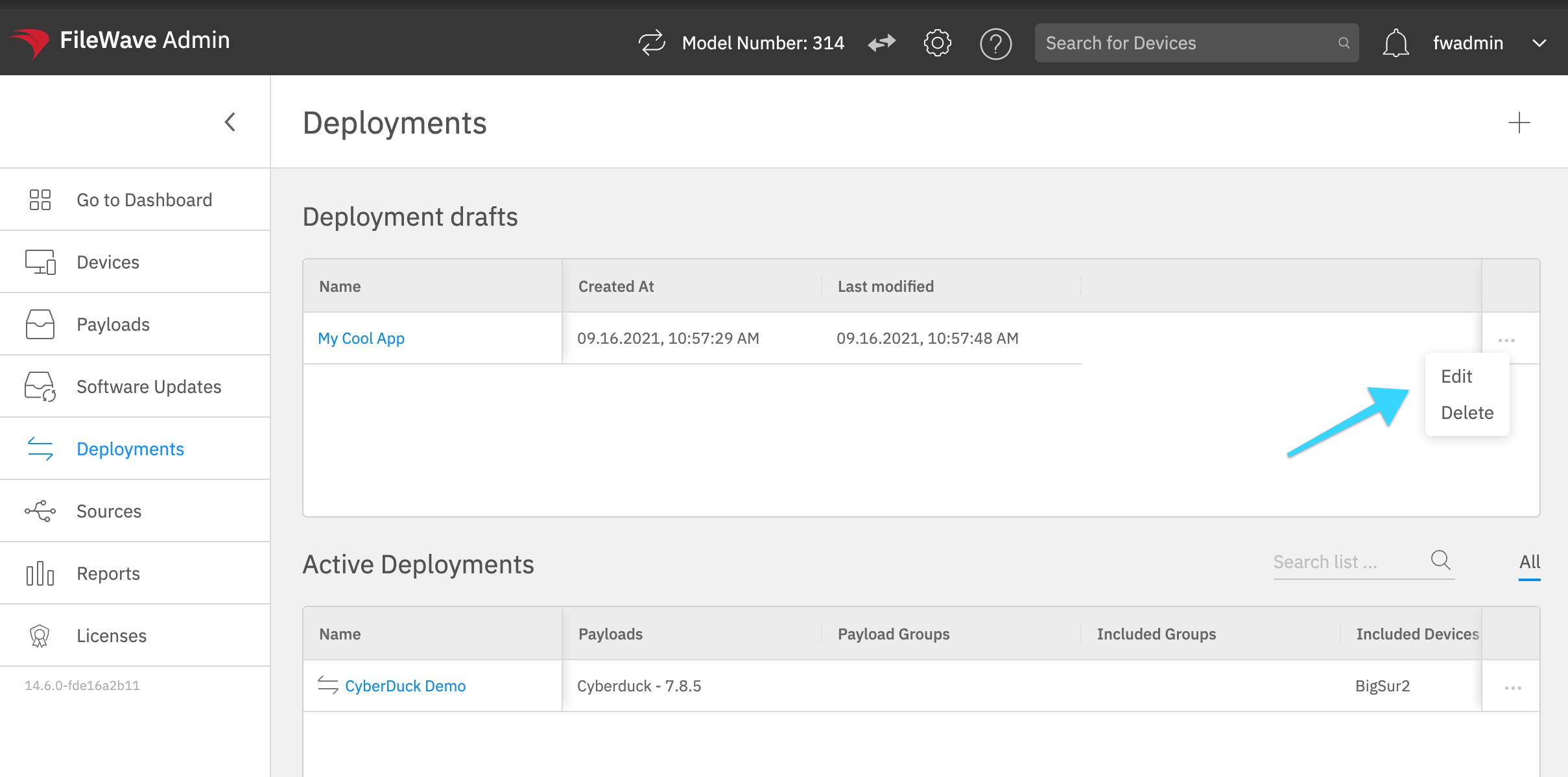
TheDeployment drafts showappear up inon the WebAdminDeployments likepage. in the below image. If you want toTo continue toa work on your draft you candraft, click its name or use the ... iconmenu and pickchoose toEdit. EditTo itdiscard orit, you can pick to Delete it from there. Additionally you can click onuse the Namesame of the draftmenu and gochoose back to editing it as well. Delete.

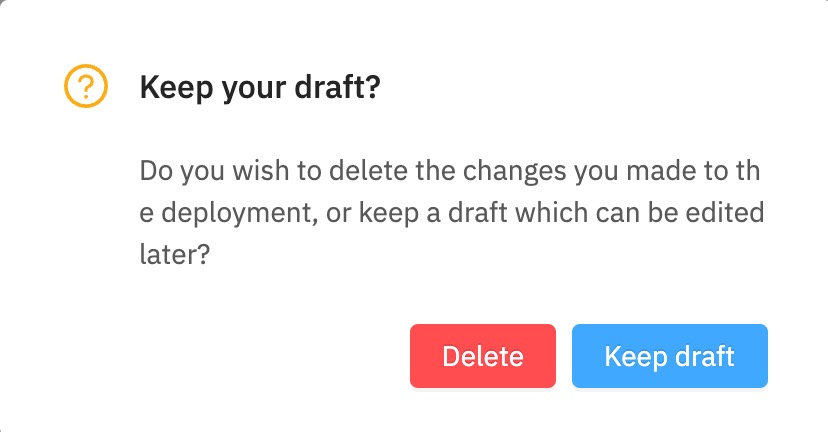
When you are editing your draft ifIf you click Cancel onwhile theediting bottoma ofdraft, theFileWave pageAnywhere youasks will have the below prompt which will give you the optionwhether to keep the draft for later or to delete it now.