FileWave Anywhere Imaging Overview
What the Imaging view shows
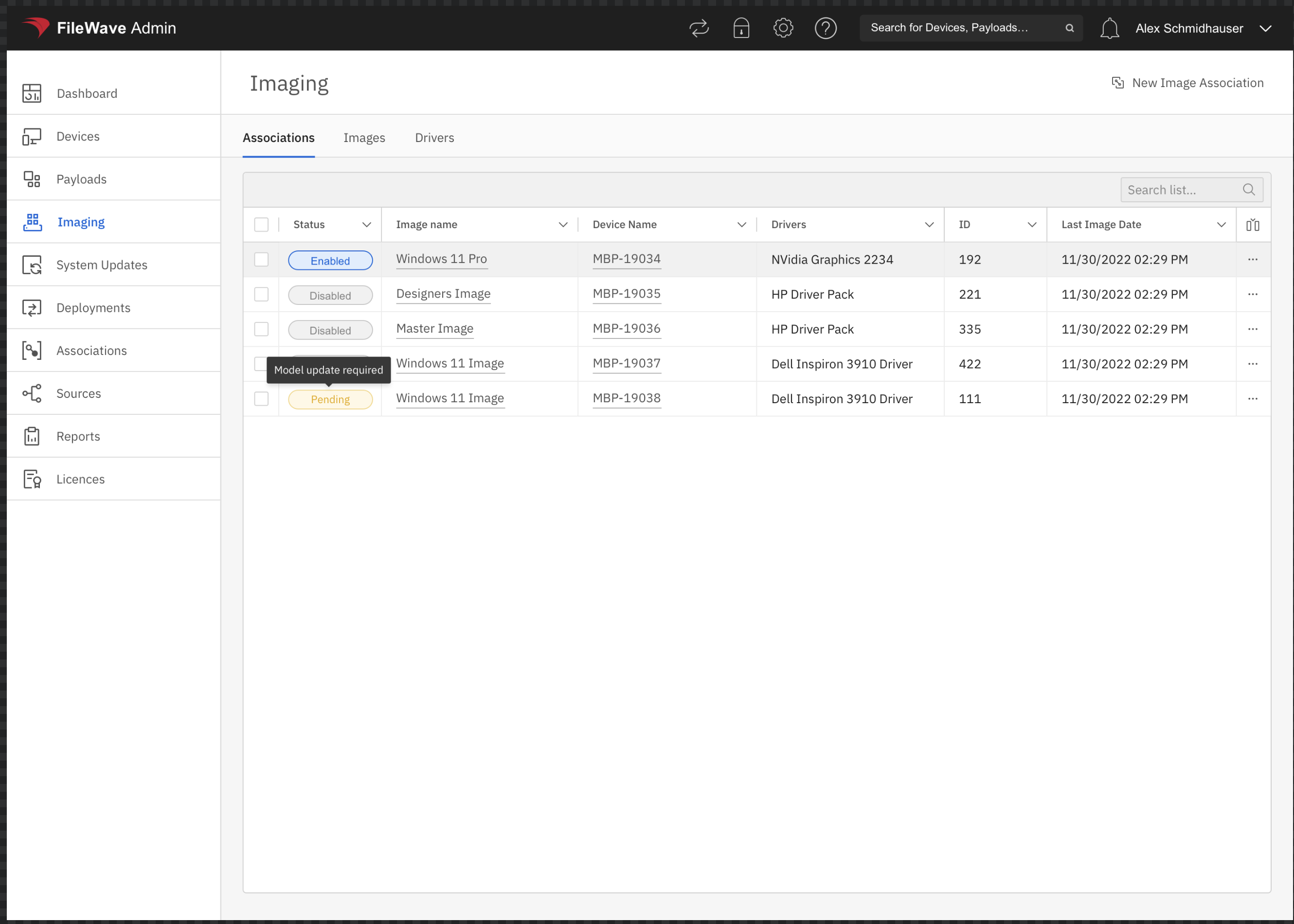
The Imaging Viewarea showsin usFileWave informationAnywhere formanages Windows imaging relatedassociations. associations,Its Associations tab shows the assignment status, image, target device, driver selection, association ID, and allowslast usimaging to create new.date.
When/Why
We are goingWhen to use it
Use this view whenever we want to checkconfirm that a Windows device has the intended image and driver assignment, create an assignment for a future imaging assignment,job, ifor wereview wantan existing association before changing it.
Available actions
Select New Image Association to assign an image. Use the action menu at the end of an existing row to edit or remove that association. These are imaging-specific associations: the Imaging Virtual Server (IVS) uses them to determine which Windows image and drivers belong to a device for future imaging purposes, or if we want to change current association settings.
How
Creating, deleting and editing associations are available in this view and are covered further in the articles linked below. Having an image associated is the only way the IVS (Imaging appliance) knows what Windows image to assign to atarget device.