
FileWave Anywhere Imaging Overview
What the Imaging view shows
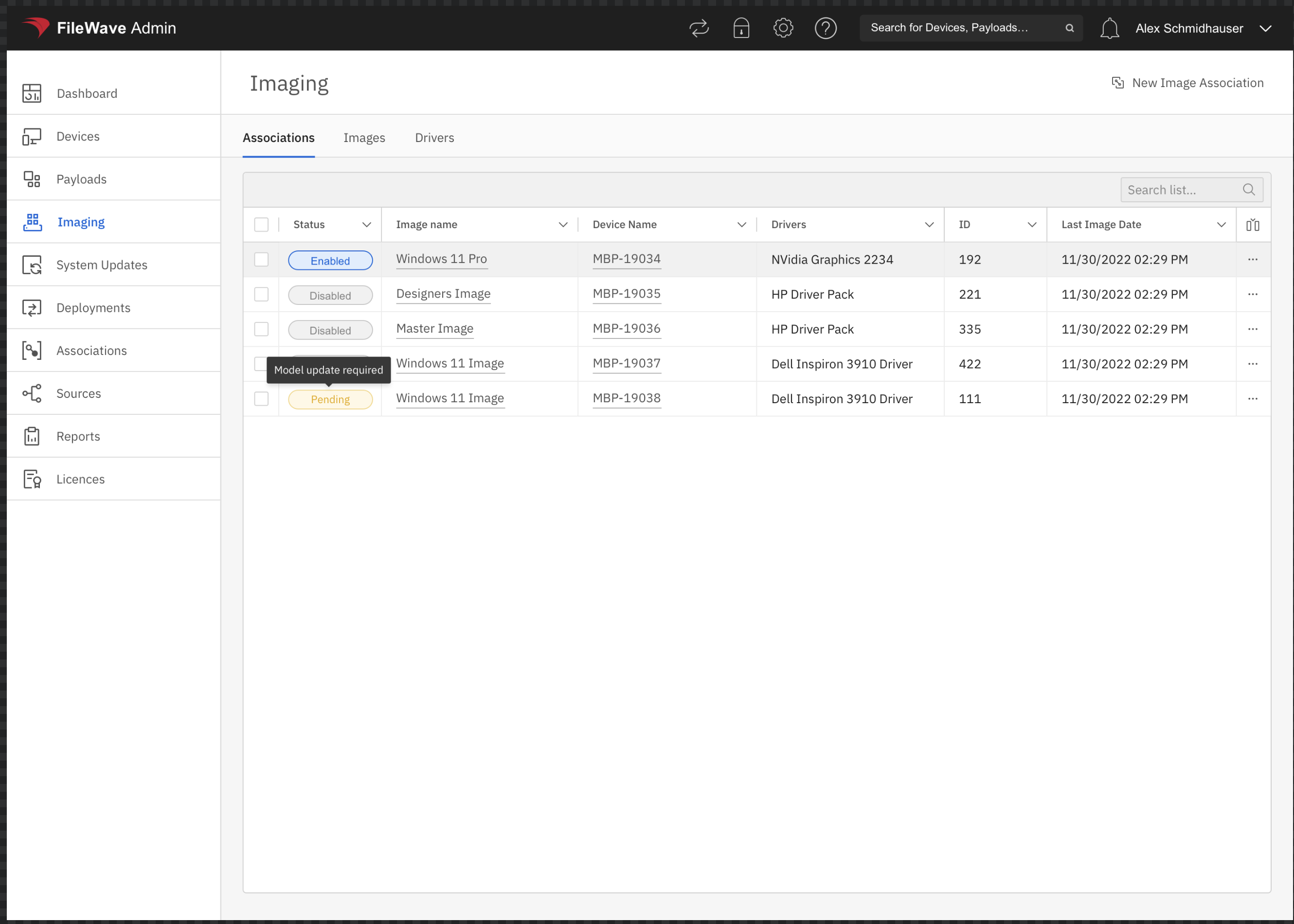
The Imaging area in FileWave Anywhere manages Windows imaging associations. Its Associations tab shows the assignment status, image, target device, driver selection, association ID, and last imaging date.
When to use it
Use this view to confirm that a Windows device has the intended image and driver assignment, create an assignment for a future imaging job, or review an existing association before changing it.
Available actions
Select New Image Association to assign an image. Use the action menu at the end of an existing row to edit or remove that association. These are imaging-specific associations: the Imaging Virtual Server (IVS) uses them to determine which Windows image and drivers belong to a target device.
No comments to display
No comments to display