Lock Device
What
AnYou can use Lock device in FileWave Anywhere to remotely lock a managed iOS devicedevice. can be locked using FileWave Anywhere. Locking a device is the same as if you pushedIf the device lockalready buttonhas locally.a passcode, that same passcode is still required to unlock it. If no passcode exists, the device can be unlocked without one. If a passcode exists, it is required to unlock the device.
When/Why
We often useUse this commandaction internallywhen justyou need to testlock that command functionality is working. Witha device inimmediately hand,or ifconfirm you send this command you should seethat the device lockcan momentarily.receive MDM commands.
How
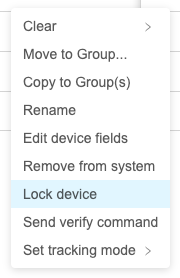
UseIn View - Devices, click the ellipsisthree-dot (menu to the right of the device  )
)in the View - Devices and select "Lock Device"device".