Manage ADE Account Tokens in FileWave Anywhere
What
ADEAn Token(s)Automated allowDevice yourEnrollment (ADE) token connects FileWave to an MDM server record in Apple Business Manager or Apple School Manager. FileWave uses the token to talksynchronize toassigned Apple'sdevices and ADE (Device Enrollment) services. This service is critical in supporting automated enrollment workflows, and is also critical in making sure your devices are able to be managed at the enterprise level.profiles.
When/Why
We are goingWhen to use theADE Accounts
Use Sources > ADE Accounts sectionin ofFileWave the Sources view whenever we wantAnywhere to add,add a token, renew an expiring token, remove an obsolete token, or updaterun aan ADE token. Only through valid token(s) can the FileWave server talk to Apple to get device based information. This same method of communication is used to send our ADE profile information back to Apple for installation on the endpoint during the Setup Assistant phase. So, yes, it is critical!synchronization.
How
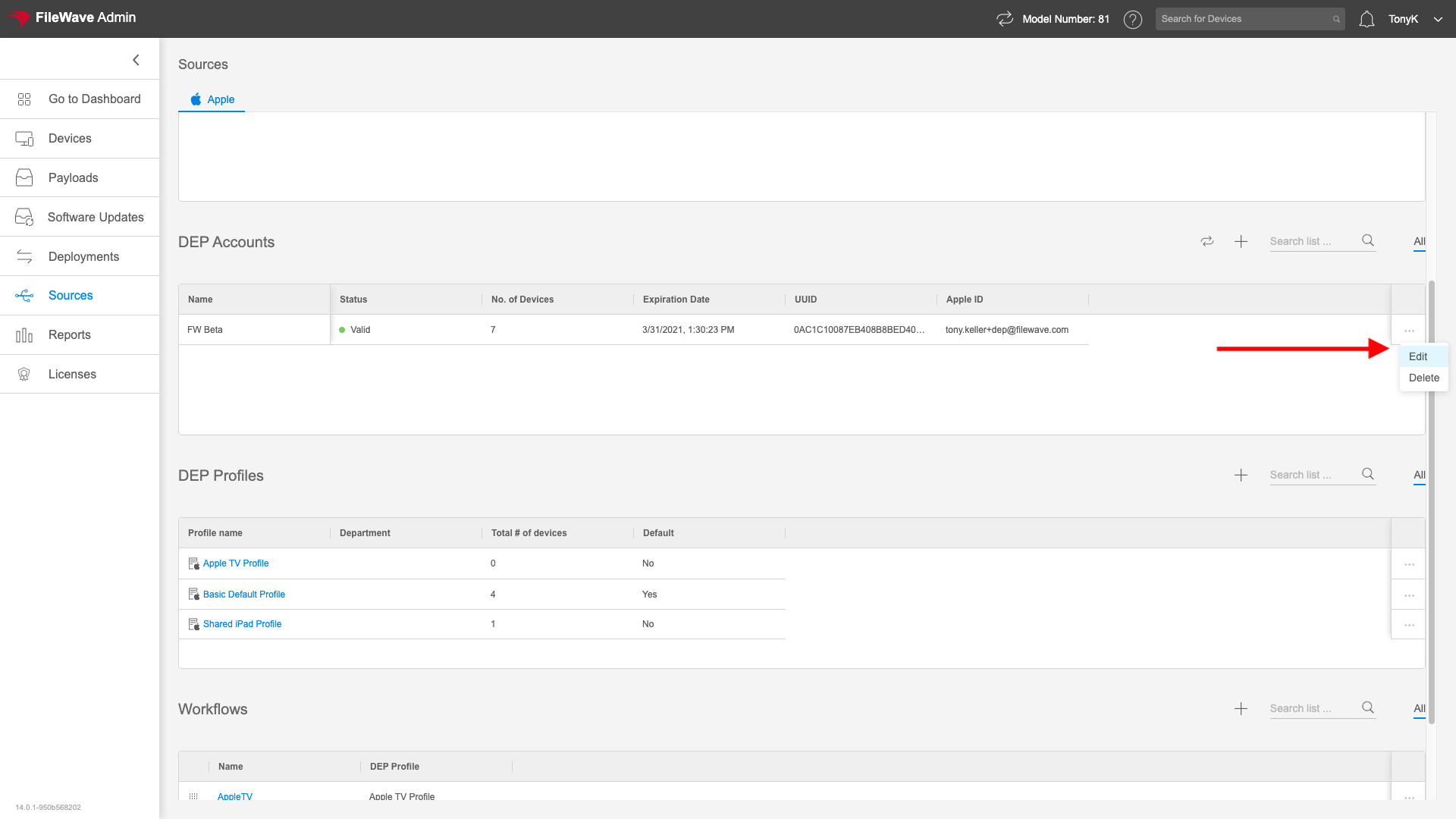
Edit and Deletion of Tokens are done from the actions menu for any particular token as shown below. Obviously one needs to take care before deleting a token, so you will be prompted for confirmation.
Editing (aka renewing) or adding a token consists of the following 3 steps:
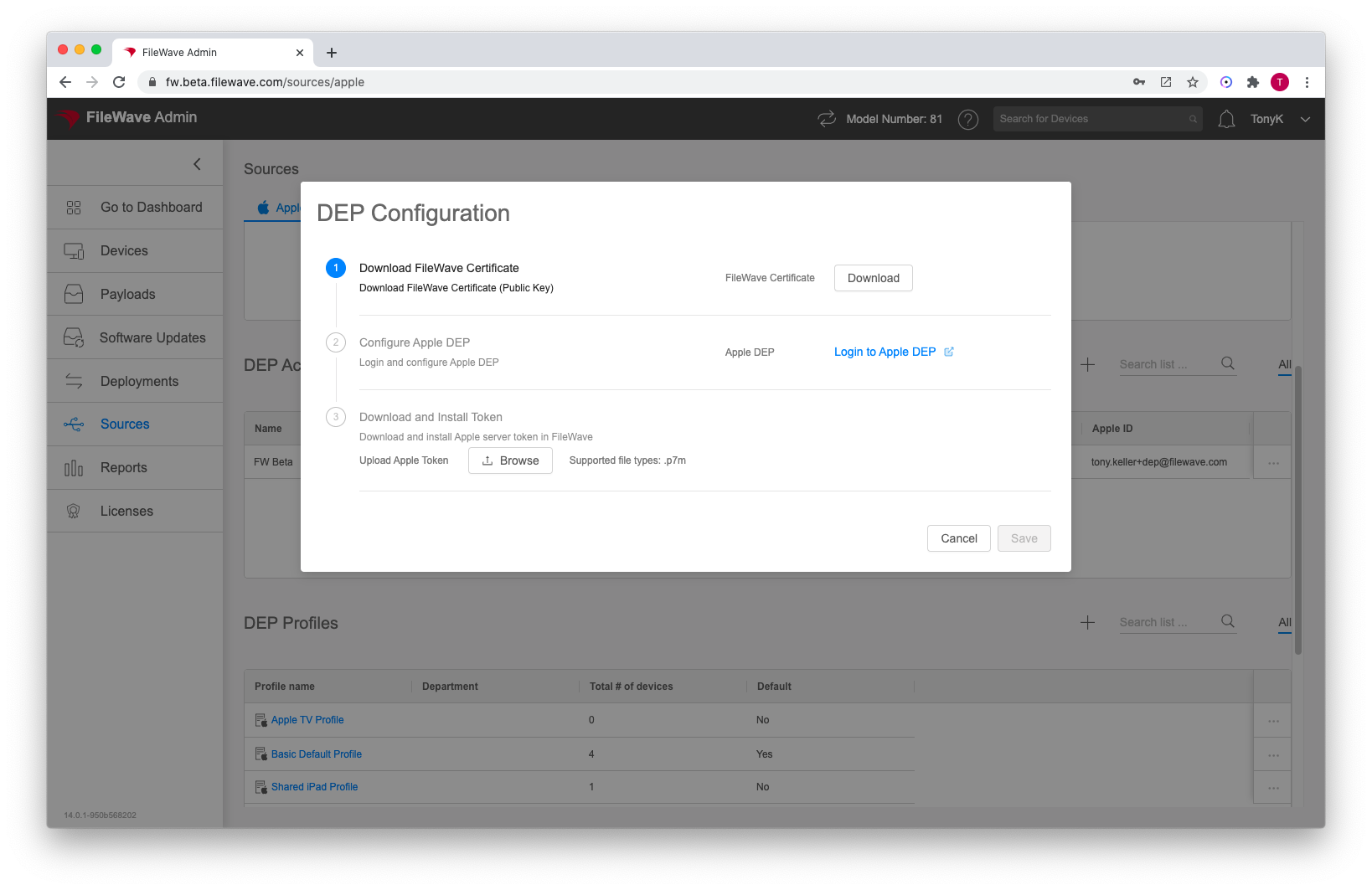
- Download the FileWave server's public Key and save it locally (this identifies the server to Apple)
- Login to either ASM or ABM and add or update MDM server as appropriate with above public key, and then download the generated ADE token
- Upload the ADE Token back into FileWave
Apple's ADE serverstokens preventexpire communicationafter whenone youryear. externalRenew IPthe changes,token before it expires, and traffic will be blocked until you renew your token. This most often happens inuse the instancesame ofApple yourMDM networkserver doingrecord someso typethe ofexisting disasterdevice recoveryassignments failover.remain connected to FileWave.
ADE Synchronization
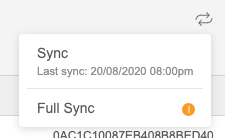
YourThe FileWave serverServer synchronizes nightly with Apple ADE serversservices automatically.nightly. However,To ifsynchronize yousooner, needselect tothe token and click the sync manuallyicon in( ).
). theChoose meanSync timefor youroutine canupdates. doUse soFull fromSync thisonly viewwhen troubleshooting or when instructed by clickingFileWave theSupport.
)