
MSI & PKG Payloads
What
The FileWave Anywhere console,can from version 14.5+, now supports the creation ofcreate computer payloads (filesets)Payloads for MSI &installers on Windows and PKG distributions.installers on macOS. Use this for straightforward installer uploads when you do not need the full FileWave Central Fileset workflow.
Quick answer: In FileWave Anywhere, open Payloads, create a new Payload, add the MSI or PKG file, and let the upload finish. The upload can continue while you leave the page or start another upload.
When/Why
MSI and PKG installers are the industrynormal standardspackage formats for Windows and macOS devicessoftware respectively. Thedeployment. FileWave Anywhere console now allowslets you toupload createthose theseinstaller simple payloadsfiles directly from the web application.console, which is useful for simple app Payloads and remote admin work.
How
We'llIn startthe byPayloads simplyview, clickingclick the 
iconicon, in the Payloads view. We'll givename the new payload a name (in this case we'll create a payload for the native FW admin console for Windows),Payload, and then click onchoose one of the Add File optionsoptions. asThe shown:example below creates a Payload for the FileWave Central installer for Windows.
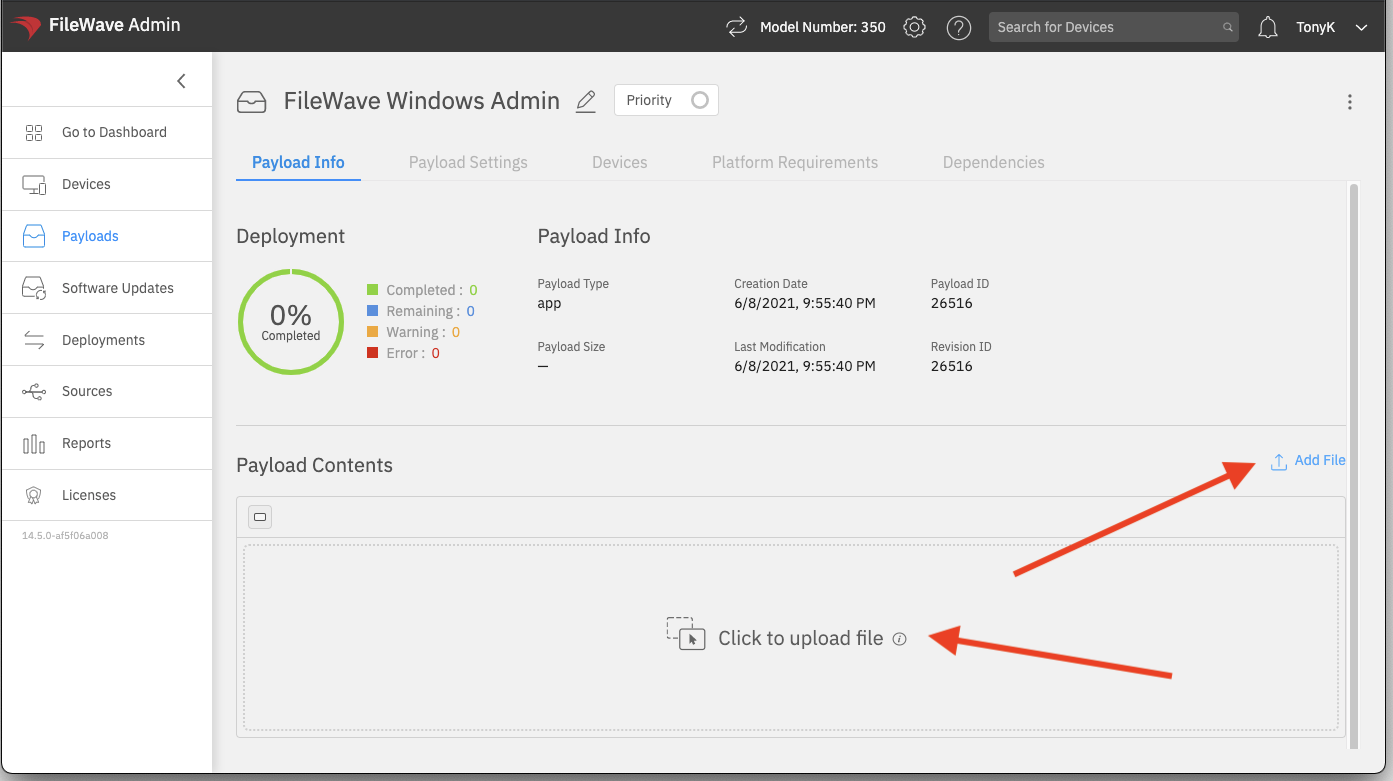
OnceAfter you select the filefile, is selected,the upload willstarts begin right away:immediately:
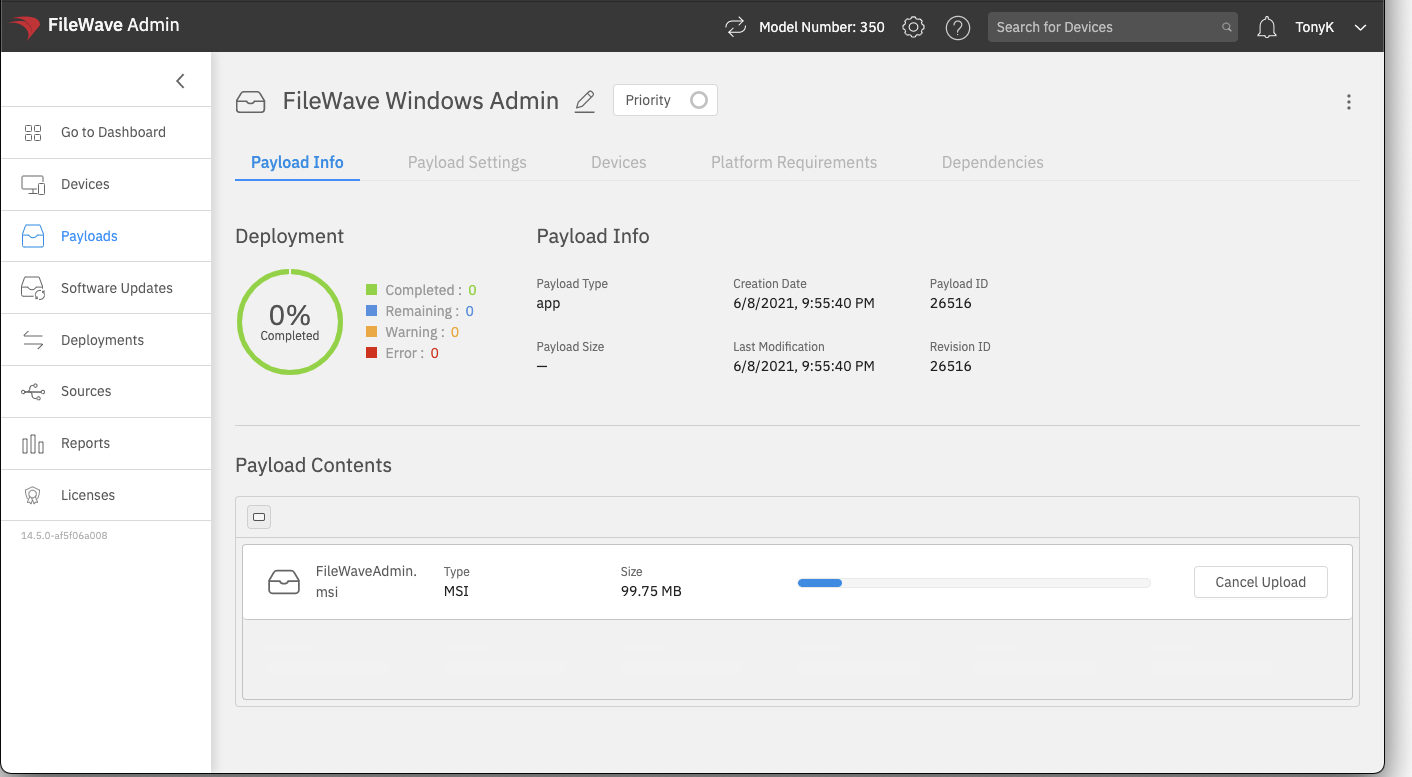
ThereUploads arecreated this way have two distinctpractical advantages to creating payloads like this in the Anywhere console:advantages:
- The
fileuploaduploadsWILLcan recover from a temporary networkinterruptioninterruption. - You
needdo not need to stayinonthisthe uploadscreenscreen.forYou can move to another area of FileWave Anywhere or start another Payload upload while thepayloadfirsttoonecontinuecontinues.
After the Payload uploads, you can go to other places in the admin, or even start additional payload uploads concurrently)
Once the payload is uploaded, you can performmake simple payloadchanges manipulation,such likeas removing or replacing a file and setting installer properties:
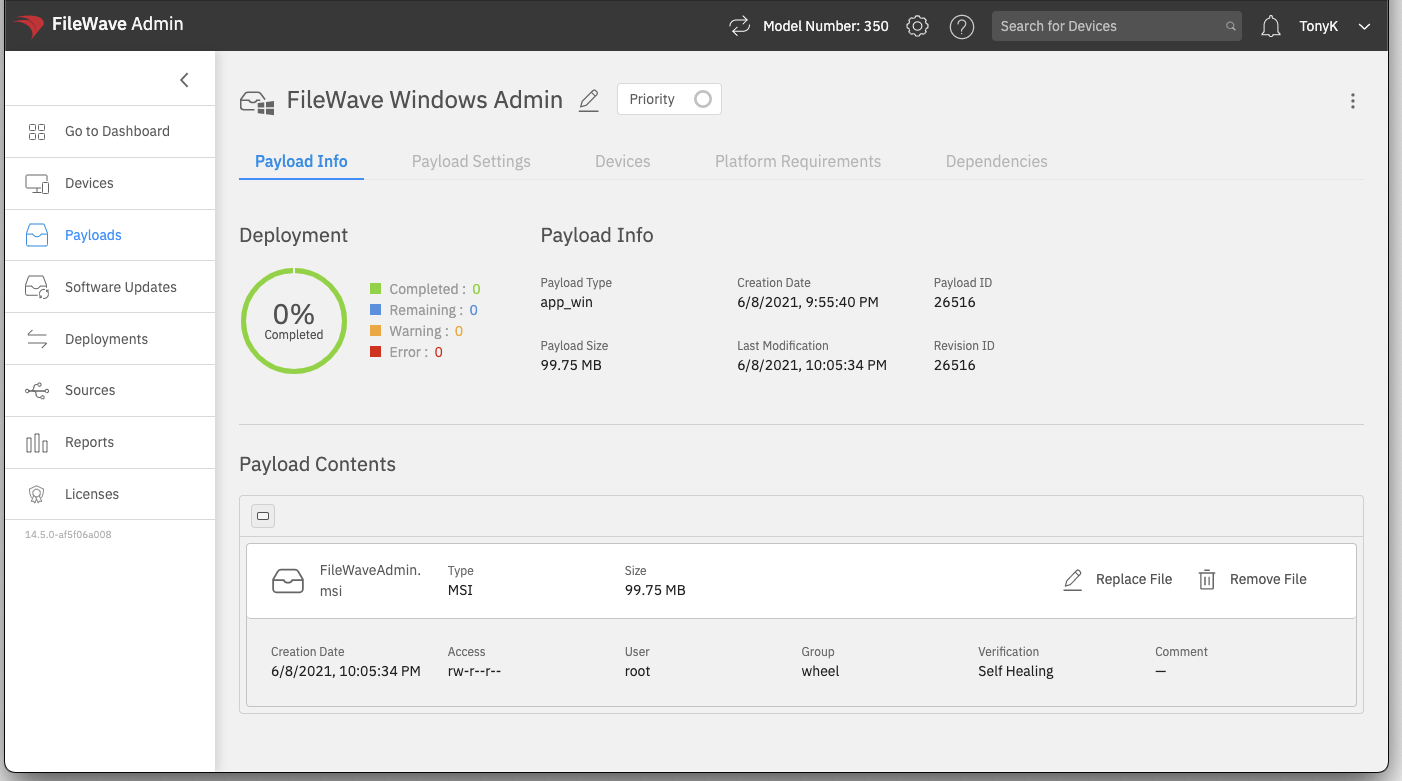
TheFor Payloads that need scripts, revisions, or more advanced file-level control, use FileWave Central. FileWave Anywhere clientis payloadbest toolsfor dodirect notMSI haveand allPKG capabilitiesinstaller currently in the native admin, so if you need script support in conjunction with a payload such as this, or want to use revisions, you'll still need to use the native admin at this time. More to come on this front though!Payloads.
Any editsEdits made to payloadsPayloads in the FileWave Anywhere consoletake areeffect immediatelyimmediately. effective...meaning thereThere is no "Save"separate Save button for these modifications, so usereview appropriatethe cautionPayload whenbefore editing.assigning it to devices.