
Performing Actions on Multiple Devices
What
We are pleased to announce that in version 14.5+ of the FileWave WebAdmin console, youAnywhere can nowrun performone "Actions"supported ondevice multipleaction against several selected devices at a time.once.
When/Why
WhenUse managingbulk actions for work such as restarting or wiping a largeset environment,of itiPads, isor a frequent occurrence to want to makeupdating the same changeCustom toField multipleon devicesseveral atdevices. one time. Version 14.5+ ofCheck the WebAdminselected consoledevice nowlist givescarefully youbefore theconfirming abilityan toaction performthat like-actionserases on multiple devices at the same time. This is especially important when we want to do something like erase multiple iOS devices,data or maybeinterrupts bulk-change a custom field.users.
How
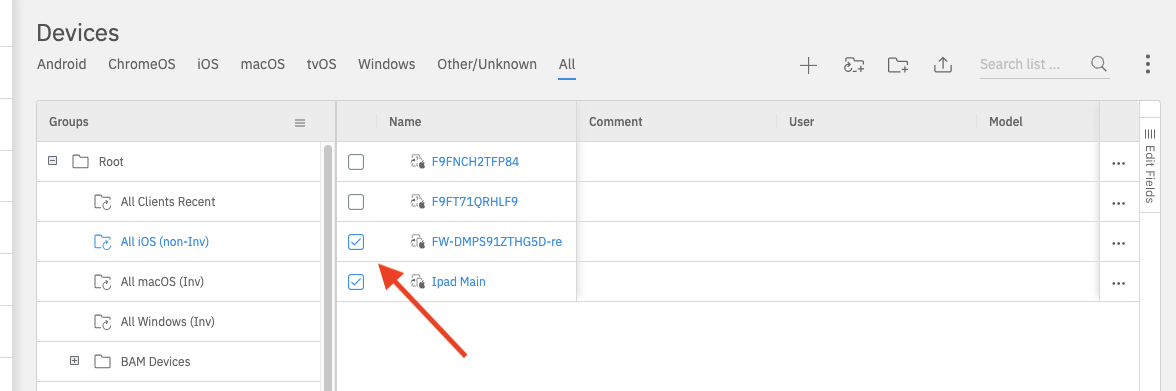
It is very simple to use this feature. In the Devices view, simply choose multiple devices by selectingselect the checkboxes inbeside the tree-viewdevices asyou shown:want to manage:

Then, when you selectOpen the Action menu,menu and possible bulk actions will be shown:

Note that you will onlyto see Actionsthe that areactions available for the typesfull ofselection:
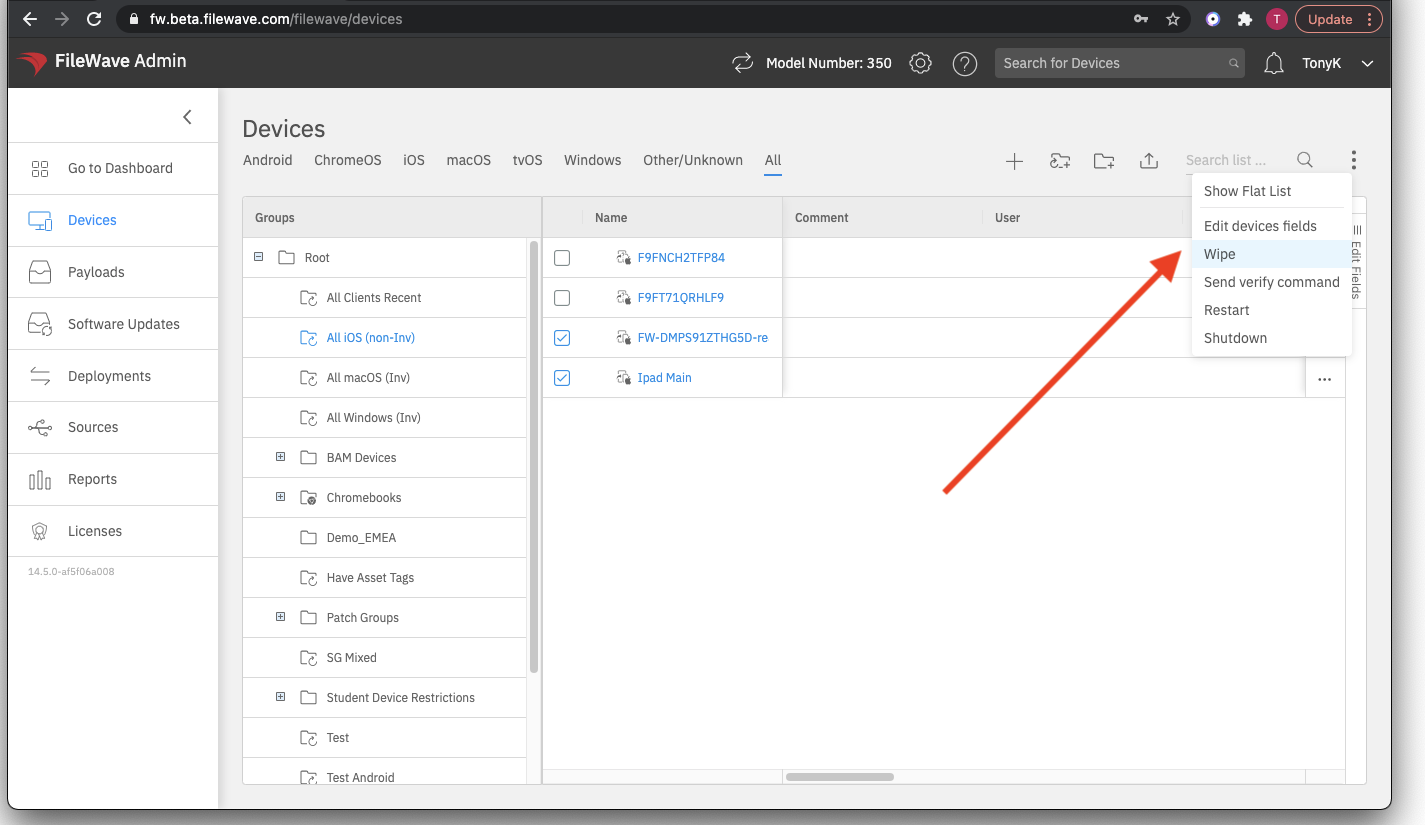
FileWave Anywhere Inshows theonly aboveactions case,supported becauseby weevery haveselected device. For example, selecting two iPads chosen,can weshow see elements available for iPads, such as Wipe and Restart. Restart. If wethe wereselection toalso mixincludes client types though (such asa Windows devices),device, the list ofiPad-only actions wouldare not show either of those iPad-specific options.omitted.