
Change the Language in FileWave Central or Anywhere (macOS)
What
FileWave AdminCentral willand automaticallyFileWave Anywhere can use the language,system ifor supported, set on the workstation at installation (default English). It is however possible to run FileWave Admin in a differentbrowser language, asor shownyou below.can select another supported language.
When/Why
SometimesUse eventhis thoughwhen youran computeradministrator isneeds runningFileWave in a different language likefrom Germanthe youMac mayor wishbrowser, tosuch runas running Central in English.English on a Mac configured for German.
How
macOS (FWFileWave 16.2.0 and higher)later
YouIn canFileWave nowCentral, pickopen Admin Preferences > General > Local Settings and choose a languagelanguage. otherIn thanFileWave Anywhere, select the systemglobe on inthe bothlogin page, then choose Browser Default Language or a listed language. The Central and Anywhere as shown below in the images. Although the image of Centralcontrol is fromalso macOS, it looks the sameavailable on Windows.
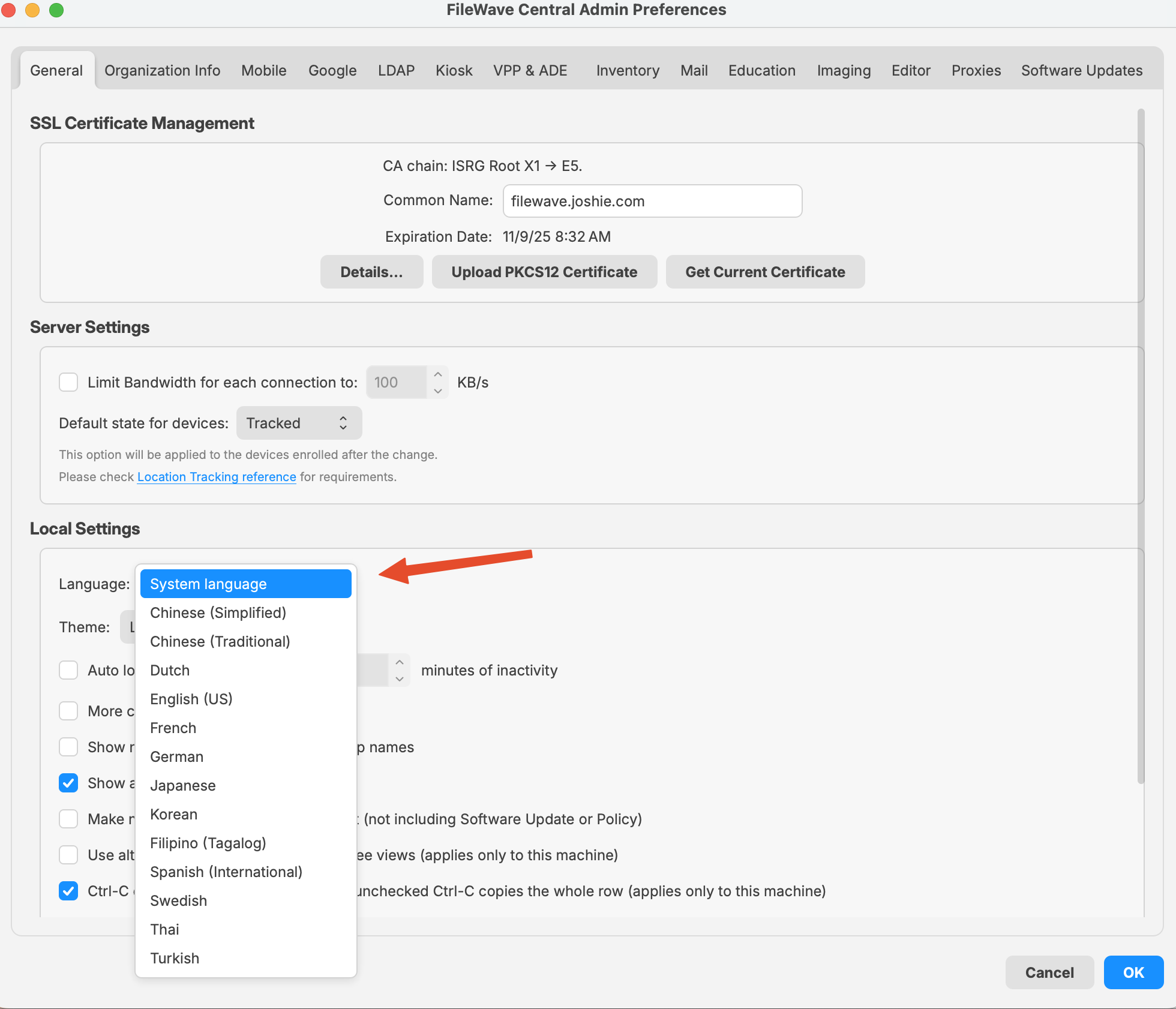 |
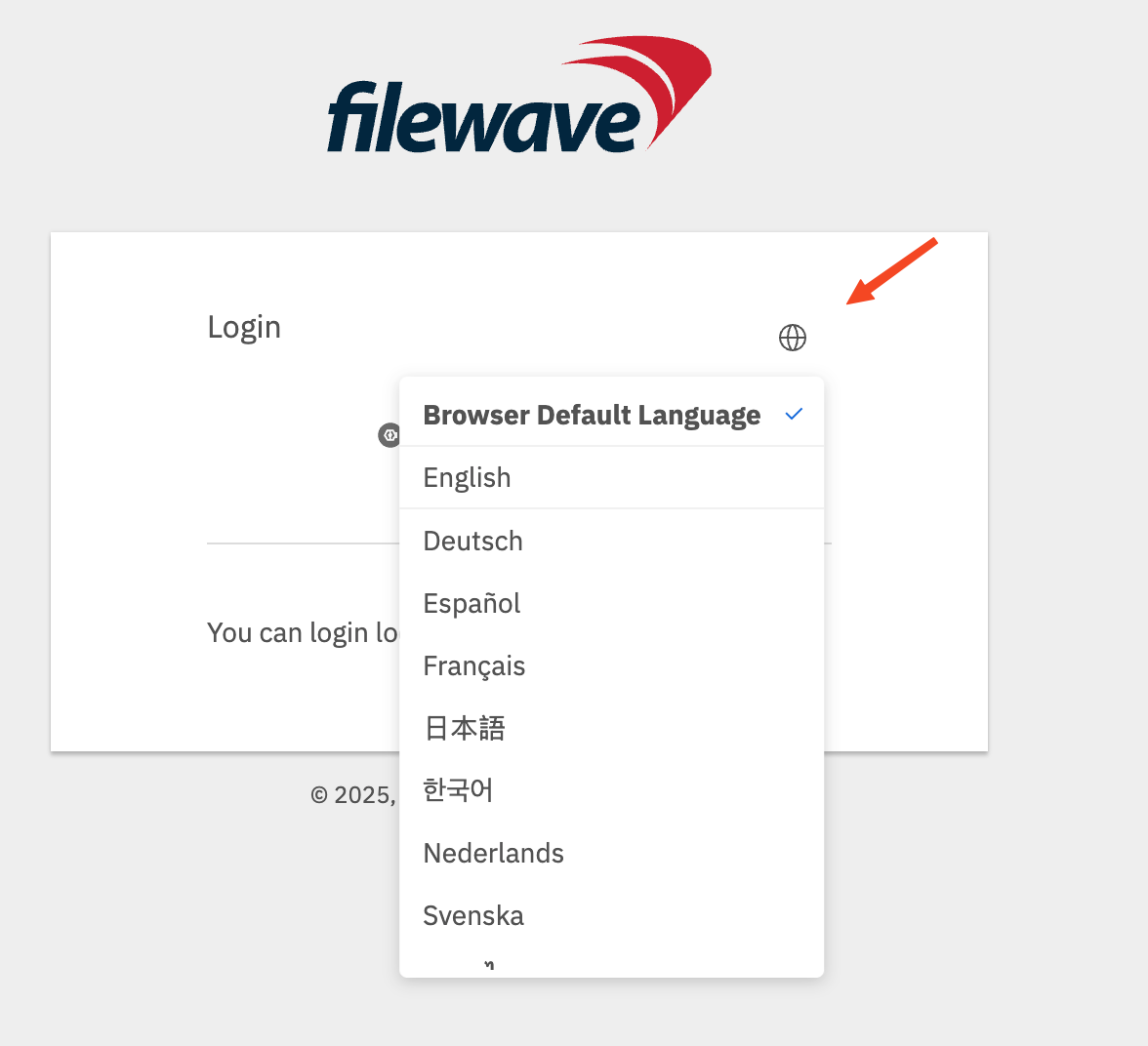 |
macOS (FWFileWave 16.1.x and lower)earlier on macOS
InFor FileWave versions belowearlier than 16.2.00, youlaunch wouldCentral need to usewith the command below to openoverride its language. FileWave Anywhere uses the browser language.
This example starts Central in US English. Replace en_US with another language.locale Anywherecode wouldfrom usethe your Browser language;
The following command may be used to both open and specify a chosen language at runtime. table.
/Applications/FileWave/FileWave\ Admin.app/Contents/MacOS/FileWave\ Admin --lang en_US &|
Language |
Locale Code |
Notes |
|---|---|---|
|
English (US) |
en_US |
Use for American English. |
|
German |
de_DE |
Standard locale for German in Germany. |
|
French |
fr_FR |
Standard locale for French in France. |
|
Korean |
ko_KR |
Korean for South Korea. |
|
Japanese |
ja_JP |
Japanese for Japan. |
|
Chinese (Simplified) |
zh_CN |
For Mainland China. |
|
Chinese (Traditional) |
zh_TW |
For Taiwan. |