
Configuring Inventory preferences
The Inventory tab in FileWave Central preferencesAdmin Preferences controls inventory polling for Apple MDM-enrolled devices, Smart Group refresh timing, and LDAP Custom Field cleanup behavior.behavior, and IDP Custom Field synchronization. These settings affect how fresh inventory-based data appears and how much recurring work the server performs, so change them deliberately.
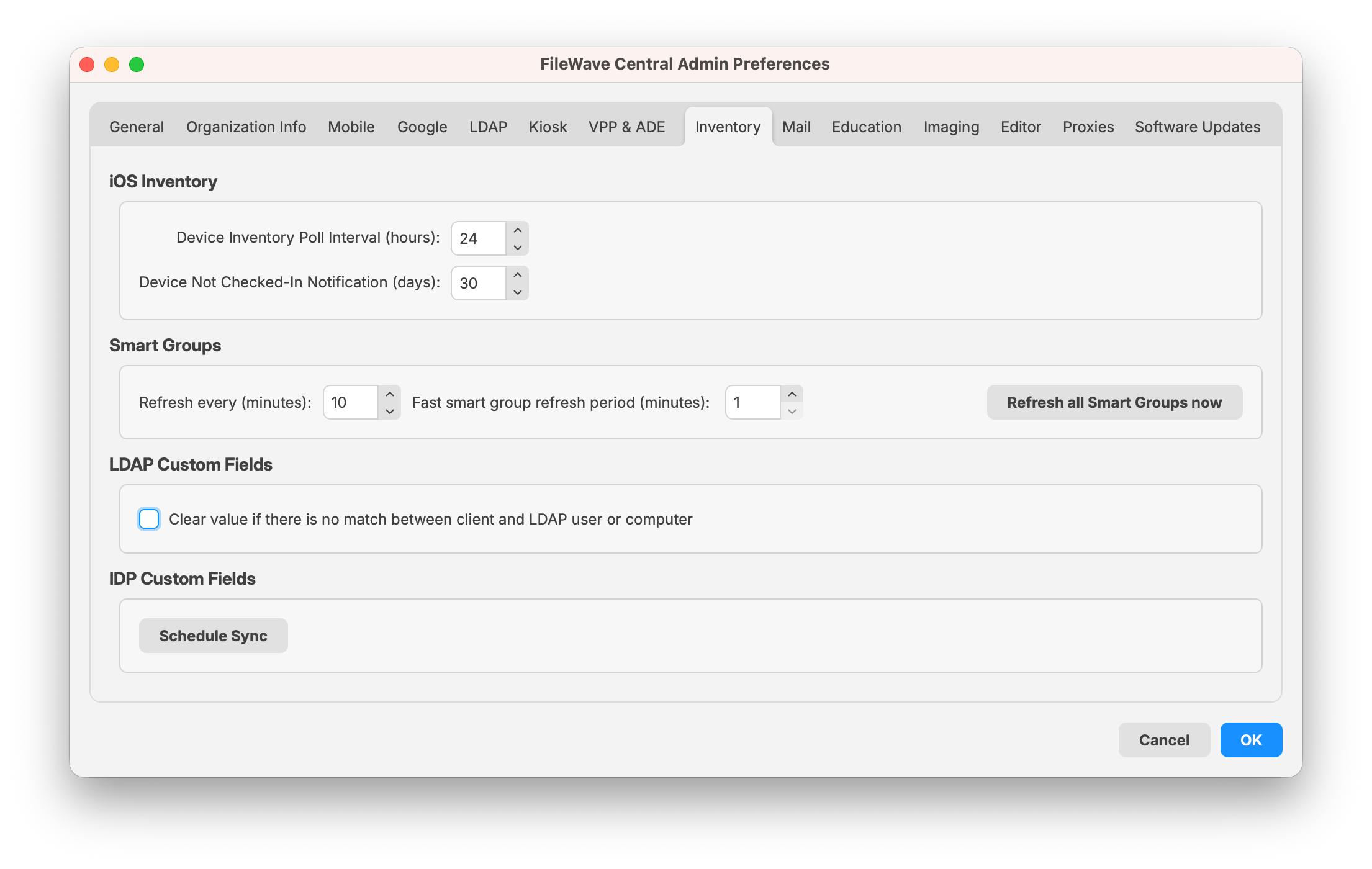
iOS Inventory
These settings apply to iOS, iPadOS, and tvOS devices enrolled through MDM. These devices appear in the normal Clients view as well as in the iOS Inventory section.
- Device Inventory Poll Interval – Controls how often enrolled devices report profile, application, security, and device-setting inventory. The default shown here is 24 hours. Sending a Verify command can prompt a device to report sooner.
- Device Not Checked-In Notification – Controls when a device is visually flagged for not checking in with the MDM server. When a device exceeds this value, FileWave changes the device color to alert the administrator.
Smart Groups
Do not make the Smart Group refresh interval muchintervals more frequent without a reason. In very large environments, increasinglonger the interval, such as to 20 minutes,intervals may reduce unnecessary server load.
LDAP Custom Fields
If this option is enabled, FileWave clears the value of an LDAP Custom Field when there is no longer a match between the client and the LDAP user or computer.
IDP Custom Fields
Schedule Sync queues an IDP Custom Fields extraction. Use it when custom field values populated from an identity provider should be refreshed outside the normal sync timing. The button requires an IDP Device Enrollment server to be configured.