Enrolling Apple TV into FileWave
You can use Apple Configurator 2 to enroll Apple TVsTV indevices into FileWave. The screenshots below screenshots show thisthe process:
blueprint-based workflow.
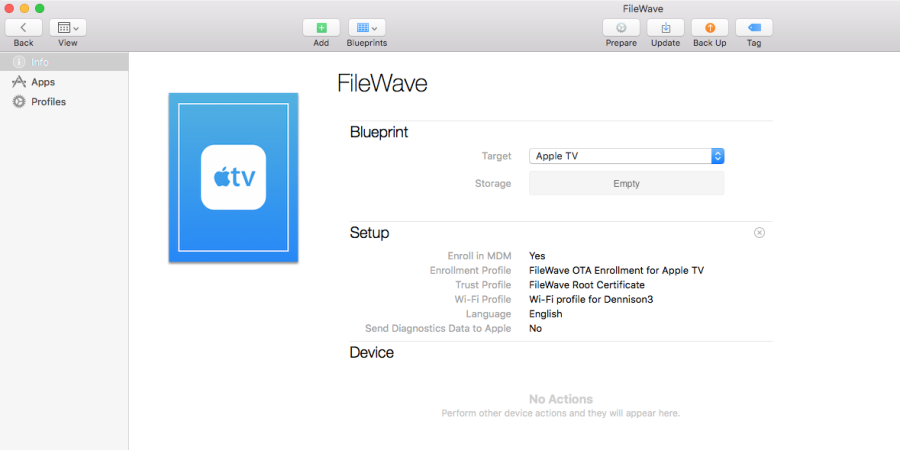
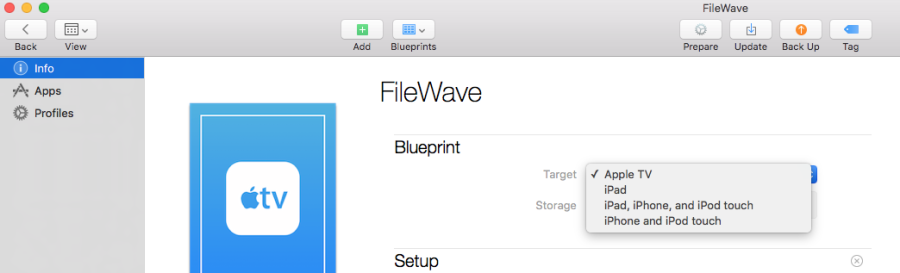
In AC2,Apple Configurator, create a new blueprint,blueprint settingand set the target forto Apple TV.
Newer Apple TV.
Note that newerConfigurator versions may change aindividual dialogdialogs, but the overall process shouldremains remain close to this. similar.

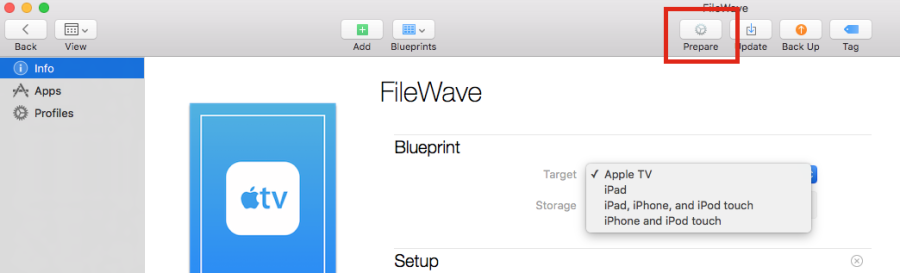
Click onthe the Prepare icon
icon.

ThisThe opensPrepare theDevices dialog box
opens.

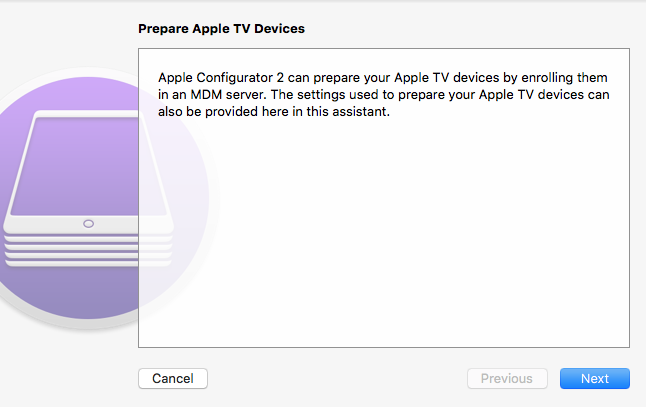
Click on Next.
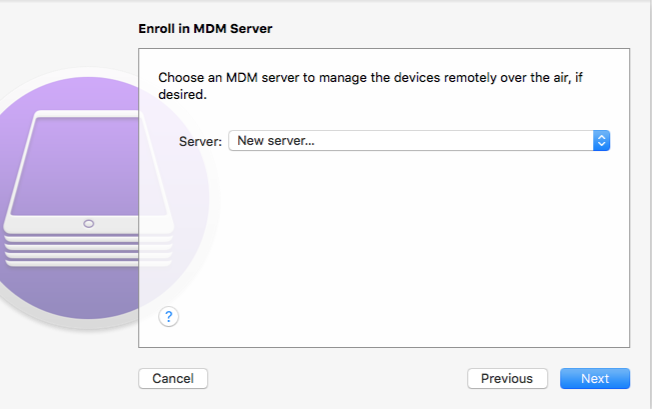
Select New server…server... in the Serverserver selection box, then click Next
.

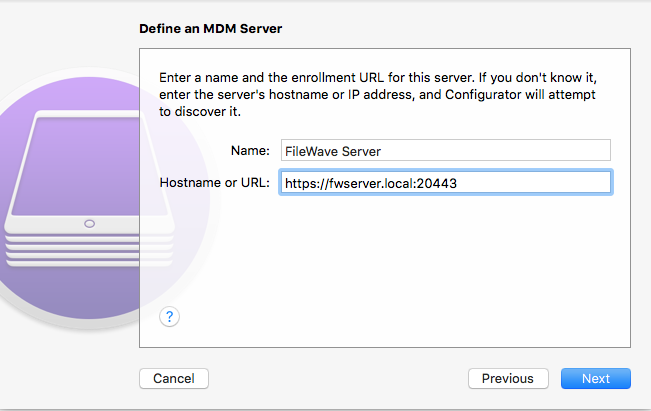
Enter youra server name (does not have to be a host name and has no bearing on DNS records; this is for your identification purposes) and the URL for over-the-air enrollmentenrollment, (don't forgetincluding the required port number at the end of the URL),URL, then click click Next.
The server name is only for identification in Apple Configurator and does not need to match DNS.

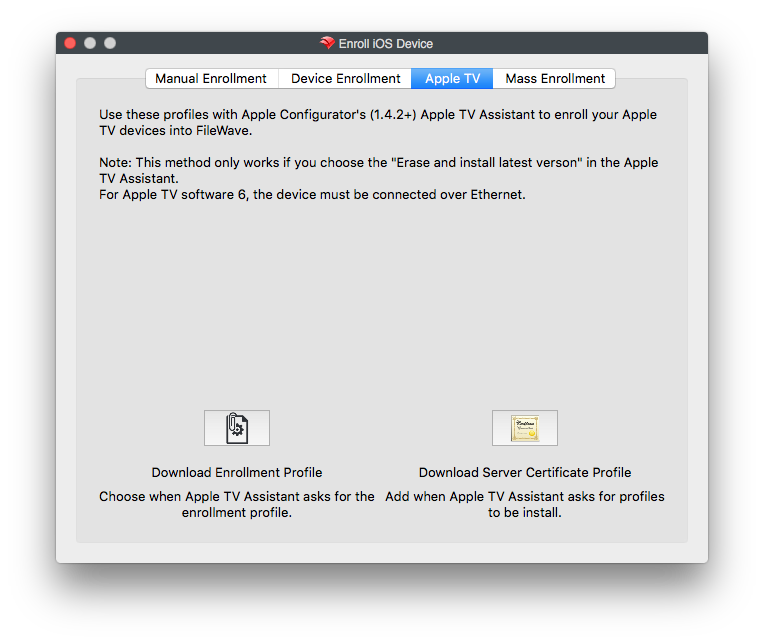
ProvidedIf AC2Apple isConfigurator ablecan connect to connect with yourthe FileWave Server, it will showshows the trust profile and the FileWave Root Certificate. For the neededrequired Enrollmentenrollment Profile,profile, youuse getFileWave that from the Enroll iOS Device assistant'Admin's Apple TV tab in the Enroll iOS Device windowsassistant (foundand underdownload the profile from the AsistantsApple TV pull-downtab.
Click Choose... and select the enrollment profile you downloaded from FileWave Admin.

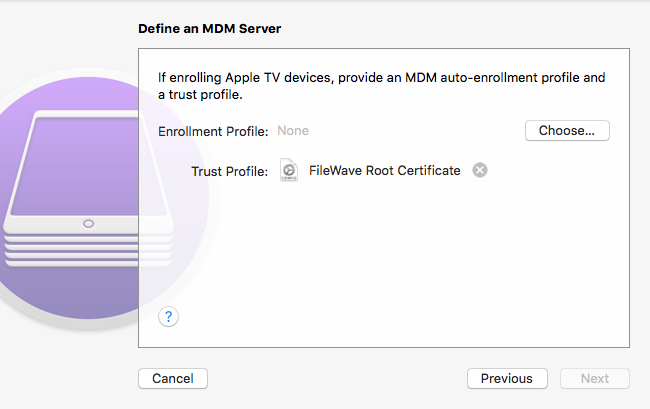
Click Choose…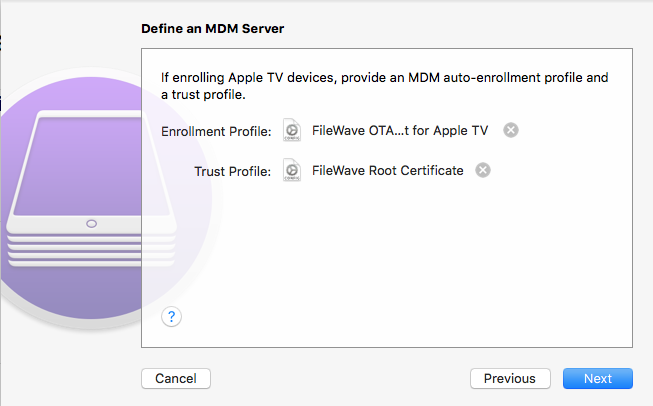
After the Enrollmentenrollment Profile.


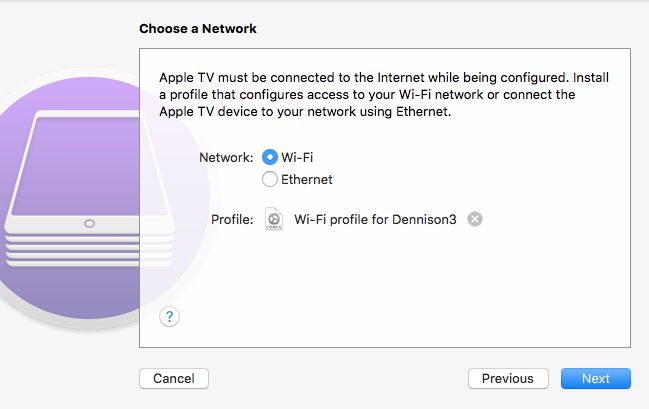
Now that you have all the needed items in this window, click Next. In FileWave, create a profile for Wi-Fi profile with the SSID and password necessary for the Apple TV needs to join the wireless networknetwork. and importAdd that usingWi-Fi the Choose… button to navigate to its location to add itprofile to the blueprint.
blueprint with Choose....

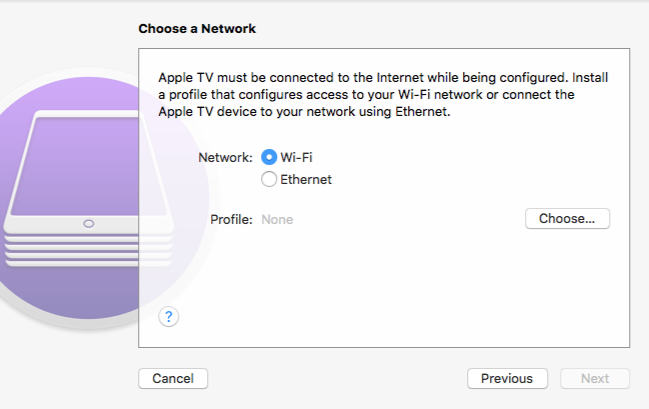
Now,Click click Next.

Select the language and diagnostic/usage-data options you want to use and whether or not you want diagnostic and usage data sent to Apple,use, then click click Prepare.

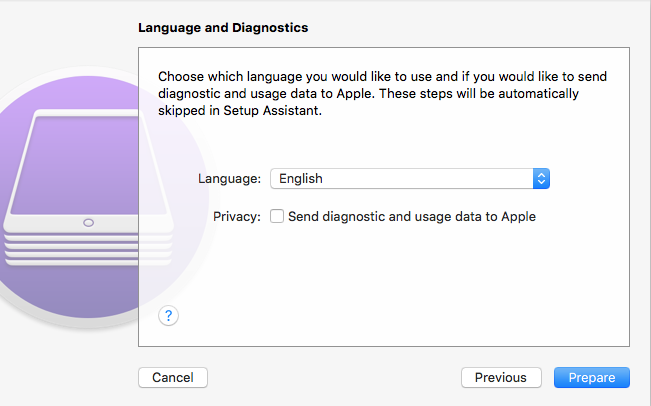
Now,The allblueprint now has the required pieces are in place and this blueprint can be applied to a connected device.
Apple TV.