IdP for Deployments and Smart Groups
What
AsUse IdP group data from enrolled devices to target FileWave Deployments and build Inventory Reports or Smart Groups based on the groups a FileWavedevice administratorbelongs using IdP enrollment of devices, I need to report on what groups devices are a part of in order to report on them and target software. to.
When/Why
ThereThis is auseful newwhen fieldgroup thatmembership isalready populatedlives whichin Google, Microsoft Entra ID, or another identity provider. FileWave stores the device's IdP group information so you can usereuse forthat targeting deploymentsmembership in theFileWave WebAnywhere Admin,Deployments and forin reportingInventory queriesReports both(formerly Queries) in WebFileWave AdminAnywhere and theFileWave Native Admin. Central.
How
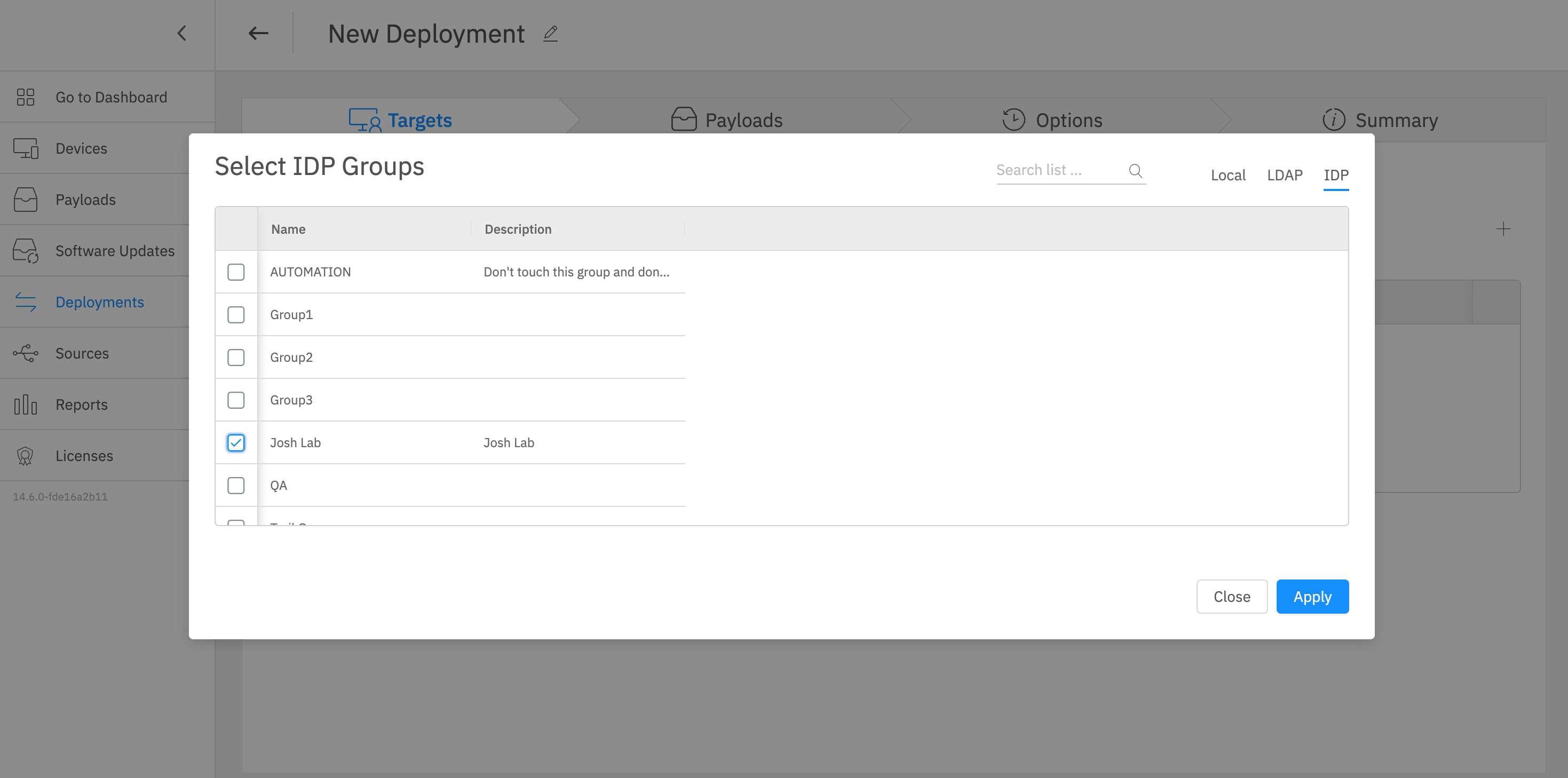
When makingyou deploymentscreate or edit a Deployment in theFileWave WebAnywhere, Admin noteuse the IDP selectionselector onin the topupper-right right.area Youto can then see thechoose groups that come in from the IdP connection.

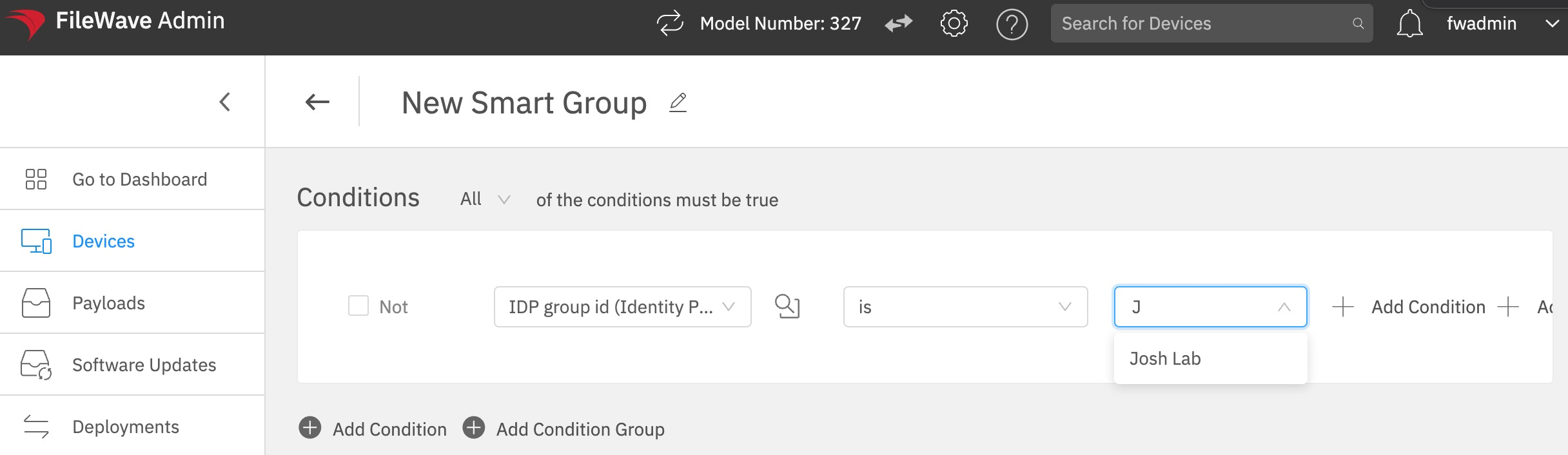
AndIn hereInventory is what can be used in Queries both in NativeReports and WebSmart AdminGroup wherecriteria, use the IDP group id wouldfield be the most likely used field. Aswhen you can see below you can startneed to typefilter adevices by IdP group namemembership. andStart if it exists thentyping the group namename; willif appearFileWave knows the group, it appears below the text field. In this case,example, Josh Lab is a group in Google.

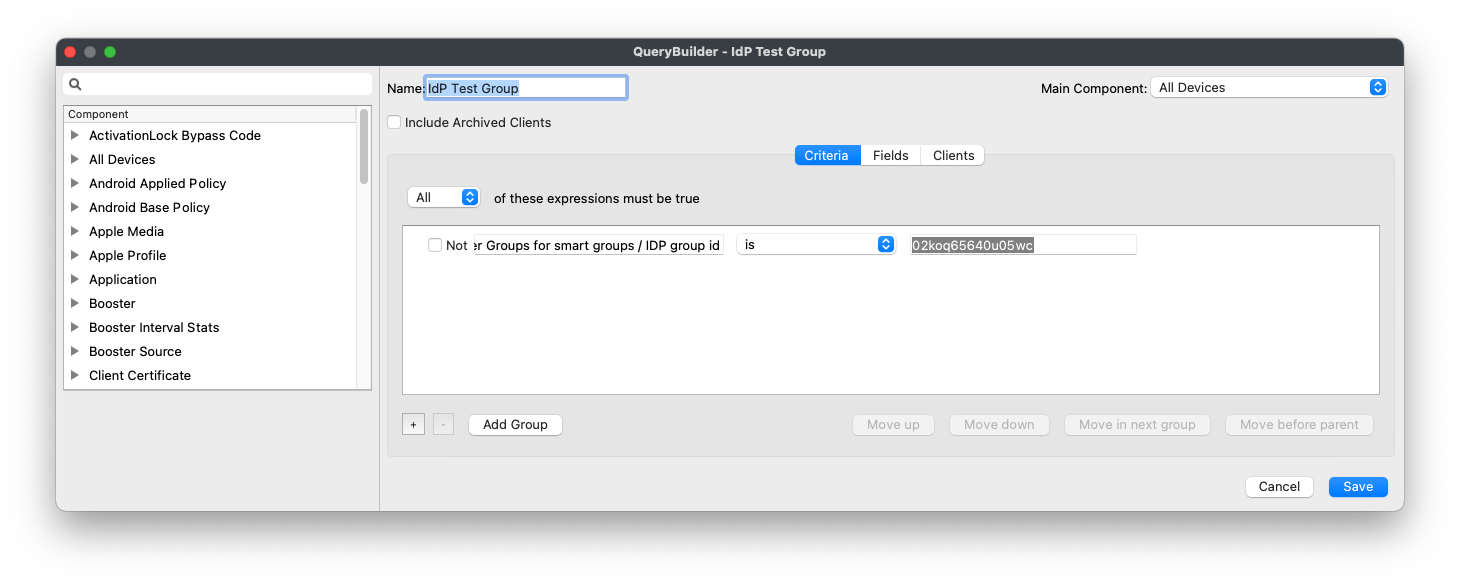
And ifIf you choose to edit athe smartSmart group like thisGroup in FileWave Central, the native admin, you'll see that what is actually saved by thisvalue is the group id:ID, not just the display name. That matters when you troubleshoot a Smart Group that targets an IdP group or when a group name changes in the IdP.