
Customised Screen Saver (macOS)
Description
CreateQuick answer: Use this example Fileset to install a customisedcustom macOS Screenscreen Saversaver (.saver) tothat simplydisplays displaya anstatic image or more advancedcustom HTML/JavascriptJavaScript, code.then set it as the login window screen saver with a profile.
Ingredients
- FileWave Central
- Example Fileset: Example_FileWave.saver.zip
Taken from: https://github.com/tlrobinson/WebSaver
Directions
Fileset Installation
- Download and unzip
"FileWavetheExampleExample_FileWave.saver.zipScreenSaver.zip".attachment from this article. - Import
intothe Fileset in FileWaveAdminCentral.
CustomiseCustomize ScreenSaverthe Namescreen saver name (Optional)optional)
- Open the Fileset
Contentscontents. - Expand
/var/scripts/498452.(NumberThe number will differtoinexample)your Fileset. - Select
file:FileWaveExampleScreenSaver.sh.

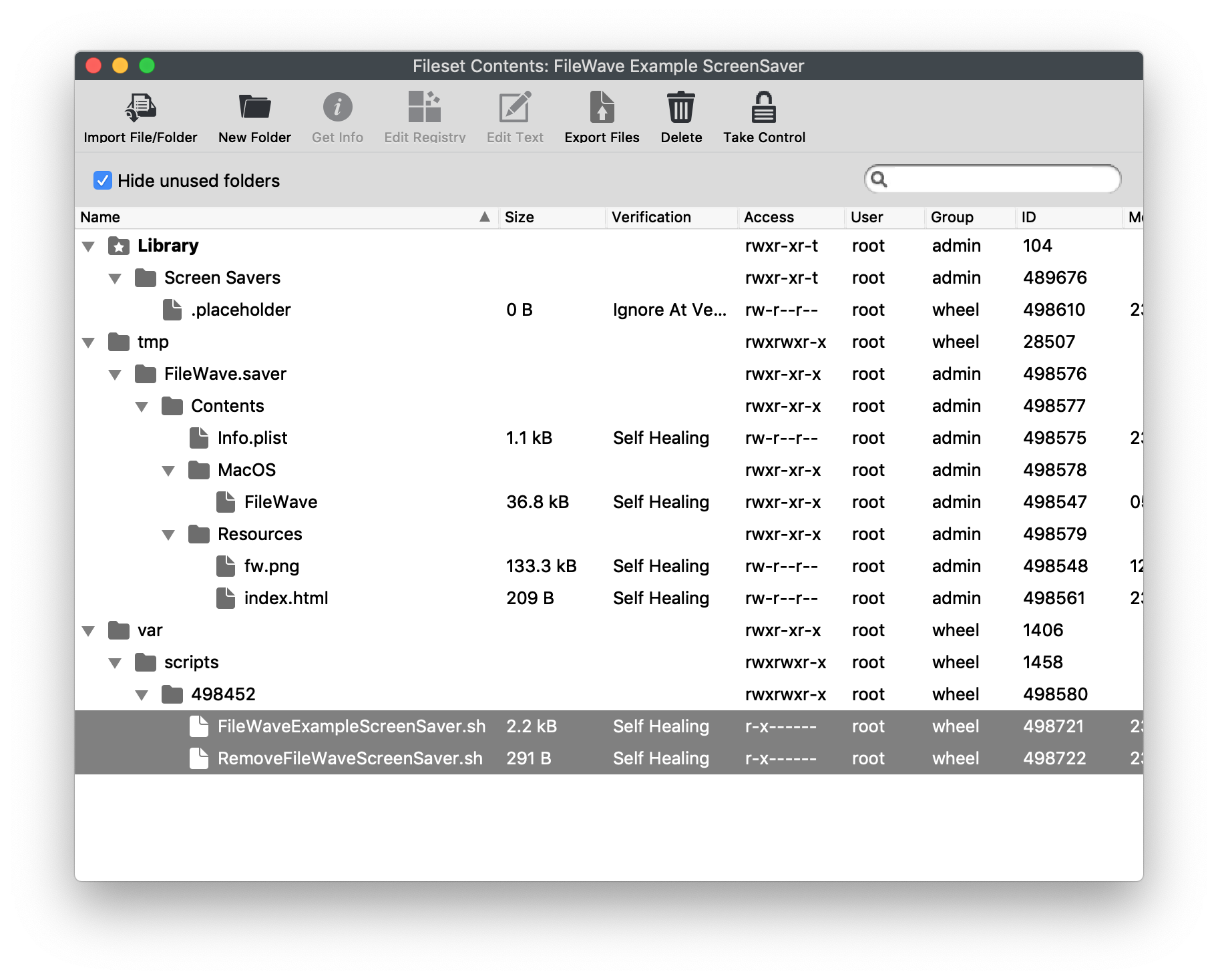
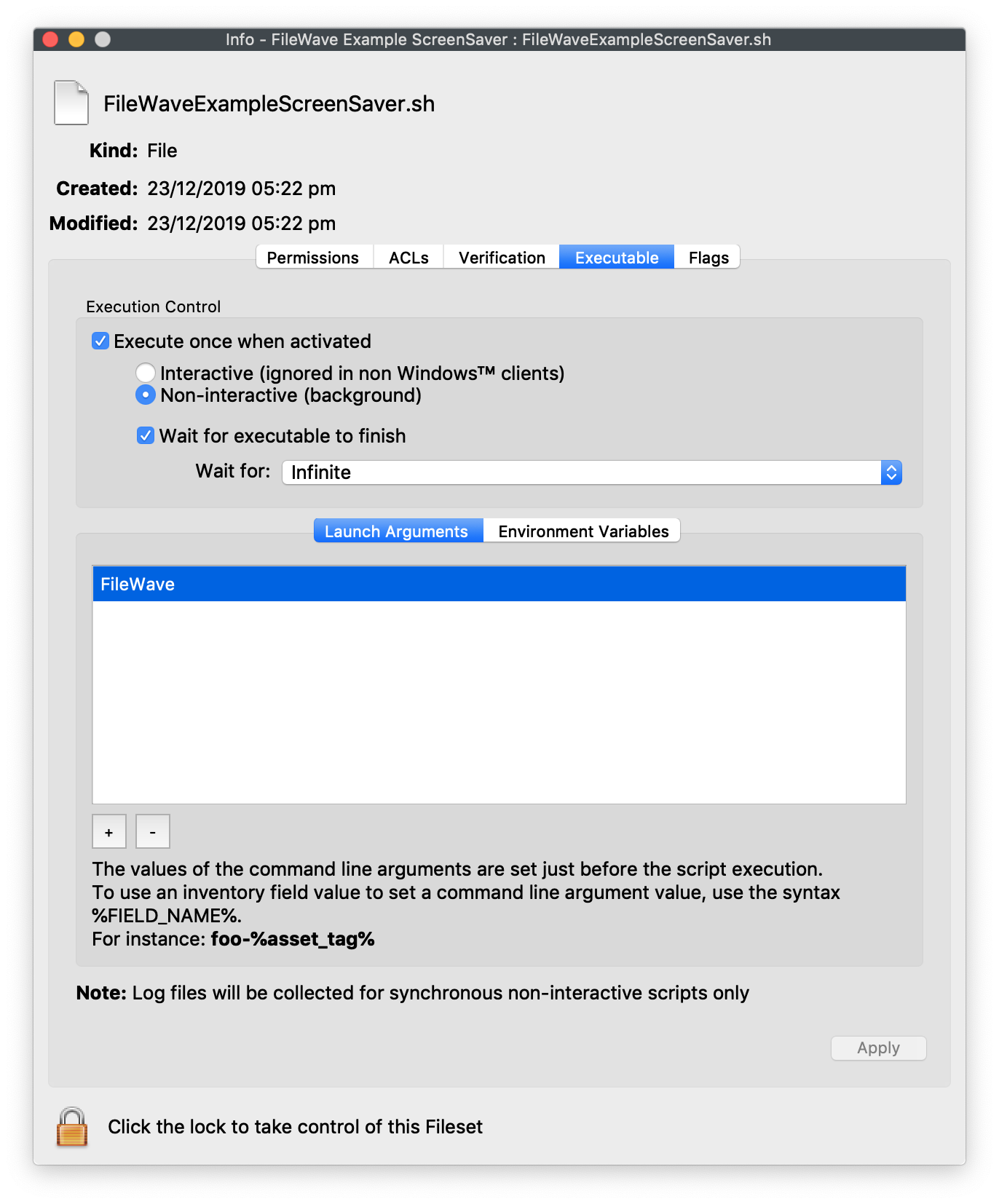
- Select Get Info > Executable
(Tab). - Set LaunchArgument 1 to the desired
namescreen(saver name, replacingFileWave)FileWave. - Repeat
stepsthe4sametoLaunchArgument6changewithforfile:RemoveFileWaveScreenSaver.sh.

CustomiseCustomize the Sourcesource Filefile (Optional)optional)
- Replace
the following file with a desired file:/tmp/FileWave.saver/Contents/Resources/fw.pngwith the image you want to display. - Edit
/tmp/FileWave.saver/Contents/Resources/index.and replacehtml"html"fw.withpng"pngfilename ofthe new imagename from step 1.filename.

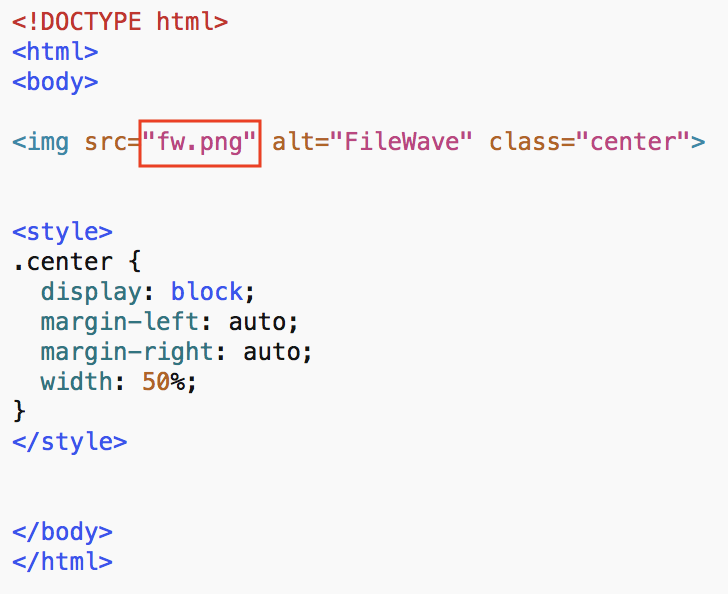
OptionalReplaceYou can replace the entire contents of fileindex.html with customyour own HTML/JavascriptJavaScript if desiredthe screen saver should show more than a static image.
Test
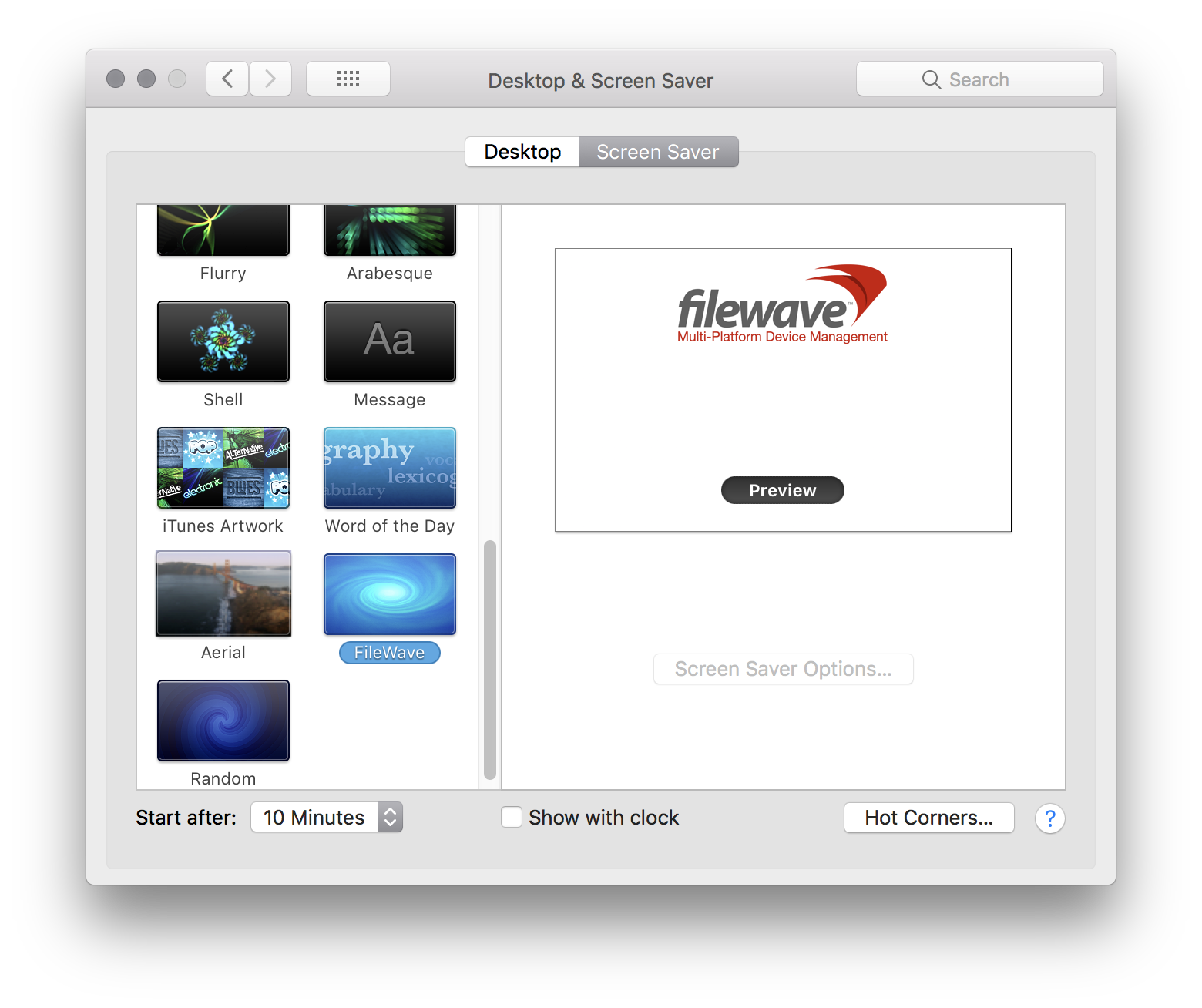
Associate the Fileset to a test machine.Mac Onfirst. installationAfter installation, the followingexample screen saver should beappear seenas fromshown the example:below:

Set Screen Saver as Default
- Open Profile Editor and
Selectselect Login Window. - Set
'Use screen saver module atpath'path to/Library/Screen Savers/FileWave.saver."(ReplaceFileWave.saverto matchwith your custom name if you changedfromitabove)above.

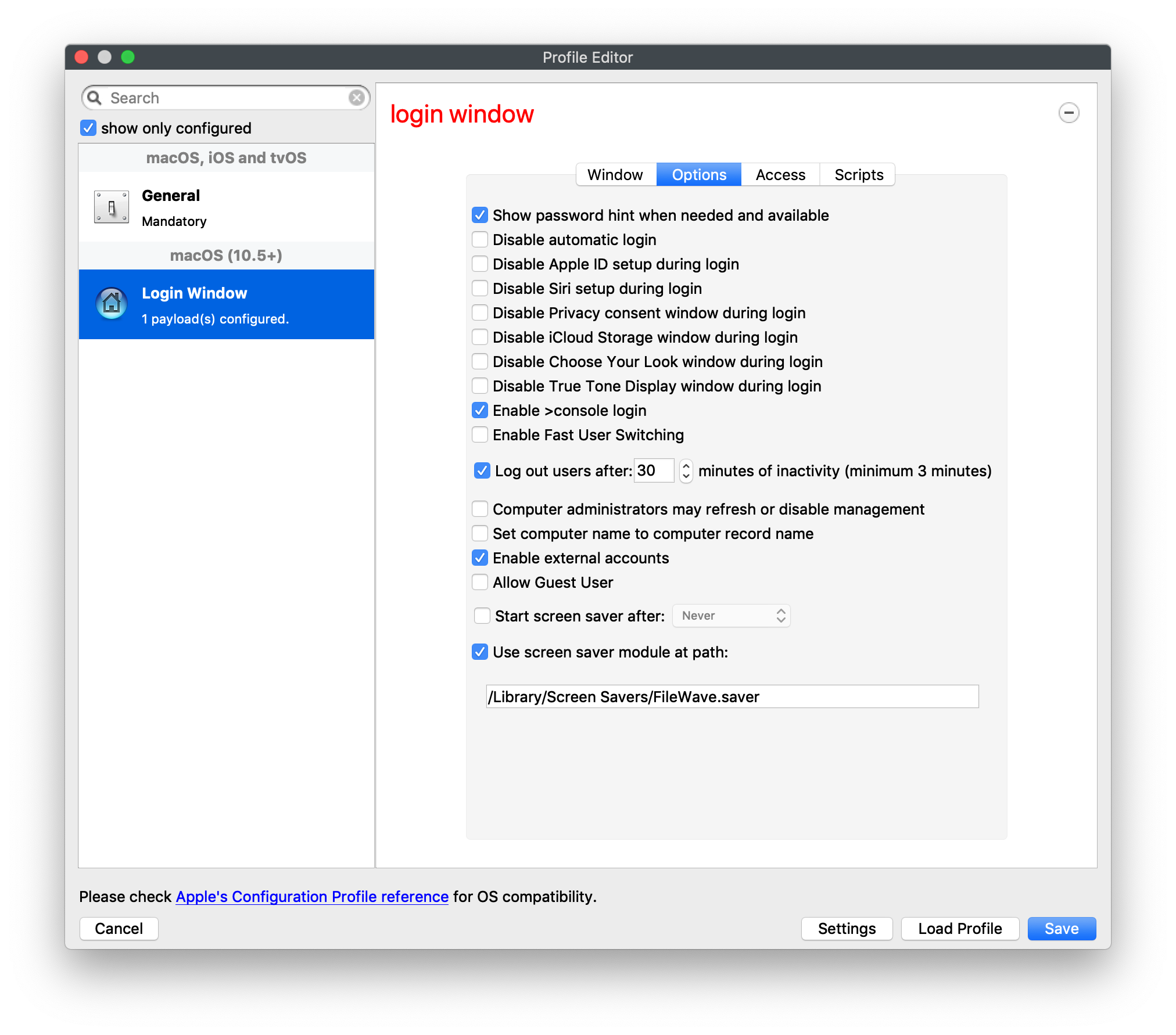
Login Window Profileprofile Requirementrequirement
Edit anyan existing Login Window profile if you already existinguse "Login Window" Profile.one. If this is your first time use of "Login Window"Window payload, please make sure to review allthe other Profileprofile settings.settings before deploying it.