
Find Macs Compatible with macOS 27 Using Inventory Reports
Description
DetailsUse onthe identifyingincluded FileWave Inventory Reports to identify managed Macs that Apple lists as compatible devicesor forincompatible with macOS 27.
Prerelease information: macOS 27 is currently in preview. Apple may change the supported-device list before the final release. Review Apple’s macOS 27 compatibility page before making final upgrade or replacement decisions.
Apple’s macOS 27 compatibility list
Apple’s current list contains only Apple-silicon Macs:
The significant change from macOS 26 (Tahoe)is that macOS 27 drops the remaining Intel-based Macs, including Intel MacBook Pro, iMac, and Mac Pro models that could run macOS 26.
How the reports classify Macs
Both definitions are limited to inventory records whose operating-system type is OSX.
The model-identifier fallback covers early Apple-silicon inventory such as MacBookAir10,*, MacBookPro17,*, MacBookPro18,*, iMac21,*, Macmini9,*, and Mac13,* through Mac18,*. It also includes the MacBook Neo identifier Mac17,5.
Scope: These reports classify Apple’s published hardware compatibility only. They do not evaluate free disk space, application compatibility, backup readiness, or FileWave support for prerelease macOS builds.
Ingredients
27 Compatible
macos27_compatible.json Find managed Macs matching Apple’s current macOS 27 hardware list. macOSCustom27 Field,Incompatible
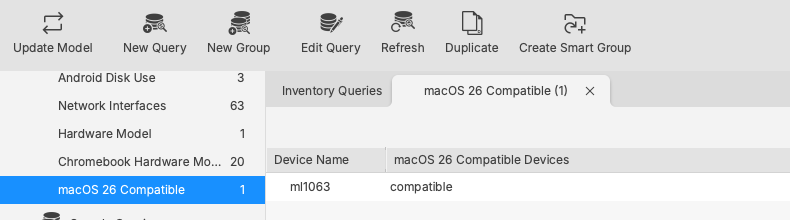
ExampleHistorical queryreference: view:
Ingredients
Directions
Import in FileWave Central (recommended)
- Download both JSON files from the
CustomtableField exported file and unzipabove. From the Admin console, open:OpenAssistantsReports>inCustomFileWaveFieldsCentral.- Choose Import Reports in the toolbar, or right-click within the report list and choose Import Report.
AfterSelectimporting,macos27_compatible.jsonselectanddesiredcompletevaluethe import.
macos27_incompatible.json.
Open the imported reports and compare the results with your managed Mac inventory.
Validate representative Apple-silicon and Intel Macs before using the results for upgrade planning.
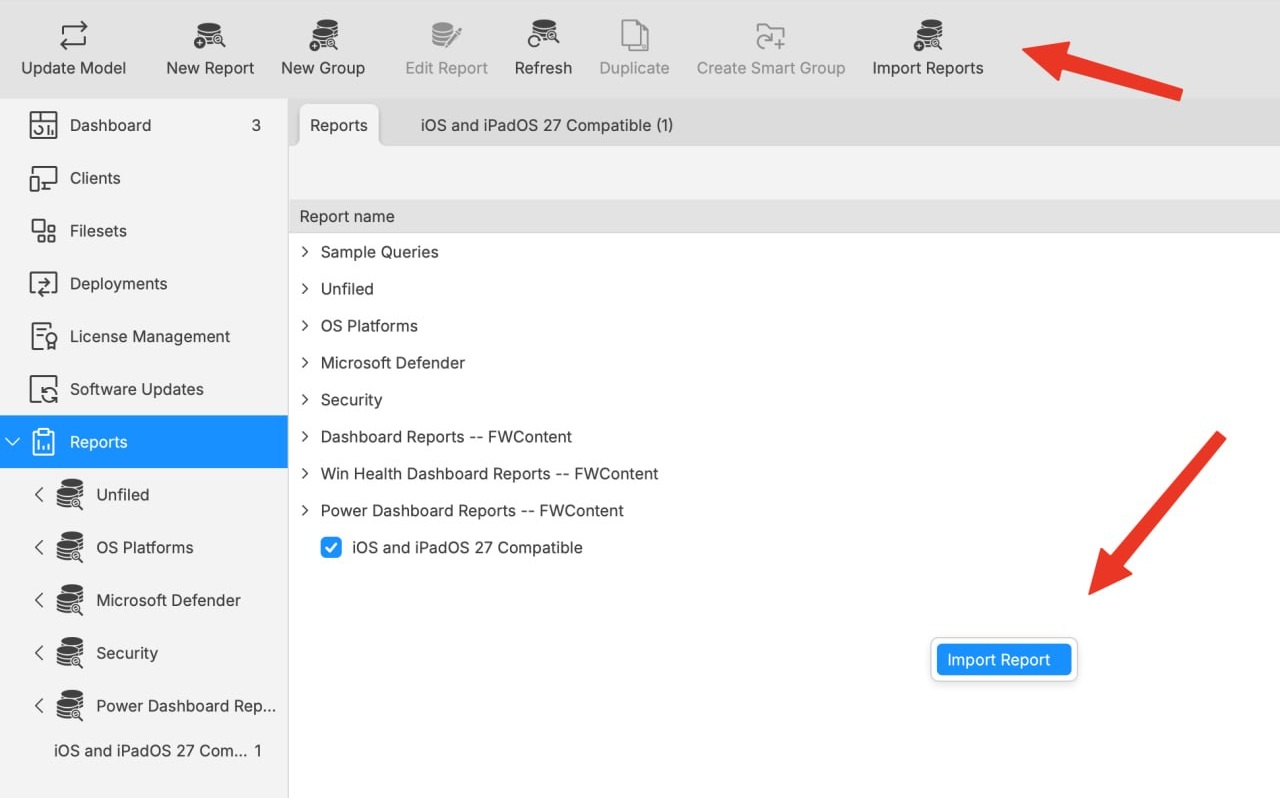
Both controls open the report-import workflow. The toolbar uses the label AssignedImport Reports; the right-click action uses Import Report.
Import through the Command Line API (optional)
Use the API when automating report creation or when the direct import control is unavailable. Direct import in FileWave Central is easier for normal administrative use.
Set these values before running the examples:
SERVER_FQDN: your FileWave Server hostname.
APPLICATION_TOKEN: an application token created in FileWave Central.
REPORT_FILE: the path to DetailsRun the command once for Importingeach andJSON Exporting Custom Field Filesfile.
macOS/Linux shell
SERVER_FQDN="filewave.example.com"
APPLICATION_TOKEN="replace-with-token"
REPORT_FILE="macos27_compatible.json"

curl --fail-with-body --show-error --silent \
  --request POST \
  --header "Authorization: ${APPLICATION_TOKEN}" \
  --header "Content-Type: application/json" \
  --data-binary "@${REPORT_FILE}" \
  "https://${SERVER_FQDN}:20445/inv/api/v1/query/"
Windows PowerShell
$ServerFqdn = "filewave.example.com"
$ApplicationToken = "replace-with-token"
$ReportFile = "macos27_compatible.json"

Invoke-RestMethod `
  -Method Post `
  -Uri "https://${ServerFqdn}:20445/inv/api/v1/query/" `
  -Headers @{ Authorization = $ApplicationToken } `
  -ContentType "application/json" `
-InFile $ReportFileMayProtect bethe assignedtoken: toDo allnot devices,place sinceapplication tokens in shared scripts, tickets, documentation, or shell history. Revoke or rotate a token if it is exposed.