
Windows MDM Policies (aka Profiles)
What
Windows Configurationconfiguration policies enablelet you to define and enforce settings on your Windows devices that are enrolled in MobileMDM. DeviceThey Managementare (MDM).the ForWindows example,equivalent youof cana restrictprofile featuresand likecover Bluetooth by setting policiessettings such as “BluetoothBitLocker, isBluetooth, notconnectivity, allowed.”cloud Whileand thesestorage, policiesand aredevice conceptually similar to Apple Profiles, they are specifically designed for Windows MDM-enrolled devices. These configuration policies offer management capabilities similar to what you might have previously achieved using Group Policy Objects (GPOs).restrictions.
When/Why
We'llUse usea configurationWindows policiesprofile wheneverwhen weyou want to configureapply Windows endpointspolicy forsettings itemsthrough thatFileWave easeto setup,MDM-enrolled ordevices. restrictThe deviceavailable usage. Policiescategories will always be a work in progress as more and more are addedcontinue to the platformexpand over time.time, In this iteration we start withbut the criticalworkflow corestays policythe settings.same.
How
HowTo cancreate a FileWaveWindows administratorprofile createin the Windowsweb policies?admin:
-
Open
thePayloadsFileWave WebAdmin → navigate to payloads →and clickonthe + button. -
ClickSelect Create Profile, then choose Create Windows Profile.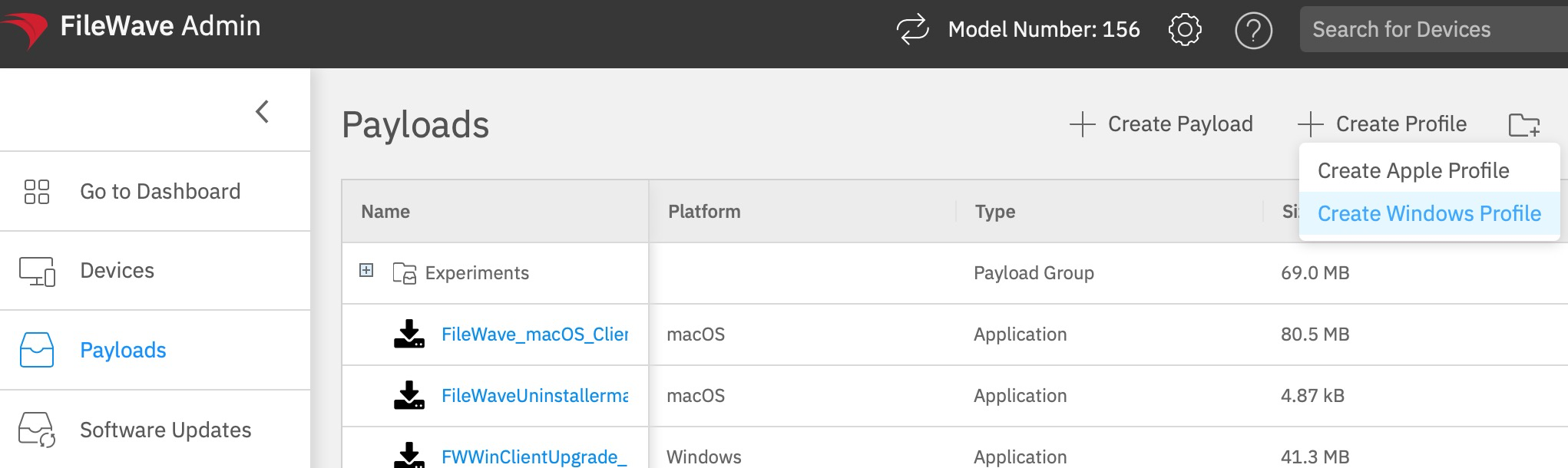
-
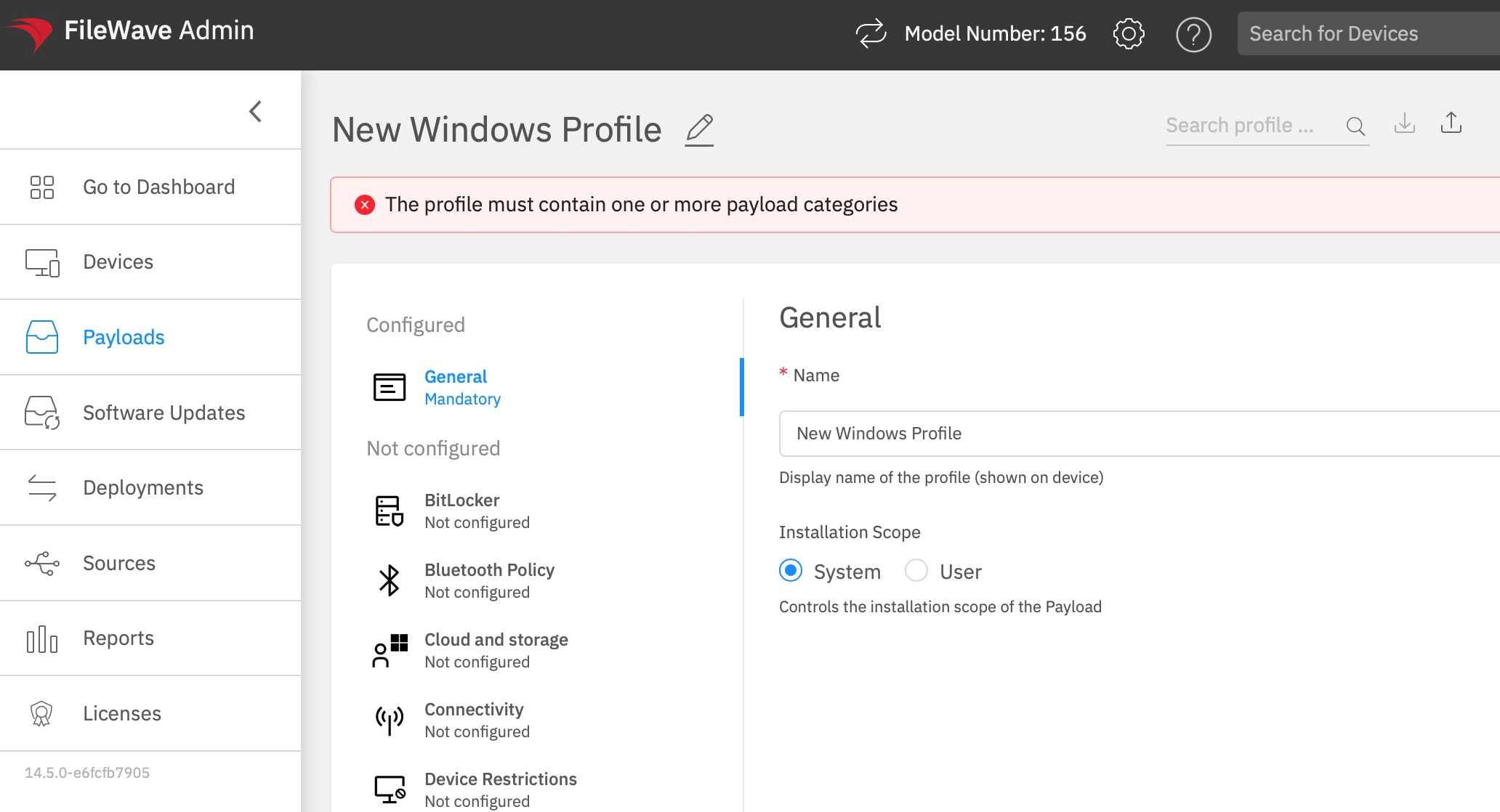
beHere you will be able to select what should be controlled byConfigure the profile settings you want to enforce. The General category is mandatory, the profile must include at least one payload category before it can be saved, and thesettingsInstallationforScopethosecancontrolsset to System or User.
-
OnceSave theprofileprofile,is saved you canthen deploythe profileit to thesingletarget device or device groupoffromdevices usingthe deployment view. -
TheWindowsFileWaveprofilesserverrequirewill reach to theWindows devicesusingthatpusharemodelenrolledviathroughWNS (Windows notification services.)
The device will now reach to the FileWave server and sync for the assigned payloads. In case the device is not online there is a caching mechanism built to retry for several hours. MDM.
You have now deployed a profileWindows to manage settings!profile.
NoteFileWave thatdoes atnot thiscurrently timeshow therepolicy is no method for seeinginstallation command history for Windows MDM profiles in the FileWave admin with regard to policy installation, but this feature will be coming in a later update.UI.