Windows MDM Software Updates CSP
What
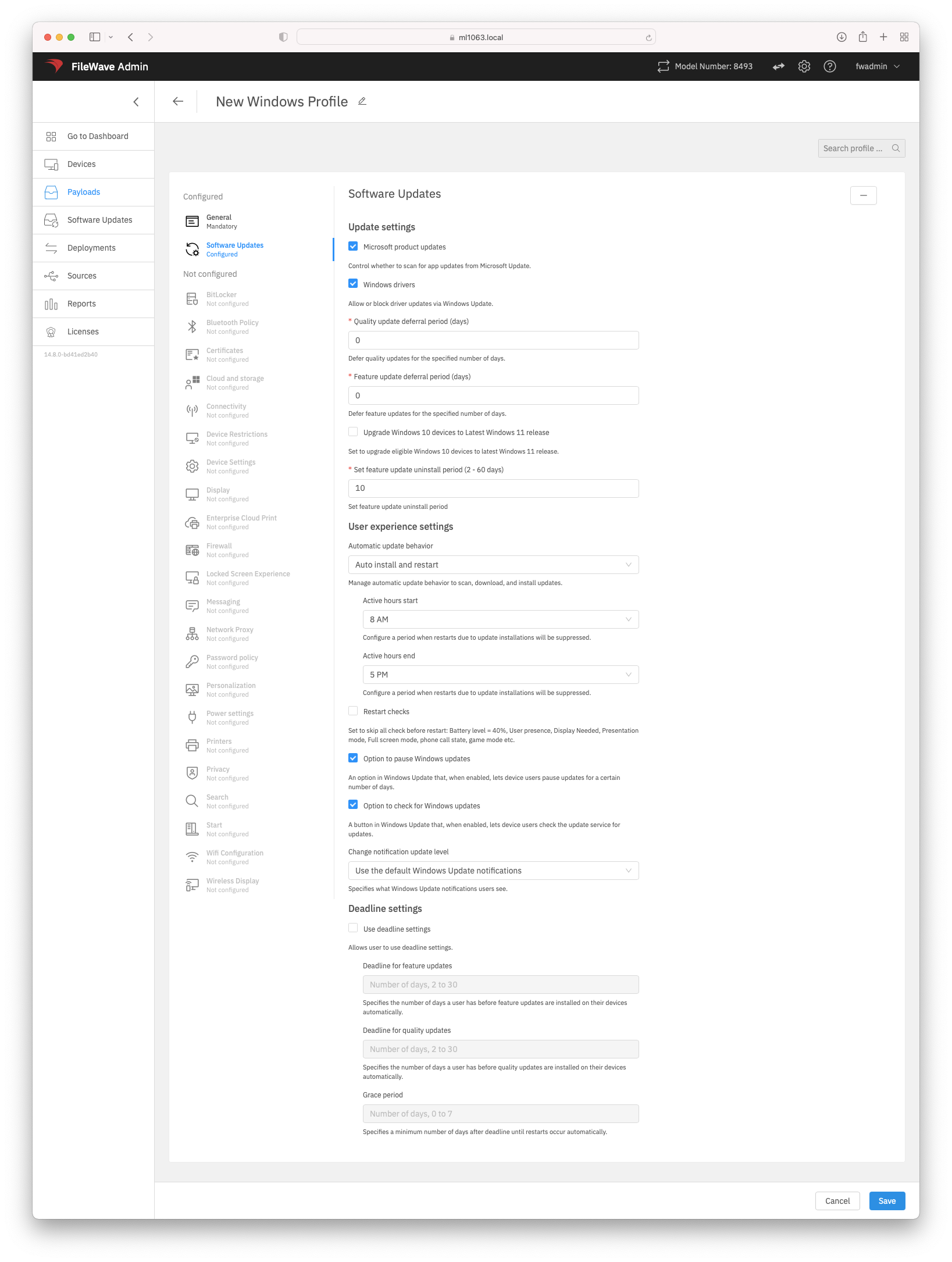
WhatWindows isSoftware CSP?Updates Ain configurationa serviceWindows providerProfile (CSP)uses isMicrosoft's anUpdate interfacePolicy CSP to read,manage set,Windows modify,Update orbehavior deleteon configurationenrolled Windows devices. The profile can control settings onsuch as Microsoft product updates, driver updates, feature and quality update deferrals, Windows devices,10 to Windows 11 targeting, automatic update behavior, active hours, restart checks, user access to pause/check updates, notification level, and thedeadline/grace-period options available have been expanded in FileWave 14.8+ to include Microsoft Software Update management.settings.
When/Why
Use this payload when Windows profiles10 mayor beWindows built11 viadevices theare enrolled with Windows MDM and you want FileWave Webto Admin. Using this new CSP you can control many options arounddeliver Windows Update policy through MDM instead of relying on Microsoftlocal device settings. Windows 10 and 11 devices.
Microsoft Profiles are onlycreated availableand throughedited thein FileWave Anywhere; if you open a Windows Profile from FileWave Central/Admin, editing is handed off to Anywhere Admin.
How
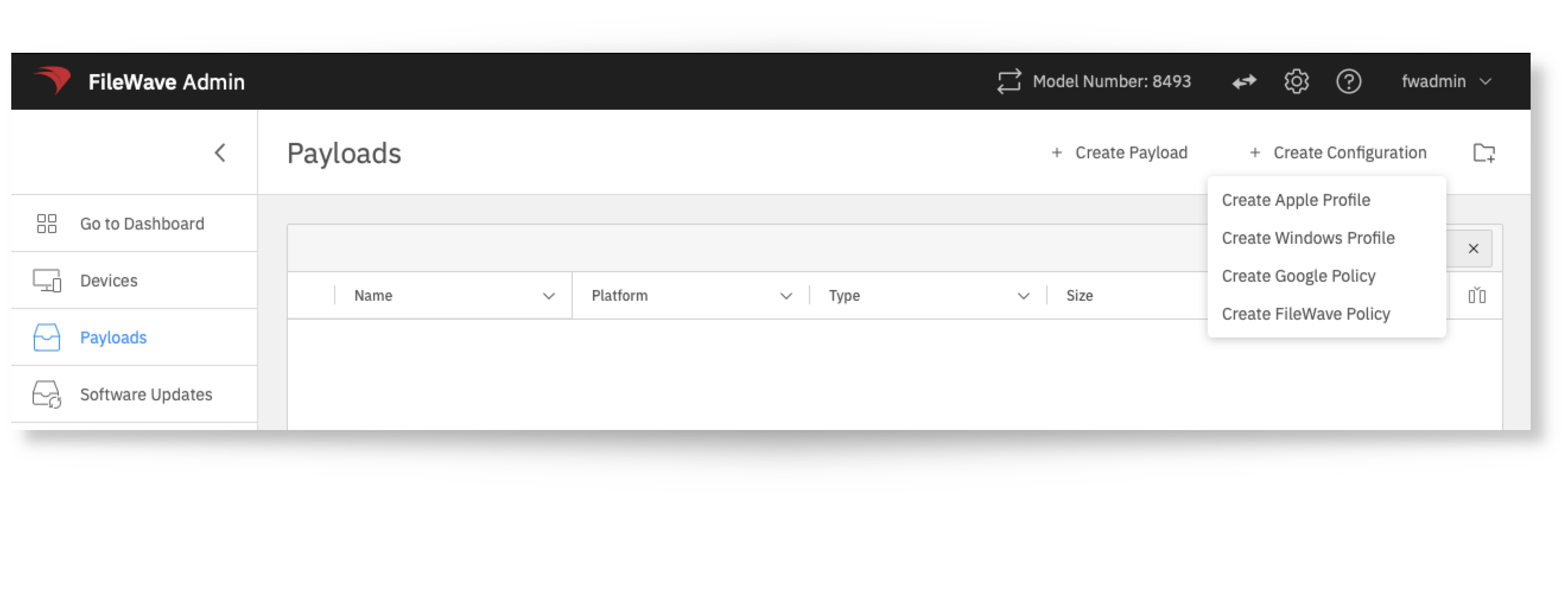
To build a Windows Profile, select:
- In FileWave Anywhere, open Payloads.
AsEach youoption go through configuringin the Software Updates payload includes inline help in the UI. Review Microsoft’s Update Policy CSP documentation if you will see that each option is clearly explained and allows you easy control overneed the Softwareunderlying UpdateCSP experience.path or Windows behavior for a specific setting.