
Configure Automatic WinGet Package Upgrades
What
WinGet is Microsoft's command-line package manager for Windows. This article assumes the application has already been added as a FileWave WinGet Fileset and explains how to control its automatic upgrades.
If you have not created and assigned the Fileset yet, start with Find WinGet Packages in FileWave Central, then Installing a package with WinGet. Confirm the package identifier and publisher before choosing automatic upgrades; similar application names can refer to different packages.
When/Why
Applications need ongoing security and feature updates after the initial installation. A WinGet Fileset can check for a newer package and install it during verification.
Network path: WinGet downloads package content from the publisher or package source, not from a FileWave Booster. Account for that direct internet traffic in firewall, proxy, and bandwidth planning.
How
Select the WinGet Fileset, then open Properties from the toolbar to review its package and upgrade settings.
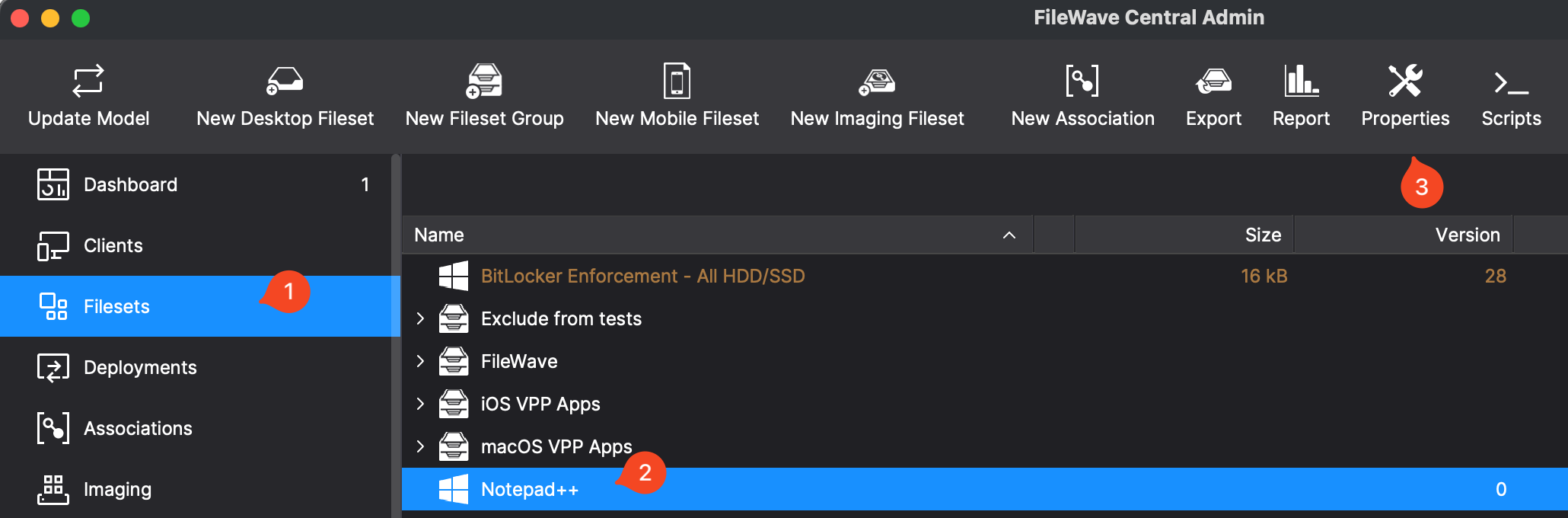
Below is the properties dialog for the Fileset.
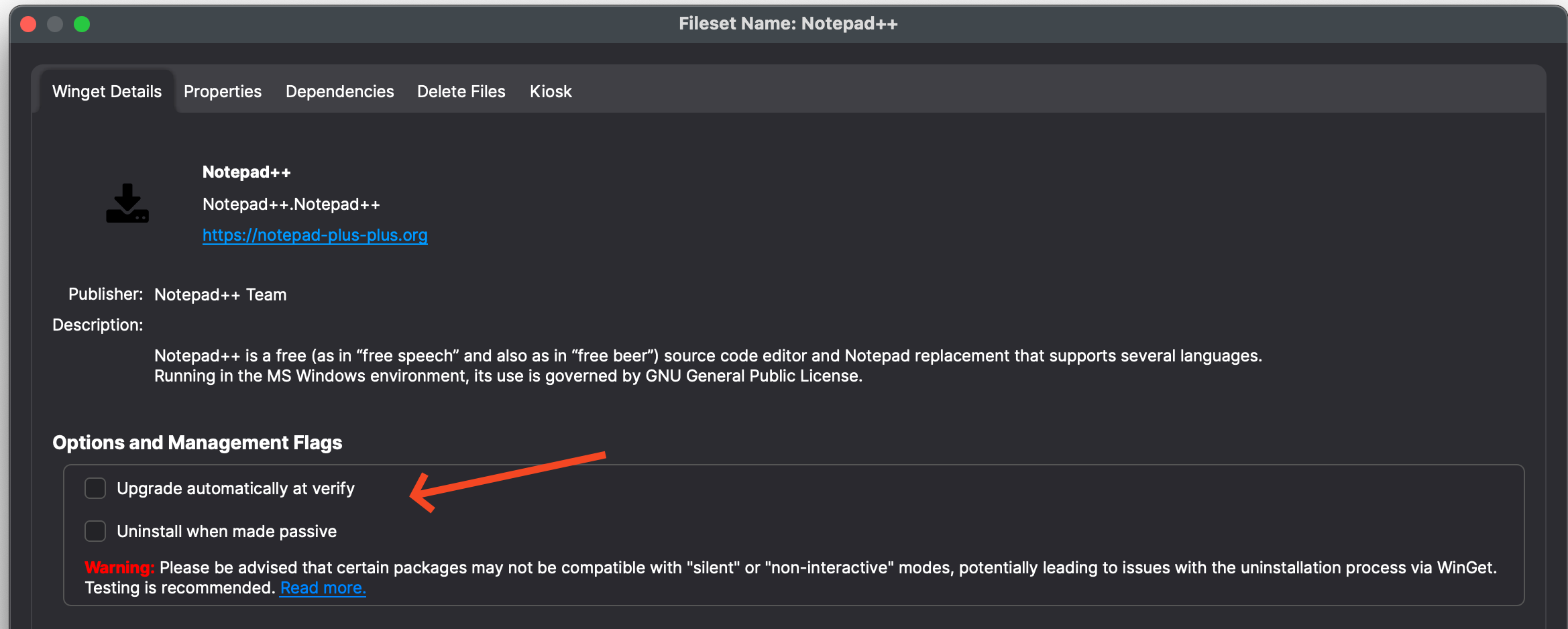
Things to consider on the properties dialog:
- Name - Is it the name you expected?
- URL - The publisher of the software. Go there and confirm it is what you expected.
- Upgrade automatically at verify — Controls whether verification checks for a newer package and installs it during the scheduled verification workflow.
When Upgrade automatically at verify is enabled, the Fileset follows the latest package version available from its WinGet source. Pilot automatic upgrades with a small device group before broad use. If you later change the option, perform a Model Update so targeted devices receive the new Fileset setting.
Verify an upgrade
After the pilot device has run verification, check its installed application version in inventory and compare it with the version you intended to deploy. Saving the checkbox is not evidence that an upgrade completed. If the Fileset reports an error, record the exact return code and compare its status output with the WinGet logs using Troubleshooting Errors with WinGet before expanding the Deployment.
No comments to display
No comments to display