
Find WinGet Packages in FileWave Central
What
FileWave Central can search the WinGet repository and create a Windows Fileset from the package you select.
Before you create the Fileset
Confirm the package name, identifier, and publisher before deployment. Search results can contain similarly named packages, and the package identifier is the stable value that distinguishes them.
Find and select a package
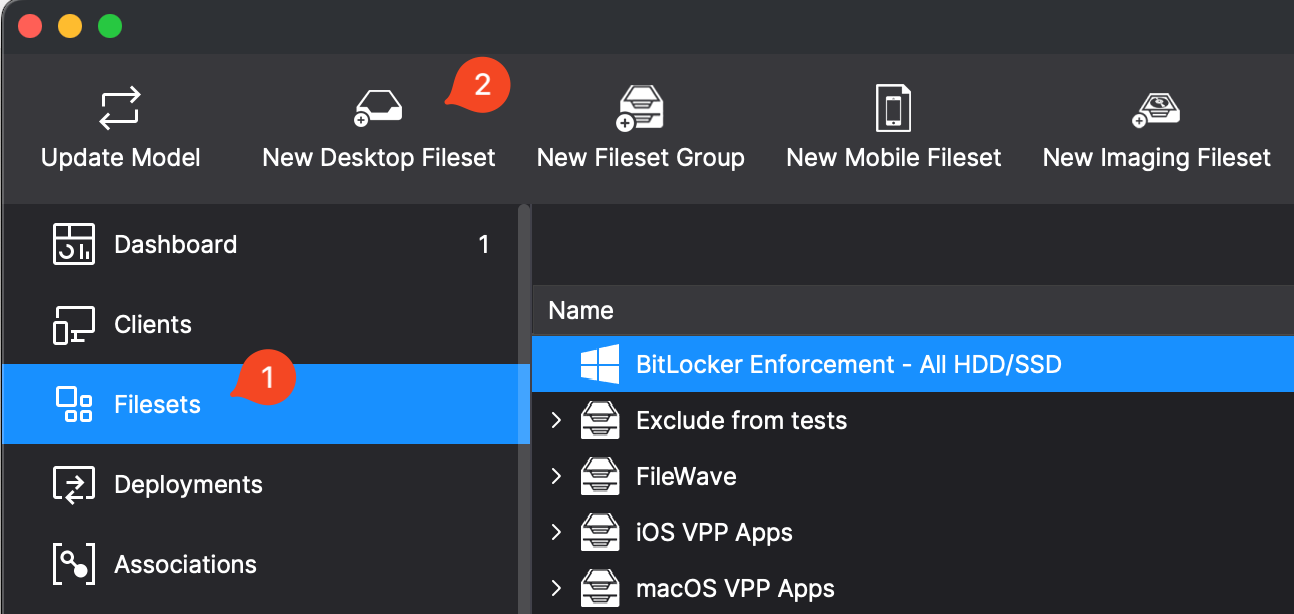
- In FileWave Central, open Filesets and select New Desktop Fileset, then choose WinGet.
- In Search Winget, enter the application name.
- Compare Package Name, Package Identifier, and Publisher, then select the intended result. In the example, Notepad++ uses package identifier
Notepad++.Notepad++.
The package identifier matters when several results have similar names:
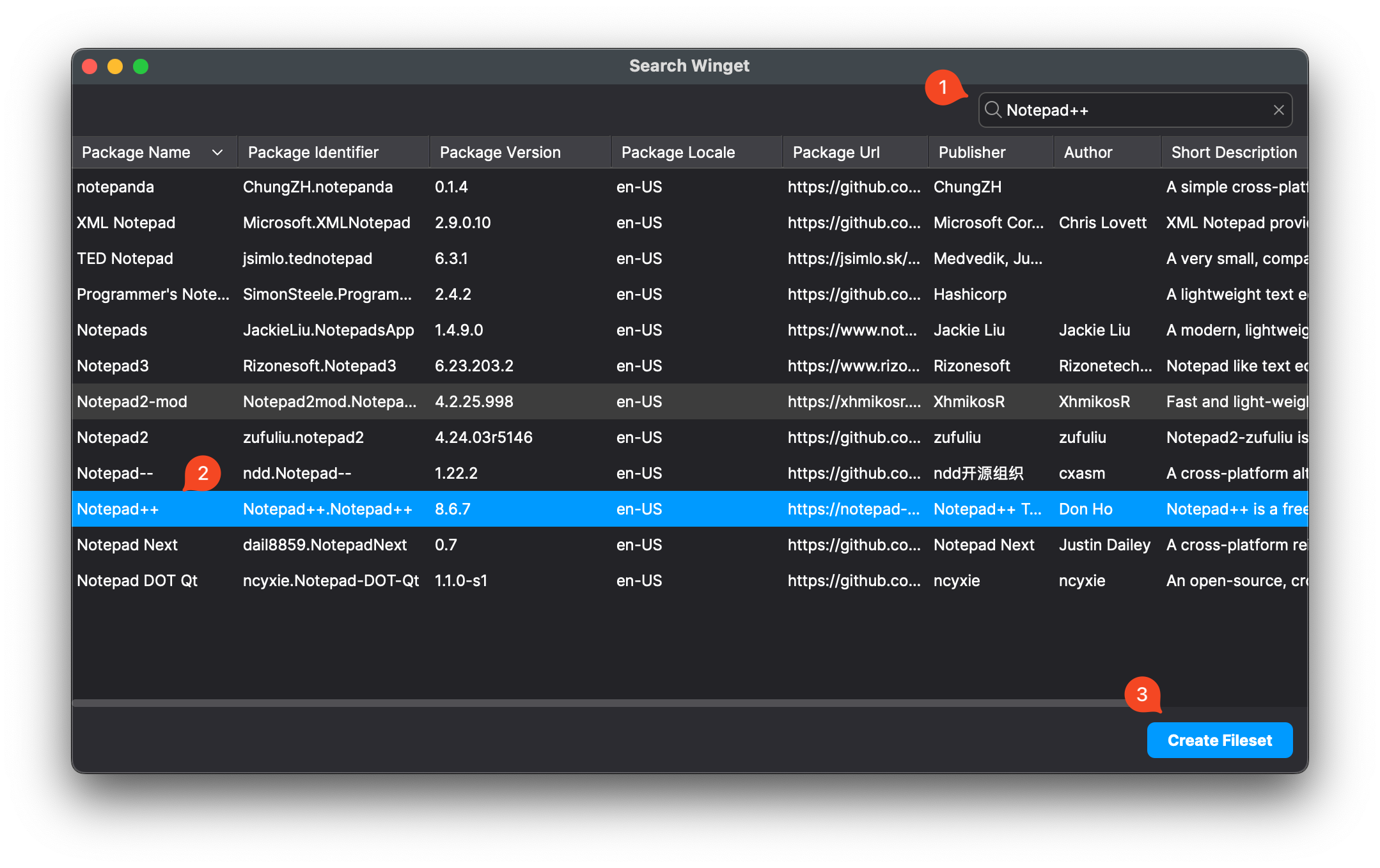
- Select Create Fileset. Review the new Fileset's package details and deployment settings before assigning it to devices.
No comments to display
No comments to display